

Jason Carr
-
Posts
13,723 -
Joined
-
Last visited
-
Days Won
388
Content Type
Profiles
Forums
Articles
Downloads
Gallery
Blogs
Everything posted by Jason Carr
-
Well, it took me a bit to dig through what is and isn't currently possible, but it does appear that Android 11 still does allow you to pretend to be an older application and use the older storage mechanisms. That appears to be what the other frontends are currently doing. There are still some silly restrictions on where and how you can share files (for example, our previous file extraction routines aren't working on Android 11 at all), but I'm grateful that it looks like there are ways to make things work on Android 11. Some of my testing with the other frontends was faulty, so I apologize for that. It does appear that users are able to create a folder in the root of the SD card or internal memory with ROMs and launch them in Retroarch. Back when we stopped development, Google's plans and directions along these lines were up in the air and terribly documented. Unfortunately, they still are. I can't find any information from Google as to when the older storage mechanisms will be completely disabled, or if they'll be available at all in Android 12. So the future feasibility of emulation frontends on Android is still very much at risk, but at least there are ways to keep things working on the current version of Android. Google's penalty for sticking with the older storage mechanisms is that you can't target the latest Android features, but I don't currently see that as a major issue. So, hooray? It looks like we can actually continue developing and releasing on Android, at least for now. However, as we won't be using the Play Store anymore, we do have a significant amount of work and changes to make to our backend systems to support our own purchases, downloads, and updates. But stay tuned.
-
Hey all, I am considering the possibility of opening LaunchBox for Android back up for development and release. That said, I've done literally only a half hour of research and already I'm running into the same nasty problems that plagued us the first time around: Having to place ROMs in ridiculously deep and ugly folders in order for them to be able to be launched Security issues launching games (Retroarch basically just crashes if Android doesn't allow the launch) Issues with app switching (you can't load up a new ROM in Retroarch if you don't manually close the previous one) Needless to say, my hope to get back into Android development was dampered pretty quickly. It's a real shame, because most of these issues are superficial, but they're also out of our control, and they make for a confusing and lacking experience on Android no matter what we do. If anyone knows of any solutions to these problems though, please let me know. I will say that all three of these issues are still problems in Dig and Reset Collection, so I doubt that they can truly be solved, but I am all ears if you know any solutions. After running the latest versions of the other frontends, I am convinced that there is still plenty of room for improvement. The other frontends still make for a confusing and difficult experience, if nothing else. And with most people having an Android phone that is quite powerful these days, it would certainly be nice if there was a better emulation experience available. Anyways, if we do end up getting back into Android dev, we will probably do it without the Play Store, as our experience was so terrible over there. I'm interested in hearing your thoughts on whether that is a deal breaker for you, and how you personally get around the above issues. Thanks y'all!
-

LaunchBox for MS-DOS Special Edition
Jason Carr commented on Jason Carr's file in LaunchBox/Big Box Media
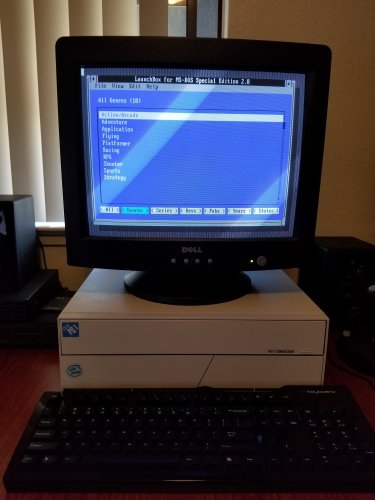 I'm honestly not sure at this point. I think it should be fairly high (close to that number), but I've never fully figured that out with the 2.0 version. Yes.
 -
LaunchBox for MS-DOS Special Edition
Jason Carr commented on Jason Carr's file in LaunchBox/Big Box Media
Should work just fine on MiSTer, I would guess. Though I don't have one to test with. -
LaunchBox for MS-DOS Special Edition
Jason Carr commented on Jason Carr's file in LaunchBox/Big Box Media
Probably not, but I will be open sourcing the code here soon, so someone could certainly add that. Also, FYI all, I have everything rewritten in 8088 x86 assembly and working fine, sans for the editing capabilities. That's quite a bit of work yet, but once it's all ready to go I'll release and open source it. -
How to change these BigBox menus select colors
Jason Carr replied to kevin.k's topic in Big Box Custom Themes
@kevin.k Of your screenshots in the first post, the Keyboard one can be changed via KeyboardView.xaml. The others are unfortunately not currently able to be modified. We can fix that for a future release; however, it may not exactly be the highest priority, if I'm honest. -
Playlist with "Favorite" filter does not auto-populate in BigBox
Jason Carr replied to a_netanel's topic in Troubleshooting
We've put this on our internal list, @James Carden. Hopefully we can get to it soon. -
We'd like to announce that @faeran has officially joined our team here at Unbroken Software, LLC! If you've been around long enough, you probably know him from all the themes he's been sharing with the community since 2017. He will now be serving as our Product Manager, and while that title doesn't do justice to all the things he'll be doing behind the scenes, you'll definitely be seeing his presence more and more as he settles. Some of his new roles pertaining to the community will include: Supporting LaunchBox through email, forums and social media Listening to the community and providing feedback to the team Leading the marketing and video creation efforts Helping guide the direction of LaunchBox updates Providing community live streams for theme development Continuing to develop themes for the community Let's all welcome him into the LaunchBox family!
- 17 replies
-
- 37
-

-

-
Beta 7 is out now with the following: Fixed: Missing retro achievements leaderboard in Big Box Fixed: Rare error when opening a "Browse Folder" dialog window Fixed: The Add/Edit Game window wasn't always saving image files correctly when two games in a platform had the same title
-
Big Box Video Playback Volume Different for OBS-recorded Videos
Jason Carr replied to megashub's topic in Troubleshooting
@megashub Unfortunately, even if it is a bug, there's not likely anything that we'll be able to do to fix it, because we use either VLC or Windows Media Player to play the videos. We do have a general volume control on the videos of course, but obviously it's not getting changed between videos, so if there's a volume discrepancy, there's not really anything we can do about it. Do all the videos play at the same volume when you compare them to the prerecorded videos outside of LaunchBox/Big Box? -
Do you have any FLV videos? Several other people lately have noticed VLC having stability issues with FLV videos. Unfortunately themes that really on the eatkinola plugins may not continue working going forward, especially the video plugin, as it was always prone to stability issues.
-
Beta 6 is out now with several stability fixes and performance improvements for imports and metadata/media downloads. Also resolved several issues with continuing EmuMovies downloads after restarting the app.
-
Thank you @Kondorito; I have this in for the official, which we're hoping to put out later today.
-
Beta 4 is out now with the following: Improvement: Double clicking a controller in Manage Controllers will now open the edit screen for that controller Fixed: Controllers weren't showing to add in Bulk Edit Fixed: Removing controllers via the Manage Game Controllers window were not removing controllers Fixed: The metadata scraper was only scraping one controller entry per game even if there were multiple
-
Thanks @Cauptain, we have it updated for beta 4.
-
Issues with scraper retrieving video media
Jason Carr replied to HallowedTruth's topic in Troubleshooting
For everyone having issues with EmuMovies downloads, please update to 11.12-beta-3 and let us know if it fixes the issues for you. -
Beta 3 is out now with the following: Improvement: Added a "Doesn't Require" comparison for Controller Support with auto-populate playlists Improvement: The "Clearing Image Cache" process at the end of the download metadata process should now be faster (will still heavily utilize the CPU - this is of course by design, might as well utilize that fancy CPU) Fixed: Manage Game Controller's delete button now works Fixed: When finding controllers by platform only the first platform was found Fixed: Threading error caused by wizards Fixed: When adding a playlist and selected "Auto-Populate" the grid was populating with the current playlist/category name as a platform filter Fixed: Potential batch EmuMovies media download issues (introduced in 11.11)
-
Thanks guys; I have these translations in for beta 3, which should be out today.
-
Additional apps don't work after switching default emulator.
Jason Carr replied to dariodb's topic in Troubleshooting
Arcade is blank there for the command line. What is the platform the games you're using? Not the playlist, but the platform. It's probably arcade, so that's probably the problem. -
Additional apps don't work after switching default emulator.
Jason Carr replied to dariodb's topic in Troubleshooting
Okay, so most likely your configuration of the Retroarch emulator in LaunchBox is the problem; either that or Retroarch itself. You need associated platforms for the platforms you're using in the Retroarch configuration:
-
Additional apps don't work after switching default emulator.
Jason Carr replied to dariodb's topic in Troubleshooting
Okay, I see. What are you changing the emulator to for those games? What emulator are you using? -
Additional apps don't work after switching default emulator.
Jason Carr replied to dariodb's topic in Troubleshooting
You can't change the default emulator for a playlist; that's not a thing, unless there's something massive that I'm missing. How are you changing the default emulator for a playlist? -
Hey all, we are nearly ready to release 11.12. We're hoping to release it early/mid next week. All the translations have been updated for you guys. As always, thank you so much for your help. @Opak @cyanjiang @Bardock @MajKSA @gamehacker @Kondorito @Nyny77 @alexposad @k_kutsugi @dukeemu @Just001Kim @Cauptain
-
Hey all, beta 2 is out now with the following: New Feature: A complete management system has been built for specifying types of supported controllers for games, including a built-in database with known games, full flexibility for customization, and built-in badge images for various controller types. See Tools > Manage Game Controllers and the Controller Support section of the game add/edit screen for details. New Feature: All import processes will now import the games first before downloading any media, allowing you to edit and play them right away New Feature: Media downloads are now saved and resumed when exiting and restarting LaunchBox New Feature: Downloads for different platforms can now be queued up so that multiple platforms can be imported quickly without waiting for all of their media downloads Improvement: Major performance improvements for the actual import processes (not the download parts) Improvement: The Add/Edit Playlist screen has been overhauled Fixed: Rare dispose error with VLC video playback Fixed: Image file names that differ only in case (capitalized vs. uncapitalized) were sometimes not be recognized as different images Fixed: Potential import issues with multiple versions when using drag and drop (introduced in 11.9) Fixed: Rare potential error when populating game images in LaunchBox Fixed: Changes to a game's name or platform wasn't always migrating images to the proper folders (introduced in 11.10) Fixed: Rare potential null reference error when getting game metadata from the local database Fixed: Error when drag/drop import is asked to import a file that no longer exists
- 133 replies
-
- 15
-
-

-
-
I think this is a known issue, probably due to how we use and process images in LaunchBox vs. Big Box. I'm sure it can be fixed, but it hasn't been a priority as of yet. If you can report a bug for it though on BitBucket, I'd appreciate it.

