

neil9000
-
Posts
12,649 -
Joined
-
Last visited
-
Days Won
38
Content Type
Profiles
Forums
Articles
Downloads
Gallery
Blogs
Everything posted by neil9000
-
You cant natively add bezels to platforms that dont support them, which is the case here.
-
 Editing the file will break it, so dont do that. Email support@unbrokensoftware.com and explain you want it changed and why.
 -
Now that could be a issue, yes.
-
Launchbox doesnt touch the registry, or put any files anywhere other than the Launchbox folder, it's a portable app and can be moved to different drives or different PC's just via drag and drop.
-
He asked you both to stop actually, so please do. As for the drugs part, who cares, his life and he can do what he wants with it, it's none of yours, our ours business.
-
You can have as many installs as you like, so that wouldnt of been the issue.
-
Go to Launchbox/Data and find and open the settings.xml in a text editor, search for the "logging" line and change it from false to true. Then try and launch Launchbox, when it fails you should have a log in Launchbox/Logs, can you paste that in here. Thanks.
-
You actually want to look here, at actual Windows Defender Antivirus history.

-
8bitDo Controller not working right in BigBox
neil9000 replied to Stashdragon's topic in Troubleshooting
Also what connection mode is it in and do you use any third party mapping software? Cause i also have the same controller and have no issues. -
Simply login to the database and click the "Add New Game" link. As for videos, no we don't support those, we leave that to Emumovies.
-
Launchbox/bigbox image to flash directly on your SSD?
neil9000 replied to Cristagally's topic in Features
Short answer, No, sorry. Those other programs you mention are actually custom Linux OS's with emulation station installed on them, so not really any difference to Windows with Launchbox installed to it. There is one major difference though Linux is free, and open source, Windows is closed source, and technically cost £100 for a license. -
LaunchBox 12.1 refuses to let me change game folder path.
neil9000 replied to mikehiler2's topic in Troubleshooting
But why though? You are asking Launchbox to do something that every OS supports natively and takes like two seconds to do, why would you spend time building a feature that imitates what the OS does, i just dont understand that at all. So you downloaded a new Switch game and you want to add it to Launchbox, you go to your "Downloads" folder in Windows, right click/copy, or click CTRL-C, open your G/Switch folder and right click/paste, or simply CTRL-V, then in Launchbox just click the scan for added roms feature to add the new rom file. That is actually quicker and easier than what you are wanting to do, as well as being more flexible. Maybe i'm missing something here but they way you are wanting to do this is actually the slower and more complicated way to do it. You can have roms anywhere you like, on multiple drives or in multiple folders, no issues at all. You i assume are also aware you can also import games by simply dragging them onto Launchbox. So add them to your G folder, than drag onto the Launchbox window to import from that location, thats even quicker. -
LaunchBox 12.1 refuses to let me change game folder path.
neil9000 replied to mikehiler2's topic in Troubleshooting
As stated, use the search for added roms feature, NOT the import wizard. -
LaunchBox 12.1 refuses to let me change game folder path.
neil9000 replied to mikehiler2's topic in Troubleshooting
You can keep media and re-use it, it is not deleted when you delete a platform unless you specify that it is. -
LaunchBox 12.1 refuses to let me change game folder path.
neil9000 replied to mikehiler2's topic in Troubleshooting
As now stated several times that wont work like that. What you want is to already have the files in that folder, you then edit the path in Tools/Manage Platforms/folders tab. You then add any new games to the folder you want to use, then select the platform in the left bar and head to Tools/Search for Added Roms/For Name Of System. That will look in your actual Switch folder for any new games and add the new ones, you do not need to run the full import wizard to add games to a system you already have setup, just set that path you already know about, and use the search for added roms tool. The way you are doing it is that you want Launchbox to move the games to your G folder, why are you relying on Launchbox for that when its a native feature of Windows itself? As stated if choosing the move or copy options in the actual import wizard, that will ALWAYS move them into the Launchbox/games/Name of Platform Folder, if you dont want them moved there choose the "Leave my files in there current location" option. -
I believe a lot of those notifications now use the built in Windows notifications that you get bottom right of the screen, do yo have those turned off?
-
Users cannot add systems, that has to be done by a website administrator.
-
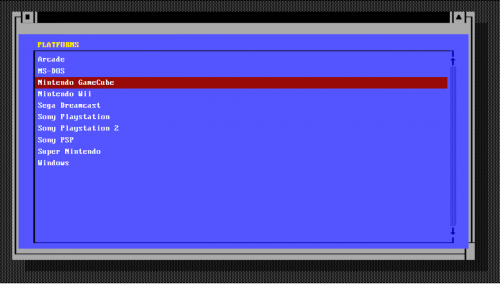
-
Only themes made in the creator can be edited in the creator, this theme wasn't, so you cant edit it that way. You would need to get your hands into the code.
-
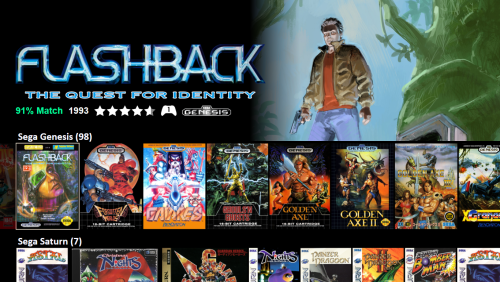 Steam uses webm, they play fine in VLC, but WMP needs you to install codecs to play them.
 -
This should hopefully all be corrected for the next beta release. Yeah they have moved the file, so it's no longer in the location we are looking for it, hence we don't display any scores, as we simply don't see any. Devs are aware though so it will be fixed, hopefully sooner, rather than later.
-
This may well be the problem. I'm on 0.236 still so it works fine here.
-
I think something changed with the 0.237 version in regards to the hi2text file being moved, i'll bring it up with the devs.
-
new to launchbox, same issue with retroarch keeps coming
neil9000 replied to WillGr78's topic in Troubleshooting
Dont use Retroarch, its not as good as actual Dolphin, so use that, and add -b -e to the command line.
-
new to launchbox, same issue with retroarch keeps coming
neil9000 replied to WillGr78's topic in Troubleshooting
You need to add Arcade to the associated platforms for Retroarch, it's not there by default, that's assuming you called the platform Arcade, if you called it something else you need to put that name in the associated platform tab. However i would personally avoid Retroaorch for Arcade and just use MAME.





