

CaptainGreenhat
-
Posts
72 -
Joined
Content Type
Profiles
Forums
Articles
Downloads
Gallery
Blogs
Everything posted by CaptainGreenhat
-
LaunchBox Integration Guide (PC, Android & iOS) I recently came across an interesting Angry Birds engine reimplementation and spent some time getting it properly integrated into LaunchBox. I figured I'd share my setup with the community and hopefully save someone else a few hours of experimentation. What is Angry Birds PC Engine? Project repository: https://github.com/BurnerAccount-dec/linnut1.6.2-decomp Releases: https://github.com/BurnerAccount-dec/linnut1.6.2-decomp/releases Angry Birds PC Engine is an engine reimplementation based on the original Angry Birds 1.6.2 PC release. It has since expanded to support numerous versions of Angry Birds across Windows, Android and iOS. Rather than requiring separate emulators for each source platform, the engine can run supported games using their original assets, APKs or IPAs. It also offers features such as level editing, custom content, save states, rewind and graphical enhancements. Compatibility varies considerably between individual games and revisions, so refer to the project's README for the current compatibility list. You will need to supply your own original game files. What this guide accomplishes One centralized engine installation. One universal launcher for Windows, Android and iOS releases. Individual game entries in LaunchBox. Automatic bypassing of the mobile package confirmation dialog. ESC-to-exit functionality. Persistent fullscreen configuration. Relocated extraction cache to avoid cluttering the Windows system drive. Prevention of cache conflicts between different versions and source platforms. Preservation of original game packages without modifying their contents. 1. Directory structure I opted to treat Angry Birds PC Engine as its own dedicated platform in LaunchBox, similar to how someone might organize Doom or other engines that support multiple independently launchable items. My platform is named Angry Birds Engine. My directory structure is as follows: E:\Angry Birds Engine\ ├── Sets\ │ ├── Angry Birds 1.0 (iPhone)\ │ │ └── Angry Birds 1.0 (iPhone).ipa │ ├── Angry Birds 1.3.5 (Android)\ │ │ └── Angry Birds 1.3.5 (Android).apk │ ├── Angry Birds 2.0.0 (PC)\ │ │ ├── AngryBirds.exe │ │ └── data\ │ └── ... └── Tools\ └── Angry Birds PC Engine\ ├── AngryBirdsEngine.exe ├── Launcher.ahk └── Cache\ Obviously, you can adjust the drive letter and directory names to suit your own collection. I personally extract the engine release into the Tools directory but I add it to launchbox as an emulator so store it where it makes sense to do so, the goal is retaining any additional files supplied with the release. 2. Preparing your games Windows releases Windows releases require the original installed or extracted game assets and I had to run the installers in compatibility mode or they hung before initializing installation but otherwise were more or less straight forward. The engine expects a directory structure containing the following: AngryBirds.exe data\ └── scripts\ └── gamelogic.lua One more complication with the original Windows installers is that they may refuse to install older versions if a newer version is already registered with Windows so if you have a few install them oldest to newest or rather than repeatedly installing and uninstalling different revisions, I recommend attempting to extract the installers directly using tools such as 7-Zip or Universal Extractor 2. (I Used Universal Extractor 2) https://github.com/Bioruebe/UniExtract2 Not every installer will extract successfully using the same method, results may vary. Android and iOS releases The engine accepts supported APK and IPA packages directly. Important: Give each package a unique filename that includes its version and source platform. For example: Angry Birds 1.0 (iPhone).ipa Angry Birds 1.0 (Android).apk I discovered that the engine names its mobile extraction directories based on the package filename, excluding the extension. Consequently, an APK and IPA with otherwise identical filenames could end up sharing an extraction directory. Including the original platform in the filename prevents this issue. I simply named each package identically to its parent folder. This solution has been tested and verified. 3. Universal AutoHotkey launcher Rather than creating individual BAT files or duplicating the engine for every game, I created a single AutoHotkey v2 wrapper. AutoHotkey is available here: https://www.autohotkey.com/ Save the following script as Launcher.ahk alongside AngryBirdsEngine.exe. #Requires AutoHotkey v2.0 #SingleInstance Force engine := A_ScriptDir "\AngryBirdsEngine.exe" if !A_Args.Length { MsgBox("No game specified.") ExitApp() } source := A_Args[1] SplitPath(source, , &gameDir, &ext) if DirExist(source) gameDir := source if (ext ~= "i)^(apk|ipa)$") { args := '"' source '" --yes' } else { args := '--scripts "' gameDir '\data\scripts"' . ' --data "' gameDir '\data"' } userData := gameDir "\UserData" if !DirExist(userData) DirCreate(userData) args .= ' --userdata "' userData '"' Run('"' engine '" ' args, gameDir, , &gamePID) ProcessWaitClose(gamePID) ExitApp() #HotIf WinActive("ahk_pid " gamePID) $Esc::WinClose("A") #HotIf The wrapper automatically determines whether the supplied game is a Windows release, APK or IPA. For Windows games, it passes the appropriate .exe to the engine. For mobile games, it passes the original package along with the --yes argument, which bypasses a confirmation dialog and launches the game without replacing the original package. The wrapper also requests a local UserData directory for each game and implements process-specific ESC-to-exit functionality. The wrapper remains active until the engine exits and then terminates itself. I have successfully tested this general launch method with all three source platforms. 4. Testing outside LaunchBox Before configuring LaunchBox, you can test the wrapper directly from CMD. Windows "E:\Angry Birds Engine\Tools\Angry Birds PC Engine\Launcher.ahk" "E:\Angry Birds Engine\Sets\Angry Birds 2.0.0 (PC)\AngryBirds.exe" Android "E:\Angry Birds Engine\Tools\Angry Birds PC Engine\Launcher.ahk" "E:\Angry Birds Engine\Sets\Angry Birds 1.3.5 (Android)\Angry Birds 1.3.5 (Android).apk" iOS "E:\Angry Birds Engine\Tools\Angry Birds PC Engine\Launcher.ahk" "E:\Angry Birds Engine\Sets\Angry Birds 1.0 (iPhone)\Angry Birds 1.0 (iPhone).ipa" Adjust the filenames and paths to match your own collection. 5. Relocating the extraction cache By default, the engine extracts mobile game assets into: %LOCALAPPDATA%\AngryBirdsEngine\apk I prefer keeping everything associated with a platform within its own directory rather than accumulating game assets on my Windows system drive. This can be accomplished using a directory junction. First, launch at least one mobile game to generate the cache, then completely close the engine. Move the entire following directory: %LOCALAPPDATA%\AngryBirdsEngine To: E:\Angry Birds Engine\Tools\Angry Birds PC Engine\ (or whatever path you use) Rename the moved directory to Cache. Make sure the original AngryBirdsEngine directory no longer exists in LocalAppData before proceeding. Open CMD and run: mklink /J "%LOCALAPPDATA%\AngryBirdsEngine" "E:\Angry Birds Engine\Tools\Angry Birds PC Engine\Cache" If successful, Windows will report that the junction has been created. The engine will continue accessing its expected LocalAppData location, but the actual files will reside within your Angry Birds Engine directory. This has been tested and verified. Keep in mind that the junction must be recreated if you migrate the collection to another Windows installation or change its physical location. 6. Fullscreen configuration The engine supports Alt+Enter to toggle fullscreen. However, I do not recommend automating this through AutoHotkey. I originally attempted this and encountered two problems: The command would occasionally reach the engine's console window before the game window initialized, causing the console to enter fullscreen instead. Games that were already configured for fullscreen would toggle back into windowed mode. Repeated launches would alternate between fullscreen and windowed mode. 😅 The much more elegant solution is to configure fullscreen through each game's config.lua. For mobile games, launch each game at least once to generate its extraction directory and configuration file. With the junction configured, these directories can be found under: E:\Angry Birds Engine\Tools\Angry Birds PC Engine\Cache\apk\ (Or whatever path you use) Locate the appropriate game's config.lua and change its fullscreen setting to true. For Windows releases, locate the corresponding configuration file within the game's assets. Once configured, the engine handles fullscreen natively without requiring additional automation or startup delays. 7. LaunchBox emulator configuration Navigate to: Tools → Manage → Emulators → Add Use the following settings: Setting Value Emulator Name Angry Birds PC Engine Application Path E:\Angry Birds Engine\Tools\Angry Birds PC Engine\Launcher.ahk Default Command-Line Parameters Blank Don't Use Quotes Unchecked Use Filename Only Unchecked Remove File Extension Unchecked Extract ROM Archives Before Running Unchecked The wrapper requires the complete, quoted path to the original game file, including its extension. Under Associated Platforms: Setting Value Associated Platform Angry Birds Engine Default Parameters Blank Default Emulator Checked No additional running or exit AutoHotkey scripts are necessary. The wrapper handles ESC-to-exit independently. 8. Importing games Import the games using the ROM import wizard. For Windows games, import the original game executable. For Android games, import the APK. For iOS games, import the IPA. Do not indiscriminately import every file within the Windows game directories, as they contain numerous individual assets. My recommended import settings are: Platform: Angry Birds Engine Scrape As: Windows Emulator: Angry Birds PC Engine Use files in their current location Force importing duplicate games: Enabled Combine matching games into a single game: Disabled I prefer retaining individual revisions until I've determined their compatibility and whether they contain materially different playable content. They can always be combined as Additional Versions afterward. 9. Compatibility observations The developer maintains a compatibility table in the repository README. However, I also experimented with several unlisted releases to determine whether the engine could potentially run games beyond those explicitly documented. The engine does attempt to load unlisted packages, but that does not necessarily mean they are compatible. Here are a few observations from my testing: Game Result Angry Birds 1.0 (iPhone) Launches successfully Angry Birds 1.3.5 (Android) Launches successfully Angry Birds 2.0.0 (PC) Main menu and editor work; gameplay hangs at episode selection in my testing Angry Birds Transformers 1.5.15 Fails due to missing gamelogic.lua Angry Birds Coca-Cola Fails due to unrecognized asset directory structure Angry Birds Cheetos 2 Fails due to unrecognized asset directory structure Interestingly, Angry Birds 2.0.0 for PC is listed as playable in the project's compatibility table. My particular copy encounters a Lua scripting error when pressing Play, although the editor works. The promotional releases may require additional asset-loading support, while other games may require more substantial engine development. I haven't investigated those possibilities further. These observations are specific to my testing and should not be considered definitive compatibility assessments. 10. Adding future releases Once the infrastructure is established, adding another supported game is relatively straightforward: Create an individual game directory. Add the original game assets or package. Include the source platform and version in mobile package filenames. Launch the game once to generate its configuration. Enable fullscreen in config.lua. Import the game into LaunchBox. Validate gameplay. No additional wrappers or engine installations should be necessary. Final thoughts I'm particularly excited about this project because it provides another avenue for preserving older mobile games, especially titles that are completely delisted or no longer readily playable on modern devices. Having Windows, Android and iOS releases accessible through a single engine and a unified LaunchBox platform is pretty neat. The centralized engine, universal wrapper, fullscreen configuration, ESC-to-exit, cache relocation and LaunchBox integration have all been successfully tested on my setup. Individual gameplay compatibility and complete save-data portability still require further validation. Hopefully this helps anyone else interested in integrating yet another platform into their collection.
-

Retro Achievements HUD
CaptainGreenhat commented on TrailerVert's file in Third-party Apps and Plugins
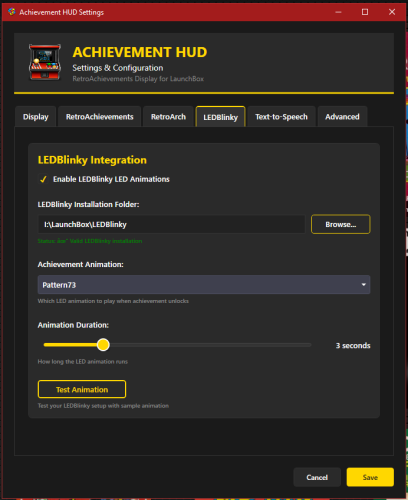 Only 17 😅
-
Retro Achievements HUD
CaptainGreenhat commented on TrailerVert's file in Third-party Apps and Plugins
I have a very display dense environment and cant get this to work reliably, its always only ever partially on screen no matter my dpi settings are and the monitor indexing doesn't line up either. and that isn't even the correct display whatsoever. With indexing being wildly wrong I'm going by resolution to pick my display which narrows it down to two 1080 displays with 150% scaling but I get the same results regardless. -
I basically have a full suite of Divoom devices, but unfortunately they don't integrate particularly well with anything. One of the simpler ones is probably my Dittoo Pro, which is essentially a Bluetooth speaker with a 16×16 pixel-art display. I can already send images to it over Bluetooth using various GitHub projects and libraries, so I'm trying to build a simple .NET LaunchBox plugin that reacts to game selection changes and eventually sends the appropriate image to the Dittoo Pro. I've got the basic LaunchBox plugin working: it loads normally and receives SelectionChanged events. The weird part happens when I try to access the selected game. As soon as I reference PluginHelper.StateManager (for example, GetAllSelectedGames()) or try to access the IGame through that route, the plugin stops loading and LaunchBox gives me: "The plugin ... could not be loaded because Windows is preventing access to it for security reasons." The DLL is locally built in Visual Studio. There is no Zone.Identifier alternate data stream, and the DLL's Properties don't even have the usual "Unblock" checkbox. I've also verified that the DLL is actually being rebuilt and getting a new timestamp. What's especially strange is that the exact same plugin loads fine as long as I don't reference PluginHelper.StateManager. Adding that reference is enough to make the plugin fail to load. Has anyone run into this with LaunchBox plugins/.NET, or have any idea what Windows/LaunchBox might actually be objecting to here? EDIT: I got past that hurdle by simply restarting from scratch, but jeezzzze these divoom devices sure are pretty but dumb. Getting any of these to exspose rfcomm over bt is prooving quite problematic. I might return to this if there is interest, I have the entire divoom ecosystem of devices after all, but I am getting very little return for a TON of effort.
-
I wasn't having problems but suddenly it hard locked and now the app itself is bricked and the executable won't even launch through windows gui. I was able to force a launch through windows cli though.
-
LaunchBox for Windows 14.0 Released!
CaptainGreenhat replied to AstroBob's topic in News and Updates
maybe its an nvidia thing, my 7900xtx increases its usage by 2% and thats only with platforms that have 2000+ entries. Are your drivers updated? EDIT: forgot to say that I am also using the same theme. -
LaunchBox for Windows 14.0 Released!
CaptainGreenhat replied to AstroBob's topic in News and Updates
Fantastic update, and I can confirm.. Large libraries are absolutely much faster now, as well as start up. Good job!!!! Additional versions is a great distinction for those of us keeping all the sets (so i don't have to hunt down thing for rom hack patching), and the media changes look awesome too!!!! Thanks, this and no mans sky are two of the few things I have not regretted paying full price for. Definitely getting a ton of soft locks, I can't figure out rhyme or reason as they seem pretty random. Kinda feels like when launchbox looses focus it is dropping out of the cpu que, but it is still using background resources. Observation: Shouldn't video and wikipedia url auto populate in the links list, especially if they are in the main metadata page? -
Also, image size doesn't matter as much as quality if you use third screen since you can select "stretch to screen".
-
For reference, it looks GREAT. Ignore the rest of the mess, just moved a few months ago lol

-
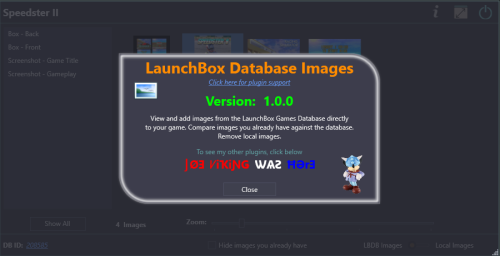 Amazing tool, super handy. Thanks for taking the time to make it and help the community out!
-
I like this a lot. I have an exploded arcade cabinet, lots of separated screens, these look FANTASTIC on my sub monitor (which i use to display control maps) 🤩.
-
I sorted out the auto changing platform, turns out when I set up the platform I failed to set scrape as properly. DOH! That fixed achievement scanning as well. Leaving the post up for awareness, I swear I already checked this. 🙃
-
I'm weird. I'm a data hoarder/maximalist/completionist. I keep backups of everything, I seriously downloaded all of emu paradise, pleasure dome, and myrient before they all shut down and I keep full unmerged mame, fb, fbn, dphne, tosec, redump, nointro, exo, flashpoint, the older computer, etc anything I can justify as a set and have them all as alternate apps. I do this so I never have to hunt something down when a new rom hack comes out or a site shuts down. Admittedly I need more space so I can grab eggmans arcade dumps but most of those don't work without extreme finesse anyways. I even use a heirachy of which sets use which emulators. My rule of thumb, if it significantly changes gameplay or graphics it gets its own entry. Have to keep rebuilding launchbox though as once I get to about 12k games scrolling crashes launchbox.
-
Thanks. I appreciate the feedback. Unfortunately most of the extra images are old low quality stuff so I definitely want control over picking. I was more or less posting all this to bring awareness. 😁
-
It's not properly scrapping for retroachievements either. Are these new issues to the current version or because it is expecting the platform to be called arcade? All my other nonstandard custom platforms have scraped absolutely fine for me.
-
Looks like the metadata lookup is being quirky in some circumstances as well, for example, it treated 10-yard fight 85, and 10-yard fight as the same game. (same metadata and same media gribbles, even the same data base ID#
-
A little preface, as a matter of taste I strongly dislike bucket dump platforms. I like to separate things, for example Arcade or windows pc whatever the default pc bucket is called. I keep Arcade as a platform category and then I add two sub categories, Arcade platforms, and Arcade Emulators. Then from there I add the emulators as individual platforms, teknoparrot, final burn, mame, etc, and the same for individual machine sets (sega model 2, cps1, 2 , 3, etc). I know doubling up like this is way beyond standard practice but this allows me a lot of control. Anyways, I was just adding Final Burn NEO and whenever I manually search for metadata it is resetting my platform to arcade. I micro manage all my platforms like this and use the heck out of "scrape as" and this is the only time I have seen this behavior. The other thing I am seeing is when I go to download metadata im being forced to download multiple versions of different media gribbles. For example, 3 count bout, 2 arcade cab images, 2 circuit borad images, 2 control panels images, 4 marquees, 2 3d boxes, , 2 fan art box fronts, and 2 gameplay screenshots. I have seen this before on for screen shots but never anything else. This seems like a lot of forced bloat. The are both minor inconveniences in the scope of things but still a layer of extra tedium that could and imo probably should be avoided. Thanks for making this front end and for putting a next button on the metadata edit dialog, VERY APPRICATED!!!!!!!!!
-
ok thanks for this. I am going to set it up now but I have a double (soon to be tripple) maxed out govee setup. I have been wanting light effects for launchbox navigation for a long time but I either use govee to control the lights or home assistant and getting that to work always got pushed to the back burner bc of time restrains but this is all the hard work done. Now I gotta set it all up. Per platform lighting schemes and then switching to my t2/ai syncbox setup when a game is launched. Thanks for this.
-
 Beautiful. Looks great, especially the animated ones.
- 8 comments
-
- 1
-

-
- platform marquee images
- platform marquee videos
- (and 3 more)
-
Never mind on the question. there is a big update all button. and apparently it does check when you open it.
-
I might be weird but I totally despise throwing a million and one things into a generic pc platform. It makes discoverability kinda suck imo. Gotta keep em sperated, as the song goes lol. I put them in pc homebrew and in their own recomp platform. As for the launcher, does it auto update everything when I launch the launcher or do I need to manually trigger the update? All my stuff is fresh so maybe Im missing the option.
-
Trivially easy install, make sure you check "show experimental" and "show custom games" in the settings. You will need the roms of course but I just threw a copy of each rom into the exe folders. easy peasy. Also, that being said, I don't know where it defaults to installing the games but I set mine to a custom folder. Games are all .exe and you can add them just fine to launchbox. I put them in their own platform "Nintendo 64 Recompilations" and I mirrored them into my PC homebrew platform (Extra discoverability). Currently there are 9 games, but it expands to 17 when you check said options. I am not aware of any command line stuff and I'll probally have to make a escape to close auto hot key script but thats all pretty standard when it comes to pc homebrew and executables anyways. The games support modding. I played Mario Kart 64 with mk64 reloaded textures and it ran flawlessly and looked beautiful on an 85" display.
-
I just found out about this beauty today. I haven't tried to integrate it with my launchbox build yet but I suppose that will be todays task, time allowing. I figured I'd come to the forums and see if anyones mentioned it but to my surprise, no mentions. So I feel compelled to mention it here. Quote from the github: "A modern, user-friendly launcher application for managing and running N64 recompiled games. This tool streamlines the process of downloading, installing, and launching your favorite N64 titles." It's getting the releases from github but this should save a ton of time in finding and maintaining the recomps. If I find anything else out as I integrate or fail to add these to launchbox I will let everyone know. Feel free to add to this is you know anything. Gotta get these before big N releases the hounds of lawfare.
-
LaunchBox for Windows 13.25 Released!
CaptainGreenhat replied to AstroBob's topic in News and Updates
A NEXT BUTTON!!!!!! I have been waiting to say that! What a pleasant surprise. THANK YOU!!!!!! -
Hahahahaha, I am glad I posted this to the noobs section even though I have been using launchbox for a decade. (Where does the damn time go) I had a cover art not showing up on a monitor for exactly one single game and went into view to see if I could sus anything out...... View>Media>Auto-Play Audio. Or just ctrl+U. DOH!