

sbslc2017
-
Posts
65 -
Joined
-
Last visited
Content Type
Profiles
Forums
Articles
Downloads
Gallery
Blogs
Everything posted by sbslc2017
-
It's always the obvious things. Looks like Nvidia released a driver update on the day of the problem and updating drivers seemed to fix it
-
any ideas?
-
Help. I got a new 49 inch super-ultrawide monitor (5120x1440p); however, it seems like Big Box doesn't like this. (see image) This is theme independent. I tried about half the themes without any luck. Am I stuck with this for now?

-
Creating a batch file in dosbox and then having launchbox point to it fixed it. Simple as that
-
Some games in dosbox require the prefix loadfix. when I add it to the command line parameters it doesn't seem to work? How have people been getting it to work? thanks!
-
Try this. http://www.mameui.info/Bench.htm You may have to look around a little bit
-
Basic question but do have the folder "CAPSImg" in the plugins folder or the contents of capsimg? I just placed the capsimg folder in the plugins folder and it appears to work fine.
-
So I tried switching the video player from VLC to media player and back again. No difference. Thoughts?
-
I believe I did, but knowing me maybe I didn't. Also, the video loading issue is independent of the theme. I'll report back after changing the VLC setting
-
I've run into a kind of weird issue regarding these the two playlists: fighter classic and beat em' up. When I'm in Big Box, their videos take a good 3 seconds to load. This issue does not happen with any of the other playlists (legend of zelda collection, castlevania collection, etc). I've tried reencoding to a lower resolution. I've tried downloading from youtube. I don't think it's the video itself as other videos are longer, shorter, larger, smaller etc. I also looked at the playlist xml file, and I can't find anything obvious. Any thoughts?
-
that did the trick. such an obvious thing really. thanks so much for your hard work!
-
Custom Backgrounds. First, this is my favorite theme by far. My question is that I've created a playlist called "Beat 'Em Ups Collection" Under this location: H:\Launchbox\Themes\Unified\Images\Theme\Background I have placed the following file: "Beat _Em Ups Collection.png" However, I'm still getting the default background. Any ideas?
-
 Awesome! I've been waiting for this kind of theme forever!
 -
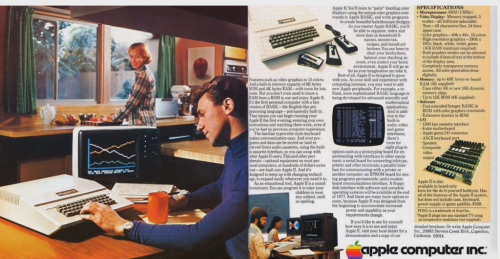
Version 1.0.0
104 downloads
Here's another very simple Apple II platform video. I thought it went well with the City Hunter theme. -
Another Apple II Platform Video View File Here's another very simple Apple II platform video. I thought it went well with the City Hunter theme. Submitter sbslc2017 Submitted 03/08/2018 Category Platform Theme Videos
-
Apple II Platform Video View File This is my first stab at a platform video. I always felt the Apple IIe TV commercials better evoked the nostaligia associated with these machines better than the showcase of games that are usually shown. Submitter sbslc2017 Submitted 03/04/2018 Category Platform Theme Videos
-
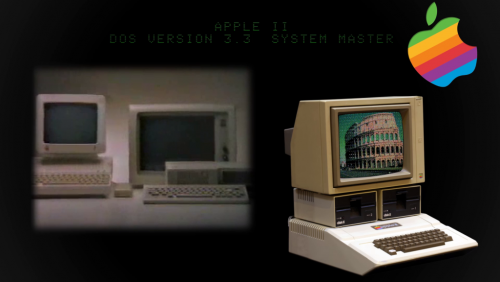
Version 1.0.0
144 downloads
This is my first stab at a platform video. I always felt the Apple IIe TV commercials better evoked the nostaligia associated with these machines better than the showcase of games that are usually shown.-
- 4
-

-
- apple ii
- platform video
- (and 2 more)
-
Ok. I think I got it now. thanks!
-
Thanks for the help. Unfortunately, I'm still not seeing it. Am I missing something obvious? Maybe an ELI5? thanks again
-
Thanks for the reply. When I look at the xml file for City Hunter, there doesn't appear to be any syntax about fonts. Otherwise, I would have changed the default font in the xml file to one that I wanted. If I need to add a line, could you point me in the direction as to the proper syntax? Thanks again
-
Anyway to change the default font in this theme. Or is there a way to adjust the font for each platform? thanks!
-
Hi guys, I've been kind of interested to make game specific videos for the apple IIe in the style of hyperspin (ie floating/pulsing clip art along side video clips) I'm unfamiliar with visual studio, and I may give it a shot, but I was thinking that I could also just use powerpoint to replicate a lot of the effects. I could then just use a video capture program (ie snagit) to capture the video. Thoughts? Pros? cons?
-
Syncing to launchbox does NOT upload anything to the database. I've been working on a lot of apple ii stuff. What has been working for me is to work on your local database. Download images, create videos, etc and place them in your local folder. Then use use the "add games to DB" plugin, found here: with the plugin installed, you then right click on the game of interest. Towards the bottom of the context menu, you'll see "add game to database" or something like that. For videos, I've been using snagit. If no video is present, I don't think anyone cares how long the videos are. We're a long way towards demanding a certain bit rate, resolution, time, etc.
-
Is there a way to adjust the font of the text by platform? In this example, I'm using the minimal HD theme. Under styles, it appears that if I change the font, the changes are applied globally. I'd love to make the night mission text display in an apple II specific font (ie apple garamond, motter tekturna, or maybe one of the screen fonts; however, I'd like to adjust the fonts by platform (ie maybe PR numbner 3 for apple IIe and then shaston for iigs Thanks!
-
When viewing games under launchbox, I would like to have the option to choose the platform fan art background (or any platform specific art) instead of the game-specific fanart or clear logo. For instance, under the background priorities, there is no option to choose platform fanart


