
Mr. RetroLust
-
Posts
5,961 -
Joined
-
Last visited
-
Days Won
647
Content Type
Profiles
Forums
Articles
Downloads
Gallery
Blogs
Everything posted by Mr. RetroLust
-

Neon Deluxe Arcade - Big Box Theme
Mr. RetroLust replied to Mr. RetroLust's topic in Big Box Custom Themes
@Jason Carr -
I feel ya brother! ?
-
I love save states because of this
-
So I waited for a long time to buy the Crash Bandicoot trilogy on ps4 till it dropped in price. I had some very fond memories to these games and recall being pretty good at em as well... Now in the present day I find myself cursing to the screen, being frustrated and angry because of the difficulty. Damn am I pissed off lol, I guess i'm just getting old and impatient, but damn I was one of those that beat Fester's Quest 4 times without any cheats *raises fist in the air* Which games make you pissed off?
-
That looks great man, cant wait to see the end result, really dig the game room as well.
-
I dont have a creditcard either, in the netherlands we mainly use our "Ideal" payment method but it isnt widely supported, I was in luck knowing someone with a creditcard, first time I ever bought something by creditcard because it is so worth it.
-
For some games you have to go into the dip settings of the game to enable demo/intro sound have you tried this?
-
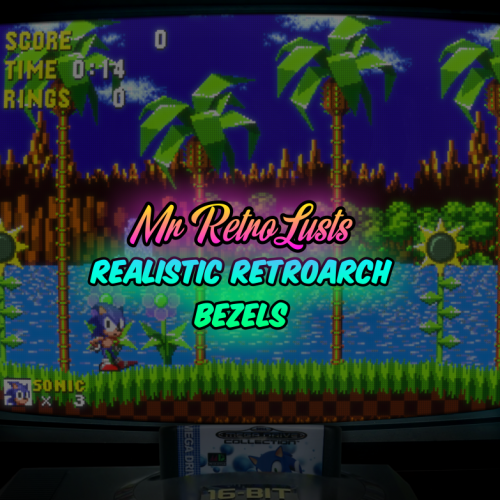
Mr. RetroLust's Lights Out! Retroarch Bezels
Mr. RetroLust commented on Mr. RetroLust's file in Platform Bezels/Overlays
 Computer says no
 -
My wireless controller is a xbox one s controller + dongle (was on sale as a package), it took me a bit of getting used to as I never had any xbox but now I love it. It does use batteries but using good old rechargeable enelope batteries it aint as bad as I initially thought about going the battery road.
-
Mr. RetroLust's Lights Out! Retroarch Bezels
Mr. RetroLust commented on Mr. RetroLust's file in Platform Bezels/Overlays
2.9 Added: Nintendo 64 realistic bezel -
Mr. RetroLust's Lights Out! Retroarch Bezels
Mr. RetroLust commented on Mr. RetroLust's file in Platform Bezels/Overlays
Thanks but I'm not gonna do that, to many games to cover, to much work involved, to many downloads, to many games that would be missing or wouldn't work because it's launchbox title was changed etc. -
Mr. RetroLust's Lights Out! Retroarch Bezels
Mr. RetroLust commented on Mr. RetroLust's file in Platform Bezels/Overlays
I'll get there eventually, i'm making the bezels when importing new platforms to my own collection, a lot of systems/platforms to be added still. -
Sweet! Time to update, thanks
-
I updated to the latest version of retroarch a month ago I think, I did a fresh install also downloading the latest cores, but the a2600 core (stella I believe) wasn't working, so I took the old core from a backup and it worked again, so there might be something wrong with the new core.
-
Neon Deluxe Arcade (Inside) - Startup Theme
Mr. RetroLust commented on Mr. RetroLust's file in Startup Themes
 Thanks for checking, yeah it would be needed to make separate xaml for each platform I guess so you dont have cartridges spinning but only discs, i'm working on different other projects as well so it would take me too much time to do this as well, sorry man.
 -
Mr. RetroLust's Lights Out! Retroarch Bezels
Mr. RetroLust commented on Mr. RetroLust's file in Platform Bezels/Overlays
2.8 Added: Nintendo Satellaview realistic bezel -
Neon Deluxe Arcade - Big Box Theme
Mr. RetroLust replied to Mr. RetroLust's topic in Big Box Custom Themes
You can change the font by using notepad++ and bulk edit the xaml files to the fonts you like. The spinning disc image requires specific coding knowledge that I don't have atm. -
Mr. RetroLust's Lights Out! Retroarch Bezels
Mr. RetroLust commented on Mr. RetroLust's file in Platform Bezels/Overlays
2.7 Added: 90s (32 bit era) and NEC_PC-FX realistic bezels -
Mr. RetroLust's Lights Out! Retroarch Bezels
Mr. RetroLust commented on Mr. RetroLust's file in Platform Bezels/Overlays
Forgot to add to 2.6 lol Added: Sega 32X realistic bezel -
Mr. RetroLust's Lights Out! Retroarch Bezels
Mr. RetroLust commented on Mr. RetroLust's file in Platform Bezels/Overlays
2.6 - Fixes TurboDuo, Turbografx 16, Atari 7800, Mega Drive, Supergrafx: Fixed shadow and background lighting to fit other bezels. Master System: Size of console is now larger, fixed shadow and background lighting to fit other bezels. -
Mr. RetroLust's Lights Out! Retroarch Bezels
Mr. RetroLust commented on Mr. RetroLust's file in Platform Bezels/Overlays
2.5 Added: Turbografx-CD and TurboDuo realistic bezels, they should play the same games as far as I understand, giving you more choice which console you prefer. -
Now you will get your marquee screen sooner bud lol
-
Download link:
-
Version 1.5
1,980 downloads
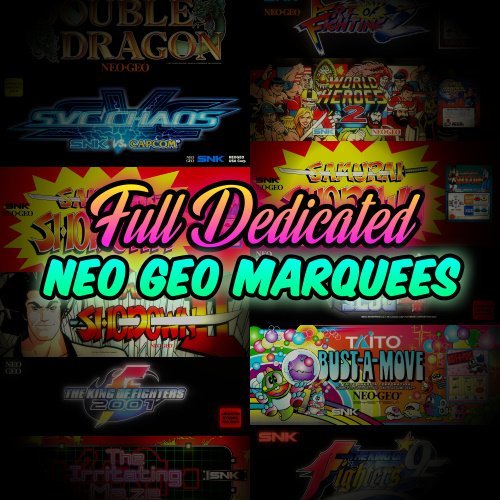
Full Dedicated Neo Geo Marquees Description There where quite a few full size dedicated marquees made for Neo Geo aside from the mini-marquee layouts, there where even some dedicated cabinets as well like Samurai Shodown II, The Irritating Maze and SNK vs Capcom Chaos. I wasn't able to restore all the full size Neo Geo marquees out there, the ones I couldn't are included in a folder as well. Features Full size Marquees for 25 Neo Geo games Made from the highest quality artwork available I could find Cleaned up and color corrected artwork Including restored/remade/revived artwork Exclusive Day mode / Night Mode (unlit/lit) for every marquee Almost all marquees are Ultra HD Resolution; 3840 pixels wide, some are not All are named with 03 and 04 at the end of the rom name so you can use these with my other neo geo marquees. Credits @ArsInvictus & to those that made high quality scans, logo's or other artwork that I found and used to reconstruct the marquees, I don't take full credits of this project thereof. Much thanks to @seijurou and @JonnyModlin ------------------------------------------------- See the making of of this project: https://forums.launchbox-app.com/topic/44355-coming-soon-neo-geo-marquees-v20/ Other Neo Geo Marquee work: Neo Geo custom Dual layout Neo Geo Mini-Marquee layout -
Full Dedicated Neo Geo Marquees View File Full Dedicated Neo Geo Marquees Description There where quite a few full size dedicated marquees made for Neo Geo aside from the mini-marquee layouts, there where even some dedicated cabinets as well like Samurai Shodown II, The Irritating Maze and SNK vs Capcom Chaos. I wasn't able to restore all the full size Neo Geo marquees out there, the ones I couldn't are included in a folder as well. Features Full size Marquees for 25 Neo Geo games Made from the highest quality artwork available I could find Cleaned up and color corrected artwork Including restored/remade/revived artwork Exclusive Day mode / Night Mode (unlit/lit) for every marquee Almost all marquees are Ultra HD Resolution; 3840 pixels wide, some are not All are named with 03 and 04 at the end of the rom name so you can use these with my other neo geo marquees. Credits @ArsInvictus & to those that made high quality scans, logo's or other artwork that I found and used to reconstruct the marquees, I don't take full credits of this project thereof. Much thanks to @seijurou and @JonnyModlin ------------------------------------------------- See the making of of this project: https://forums.launchbox-app.com/topic/44355-coming-soon-neo-geo-marquees-v20/ Other Neo Geo Marquee work: Neo Geo custom Dual layout Neo Geo Mini-Marquee layout Submitter Mr. RetroLust Submitted 07/27/2019 Category SNK Neo Geo MVS





