

Light Sock
-
Posts
161 -
Joined
Content Type
Profiles
Forums
Articles
Downloads
Gallery
Blogs
Everything posted by Light Sock
-
Hey! Haven't got the time to test your plugin since I've been coding a BigBox theme for the past 3 months but will soon. In the meantime were you aware of this : https://grout.romm.app/usage/save-sync/#supported-save-formats And more importantly this : https://github.com/rommapp/romm/discussions/2199 And they've got the idea merged in a PR not so long ago : https://github.com/rommapp/romm/pull/2917 So I think it's very well possible to sync saves between Romm and Launchbox! Continue the good work!
-
Reshade doesn't support neither GLSL or SLANG shaders.
-
LaunchBox XML Cleaner (great for MAME merged roms) (keep entries for games that you have) View File Latest version and support here : https://github.com/gravelfreeman/launchbox-xml-cleaner --- This script cleans a LaunchBox platform XML so it only keeps entries for games that actually exist in a local roms folder. It is especially useful when a MAME platform XML was created from `MAME Arcade Full Set...` import but your local ROM folder only contains part of that set, and you want the XML reduced to the games you actually have while still preserving additional applications (clones) from merged romsets. LaunchBox's Scan For Removed MAME Roms... feature removes clone entries from merged sets because those clone files are stored inside the parent rom.zip. Although it was designed around this MAME workflow, it can also be used with other LaunchBox platform XML files. What It Does The cleaner scans the current ROM folder and compares it against the provided LaunchBox XML. It keeps a game when a local ROM exists for that game, including: - the main Game and ApplicationPath - any linked AdditionalApplication entries for the same GameID After the main game pass, it removes orphaned metadata entries that no longer belong to a kept game: AdditionalApplication GameControllerSupport AlternateName How to Use Paste a <Platform>.xml file in it's corresponding roms folder Paste _LB_XML_Cleaner.ps1 and _LB_XML_Drop.cmd files in the roms folder Drag and drop the Platform.xml file onto the _LB_XML_Drop.cmd launcher Command line If you prefer using command line, run the PowerShell script directly and point it to the XML file and ROM folder you want to validate. powershell.exe -NoProfile -ExecutionPolicy Bypass -File ".\_LB_XML_Cleaner.ps1" "C:\Path\Platform.xml" -RomsPath "C:\Path\Roms" powershell.exe -NoProfile -ExecutionPolicy Bypass -File ".\_LB_XML_Cleaner.ps1" -XmlPath "C:\Path\Platform.xml" -RomsPath "C:\Path\Roms" powershell.exe -NoProfile -ExecutionPolicy Bypass -File ".\_LB_XML_Cleaner.ps1" -PreviewOnly -XmlPath "C:\Path\Platform.xml" -RomsPath "C:\Path\Roms" powershell.exe -NoProfile -ExecutionPolicy Bypass -File ".\_LB_XML_Cleaner.ps1" -OutputPath "C:\Path\Cleaned.xml" -XmlPath "C:\Path\Platform.xml" -RomsPath "C:\Path\Roms" powershell.exe -NoProfile -ExecutionPolicy Bypass -File ".\_LB_XML_Cleaner.ps1" -InPlace -XmlPath "C:\Path\Platform.xml" -RomsPath "C:\Path\Roms" Flags - `-XmlPath`: LaunchBox XML file to clean. Can also be passed as the first positional argument. - `-RomsPath`: Folder containing the ROMs or CHDs to scan. - `-PreviewOnly`: Run the cleanup without writing any file. - `-OutputPath`: Write to a specific output path instead of replacing the source XML. - `-InPlace`: Replace the source XML directly. If `-OutputPath` is not provided, the default behavior already performs a safe backup-and-replace workflow. - `-RomExtensions`: File extensions treated as ROMs. Default: `.zip`, `.7z`, `.chd`. The script never modifies or deletes files or folders. It only reads the folder content and writes a new XML based on local roms. Submitter Light Sock Submitted 03/09/2026 Category Platform Media
-

Version 1.0.0
2 downloads
Latest version and support here : https://github.com/gravelfreeman/launchbox-xml-cleaner --- This script cleans a LaunchBox platform XML so it only keeps entries for games that actually exist in a local roms folder. It is especially useful when a MAME platform XML was created from `MAME Arcade Full Set...` import but your local ROM folder only contains part of that set, and you want the XML reduced to the games you actually have while still preserving additional applications (clones) from merged romsets. LaunchBox's Scan For Removed MAME Roms... feature removes clone entries from merged sets because those clone files are stored inside the parent rom.zip. Although it was designed around this MAME workflow, it can also be used with other LaunchBox platform XML files. What It Does The cleaner scans the current ROM folder and compares it against the provided LaunchBox XML. It keeps a game when a local ROM exists for that game, including: - the main Game and ApplicationPath - any linked AdditionalApplication entries for the same GameID After the main game pass, it removes orphaned metadata entries that no longer belong to a kept game: AdditionalApplication GameControllerSupport AlternateName How to Use Paste a <Platform>.xml file in it's corresponding roms folder Paste _LB_XML_Cleaner.ps1 and _LB_XML_Drop.cmd files in the roms folder Drag and drop the Platform.xml file onto the _LB_XML_Drop.cmd launcher Command line If you prefer using command line, run the PowerShell script directly and point it to the XML file and ROM folder you want to validate. powershell.exe -NoProfile -ExecutionPolicy Bypass -File ".\_LB_XML_Cleaner.ps1" "C:\Path\Platform.xml" -RomsPath "C:\Path\Roms" powershell.exe -NoProfile -ExecutionPolicy Bypass -File ".\_LB_XML_Cleaner.ps1" -XmlPath "C:\Path\Platform.xml" -RomsPath "C:\Path\Roms" powershell.exe -NoProfile -ExecutionPolicy Bypass -File ".\_LB_XML_Cleaner.ps1" -PreviewOnly -XmlPath "C:\Path\Platform.xml" -RomsPath "C:\Path\Roms" powershell.exe -NoProfile -ExecutionPolicy Bypass -File ".\_LB_XML_Cleaner.ps1" -OutputPath "C:\Path\Cleaned.xml" -XmlPath "C:\Path\Platform.xml" -RomsPath "C:\Path\Roms" powershell.exe -NoProfile -ExecutionPolicy Bypass -File ".\_LB_XML_Cleaner.ps1" -InPlace -XmlPath "C:\Path\Platform.xml" -RomsPath "C:\Path\Roms" Flags -XmlPath : LaunchBox XML file to clean. Can also be passed as the first positional argument. -RomsPath : Folder containing the ROMs or CHDs to scan. -PreviewOnly : Run the cleanup without writing any file. -OutputPath : Write to a specific output path instead of replacing the source XML. -InPlace : Replace the source XML directly. If -OutputPath is not provided, the default behavior already performs a safe backup-and-replace workflow. -RomExtensions : File extensions treated as ROMs. Default: .zip, .7z, .chd. The script never modifies or deletes files or folders. It only reads the folder content and writes a new XML based on local roms. -
I'm so happy to see this! I'm the one who made the PR for the LaunchBox importer in romm. Wish I knew you were working on something like this before spending days on it xD. I think a plugin using romm's api is much better so props to you for doing this. I'll test it eventually and report back any issues on GH if there's any. In the meantime I was wondering how you're managing save syncing between LaunchBox and Romm? Last question, is it only metadata or it's also syncing images, videos and manuals?
-
 Unbelievable work. Thank you for sharing this. 5 stars. I wrote a comment as well pointing out a few ideas. Keep up the good work!
 -
Unbelievable work! Out of +1000 games in my best set of MAME roms, I found the following roms missing from your 1G1R scope. I believe many of these roms are currently handled in other emulators like Daphne, Naomi, etc. Personally I migrate these out of those emulators in favor of MAME. Shader support in MAME core (RA), and also it's easier to update whole romsets with MAME compared to arcade board specific emulators. Not a big deal since I can add these manually but just in case you share my point of view whether they should be included, here's an updated list of games that works great in MAME. cliffhgr cobra (~ might want to double check this one) dlair gtfore06 mach3 psyvaria raycris solarwar spacewar tetris thayers usvsthem vf2 videopin Now I'd like to know if your configuration files and nvram presets could be used or mass converted with a script to the RetroArch MAME core? Like many, I'm not a fan of MAME static overlays and lacking of shaders. Not sure if you're aware of koko-aio shaders but a guy called estefan3112 used koko's shaders paired with the best MAME overlays out there and the result is stunning. Once you try it you can most likely never go back. Here's the link and I hope to pick your completionist curiosity and maybe we could find a way to automate all of this. I understand the sheer amount of work that you must've spent building this per-configuration project. https://github.com/estefan3112/koko-aio-slang Respect to you and your work sir!
-
 Awesome quality! I would like to request 2 great games that are missing and not disc based. - Akatsuki Blitzkampf Ausf. Achse - Guilty Gear X Also it'd be nice if you could do Naomi 2 as well.
 -
Mr. RetroLust's MAME Lights Out Bezels Revisited
Light Sock commented on kloug666's file in Platform Bezels/Overlays
 It would be incredible if someone did like estefan3112 and made this compatible with koko-aio dynamic shaders for reflection, crt emulation and much more. He already did like 200-300, you should look at this beauty! https://github.com/estefan3112/koko-aio-slang
 -
Additional Apps - Shader Glass - Not Working As Expected
Light Sock replied to ghettowario's topic in Troubleshooting
I simplified the AHK script and fixed all issues from this thread in this tutorial : Probably works for other emulators like PS2, etc. -
Hey, just sharing a quick tutorial because, I spent a few hours making this work. Basically I'm using Retroarch for most of my emulators and shaders. Especially the koko-aio crt shaders that are in my opinion the most immersive and realistic. The issue is that some consoles doesn't have a retroarch core yet making it impossible to add shaders. Fortunately someone called mausimus created an open-source app, ShaderGlass, which overlays any glsl or slang shaders on top of pretty much anything. Sounds fun, but it doesn't work as simply as you'd want. Here's how I made it work : 1. First you need a working Xemu emulator configurated. 2. Now let's modify some Xemu parameters : First, under Display tab, you need to disable fullscreen and fullscreen on startup : A little further down the page you'll want to set the display mode to Stretch and set the aspect ratio on Native : 3. Now you'll want to install the latest stable version of ShaderGlass from their official GitHub : https://github.com/mausimus/ShaderGlass/releases You can then import any missing RetroArch shaders like the missing koko-aio that are fullscreen : Set the input mode to Clone : Save your setup as a custom profile, call it something like xemu.sgp : 4. Now in Launchbox modify your Xemu emulator and remove the -fullscreen flag in the command-line parameters. Should be looking like this now : 5. Now, still in LaunchBox's Xemu emulator options, replace the Running Script by (update paths accordingly) : WinWait, ahk_exe xemu.exe WinWaitActive, ahk_exe xemu.exe Run, D:\LaunchBox\ThirdParty\ShaderGlass\ShaderGlass.exe -f D:\LaunchBox\ThirdParty\ShaderGlass\presets\xemu.sgp Sleep, 1000 WinActivate, ahk_exe xemu.exe WinWaitActive, ahk_exe xemu.exe WinWaitClose, ahk_exe xemu.exe WinClose, ahk_exe ShaderGlass.exe Basically what it does is simply : Wait for Xemu emulator to be ready Run ShaderGlass fullscreen with your profile Give back the focus to Xemu so that your controller works When Xemu end, exit ShaderGlass You would think it's done but unfortunately you still require borderless gaming to get Xemu fullscreen without being actually fullscreen. Otherwise your shader will clip on both sides and look like this : 6. Install the legacy open source version of Borderless Gaming which is still working great up to this day on Windows 11 : https://legacy.borderlessgam.ing 7. Add Xemu to your Favorites which means it's going to fullscreen window the app automatically : 8. Check Run on Startup under Options dropdown. Now everything is automated and working! You might wonder why I'm not using ResizeRaccoon which does the same thing? I tested it and it's working if you're not using BigBox as Windows shell instead of explorer.exe. In my case I'm shelling bigbox.exe so Resize Raccoon doesn't work because it's a system tray only app. It would be great if the dev fix this but I don't have time right now to raise an issue on their Github. It would be best in the future because it's open source compared to borderless gaming which is now paid. By the way this is working perfectly in BigBox. Enjoy!

-
 D O P E ! Thank you so much for providing the PSDs. This is outstanding AAA quality templates.
 -
.thumb.png.7678b86be02cd7632031f6b96402fdaf.png) Thank you @WallyWonka for the great template. I re-created those that were missing for the Japan exclusives. I followed the original pictures I could find on the internet. I believe there's a translation for those games now and they're actually all good titles! If you want to update your pack, hop this meets your quality standards.
Thank you @WallyWonka for the great template. I re-created those that were missing for the Japan exclusives. I followed the original pictures I could find on the internet. I believe there's a translation for those games now and they're actually all good titles! If you want to update your pack, hop this meets your quality standards. -
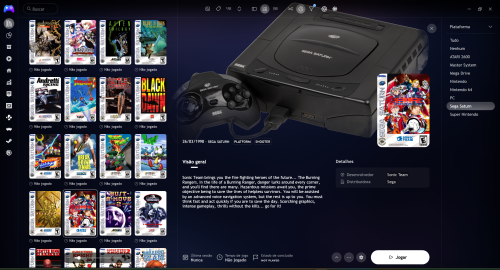 These aren't the original aspect ratios but are very high quality and detailed uniform 2D art.
 -
Very good quality! Are you the author? I would like to ask if you can do this game that is very good and a great addition to your set : https://gamesdb.launchbox-app.com/games/details/82352
-
 If you want to share the PSD template file, I'll gladly do them!
 -
Very nice! Could you do these 2 ? https://gamesdb.launchbox-app.com/games/details/14356 https://gamesdb.launchbox-app.com/games/details/14260 Thank you!
-
(Proto).thumb.png.d61cc2b2a26106fc07c337aec6c623b7.png) 10 Stars if I could. Top notch quality. Thank you so much! Hope to see more of your work on here!
10 Stars if I could. Top notch quality. Thank you so much! Hope to see more of your work on here! -
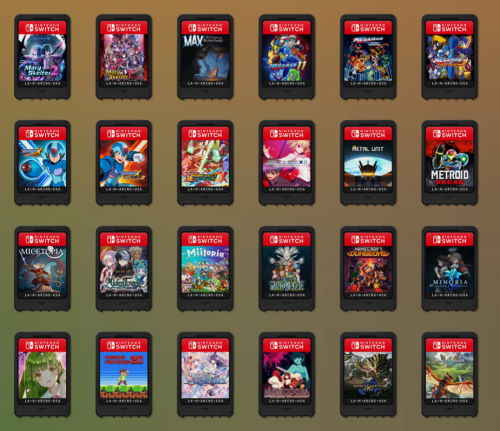 Best one available up to date. Could you upload your PSD template? Thank you!
 -
Nintendo Switch 2.5D Box Front Collection
Light Sock commented on stuartc49's file in Nintendo Switch
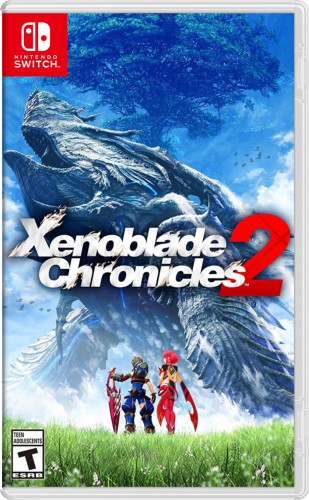 Could you share the PSD template? I'd like to help and do some as well. Thank you!
 -
.thumb.png.76e8e60f897fe446500e908a8981a3d2.png) Hey man those are very great. I'm myself a graphic designer and could help if you're willing to share the PSD or AI files. I'd like to create ones for the following categories as well : - Collections - Favorites - Decade - Genres - All Games - Local Multiplayer aka Splitscreen If anyone have a good idea of a style for each of these platform categories, I'm down to design and share them!
Hey man those are very great. I'm myself a graphic designer and could help if you're willing to share the PSD or AI files. I'd like to create ones for the following categories as well : - Collections - Favorites - Decade - Genres - All Games - Local Multiplayer aka Splitscreen If anyone have a good idea of a style for each of these platform categories, I'm down to design and share them! -
Issue w/Separate view for Platform Category - BigBox
Light Sock replied to Retro808's topic in Troubleshooting
Vote for that feature request here : https://feedback.launchbox.gg/p/separate-view-per-platform-category-in-bigbox -
Alpha Channel Support for videos in BigBox themes
Light Sock replied to Light Sock's topic in Features
Vote for this feature request here : https://feedback.launchbox.gg/p/alpha-channel-support-for-vp8vp9-webm-in-bigbox-theming -
Issue w/Separate view for Platform Category - BigBox
Light Sock replied to Retro808's topic in Troubleshooting
Hey @Retro808! I was wondering if you have any news about this feature request? Guess I should've dig this further a few years ago when I stumbled upon this issue. I tried today on the latest nightly and it's still not implemented. This time I'm kinda sad because I've put quite some time in a theme thinking it was possible to do. But the option was only for Platforms and not about Platform Categories. Basically I want to use this view for Playlists/Decade/Genre : And this view for actual systems : Same view after 4 seconds : I was about to create a dedicated view for the root where all Platform Categories are shown. But it's where I found out the Platform Category views weren't saved per category. I would like to upvote this feature. Thank you!
-
Hello, I've been using LaunchBox and BigBox for many years now and I'm the creator of the Arcab theme. I'm currently taking on the development for the Slipstream theme which have been abandoned by it's creator. I think he's now working on creating his own front-end. At least that's what I understand from his latest messages. Sorry if that assumption is wrong. BTW I'll have the theme's source code on Github for anyone to contribute in the future. One thing I always had issues with BigBox is that there's no way to use the alpha channel in videos. I wanted to make Slipstream more clean by integrating @viking's system videos. It's great because he shared all of the source AE and PS files. It was easy to remove the coloured background that ties the files to the Colorful theme which doesn't work in other themes. At least as a graphic designer, it would require something very specific to make a great match. I'm currently using his platform images pack which he kindly took the time to make available for us theme creators. Unfortunately everything I tried didn't work in BigBox. I'll share what I tried if @Jason Carr you're open to integrate this. BTW, I'm willing to re-export all viking's work in 4K resolution, 1:1 aspect ratio and alpha channel. This would be a great opportunity for theme developers out there. 1. WEBM Support - https://www.webmproject.org/ Pros is that the file size is much smaller than any other formats. VP8 codec would be great because it requires less time to encode. VP9 would be the greater option since it outputs better quality videos with smaller size. Tried both codecs in BigBox and the alpha channel is filled with white/black color. It's compatible with K-lite and VLC, so I think it wouldn't be complicated to integrate. I tried both with K-lite and VLC getting same results. I would vouch for this format since it's made by Google and it's open source. I don't believe this format will disappear anytime soon. 2. Quicktime Support I tried it out of curiosity because it's what we use in the industry when dealing with alpha channel but this makes huge files since it's meant to be used primarily for production. It does work in BigBox but the alpha channel is replaced with a matte black. In other words, everything under the video can't be seen aka doesn't work. I tried both with K-lite and VLC getting same results. Maybe there are codecs I'm not aware of that outputs smaller size files but I never tried it. 3. Filename Based Image Mask Support If for whatever reason it's not possible to support alpha channel through above methods, perhaps performance issues, etc. The last thing I'm thinking of are image filename based image masks. I tried it by making a mask of everything apart of the actual video layer, exported, added mask and voila! I can "technically" get the equivalent of a "transparent" video in BigBox. Thing is that the image mask will be the same for any platforms which is problematic because not every platforms are the same. So it does work for one platform but, that's it. A simple workaround would be hard coding in BB to check for a .png of the same name of the platform video. If present, it's getting automatically applied as an image mask respecting perfectly the alignment of the video for a perfect match. This idea isn't the best because it would have fair amount of limitations compared to just supporting WEBM format. Plus it's adding more code to support in LB. 4. GIF Will post soon the Slipstream theme.
- 1 reply
-
- 1
-




.thumb.png.7678b86be02cd7632031f6b96402fdaf.png)

(Proto).thumb.png.d61cc2b2a26106fc07c337aec6c623b7.png)
.thumb.png.76e8e60f897fe446500e908a8981a3d2.png)


