Jump to content
LaunchBox Community Forums

Warped Polygon

Members
  • Posts

    270
  • Joined

  • Last visited

  • Days Won

    23

Files posted by Warped Polygon

  1. The MAME Arcade Pre Configuration Project | Complete Download with Arcade Platform XML

    UPDATE: Its been 2 years since I "finished" this, and its taken until now for the MAME burnout to lift. But it's back to add some more games and overall improvements.
    Thanks to past me futureproofing the project, now me only needed to add 35 games. Stuff I missed first time around and stuff that's been added to MAME over the past 2 years. However, about 100 games need fixing. Thanks to help from the community I was able to easily identify which ones I messed up with double inputs or left the test menu on like a dumbass! MAME of course have changed some stuff and hopefully I've caught everything that pertains to this project.
    Improved platform xml, with almost all games now having a DB entry. I've also made a bunch of Hardware Playlists! Most of the popular ones beyond what LB creates. Stuff like Capcom ZN, Cave 68000, Seta 1st Generation and a bunch of Sega stuff just to name a few. Open to suggestions to add more!
    This is the bit you really want to pay attention to with the update! CHDs and the size of this build when culled. So, just to break this down:
    3571 Non-Merged Roms (No CHD's) = 15.5GB
    3571 Games in Merged Roms (No CHD's) = 16.7GB
    A culled Non-Merged set is actually smaller in size than a culled merged set. Due to merged including "all versions in one zip", independently, they are overall larger in size. Despite non-merged roms including bios files per rom, making it larger for a full set, a non-merged set ends up being overall smaller when culled like this. Not by much! But, I still fully recommend non-merged as they "just work", being overall smaller in size is an unexpected but added bonus.
    Now, CHD's. Exactly what is needed is in the documentation. For a full set, for this list of games, it's 110GB! However, 65GB (OVER HALF) of this is Rhythm games. Only 48 of them, Beatmania being the main offender. Another 12GB is occupied by ONE GAME....Fire Fox. A LaserDisc game that probably isn't wort the 12GB. These have been configured and added to the project for completeness. But, I have added these to a playlist (also in documentation) so you can easily delete/not use/exclude these Rhythm games from your build. They don't translate well to a controller anyway, so ya really not missing out on much, but saving 65GB across 48 games. Fire Fox is in that playlist also, do what you want. However....
    A Non-Merged Culled set with all CHD's for this list (excluding Rhythm + Fire Fox) = 49 GB
    I had to double take the first time I calculated this. Almost all of MAME Arcade, 1G1R "ish", excluding games better emulated outside of MAME and oversized CHDs, fits into just under 50GB. Amazing!
    These figures will of course increase as time goes on, this is just a snapshot of now!
    Namco System 23 and Model 2 will be added once they are in a better state. They are really, really close to running well enough to add.
    --END OF UPDATE--
    If you want show your appreciation and support the project and myself please check put my Patreon https://www.patreon.com/warpedpolygon
    No need to use the importer with the provided custom platform xml. I fully recommend using this to get the most out of what's been done.
    If you have been following along you know what the score is. If you are new here, let me explain what all this is.
    MAME is awesome, however like many other emulators it doesn't know what your use case is, how can it. So, it's defaults are more of a 'one size fits all... but not perfectly' kind of deal. As a result getting things setup can be a mine field. This isn't just down to MAME defaults, plenty of games present you with a bunch of hoops to jump through just to play the damn thing. This, on top of figuring out controls, (which is the main point here) can be a very frustrating experience. Even google can come up short sometimes leaving you to fumble around in the dark. Removing this frustration is the whole point of the project. I see lots of github requests for MAME that aren't emulation issues, they're configuration and setup issues. This project should alleviate the rage of most users. FOR CONTROL PAD USERS.
    So, let's just get into the stuff you wanna hear. To keep it simple I'm gonna list what IS here and what ISN'T here:
    WHAT IS HERE
    Every working Parent ROM has been configured. Although, some games listed as NOT WORKING do indeed work to some degree. These have also been configured to future proof the project. Clones and/or preferred versions have been identified, configured and added in ADDITION to their parent counterparts. This could be an uncensored Japanese version, control hack, translation or even a sequel. In some instances an entirely different game can be a clone version. This is such an important part of the project. All English region Names/Versions have been configured. You may know a game by a completely different name depending on your region. All English versions with different names have been configured. So, if it's Buck Rogers: Planet of Zoom, or just Zoom 909 to you, you'll be able to find it. It'll have that title in game also. I haven't just duplicated the parent version and changed the name in LB. All games have been tested and controls configured for XINPUT Controllers. This has been done per game. Some games needed ages spent on them to figure what the hell was going on. Robocop 2 has diagonals that need mapping to the second player joystick, despite being a one player game. So, you can imagine the time and testing that went in. Multiplayer games set to work with maximum players. Pretty much 70% of 4 player games were setup for 2 players by default. Games that remove the character selection for 4 players have had their 2 player versions also added so you have the choice. Multi screen games set for both one and two screen use. You will have the choice to launch the 1 screen or 2 screen version without having to set everything up. These maybe listed a 1 and 2 player variants. All analog games have had their sensitivity checked and changed if needed. Yes, the trackball Sonic game works just fine despite what people say. Every configured game has a control layout image. Working Prototypes are here. English set for Japanese only games wherever possible. There's more than you think. Unlockable/hidden content pre unlocked. Keep in mind some cheats for hidden content are a one time use and don't save to NVRAM. Fighting game button layouts are setup to all be the same. Exactly the same as Street Fighter 2 on SNES for 6 button fighters.  Light gun games set for controller AND mouse usage. Inaccurate games have been calibrated. Widescreen games set to pixel aspect. Technical hoops already jumped through. Much, much, much more. WHAT ISN'T HERE
    Mah-jong games that use a Mah-jong panel. These simply have too many inputs to map to a controller. Mah-jong games that use a joystick are here. Japanese quiz games. Gambling and video poker games. Basically anything with a BET, HOLD input system. Japanese clone versions, UNLESS they are preferred or have additional content.  Truly non working games that simply black screen. Any arcade platforms better emulated outside of MAME for e.g. Sega Model 2 & 3. ABOUT THE PLATFORM XML
    A lot of work has gone into making sure these games are all accounted for in the xml. There were a bunch of roms that weren't recognised by the importer or games that simply haven't yet been added to the Database. I have made sure that these have been added and named correctly before I start changing/updating the database. Also, I have gone the extra mile and added version info in the title of the game if there are multiples of the same game. So, you will see The Simpsons (2 Player) and The Simpsons (4 Players) as separate versions for extra convenience. PlayChoice-10 games and mega play games have also had this info added to the title so you know exactly what version is being selected, despite sharing the same name as other versions/games.
    MAME SET ADVICE AND MERGED ROMS
    Despite my previous statements, Non-Merged is the best for sooo many reasons. I plead with you, just go non merged and you'll have a better time. 
    However, merged will work just fine as long as you have your bios setup correctly.
    INSTRUCTIONS
    Download CFG, NVRAM and Control Layout Images Put CFG and NVRAM files in the cfg and nvram folders of MAME Use Images however you want. I like to put these in the Screenshot - Gameplay images folder so they display in the side bar. If you don't use a gameplay screenshots this is a nice solution outside of BigBox. This has been made for use with XINPUT controllers. If you aren't using an XINPUT controller you can use DS4windows or it's alternative. USING THE ARCADE PLATFORM XML
    Download the Arcade.xml Backup your old xml just in case if you have one. Make sure LaunchBox is not running Place Arcade.xml into Data->Platforms folder in LaunchBox Start LaunchBox. The Arcade platform should be showing now. Select all games in the Arcade platform (Ctrl+A), then go to Tools->File Management->Change ROMs Folder Path for Selected Games (Merged Only) It will say some roms are missing, they're not, just in other zips. Make sure to change paths for these also, when asked. Find your ROMs folder and select it. Don't forget to set your emulator path and set it as the default for Arcade platform. PLAY!!! This project will be kept up to date moving forward. If you have any info, suggestions or whatever just holler in the comments. 

    9,242 downloads

       (9 reviews)

    76 comments

    Updated

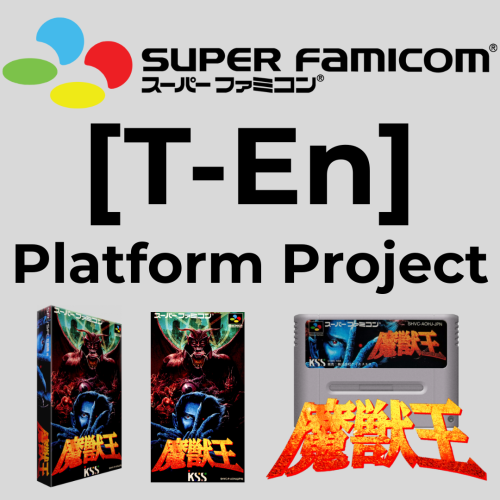
  2. Super Famicom in English Platform Project | Every Translated Game Imported/Represented 1G1R Style | inc. English Friendly Games Platform | All Unified Japanese Only Artwork | Pre Organised Platform XMLs, Just Add Games (sorta, mwaha)

    NOW WITH VIDEOS!
    For the longest time I've wanted to put together a definitive Super Famicom platform, but exclusively for games that are playable in English. There's a lot of translations out there, and going through each of those to compile a definitive list is no small feat. But now, thankfully and mercifully, there are a couple of different resources to track every Japanese SNES game with a translation. 
    EDIT/UPDATE: This quickly spiralled into also figuring out which Japanese exclusives, with no translation, are ACTUALLY playable in English! @CriticalCid Provided a list of games "deemed" to be playable from the HyperSpin days. It seems they really went through every Japanese exclusive with no translation (at the time) and created a list. It's a good list, however, quite a few games aren't really playable in English. Some games with quiz elements slipped through and they were pretty liberal with adding to it. So, errrgh, I tested/watched a bunch of longplays for every game on the list, and culled it down to what it ACTUALLY playable in English. Some games you aren't even gonna notice the language barrier, others may have...like 1 menu in Japanese. The worst offenders are the Zero4 Champ games, a lot of menuing in Japanese, but the game is totally worth it. All other games I've been pretty strict with. Checked SNES Drunks lists, and had a general rummage around to make we got em'all (hopefully).
    The Project is now in 2 Parts/Platforms.
    Super Famicom is the T-En Platform, in other words, games guaranteed to play in English.
    Super Famicom English Friendly platform, is for Japanese Exclusives (with no translation) that are "playable" in English! You may still encounter Japanese text & voice, but it'll be minimal.
    These have been separated as not everyone may want the English Friendly games, and only opt for the "guaranteed to be in English" platform. If my assumption is wrong, lemme know and I'll combine them!   
    "Rules" for the Translation Project
    Now, there aren't really any "rules" when it comes to translations and Japanese platforms. Especially with game titles. A Japanese game can have its original title, the English translation title... and it's western release title, which can be different to the Japanese to English translation. Confusing...yes.
    Also, artwork in general is a bit of a nightmare for Japanese games. Finding full unified 3D boxes that actually cover the full library is tough, and Box - Fronts can be different sizes depending on the source, causing my OCD to throw a fit.
    Another point is the rom association with the DB. A lot of time has gone into ensuring all games and their artwork are correctly associated under the proper DB ID. Some games when imported under the translated title will catch a RomHACK ID or something completely different due to the difference in title, not on my watch.
    Anyway, the rules I have applied for this platform are as follows.
    1G1R. Only 1 game per entry ONLY Japanese unified artwork for Box Fronts, 3D boxes, 2D Carts and Clear Logos. Thanks to @firedropD12 for providing the updated/upscaled box fronts for the translation platform, among other things. Game titles set to the translated English title. This aligns the game name and title screen. Keep in mind not all translations have a translated title. A translation can be released with the Japanese title & the English title. In this scenario, the English title has been selected. Only the better translations with improvements (if any) listed/imported. (No FastROM hacks as I keep those in a separate platform) Artwork NOT named to Rom name. Instead I exported the images via the media pack maker, which names art to the DB entry, not the ROM name. This is best for 'ADD ROMS' situations. NO non Japanese translations. This includes French games translated to English, and Japanese games translated to anything other than English. Strictly Japanese to English here. NO USA Relocalisations for the above reason, also they really belong in the Improvements category.   NO Satellaview exclusives. This is really it's own platform and doesn't belong here. Satellaview will be covered separately, in depth, as it has loads of "confusing crossover" with the normal Super Famicom library. "Rules" for the English Friendly Project
    No games with a translation Japanese exclusives only Games must be "enjoyable" in English. This is VERY transient, but to keep things realistic, if I found myself reaching for Google Translate, it got cut. However, there are like 5-10 games that are too good to not include, despite having move of a language barrier than I'd like. Your mileage may vary.  The same rules for Artwork apply as above for the Translation Project. Now here comes the nasty part. ROM NAMING for TRANSLATIONS
    Despite there not really being any solid naming standard, mostly looking like this... Dragon Quest III (Japan) [T-En] ....one has emerged and it looks like this.....
    Dragon Quest III (Japan) [T-En by DQ Translations v1.1] [Add by Rod Mérida v1.0c] [SNES Mini] [i] [n]
    This is based on MaybeIntros work from many years ago https://maybeintro.wordpress.com/about/ that now seems to be in use again.
    Yes it's long, but information rich. Losing track of what you have applied to which rom is the WORST. Name them like this so you know exactly what's going on and be able to backtrack.
    This way, we know who done the original translation along with the version, who made the addendums (if any) and any other additional info such as 'SNES Mini' or 'improvement patch x' applied on top.
    [i] means Incomplete - [n] means the title screen has been changed to it's translated title
    Some people don't change the Rom title to it's translated name, opting to keep the original Japanese title. THAT IS NOT THE CASE HERE.
    If a game has a translated title, the general rule of thumb is to rename the rom to match, which is what has been done here.
    The fact this naming convention is the same as the best 'resource' out there is completely coincidental  
    INSTRUCTIONS 
    This applies to BOTH platforms! (Back up yo s*it if you need to)
    Download images and platform xmls from this page Make sure LB is NOT running Place Super Famicom/Super Famicom English Friendly platform xml into correct place... Data--> Platforms  Start LB Super Famicom/Super Famicom English Friendly platform should then appear in LB, if not, restart LB. Place 3D Boxes, Boxes, Cart Front & Clear Logo folders into.... Images --> Super Famicom/Super Famicom English Friendly Change roms file path to where you Super Famicom roms are. Click on any Super Famicom game, press Ctrl+A to sellect all games, go to Tools top left, go to File Management and select 'Change Roms Folder Path For Selected Games', select your folder location for Super Famicom games, and hit OK. (T-En Platform Only) If you have the correct source, rom names should be the same. (T-En Platform Only) If not... you have your work cut out for you. You can rename your roms to match how they are imported, or you can change the file name LB is expecting by.... Right Clicking on a game, edit Metadata and then change the launching path and name to match yours. This will be painstaking work. Make sure your emulator is setup AND ASSOCIATED with the Super Famicom/Super Famicom English Friendly platforms. I wanna try to mitigate the main issue of rom names, and getting your specific roms associated to the correct games if you don't have the same naming convention. If people can let me know how they name their translation roms I'll put out an additional xml with those commonly used names instead. If anyone knows of a better way to..... like....reverse import!?...., please do let me know.
    You can do whatever you want with the English Friendly platform. You can absorb it into your Super Famicom platform, if you wanna combine it into one.
    LISTS
    IN ANY CASE. This is the FULL list of every game with a translation in this Project using the best translations (I hope). There are also some Japanese games already in English that don't need patching listed at the bottom, of course these are also in the build. I the list you will see the translated name if there is one, and MOST importantly the LB Database ID. The ID's are paramount to tracking these entries and their associated translated titles. You can use these IDs if building yourself, they come in handy to say the least. With the rom name descriptors, you should be able to find those translations/patches with google, if you need to use these.
    If you see anything incorrect or you see a "technically inferior" translation, drop a comment. This list will of course grow as new translations are released. Again, if you know of any new ones let us know.
    (June 20, 2025) Full list of ENGLISH TRANSLATED Super Famicom Games in the Project -268-

    Game Name LaunchBox DB ID Rom Name 3x3 Eyes: Juuma Houkan #33053 3x3 Eyes - Juuma Houkan (Japan) [T-En by Atomizer_Zero v1.01].zip The 4.6 Billion Year Saga: To Faraway Eden #1909 4.6 Billion Year Saga, The - To Faraway Eden (Japan) [T-En by NLeseul v0.9b] [n].zip Accele Brid #23247 Accele Brid (Japan) [T-En by Aeon Genesis v1.00].zip Actraiser #1046 Actraiser (Japan) [T-En by Aeon Genesis v1.00].zip The Adventures of Hourai High: Transfer Student Dramabomb #19112 Adventures of Hourai High, The - Transfer Student Drama Bomb (Japan) [T-En by Aeon Genesis v1.00] [Add by Advancedpillow v1.0] [n].zip Albert Odyssey #23757 Albert Odyssey (Japan) [T-En by Peter Lemon] [i].zip Alcahest #13938 Alcahest (Japan) [T-En by FH v1.0b] [Add by KingMike] [Splash screen removed].zip Amazing Hebereke #132552 Amazing Hebereke (Japan) [T-En by LucianoTheWindowsFan v0.1] [i] [n].zip The Amazing Spider-Man: Lethal Foes #21489 Amazing Spider-Man, The - Lethal Foes (Japan) [T-En by Gorgyrip v1.0].zip Ancient Magic: Bazoo! World Of Magic #23125 Ancient Magic - Bazoo! World of Magic (Japan) [T-En by Aeon Genesis v1.00] [n].zip Arabian Nights: Sabaku no Seirei Ou #14812 Arabian Nights - Sabaku no Seirei Ou (Japan) [T-En by LostTemplar v1.0].zip Aretha #23405 Aretha (Japan) [T-En by Dynamic Designs v1.00].zip Aretha II: Ariel's Wonderful Adventure #94116 Aretha II - Ariel's Wonderful Adventure (Japan) [T-En by Dynamic Designs v0.91] [n].zip Armored Police Metal Jack #33006 Armored Police Metal Jack (Japan) [T-En by MrRichard999 & FlashPV & Jink640 v2.0] [n].zip Assault Suits Valken #1557 Assault Suits Valken (Japan) [T-En by Aeon Genesis v1.00] [n].zip Bahamut Lagoon #9054 Bahamut Lagoon (Japan) [T-En by DeJap & Neill Corlett & Tomato v1.3].zip Ball Bullet Gun: Survival Game Simulation #24870 Ball Bullet Gun (Japan) [T-En by Aeon Genesis v1.00].zip Bastard!!: Dark God of Destruction #3479 Bastard!! - Dark God of Destruction (Japan) [T-En by DeJap v1.0] [Add by Docrow v1.0] [n].zip Battle Soccer: Field no Hasha #3481 Battle Soccer - Field no Hasha (Japan) [T-En by Hurkey Translations v1.0].zip Bing Bing! Bingo #33510 Bing Bing! Bingo (Japan) [T-En by MrRichard999 v1.0].zip The Blue Crystal Rod #34805 Blue Crystal Rod, The (Japan) [T-En by Stargood Translations v1.0] [Region lock removed].zip Brandish 2: The Planet Buster #1590 Brandish 2 - The Planet Buster (Japan) [T-En by Synchronicity v1.0].zip Burning Heroes #14813 Burning Heroes (Japan) [T-En by Dynamic Designs v1.00] [n].zip Captain Tsubasa III: Challenge of Kaiser #14775 Captain Tsubasa III - Challenge of Kaiser (Japan) [T-En by Pianohombre v1.0] [Add by Morhamms357 v0.9] [n].zip Captain Tsubasa IV: Professional Rivals #34811 Captain Tsubasa IV - Professional Rivals (Japan) [T-En by Joe Shway v0.9] [i] [n].zip Chaos Seed: Feng Shui Chronicles #24871 Chaos Seed - Feng Shui Chronicles (Japan) [T-En by Dynamic Designs v1.02] [n].zip Chatting Parodius Live! #14779 Chatting Parodius Live! (Japan) [T-En by Advancedpillow & Onereto & Reld v1.0] [n].zip Cho Aniki: Buff Battle Ballad #24807 Cho Aniki - Buff Battle Ballad (Japan) [T-En by Stardust Crusaders v1.01] [n].zip Clock Tower #34732 Clock Tower (Japan) [T-En by Aeon Genesis v1.01].zip ClockWerx #101931 Clockwerx (Japan) [T-En by MrRichard999 v0.75] [i].zip Cooly Skunk #174463 Cooly Skunk (Japan) [T-En by Psyklax v1.1] [Add by Denim v1.1] [n].zip Crystal Beans: From Dungeon Explorer #14814 Crystal Beans from Dungeon Explorer (Japan) [T-En by Hiei & Neige v1.1].zip Cu-On-Pa SFC #3544 Cu-On-Pa SFC (Japan) [T-En by Aeon Genesis v1.00].zip Cyber Knight #3545 Cyber Knight (Japan) [T-En by Aeon Genesis v1.01] [Add by MTeam v1.01].zip Cyber Knight II: Chikyuu Teikoku no Yabou #20006 Cyber Knight II - Chikyuu Teikoku no Yabou (Japan) [T-En by Aeon Genesis v1.00].zip Cyborg 009 #24831 Cyborg 009 (Japan) [T-En by Aeon Genesis & J2e Translations v1.00].zip Daisenryaku Expert WWII: War in Europe #108412 Daisenryaku Expert WWII - War in Europe (Japan) [T-En by Gc8tech v0.1] [i].zip Dark Half #3548 Dark Half (Japan) [T-En by Aeon Genesis v1.00].zip Dark Law: Meaning of Death #14815 Dark Law - Meaning of Death (Japan) [T-En by Aeon Genesis v1.00].zip Demon Child Zenki: Battle Raiden #14783 Demon Child Zenki - Battle Raiden (Japan) [T-En by Dynamic Designs v1.00] [n].zip Densetsu no Ogre Battle: The March of the Black Queen #3232 Densetsu no Ogre Battle - The March of the Black Queen (Japan) (NP) [T-En by FinS v1.2].zip Dezaemon SFC #3551 Dezaemon (Japan) [T-En by Aeon Genesis v1.00] [Add by Mwksoul v1.0] [n].zip Dinowars: A Great Dino Odyssey #25614 Dinowars - A Great Dino Odyssey (Japan) [T-En by Backlog Odyssey v2.0] [n].zip Do-Re-Mi Fantasy: Milon's Quest #3554 Do-Re-Mi Fantasy - Milon's Quest (Japan) [T-En by Gaijin Productions & RPGOne v1.3] [n].zip Dokapon 3-2-1: From Friendship to Mayhem #107663 Dokapon 3-2-1 - From Friendship to Mayhem (Japan) [T-En by Krokodyl v1.4] [n].zip Dokapon Gaiden: Fiery Audition #108413 Dokapon Gaiden - Fiery Audition (Japan) [T-En by Krokodyl v1.0] [n].zip Donald Duck and the Magical Hat #26524 Donald Duck and the Magical Hat (Japan) [T-En by Gorgyrip v1.0] [n].zip Doraemon 4: In the Moon Kingdom #3555 Doraemon 4 - In the Moon Kingdom (Japan) [T-En by Sgt. Bowhack v0.94b] [n].zip Dossun! Ganseki Battle #3556 Dossun! Ganseki Battle (Japan) [T-En by Aeon Genesis v1.00].zip Dragon Ball Z: Hyper Dimension #1800 Dragon Ball Z - Hyper Dimension (Japan) [T-En by Twilight Translations v1.00].zip Dragon Ball Z: Super Gokuu Den: Kakusei Hen #3557 Dragon Ball Z - Super Gokuu Den - Kakusei Hen (Japan) [T-En by Commando Ginew v1.0] [i].zip Dragon Ball Z: Super Gokuu Den: Totsugeki Hen #13915 Dragon Ball Z - Super Gokuu Den - Totsugeki Hen (Japan) [T-En by Kakkoii Translations v0.98] [Anime].zip Dragon Ball Z: Super Saiya Densetsu #13916 Dragon Ball Z - Super Saiya Densetsu (Japan) (Rev 1) [T-En by Klepto Software v1.02].zip Dragon Quest I & II #19047 Dragon Quest I & II (Japan) [T-En by RPGOne v2.0 DQ] [Add by Mziab v1.0].zip Dragon Quest III #14776 Dragon Quest III (Japan) [T-En by DQ Translations v1.1] [Add by Rod Mérida v1.0c] [SNES Mini] [n].zip Dragon Quest V: Hand of the Heavenly Bride #3559 Dragon Quest V - Hand of the Heavenly Bride (Japan) [T-En by Byuu & spSpiff v0.91] [n].zip Dragon Quest VI: Realms of Revelation #3560 Dragon Quest VI - Realms of Revelation (Japan) [T-En by NoPrgress v0.90b2] [n].zip Dragon Squadron Danzarb #23111 Dragon Squadron Danzarb (Japan) [T-En by Aeon Genesis v1.00] [n].zip Dream Maze: The Kigurumi Adventure #122603 Dream Maze - The Kigurumi Adventure (Japan) [T-En by KingMike's Translations v1.0b] [n].zip Dual Orb II #3561 Dual Orb II (Japan) [T-En by Translation Corporation v1.7] [Splash screen removed].zip Aim for the Ace!: Ace Tennis #22760 E:\LaunchBox\Games\Super Famicom\Aim for the Ace! - Ace Tennis (Japan) [T-En by RPGOne v1.3] [n].zip Earth Light #122545 Earth Light (Japan) [T-En by Nezz v1.0].zip Elnard #282 Elnard (Japan) [T-En by Slidelljohn v2d beta] [i].zip Emerald Dragon #19069 Emerald Dragon (Japan) [T-En by Translation Corporation v1.2] [Splash screen removed].zip Energy Breaker #14817 Energy Breaker (Japan) [T-En by Disnesquick & Satsu v1.02].zip Eternal Filena #23113 Eternal Filena (Japan) [T-En by Satsu v0.98] [i] [n].zip F-1 Grand Prix: Part II #26329 F-1 Grand Prix - Part II (Japan) [T-En by MrRichard999 v0.50] [i].zip F-1 Grand Prix: Part III #18643 F-1 Grand Prix - Part III (Japan) [T-En by MrRichard999 v0.50] [i].zip Famicom Detective Club Part II #32900 Famicom Detective Club Part II (Japan) (NP) [T-En by Demiforce v1.00] [n].zip Fantastic Parodius #14778 Fantastic Parodius (Japan) [T-En by Blizzz v1.1a] [n].zip FEDA: The Emblem of Justice #3606 Feda - The Emblem of Justice (Japan) [T-En by Dynamic Designs v1.02].zip Final Fantasy IV #9418 Final Fantasy IV (Japan) (Rev 1) [T-En by J2e Translations v3.21] [Add by Spooniest v1.0] [Add by Masaru v1.2].zip Final Fantasy V #1762 Final Fantasy V (Japan) [T-En by RPGe v1.10] [Add by Leet Sketcher v1.2].zip Final Fantasy VI #108333 Final Fantasy VI (Japan) [T-En by RPGOne v1.2] [All Bugs Fix] [Add by Spooniest v2.0].zip Fire Emblem: Genealogy of the Holy War #3615 Fire Emblem - Genealogy of the Holy War (Japan) [T-En by Fire Emblem 4 Translation Team v20160707 beta 7] [n].zip Fire Emblem: Mystery Of The Emblem #3614 Fire Emblem - Mystery of the Emblem (Japan) [T-En by RPGuy96 & VincentASM v0.98] [Add by Quirino v0.14] [Add by RobertTheSable v0.22] [n].zip Fire Emblem: Thracia 776 #3616 Fire Emblem - Thracia 776 (Japan) [T-En by Cirosan v1.04] [Add by Miacis v1.08].zip Flying Hero: Bugyuru's Adventure #29740 Flying Hero - Bugyuru's Adventure (Japan) [T-En by KingMike's Translations v1.0] [n].zip Front Mission #3623 Front Mission (Japan) [T-En by Frank Hughes v1.0b] [Add by MTeam v1.02] [Splash screen removed].zip Front Mission Series: Gun Hazard #3624 Front Mission Series - Gun Hazard (Japan) [T-En by Aeon Genesis v1.01].zip Funaki Masakatsu Hybrid Wrestler: Tougi Denshou #24832 Funaki Masakatsu Hybrid Wrestler - Tougi Denshou (Japan) [T-En by Phil v1.0].zip G.O.D: Growth or Devolution: Heed the Call to Awaken #34752 G.O.D - Growth or Devolution - Heed the Call to Awaken (Japan) [T-En by Dynamic Designs v1.00] [n].zip Galaxy Robo #107706 Galaxy Robo (Japan) [T-En by Dynamic Designs v1.10].zip Ganbare! Goemon: The Twinkling Journey: The Reason I Became a Dancer #18797 Ganbare! Goemon - The Twinkling Journey - The Reason I became a Dancer (Japan) [T-En by DDSTranslation v3.0] [Add by Djungelurban v1.0] [n].zip Ganbare! Goemon 2: The Strange General McGuinness #18795 Ganbare! Goemon 2 - The Strange General McGuinness (Japan) [T-En by DDSTranslation v3.0] [Add by Djungelurban v1.0] [n].zip Ganbare! Goemon 3: The Mecha Leg Hold of Jurokube Shishi #18796 Ganbare! Goemon 3 - The Mecha Leg Hold of Jurokube Shishi (Japan) [T-En by DDSTranslation v3.0] [Add by Djungelurban v1.0] [Proper translation] [n].zip Ganpuru: Gunman's Proof #90487 Ganpuru - Gunman's Proof (Japan) [T-En by Aeon Genesis v1.03].zip Gekitou Burning Pro Wres #3628 Gekitou Burning Pro Wres (Japan) [T-En by Phil v1.0].zip Genjuo Ryodan #131172 Genjuu Ryodan (Japan) (NP) [T-En by Gc8tech v82] [i].zip Get Going! Ebisumaru: The Mechanical Maze: Mystery of the Missing Goemon!! #33873 Get Going! Ebisumaru - The Mechanical Maze - Mystery of the Missing Goemon!! (Japan) [T-En by DDSTranslation v2.0] [n].zip Ghost Chaser Densei #24810 Ghost Chaser Densei (Japan) [T-En by MrRichard999 & AgentOrange & Rainponcho v1.0] [Color hack by Mister Man v1.0] [Splash screen removed].zip Glory of Heracles III: Silence of the Gods #29742 Glory of Heracles III, The - Silence of the Gods (Japan) [T-En by DQ Translations v1.1a] [n].zip Glory of Heracles IV: Gift from the Gods #34748 Glory of Heracles IV, The - Gift from the Gods (Japan) [T-En by Translation Corporation v1.1] [n] [Splash screen removed].zip Go for it! Goemon: The Rescue of Princess Yuki #3211 Go for it! Goemon - The Rescue of Princess Yuki (Japan) (Rev 2) [T-En by DDSTranslation v2.0] [SRAM Hack] [n].zip Go Go Ackman #3632 Go Go Ackman (Japan) [T-En by Ackman Translations v1.0].zip Go Go Ackman 2 #25501 Go Go Ackman 2 (Japan) [T-En by Anime_World & Bunkai & Retroman_X v1.1] [Splash screen removed].zip Go Go Ackman 3 #25502 Go Go Ackman 3 (Japan) [T-En by Reld v20200105] [Add by Reld v20191227].zip Gourmet Sentai Barayarou #3634 Gourmet Sentai Barayarou (Japan) [T-En by chillyfeez v1.0] [Posing heals].zip The Great Battle II: Last Fighter Twin #33275 Great Battle II, The - Last Fighter Twin (Japan) [T-En by Aeon Genesis v1.2] [n].zip Great Battle III, The #123909 Great Battle III, The (Japan) [T-En by Aeon Genesis v1.1] [n].zip Great Battle IV, The #33272 Great Battle IV, The (Japan) [T-En by Aeon Genesis v1.1] [n].zip The Great Battle V #33273 Great Battle V, The (Japan) [T-En by Aeon Genesis v1.2] [n].zip Gulliver Boy #23109 Gulliver Boy (Japan) [T-En by Stealth Translations v0.99a] [Add by Mziab v1.1] [n].zip Heartthrob Memorial: Under The Tree Of Legends #33291 Heartthrob Memorial - Under the Tree of Legends (Japan) (Rev 1) [T-En by Tom & FlashPV & DDS v3] [n].zip Hero Chronicle: Project Olympus #123606 Hero Chronicle - Project Olympus (Japan) [T-En by Aeon Genesis v1.00] [n].zip Hiouden: Legend of the Scarlet King: The Demonic Oath #14804 Hiouden - Legend of the Scarlet King - The Demonic Oath (Japan) [T-En by Aeon Genesis v1.00] [n].zip Holy Umbrella: Dondera no Mubou!! #14788 Holy Umbrella - Dondera no Mubou!! (Japan) [T-En by Aeon Genesis v1.00] [Splash screen removed].zip Hyper Iria #30732 Hyper Iria (Japan) [T-En by Dynamic Designs & Matt's Messy Room v1.03] [Splash screen removed].zip I Love Bikes! Street Racer Soul: Rider's Spirits #33004 I Love Bikes! Street Racer Soul - Rider's Spirits (Japan) [T-En by MrRichard999 v1.0] [n].zip Jerry Boy #5862 Jerry Boy (Japan) [T-En by Chris Covell v1.0] [Controls Hack by KingMike v1.0].zip Jikkyou Power Pro Wrestling '96: Max Voltage #28830 Jikkyou Power Pro Wrestling '96 - Max Voltage (Japan) [T-En by Phil v1.0] [i].zip Jojo's Bizarre Adventure #24833 Jojo's Bizarre Adventure (Japan) [T-En by Aeon Genesis v1.00] [Add by brkmnly v1.2] [n].zip Jutei Senki #24812 Jutei Senki (Japan) [T-En by Aeon Genesis v1.00].zip Kessen! Dokapon Kingdom IV: Legendary Heroes #124452 Kessen! Dokapon Kingdom IV - Legendary Heroes (Japan) [T-En by Krokodyl v1.0] [n].zip King of Demons #25503 King of Demons (Japan) [T-En by Aeon Genesis v1.01] [n].zip Kirby's Super Star Stacker #19031 Kirby's Super Star Stacker (Japan) [T-En by TheDanaAddams v1.1] [n].zip Kouryuu no Mimi #24834 Kouryuu no Mimi (Japan) [T-En by RPGOne v2.0].zip Kunio's Dodge Ball #26288 Kunio's Dodge Ball (Japan) [T-En by Azelistic v1.0] [n].zip La Wares #34649 La Wares (Japan) [T-En by Dynamic Designs v1.00].zip Langrisser, Der #3549 Langrisser, Der (Japan) (Rev 1) [T-En by Byuu & Derrick Sobodash v1.3.1].zip Laplace's Demon #33279 Laplace's Demon (Japan) [T-En by Aeon Genesis v2.0] [n].zip Last Bible III #23761 Last Bible III (Japan) [T-En by Tom v7.0].zip Lennus II: The Apostles of the Seals #14818 Lennus II - The Apostles of the Seals (Japan) [T-En by Dynamic Designs v1.04] [n].zip Light Fantasy #143073 Light Fantasy (Japan) [T-En by Zarby89 v1.0].zip Little Magic #14805 Little Magic (Japan) [T-En by Aeon Genesis v1.00b].zip Little Master III: Jewels of the Rainbow #25472 Little Master III - Jewels of the Rainbow (Japan) [T-En by DackR v2b] [i] [n].zip Live A Live #9954 Live A Live (Japan) [T-En by Aeon Genesis v2.00 Deluxe].zip Madou Monogatari: Big Kindergarten Kids #23377 Madou Monogatari - Big Kindergarten Kids (Japan) [T-En by Aeon Genesis v1.01] [n].zip Maerchen Adventure Cotton 100 Percent #18646 Maerchen Adventure Cotton 100% (Japan) [T-En by Ellen & Sven & Svambo v1.1].zip Magic Knight Rayearth #14819 Magic Knight Rayearth (Japan) [T-En by RPGe v1.01] [Add by MTeam v1.02].zip Magic Poipoi Poitto! #24882 Magic Poipoi Poitto! (Japan) [T-En by KingMike's Translations v1.0] [n].zip Magical Drop #5576 Magical Drop (Japan) [T-En by Aeon Genesis v0.95b].zip The Magical Land of Wozz #14822 Magical Land of Wozz, The (Japan) [T-En by Translation Corporation v1.1] [n].zip Magical Pop'n #14780 Magical Pop'n (Japan) [T-En by Aeon Genesis v1.01].zip Magna Braban: The Wandering Hero #14820 Magna Braban - The Wandering Hero (Japan) [T-En by KingMike's Translations v2.0] [n].zip Majin Tensei #31478 Majin Tensei (Japan) [T-En by DDSTranslation v4.0] [Add by Badnest v1.0].zip Majin Tensei II: Spiral Nemesis #33431 Majin Tensei II - Spiral Nemesis (Japan) [T-En by DDSTranslation v1.0].zip Mario's Super Picross #21356 Mario's Super Picross (Japan) [T-En by FCandChill & Kumori v1.5] [n].zip Marvelous: Another Treasure Island #24814 Marvelous - Another Treasure Island (Japan) [T-En by Tashi] [Add by DackR & LuigiBlood v1.08] [n].zip Mega Man & Bass #5813 Mega Man & Bass (Japan) [T-En by Aeon Genesis v1.00] [Add by Blade133bo v1.1] [n].zip Megami Tensei: The Old Testament #23760 Megami Tensei - The Old Testament (Japan) [T-En by DDSTranslation v1.1] [Add by Raindare v0.4] [n].zip Melfand Stories #26088 Melfand Stories (Japan) [T-En by Gan v1.1a].zip Metal Max Returns #14821 Metal Max Returns (Japan) [T-En by Aeon Genesis v1.00].zip Metal Slader Glory: Director's Cut #30790 Metal Slader Glory - Director's Cut (Japan) (NP) [T-En by FCandChill v1.0].zip Mickey & Donald: Magical Adventure 3 #5596 Mickey & Donald - Magical Adventure 3 (Japan) [T-En by RPGOne v1.5] [Nephew Colors hack by Jonny v1.0] [n].zip Mickey's Great Adventure in Tokyo Disneyland #24815 Mickey's Great Adventure in Tokyo Disneyland (Japan) [T-En by Svambo & Anonymousse v1.0] [n].zip Might and Magic: Book II #447665 Might and Magic - Book II (Japan) [T-En by MrRichard999 & D.D.S. & Dr. Floppy & AgentOrange v1.02].zip Miracle Girls #24835 Miracle Girls (Japan) [T-En by RPGOne v1.1].zip Mobile Fighter G Gundam #25474 Mobile Fighter G Gundam (Japan) [T-En by Aeon Genesis v1.00] [n].zip Mobile Suit Gundam: Cross Dimension 0079 #24836 Mobile Suit Gundam - Cross Dimension 0079 (Japan) [T-En by Aeon Genesis v1.00] [n].zip Mobile Suit Gundam F91: Formula Wars 0122 #24837 Mobile Suit Gundam F91 - Formula Wars 0122 (Japan) [T-En by Twilight Translations v1.00] [n].zip Mobile Suit Gundam Wing: Endless Duel #5839 Mobile Suit Gundam Wing - Endless Duel (Japan) [T-En by Aeon Genesis v1.00] [n].zip Mobile Suit V Gundam #26286 Mobile Suit V Gundam (Japan) [T-En by Twilight Translations v1.00] [n].zip Monstania #5615 Monstania (Japan) [T-En by Aeon Genesis v1.03].zip Mysterious Dungeon 2: Shiren the Wanderer #25891 Mysterious Dungeon 2 - Shiren the Wanderer (Japan) [T-En by Aeon Genesis v1.00] [n].zip Mystic Ark #5621 Mystic Ark (Japan) [T-En by Aeon Genesis v1.01].zip Nangoku Shounen Papuwa-Kun #14782 Nangoku Shounen Papuwa-kun (Japan) [T-En by FH v1.0b] [i].zip Neugier: The Journey Home #5704 Neugier - The Journey Home (Japan) [T-En by Haeleth & RPGOne v2.00] [n].zip Nice de Shot #132209 Nice de Shot (Japan) [T-En by MrRichard999 v0.99].zip Nishijin Pachinko 2 #137927 Nishijin Pachinko 2 (Japan) [T-En by MrRichard999 v1.0] [n].zip Nishijin Pachinko 3 #137925 Nishijin Pachinko 3 (Japan) [T-En by MrRichard999 v1.0].zip Okamoto Ayako to Match Play Golf: Ko Olina Golf Club in Hawaii #132313 Okamoto Ayako to Match Play Golf - Ko Olina Golf Club in Hawaii (Japan) [T-En by MrRichard999 v0.94].zip Olivia's Mystery #132316 Olivia's Mystery (Japan) [T-En by alasker1899 v1.0] [n].zip Otogirisou #132317 Otogirisou (Japan) [T-En by ButThouMust v1.1].zip Panel de Pon #455522 Panel de Pon (Japan) [T-En by Zuqkeo v1.0].zip Panic in Nakayoshi World #25235 Panic in Nakayoshi World (Japan) [T-En by Project Sailor Moon v1.00].zip Pikiinya! #131902 Pikiinya! (Japan) [T-En by LucianoTheWindowsFan v0.1] [i].zip Popeye: Tale of Teasing Witch Sea Hag #26531 Popeye - Tale of Teasing Witch Sea Hag (Japan) [T-En by KingMike's Translations v1.0] [n].zip Power of the Hired #131173 Power of the Hired (Japan) [T-En by Dynamic Designs v0.75].zip Power Sokoban #131269 Power Sokoban (Japan) [T-En by Saffith v1.0] [n].zip Pretty Soldier Sailor Moon: Another Story #18726 Pretty Soldier Sailor Moon - Another Story (Japan) [T-En by BST v2.08] [Grind-Be-Gone] [Swiss Manicure] [n].zip Pretty Soldier Sailor Moon #28784 Pretty Soldier Sailor Moon (Japan) [T-En by mteam v1.01] [n].zip Pretty Soldier Sailor Moon R #5822 Pretty Soldier Sailor Moon R (Japan) [T-En by FuSoYa v1.00] [n].zip Princess Minerva #34800 Princess Minerva (Japan) [T-En by Dynamic Designs v1.02].zip Psycho Dream #132532 Psycho Dream (Japan) [T-En by Stardust Crusaders v1.0].zip Raccoon Rascal #29256 Racoon Rascal (Japan) [T-En by Zarby89 v1.0] [n].zip Ranma 1-2: Hard Battle II Super Move Hustle #2201 Ranma 1-2 - Hard Battle II Super Move Hustle (Japan) [T-En by Dynamic Designs v1.10] [n].zip Ranma 1-2: Treasure of the Red Cat Gang #28832 Ranma 1-2 - Treasure of the Red Cat Gang (Japan) [T-En by Dynamic Designs v1.00] [Anime] [n].zip Record of Lodoss War #24838 Record of Lodoss War (Japan) [T-En by Dynamic Designs v1.0] [n].zip Rockman 7: Shukumei no Taiketsu! #292 Rockman 7 - Shukumei no Taiketsu! (Japan) [T-En by Zynk Oxhyde v1.0].zip Rockman X #143 Rockman X (Japan) (Rev 1) [T-En by Her-Saki v1.5].zip Rockman X2 #1015 Rockman X2 (Japan) [T-En by Her-Saki v1.1].zip Rockman X3 #1016 Rockman X3 (Japan) [T-En by Her-Saki v1.1].zip Romancing Sa-Ga #26338 Romancing Sa-Ga (Japan) (Rev 1) [T-En by DDSTranslation v1.2].zip Romancing Sa-Ga 2 #26087 Romancing Sa-Ga 2 (Japan) [T-En by Gilhide v0.05c] [i].zip Romancing Sa-Ga 3 #5817 Romancing Sa-Ga 3 (Japan) (Rev 1) [T-En by Mana Sword v0.30].zip RPG Tsukuru: Super Dante #107714 RPG Tsukuru - Super Dante (Japan) [T-Eng by Magecraft v0.90] [Add by KanjiHack] [i].zip RPG Tsukuru 2 #25479 RPG Tsukuru 2 (Japan) [T-En by KanjiHack v0.9] [i].zip Rushing Beat #5810 Rushing Beat (Japan) [T-En by FlashPV v1.0].zip Sailor Moon Super S: Floating Panic #28804 Sailor Moon Super S - Floating Panic (Japan) [T-En by Dynamic Designs v1.01] [n].zip Sanrio World Smash Ball! #5824 Sanrio World Smash Ball! (Japan) [T-En by Suicidal Translations v1.00].zip SD The Great Battle: A New Challenge #26346 SD The Great Battle - A New Challenge (Japan) [T-En by Aeon Genesis v1.0] [n].zip Seiken Densetsu 3 #5827 Seiken Densetsu 3 (Japan) [T-En by LNF & Neill Corlett & SoM2Freak v1.01].zip Sengoku #24840 Sengoku (Japan) [T-En by Vice Translations v1.00] [n].zip Shiji Hero Legend #34747 Shiji Hero Legend (Japan) [T-En by Dynamic Designs v0.90] [n].zip Shin Megami Tensei #14784 Shin Megami Tensei (Japan) [T-En by Aeon Genesis v1.00] [Add by Orden v1.0] [Add by Revenant v1.3].zip Shin Megami Tensei if... #21146 Shin Megami Tensei if... (Japan) [T-En by Aeon Genesis v1.0] [Add by A Friendly Irin v1.05].zip Shin Megami Tensei II #14785 Shin Megami Tensei II (Japan) [T-En by Aeon Genesis v1.00] [Add by A Friendly Irin v1.09] [Fiend tile hack by A Friendly Irin v1.1] [Original demon race names].zip Shin Nekketsu Kouha: Kunio-tachi no Banka #23216 Shin Nekketsu Kouha - Kunio-tachi no Banka (Japan) [T-En by Aeon Genesis v1.00].zip Shodai Nekketsu Kōha Kunio-kun #23217 Shodai Nekketsu Kouha Kunio-kun (Japan) [T-En by Aeon Genesis v1.00].zip Silva Saga II: The Legend of Light and Darkness #14777 Silva Saga II - The Legend of Light and Darkness (Japan) [T-En by Dynamic Designs v1.00].zip Slayers #5861 Slayers (Japan) [T-En by Dynamic Designs & Matt's Messy Room v1.01].zip Snoopy Concert #24841 Snoopy Concert (Japan) [T-En by Aeon Genesis v1.00].zip Song of The Angel #34645 Song of the Angel (Japan) [T-En by Translation Corporation v1.0] [n] [Splash screen removed].zip Star Fox 2 #128598 Star Fox 2 (Japan) (Beta) [T-En by Aeon Genesis v1.00] [Add by ManuLoewe v20100720].zip Star Ocean #6132 Star Ocean (Japan) [T-En by DeJap v1.0].zip The Stories Of Ihatovo #34750 Stories of Ihatovo, The (Japan) [T-En by Tom & FlashPV & DDSTranslation v2.0] [n].zip Super Aleste #3264 Super Aleste (Japan) [T-En by Asiwish v1.2].zip Super Back to the Future Part II #21137 Super Back to the Future Part II (Japan) [T-En by Mteam v1.00].zip Super Bomberman 4 #14786 Super Bomberman 4 (Japan) [T-En by Svambo v1.0].zip Super Bomberman 5 #14787 Super Bomberman 5 (Japan) [T-En by Psyklax Beta] [Add by Svambo v1.0] [i].zip Super Chinese Fighter #33285 Super Chinese Fighter (Japan) [T-En by DDSTranslation v1.0].zip Super Chinese World #2672 Super Chinese World (Japan) [T-En by DDSTranslation v1] [n].zip Super Chinese World 2: The Interstellar Battle Arena #123212 Super Chinese World 2 - The Interstellar Battle Arena (Japan) [T-En by DDSTranslation v2] [n].zip Super Chinese World 3 #34652 Super Chinese World 3 (Japan) [T-En by DDSTranslation v2] [n].zip Super F1 Circus 2 #132818 Super F1 Circus 2 (Japan) [T-En by MrRichard999 v0.95].zip Super F1 Circus 3 #133463 Super F1 Circus 3 (Japan) [T-En by MrRichard v0.995].zip Super Famicom Wars #26347 Super Famicom Wars (Japan) (NP) [T-En by Optiroc v1.1].zip Super Family Circuit #131300 Super Family Circuit (Japan) [T-En by MrRichard999 v1.0].zip Super Fire Pro Wrestling: Queen's Special #28839 Super Fire Pro Wrestling - Queen's Special (Japan) [T-En by Phil v1.0].zip Super Fire Pro Wrestling Special #28844 Super Fire Pro Wrestling Special (Japan) [T-En by BobSchneeder45 & Boogal & iccanobif v1.0].zip Super Fire Pro Wrestling X Premium #6156 Super Fire Pro Wrestling X Premium (Japan) [T-En by Sydra v7].zip Super Gachapon World: SD Gundam X #22399 Super Gachapon World - SD Gundam X (Japan) [T-En by MrRichard999 v0.98].zip Super Genjin 2 #18805 Super Genjin 2 (Japan) [T-En by Gaijin Productions v1.00] [i].zip Super Gussun Oyoyo 2 #14790 Super Gussun Oyoyo 2 (Japan) [T-En by RPGOne v1.0].zip Super Naxat Open: Spike McFang Golf #132369 Super Naxat Open - Spike McFang Golf (Japan) [T-En by MrRichard999 v0.99] [n].zip Super Nazo Puyo: Rulue's Roux #97230 Super Nazo Puyo - Rulue's Roux (Japan) [T-En by Momochi v1.1] [n].zip Super Ninja Kid #28773 Super Ninja Kid (Japan) [T-En by Diogo Ribeiro v1.0] [n].zip Super Puyo Puyo 2 #5798 Super Puyo Puyo 2 (Japan) [T-En by J2e Translations v1.1] [n].zip Super Robot Wars 3 #3546 Super Robot Wars 3 (Japan) [T-En by Aeon Genesis v2.00m2] [Music Persistance] [n].zip Super Robot Wars EX #31472 Super Robot Wars EX (Japan) [T-En by Aeon Genesis v1.00] [Music Persistence] [n].zip Super Robot Wars Gaiden: The Elemental Lords #31473 Super Robot Wars Gaiden - The Elemental Lords (Japan) [T-En by Aeon Genesis v1.05] [Music Persistence] [n].zip Super Shell Monsters Story #29689 Super Shell Monsters Story (Japan) [T-En by Dynamic Designs v1.00 hotfix 09] [n].zip Super Shell Monsters Story II #90615 Super Shell Monsters Story II (Japan) [T-En by Dynamic Designs v0.90] [n].zip Super Soukoban #27492 Super Soukoban (Japan) [T-En by MrRichard999 & Krom v0.5] [i].zip Super Ultra Baseball 2 #31469 Super Ultra Baseball 2 (Japan) [T-En by VX v1.00].zip Super UNO #131190 Super Uno (Japan) [T-En by Krokodyl v1.0] [n].zip Sutte Hakkun #24817 Sutte Hakkun (Japan) [T-En by Raccoon Sam v1.0] [n].zip Tactics Ogre: Let Us Cling Together #14806 Tactics Ogre - Let Us Cling Together (Japan) (Rev 2) [T-En by Aeon Genesis v1.00b].zip Tales of Phantasia #6232 Tales of Phantasia (Japan) [T-En by DeJap v1.2] [Add by Spinner 8 and friends v1.0].zip Tenchi Muyou!: The Game #6255 Tenchi Muyou! - The Game (Japan) [T-En by borderLine & LNF v1.1] [n].zip Tengai Makyou Zero #104353 Tengai Makyou Zero (Japan) [T-En by Tom v7.0].zip Tetris Battle Spin Off #17179 Tetris Battle Spin Off (Japan) [T-En by DDSTranslation v1.0] [Add by Docrow v1.1] [n].zip Tomorrow's Joe #24843 Tomorrow's Joe (Japan) [T-En by Vice Translations v0.99] [n].zip Torneco no Daibouken: Fushigi no Dungeon #6306 Torneco no Daibouken - Fushigi no Dungeon (Japan) [T-En by Dynamic Designs v0.99].zip Trans-America Ultra Quiz #94115 Trans-America Ultra Quiz (Japan) [T-En by Krokodyl v1.0] [n].zip Treasure Hunter G #6309 Treasure Hunter G (Japan) [T-En by Metalhawk & Obsolete Translations v1.0b2].zip Treasure of the Rudras #24040 Treasure of the Rudras (Japan) [T-En by Aeon Genesis v2.10] [Add by Kertra] [n].zip Tsuyoshi Shikkari Shinasai: Taisen Puzzle Dama #132650 Tsuyoshi Shikkari Shinasai - Taisen Puzzle Dama (Japan) [T-En by Bankbank v0.1] [i].zip TwinBee: Rainbow Bell Adventure #146636 TwinBee - Rainbow Bell Adventure (Japan) [T-En by Aeon Genesis v1.01].zip Uchū no Kishi: Tekkaman Blade #24842 Uchuu no Kishi - Tekkaman Blade (Japan) [T-En by Byuu & Derrick Sobodash v1.0].zip Ultima: The Savage Empire #28766 Ultima - The Savage Empire (Japan) [T-En by Nytegard v1.01] [i] [n].zip Ultra Baseball Jitsumei Ban #101833 Ultra Baseball Jitsumei Ban (Japan) [T-En by VX v1.04].zip Umihara Kawase #6319 Umihara Kawase (Japan) [T-En by Satsu v0.90] [Add by Green Jerry v1.0] [Add by Burning Loaf v1.0].zip Undercover Cops #24818 Undercover Cops (Japan) [T-En by RPGOne v1.0].zip Villgust #18806 Villgust (Japan) [T-En by Dynamic Designs v1.01] [n].zip The Violinist of Hameln #29039 Violinist of Hameln, The (Japan) [T-En by J2e Translations v1.00] [n].zip Warriors: Legend of the Blue Dragon: The Two Heroes #34803 Warriors - Legend of the Blue Dragon - The Two Heroes (Japan) [T-En by DDSTranslation v2.0] [n].zip Wedding Peach #6341 Wedding Peach (Japan) [T-En by Chaotic Translations v0.9] [i].zip Wizardry Gaiden IV: Taima no Kodou #33434 Wizardry Gaiden IV - Taima no Kodou (Japan) (Rev 1) [T-En by AgentOrange & DDS & Helly & MrRichard999 v1.02].zip Wizardry V: Heart of the Maelstrom #3290 Wizardry V - Heart of the Maelstrom (Japan) [T-En by Darkmoon2321 v1.1] [n].zip Wizardry VI: Bane of the Cosmic Forge #33433 Wizardry VI - Bane of the Cosmic Forge (Japan) [T-En by TiCo v0.99] [Add by MrRichard999] [n].zip Wonder Project J: Mechanical Boy Pino #6352 Wonder Project J - Mechanical Boy Pino (Japan) [T-En by WakdHacks v1.04] [n].zip Wrecking Crew '98 #22642 Wrecking Crew '98 (Japan) [T-En by ShadowOne333 v2.0].zip Xak: The Art of Visual Stage #34648 Xak - The Art of Visual Stage (Japan) [T-En by Dynamic Designs v1.10].zip Ys IV: Mask of the Sun #6370 Ys IV - Mask of the Sun (Japan) [T-En by Aeon Genesis v2.10].zip Ys V: Expert #33432 Ys V - Expert (Japan) [T-En by MrRichard999 v0.1b] [i].zip Ys V: Kefin, Lost Kingdom of Sand #21139 Ys V - Kefin, Lost Kingdom of Sand (Japan) [T-En by Aeon Genesis v1.00] [n].zip  
    List of Japanese Exclusive Games Already in English - No need to patch. Identifiable with '(Japan) (En)' tags, together -21-
    As these are "guaranteed to play in English" they will be part of the Super Famicom platform.
    Acrobat Mission #18940 Acrobat Mission (Japan) (En) Caravan Shooting Collection #92220 Caravan Shooting Collection (Japan) (En) Choujikuu Yousai Macross: Scrambled Valkyrie #18827 Choujikuu Yousai Macross - Scrambled Valkyrie (Japan) (En) Dr. Mario #135274 Dr. Mario (Japan) (En) (NP) Galaxy Wars #26085 Galaxy Wars (Japan) (En) Gekitotsu Dangan Jidousha Kessen: Battle Mobile #123341 Gekitotsu Dangan Jidousha Kessen - Battle Mobile (Japan) (En) Gon #21359 Gon (Japan) (En) Human Grand Prix III: F1 Triple Battle #123646 Human Grand Prix III - F1 Triple Battle (Japan) (En) Human Grand Prix IV: F1 Dream Battle #102445 Human Grand Prix IV - F1 Dream Battle (Japan) (En) Inazuma Serve da! Super Beach Volley #123648 Inazuma Serve da! Super Beach Volley (Japan) (En) Jaleco Rally Big Run: The Supreme 4WD Challenge #106198 Jaleco Rally Big Run - The Supreme 4WD Challenge (Japan) (En) (Rev 1) Mario to Wario #24866 Mario to Wario (Japan) (En) Rendering Ranger R2 #17286 Rendering Ranger R2 (Japan) (En) Super Air Diver 2 #26301 Super Air Diver 2 (Japan) (En) Super Bombliss #132568 Super Bombliss (Japan) (En) Super Drift Out: World Rally Championships #18650 Super Drift Out - World Rally Championships (Japan) (En) Super Dunk Star #131554 Super Dunk Star (Japan) (En) Super Tetris 2 + Bombliss #28775 Super Tetris 2 + Bombliss (Japan) (En) (Rev 1) Super Tetris 2 + Bombliss Genteihan #132634 Super Tetris 2 + Bombliss Genteiban (Japan) (En) Super Tetris 3 #25772 Super Tetris 3 (Japan) (En) Uchuu Race: Astro Go! Go! #26315 Uchuu Race - Astro Go! Go! (Japan) (En)  
    English Friendly Platform Game List (No-Intro) -155-

    Action Pachio (Japan).zip American Battle Dome (Japan).zip Appleseed - Prometheus no Shintaku (Japan).zip Bakukyuu Renpatsu!! Super B-Daman (Japan).zip Bakutou Dochers - Bumps-jima wa Oosawagi (Japan).zip Battle Dodge Ball II (Japan).zip Battle Dodge Ball (Japan).zip Battle Master - Kyuukyoku no Senshi-tachi (Japan).zip Battle Pinball (Japan).zip Battle Racers (Japan).zip Battle Soccer 2 (Japan).zip Battle Tycoon - Flash Hiders SFX (Japan) (Rev 1).zip Battle Zeque Den (Japan).zip Bishin Densetsu Zoku (Japan).zip Bishoujo Senshi Sailor Moon S - Jougai Rantou! Shuyaku Soudatsusen (Japan).zip Bishoujo Senshi Sailor Moon S - Kondo wa Puzzle de Oshioki yo! (Japan).zip Bishoujo Senshi Sailor Moon S - Kurukkurin (Japan).zip Bishoujo Senshi Sailor Moon SuperS - Zenin Sanka!! Shuyaku Soudatsusen (Japan).zip Block Kuzushi (Japan).zip Bomberman B-Daman (Japan).zip Columns (Japan) (NP).zip Coron Land (Japan).zip Cosmo Gang - The Puzzle (Japan).zip Cosmo Gang - The Video (Japan).zip Cosmo Police Galivan II - Arrow of Justice (Japan).zip Crayon Shin-chan 2 - Daimaou no Gyakushuu (Japan).zip Crayon Shin-chan - Arashi o Yobu Enji (Japan).zip Deae Tonosama Appare Ichiban (Japan).zip Death Brade (Japan).zip Dolucky no A.League Soccer (Japan).zip Dolucky no Puzzle Tour '94 (Japan).zip Dream Basketball - Dunk & Hoop (Japan).zip Drift King Shutokou Battle 2 - Tsuchiya Keiichi & Bandou Masaaki (Japan).zip Dynamaite - The Las Vegas (Japan).zip Dynamic Stadium (Japan).zip Edono Kiba (Japan).zip F-1 Grand Prix (Japan).zip Fighter's History - Mizoguchi Kikiippatsu!! (Japan).zip Finalset (Japan).zip Fire Pro Joshi - All Star Dream Slam (Japan).zip Fishing Koushien (Japan).zip Ganbare! Daiku no Gen-san (Japan).zip Gegege no Kitarou - Fukkatsu! Tenma Daiou (Japan).zip Genocide 2 (Japan).zip Gerry Anderson's Thunderbirds - Kokusai Kyuujotai Shutsudou Seyo!! (Japan).zip Gojira - Kaijuu Daikessen (Japan) (Rev 1).zip GS Mikami - Joreishi wa Nice Body (Japan).zip GT Racing (Japan).zip Hashire Hebereke (Japan).zip Hat Trick Hero 2 (Japan).zip Heisei Inu Monogatari Bow - Pop'n Smash!! (Japan).zip Hiryuu no Ken S - Golden Fighter (Japan).zip Hokuto no Ken 6 - Gekitou Denshouken Haou e no Michi (Japan).zip Hokuto no Ken 7 - Seiken Retsuden Denshousha e no Michi (Japan).zip Honoo no Toukyuuji - Dodge Danpei (Japan).zip Human Baseball (Japan).zip Zen-Nihon GT Senshuken (Japan).zip Jungle no Ouja Tar-chan - Sekaimanyuu Daikakutou no Maki (Japan).zip JWP Joshi Pro Wres - Pure Wrestle Queens (Japan).zip Kamen Rider (Japan) (Rev 1).zip Kamen Rider SD - Shutsugeki!! Rider Machine (Japan).zip Kat's Run - Zen-Nihon K-Car Senshuken (Japan).zip Keeper (Japan).zip King of Rally, The - Paris-Moscow-Beijing (Japan).zip Kinnikuman - Dirty Challenger (Japan).zip Libble Rabble (Japan).zip Lode Runner Twin - Justy to Liberty no Daibouken (Japan).zip Lupin Sansei - Densetsu no Hihou o Oe! (Japan).zip Makeruna! Makendou 2 - Kimero! Youkai Souridaijin (Japan).zip Matsumura Kunihiro Den - Saikyou no Rekishi o Nurikaero! (Japan).zip Mazinger Z (Japan).zip Multi Play Volleyball (Japan).zip Mystery Circle (Japan).zip Nakajima Satoru Kanshuu - Super F-1 Hero (Japan).zip Natsuki Crisis Battle (Japan).zip Naxat Super Pinball - Jaki Crush (Japan).zip New Yatterman - Nandai Kandai Yajirobee (Japan).zip Nichibutsu Arcade Classics (Japan).zip Nichibutsu Arcade Classics 2 - Heiankyou Alien (Japan).zip Nintama Rantarou (Japan).zip Nintama Rantarou 2 (Japan).zip Nintama Rantarou 3 (Japan).zip Nintama Rantarou Special (Japan).zip Nontan to Issho - Kurukuru Puzzle (Japan).zip Onizuka Katsuya Super Virtual Boxing - Shin Kentou Ou Densetsu (Japan).zip Oonita Atsushi FMW (Japan).zip Ossu!! Karate-bu (Japan).zip Otoboke Ninja Colosseum (Japan).zip Pipe Dream (Japan).zip Pokonyan! - Henpokorin Adventure (Japan).zip Ranma 1-2 - Ougi Jaanken (Japan).zip Ryuuko no Ken 2 (Japan).zip Saikyou - Takada Nobuhiko (Japan).zip Same Game (Japan).zip SD F-1 Grand Prix (Japan).zip SD Kidou Senshi Gundam 2 (Japan).zip SD Gundam - Power Formation Puzzle (Japan).zip SD Hiryuu no Ken (Japan).zip SD Kidou Senshi Gundam - V Sakusen Shidou (Japan).zip Seifuku Densetsu - Pretty Fighter (Japan).zip Shanghai - Banri no Choujou (Japan) (Rev 1).zip Shin Nihon Pro Wrestling Kounin - '94 Battlefield in Tokyo Dome (Japan).zip Shin Nihon Pro Wrestling Kounin - '95 Tokyo Dome Battle 7 (Japan).zip Shin Nihon Pro Wrestling - Chou Senshi in Tokyo Dome - Fantastic Story (Japan).zip Shounen Ashibe - Goma-chan no Yuuenchi Daibouken (Japan).zip Sougou Kakutougi Rings - Astral Bout 3 (Japan).zip Sougou Kakutougi - Astral Bout (Japan).zip Sougou Kakutougi - Astral Bout 2 - The Total Fighters (Japan).zip Soukou Kihei Votoms - The Battling Road (Japan).zip Spark World (Japan).zip Spriggan Powered (Japan).zip Stardust Suplex (Japan).zip Supapoon (Japan).zip Supapoon DX (Japan).zip Super Bikkuriman (Japan).zip Super Bomberman - Panic Bomber W (Japan).zip Super F1 Circus (Japan).zip Super F1 Circus Gaiden (Japan).zip Super Family Gelaende (Japan) (NP).zip Super Fire Pro Wrestling (Japan).zip Super Fire Pro Wrestling 2 (Japan).zip Super Fire Pro Wrestling III - Easy Type (Japan).zip Super Fire Pro Wrestling III - Final Bout (Japan) (Rev 1).zip Super Gussun Oyoyo (Japan).zip Super Indy Champ (Japan).zip Super Loopz (Japan).zip Super Mad Champ (Japan).zip Super Pinball II - The Amazing Odyssey (Japan).zip Super Puyo Puyo (Japan) (Rev 2).zip Super Puyo Puyo Tsuu Remix (Japan).zip Super Rugby (Japan).zip Super Tekkyuu Fight! (Japan).zip Super Variable Geo (Japan).zip Sutobasu Yarou Show (Japan).zip Taekwon-Do (Japan) (Ja,Ko).zip Tetsuwan Atom (Japan).zip Great Battle Gaiden 2, The - Matsuri da Wasshoi (Japan).zip Touge Densetsu - Saisoku Battle (Japan).zip Ultra Seven (Japan).zip Umizuri Meijin - Suzuki Hen (Japan).zip Undake 30 - Same Game Daisakusen - Mario Version (Japan).zip Ushio to Tora (Japan).zip Vs. Collection (Japan).zip Wakuwaku Ski Wonder Spur (Japan).zip Yoshi no Cookie - Kuruppon Oven de Cookie (Japan).zip Youkai Buster - Ruka no Daibouken (Japan).zip Yu Yu Hakusho (Japan).zip Yu Yu Hakusho 2 - Kakutou no Shou (Japan).zip Yu Yu Hakusho Final - Makai Saikyou Retsuden (Japan).zip Yu Yu Hakusho - Tokubetsu Hen (Japan).zip Zen-Nihon Pro Wres' - Sekai Saikyou Tag (Japan).zip Zen-Nihon Pro Wres (Japan).zip Zen-Nihon Pro Wres 2 - 3-4 Budoukan (Japan).zip Zero 4 Champ RR (Japan) (Rev 1).zip Zero 4 Champ RR-Z (Japan).zip

    367 downloads

       (0 reviews)

    23 comments

    Updated

  3. Sega Model 3 | Supermodel Git - EVERYTHING Pre Configured inc Controls. For PC, Controller, Mouse & Light Guns. Test Menu's Configured. Free Play. All Games in English. 2 Player Mouse Support. Audio Adjusted. Layout Images...The Whole 9 Yards

    IMPORTANT: I am not working for the Supermodel Team. This is in no way official. It's just me, admiring Ian and the teams amazing hard work. Presenting it in a way that is usable for PC, Controller and Mouse with minimal effort. A lot of people are turned away from this emulator because of the setup. Thinking it's broken or too much hard work. I want to change that and make things easy so people realise just how good Supermodel is.
    Thank you to @Joejoe for a bunch of cheats and unlocks and checking everything as it's progressed. Thanks to @Baggio for providing the AHK script for Light Guns. Thanks to @Johnny T for various stuff, and @Headrush69 for something I can't remember.
     
    Much has changed with this emulator over the past 2 and a bit years. With new features, fixes and the emergence of a new UI, it's safe to say Supermodel has never looked better. So, it's time to flatten everything and create a new standard for the project, at least with it's setup and usage. It's time to strip out what ain't needed. With 2 permanent solutions to the fabled 'light gun indexing' issue, light gun users should no longer need to ask 'why my light gun no worky?' Also, thanks to @Joejoe we now have all unlocks for every game. The last one to fall was Dirt Devils with it's extra track and truck.
    The main update is the Light Gun AHK script and extra stuff for Dirt Devils.
    With this pre configuration you will get:
    Controls Pre Configured. Please see the images provided for button layouts. I have spent many hours on figuring out the best layouts to ensure no clashing inputs and intuitive controls, I could go into detail but again it would need a video an hour long to cover it all. Just know a 'dead zone' of 7% has been added to the analogue sticks to prevent saggy sticks from steering your car for you, or randomly entering directional inputs when you don't want. Also, some games will use force feedback to vibrate your controller.

    2 Player Mouse Light Gun Support. The Lost World, The Ocean Hunter, L.A. Machineguns and Start Wars Arcade (yes I have calibrated for both players). By default the mouse indexes have been set to MOUSE1 and MOUSE2. For mouse only users this is generally fine, but light gun users may find their mouse index set to a higher/different MOUSE number. Supermodel also LOVES to make windows switch mouse indexing, more than other emulators, causing your Light Guns just stop working. The new UI has a solution for this, where you essentially shoot/click a box before booting the game, when RAWINPUT is set. This sets the correct indexing and light gun controls for you, ensuring a seamless light gun experience every time you play.
    However, the UI solution is not currently deployable into LaunchBox. But...thanks to @Baggio we now have an AHK script which will fix your light gun index permanently with LaunchBox (and without). It does require some setup, but once it's done, it's done. It's pretty much a bullet proof solution, pardon the pun.

    Test Menu Fixes. Every game that needed a test menu fix has had it done. For E.g. the Network Board Not Present issue in Daytona 2, and Feedback Lever issue in Star Wars. This includes setting many of these games Cabinet Type to 'normal' rather than leaving them set to Deluxe. Most of the Deluxe variants have more input options (clutch, fishing line etc) that aren't used or emulated, especially for use with a controller. All games are set to Free Play, Japanese language set to English, and regions have been changed to USA where possible. 

    Analogue Steering Saturation & Analogue Calibration. All of the racing games except Sega Rally 2 have very twitchy steering. I have spent hours sorting out the Analog Saturation to make them more playable. However, the fact is these arcade racers use 1:1 Analog steering. This is TOTALLY NOT how console racers work, unless using a proper analog steering wheel. As the steering is 1:1, it reacts as fast as the stick moves, which again is NOT how console racers work with controllers. If you have the analog stick fully locked to the left and release the stick, the steering will return to centre at the same speed as the stick moving, REALLY really fast. Again... console racers don't do this. There is no current way around this, I have mitigated it, but not removed it. You will have to ease the stick back to centre like you would an analog steering wheel to be able to play effectively. Just be gentle. Sega Rally 2 is fine tho.

    Enhancements. Some games benefit from having different modes activated. For e.g. Sega Rally 2 'Game Type' set to 'Special' enables 3 laps per stage rather than just the one. Virtua Striker has Golden Goal and Penalty Shootout modes that are off by default, having a longer play time is also preferable in this type of game. There's also little changes like setting Speedometers to MPH from KPH. Please see the table below for more info.
    Audio Configured (sorta) Left at default the audio is quiet/loud and not balanced for most games as the baseline (not bassline) is not known. It's actually a god damned mystery how these cabs were balanced for audio. Supermodel simply sets it all to max by Default leaving some games really loud and others really quiet. Apparently that's how it was with OG hardware. Meaning the service technician would have balanced these depending on the setup. As you can link certain games like Daytona, audio would have needed to be balanced in accordance, manually. Is there some kinda document or guide out there that's missing, or did the techs just do it by ear? Who fuckin' knows man! There is NO official audio balance standard for Model 3 games, that we know of!
    So, Audio has been adjusted on a per game basis. This took ages and would probably need a video an hour long to explain. Just know that it was super confusing with the Balance option doing different things per game.
    I adjusted every games volume to be 'about' the same db. This aspect of the project is the last piece of the puzzle. The audio emulation seems to be getting some attention recently, so gonna hold off to see what happens.

    I have provided a pre configured Supermodel.ini file for XINPUT and DINPUT.
    XINPUT (Xbox/Windows) is by far the preferred input method. This is because all XINPUT controllers are the same between controllers with their input IDs. This is great for making pre configurations because it's the same for everyone.
    If you are unsure as to what input system your controller uses a quick google search should tell you, or this should tell you https://gamepad-tester.com
    DINPUT is not so great for making pre configs as their input IDs can vary between controllers.
    So, now here comes a...

    DISCLAIMER: FOR THE DINPUT PRE CONFIG I USED A PS4 CONTROLLER. IF YOU ARE USING A DIFFERENT DINPUT CONTROLLER YOUR INPUTS COULD BE WRONG AS DINPUT CONTROLERS CAN VARY WITH INPUT IDs. 
    Use X360CE if your DINPUT controller inputs are incorrect, and use the Xinput ini instead - https://www.x360ce.com/

    So with that out of the way.

    SETUP INSTRUCTIONS
    Download the most recent Supermodel Git version from the official website here - https://www.supermodel3.com/Download.html Download the Sega Model 3 UI from the official GitHub page here - https://github.com/BackPonBeauty/Sega-Model-3-UI-for-20240128-/tree/Segamodel3UIver1122 Download NVRAM & Correct INI file for your controller from this page. Unzip all of this. Transfer/copy all the files from the UI folder into the Supermodel folder. Transfer/copy the correct Supermodel.ini into the Config folder of Supermodel and replace the one already there. Transfer/copy NVRAM files into NVRAM folder of Supermodel. Place ROMs into the ROMs folder in the root of Supermodel. You can use a custom location, but this location will mitigate issues. Start the UI, set your settings to your preference and PLAY! Roms INFO
    Use as recent as possible MAME NON-Merged ROMS. DON'T USE MERGED ROMS. Split will work but will be missing files needed for controller rumble/FFB. Supermodel is now kept in line with MAME rom updates, if they are to do with Model 3 Games. You can use as old as 0.236. Supermodel is "backwards compatible" to this point. However, 0.263 or newer is best, the reasons why are below:
    magtruck was updated 0.249
    oceanhun was updated 0.253
    scudxo was added 0.263 ONLY THESE VERSIONS HAVE BEEN CONFIGURED FOR.
    dayto2pe
    daytona2
    dirtdvls
    eca
    fvipers2
    getbassur    (Best version for controller usage. It lacks the 'fishing line tension input'. This version was ported to Dreamcast and the only version here)
    harley
    lamachin
    lemans24
    lostwsga
    magtruck    (Better dump as of 0.249. Fixes Attract Mode. This is a better dump so it will be the new parent. With the old 'magtruck' parent becoming the clone 'mgtrkbad')
    oceanhun   (New dump as of 0.253. This is a newer version so it will be the new parent. With the old 'oceanhun' parent becoming the clone 'oceanhuna')
    scud
    scudplus
    scudxo   (This was found as of 0.263. This is an earlier version with MAJOR gameplay differences and different attract modes)
    skichamp
    spikeofe
    spikeout
    srally2 
    srally2dx
    swtrilgy
    vf3
    vf3tb
    von2
    vs2
    vs298
    vs2v991
    LB PLATFORM XML INSTRUCTIONS
    Download Sega Model 3 XML from this page. Make sure LaunchBox is closed and not running in the background. Place XML into 'Platforms' folder. It is located in the 'Data' folder. Start LaunchBox Sega Model 3 Platform should appear on the left. Set ROMS Path - Click on any Model 3 game - Press Ctrl + A to select all games - Go to Tools->File Management - Click on 'Change Roms path for selected games' - Select folder where your ROMs are located.  Make sure the Emulator is setup and is the default for Sega Model 3 under Associated Platforms. PLAY!!! LIGHT GUN INDEX FIX AHK SCRIPT INSTRUCTIONS
    You will need to install AHK, or use it portably. Just install it, it's easier. The script uses version v1 / v1.1, but you can just download the new one, v2, and let it prompt to download the older version in addition, on the first load attempt of the script. Download here https://www.autohotkey.com/ Download & unzip the AHK script from this page. Best Practice is to move the Light Gun AHK Script folder with the ahk script inside, into the root of Supermodel Download ControllerRemap Utility v0.0.11.0 here - https://forum.arcadecontrols.com/index.php/topic,108767.0.html (Download is at the bottom of the first post. Before you can unzip it, you will need to rename the file from ControllerRemap.zip.txt ...to... ControllerRemap.zip. Just take the .txt off the file name. THEN UNZIP) Place the ControllerRemap.exe you just unzipped into the Light Gun AHK Script folder next to the LightgunIndexRemap.ahk In LB, right click on a SM3 light gun game and select 'Edit Metadata/Media' Select 'Additional Apps' on the left. Select 'Add Application' at the bottom. Name Application 'Supermodel Light Gun AHK Script' To set Application Path, click 'browse' and select the LightgunIndexRemap.ahk in the Light Gun AHK Script folder you downloaded. Check 'Automatically Run Before Main Application' Hit OK! Repeat above steps (from step 6) for the other 3 Light Gun Games in LaunchBox. But Wait! Theeere's more! You need to set the VID/PID id's of your specific light guns in the AHK script. So we need to... Launch a Game you have set the AHK to with LB, with both light guns connected. If you only have AHK v2, you should get a prompt telling you the script is for v1. It will then ask if you want to download the latest v1.1 version in addition to v2. SAY YES. Wait for it to download. If you need to do this, RESTART YOU PC/DEVICE after v1.1 has installed. Otherwise the script wont work. If you already have v1 or v1.1 you won't get the prompt or need to restart. Now you have (or already have) v1/v1.1 the game should boot up with no script warnings. You wont be able to control anything as the PID/VID is not set. However, by simply booting with the script we have made a log of what they are so you can set them. Exit the game. Open Light Gun AHK Script folder. Inside you will find a list.txt file. Open this and you will see the VID/PID number for the connected light guns, plain as day. Now Right Click & Edit the LightgunIndexRemap.ahk script, with a text editor like WordPad. At the top you will find: ***********************************
    ; Insert guns ID/PID here
    ***********************************
    P1DeviceGunID = VID_0000_PID_1111
    P1DeviceGunPID = 1111
    P2DeviceGunID = VID_0000_PID_1111
    P2DeviceGunPID = 1111
    *********************************** Simply replace/edit the ID's in the .ahk script (reference e.g. above) to how they appear in the list.txt file. It's obvious what part of the string you need to use. Don't forget to SAVE the ahk! You should now be able to play with no indexing issues. PHEW! Awesome Feature:
    Try using WideScreen at the same time as WideBackround. This is essentially a widescreen hack giving a true anamorphic widescreen image.
    It works really well with most games, apart from Virtua Striker 2 and Sega Bass Fishing.

    Any questions feel free to ask.

    Below is a list of everything that I have done per game. YOU DON'T NEED TO DO ANY OF THIS. Consider this the documentation for this pre configuration. 
    Please give this a read! A lot of hard work went into this.
    Not only have I listed everything that I have done I have also listed any cheats, region change codes and important information.
     
    Daytona USA 2: Battle on the Edge
    daytona2


    Daytona USA 2: Power Edition
    dayto2pe Test Menu Changes:
    -Language/Game Region set to English/USA. Only achievable by using the Region Change Code. Japan is the default.
    -Link ID set to SINGLE. Fixes Network Board Not Present.
    -Setting Region to USA removes the option to switch between the Dennis St. James and the Takenobu Mitsuyoshi soundtracks. (Dennis) is the default when set to USA. However, you can still play the alternate soundtrack version with a really easy cheat that is listed below.

    Analogue Steering Saturation & Calibration:
    -Steering was very twitchy due to the Analogue Saturation. The analogue steering is technically 1 to 1 however, there is actually quite a lot of 'dead zone' when you have the steering fully turned. I found you can ease off the control stick about a quarter of the way, from fully locked, before it actually started effecting the steering. I confirmed this in 1st Person view where you can see the drivers hand and steering wheel. I eased of the steering about a quarter of the way before the steering wheel moved and the steering started to react. The 'Input Test' within the test menu did not reflect this, giving values for the entire range of the left stick XAXIS.
    -So after some extensive testing I have changed the InputJoy1XSaturation to 155% for Daytona 2:BOTE and 165% for Daytona 2:PE, to compensate for this 'dead zone'. This makes the area of the analogue steering XAXIS wider giving way better control, without losing any actual in game steering 'range'. As soon as you ease of the stick the steering will react.
    -This 'kinda dead zone' would have been present on the original arcade machine hardware, but due to the amount of travel/range left and right on the steering wheel it wouldn't have been noticed (arms don't twist that far). This adjustment is more of a "trueish" 1 to 1 and is much more appropriate for use with a controller.

    General Info:
    -Controller will vibrate with this game if you have that functionality.
    -More racing modes and 'number of laps customisation per difficulty' are available in the test menu when set to USA.

    Alternate Camera Views (you won't be able to do some of these due to the VR buttons NEEDING to be mapped to the D-Pad):
    -Press VR1 and VR2 at the same time to get a view from just behind the front left wheel well.
    -Press VR2 and VR3 at the same time to get a view from just behind the front right wheel well.
    -Press VR2 while already in VR2 to get a cockpit view.
    -Press & Hold VR4, and while you are holding it press the other three at the same time to get a sky cam view.
    -Hold VR2 or VR3 or VR4 and repeatedly tap Start for other alternate views.

    Cheats:
    -Hold Start when selecting a transmission  for 'Time Lap' mode. No other cars on the track.
    -Hold Start when waiting for the race to start/load to play the alternate soundtrack.
    -Hold Start when selecting a track to play the mirrored version.
    -Light Up Fantasy Amusement Park - Rapidly tap Start during Lap 3 or Lap 4 to light up the road.

    Unlock Hornet Car - Battle on the Edge Version Only (you won't be able to pull this off due to the VR buttons NEEDING to be mapped to the D-Pad. However, I have provided a save state of just after inputting the code, so you can adjust the stats and use this car):
    -Before starting the game, move the gear stick into first gear.
    -At the course selection screen, move the stick into fourth gear.
    -Then Press View Buttons in this Order: VR1, VR4, VR2, VR4, VR1, VR2, VR2+VR3 (together), and VR1. You only have 8 seconds to pull this off and then quickly select a track, if you don't want to play the beginner course.
    -If done correctly, you'll get the Hornet in place of the usual selection of cars. The cars stats can be modified using the view buttons and the steering wheel. Again, you only have 8 seconds to do this.

    Region Change Code:
    -In the main test menu, Push and Hold Start, then with Start Held, Press GREEN/VR4, GREEN/VR4, BLUE/VR2, YELLOW/VR3, RED/VR1, YELLOW/VR3, BLUE/VR2.
    -This brings you to a hidden region select screen where you can change to USA and other regions. Dirt Devils
    dirtdvls Test Menu Changes:
    -Oversteering issue fixed via calibrating the analogue controls with the 'Calibrate Control Devise' function in the test menu. Gas and Brake have also been correctly calibrated.
    -Speedometer set to MPH. KPH is the default.

    General Info:
    -Region dictated by rom. The parent rom 'dirtdvls' is Export region with no option to change to USA. This is fine as its in English. For USA use rom 'dirtdvlsu'.
    -Controller will vibrate with this game if you have that functionality.
    -Hold Shift UP in the Vehicle Select screen to toggle to Manual Transmission.
    Unlocks:
    -Additional Track & Truck pre unlocked. This required completion of the game on all tracks.
    Analogue Steering Saturation & Calibration:
    -As the analogue controls have been calibrated in the 'Calibrate Control Device' to fix the oversteering issue in the test menu. Even though the steering is 1 to 1 it's still super twitchy so InputJoy1XSaturation = 118 has been added to take the edge off.
    Emergency Call Ambulance
    eca Test Menu Changes:
    -Siren Volume set to 1. It's really annoying otherwise. Default is 7.
    -Distance set to MILE. METRE is the default. Although, because its the Export version Mile is actually Ft in game because of the metric system or something. ("you's a smart mother f***er") They just didn't label it correctly for the Export version.
    -Analogue Controls calibrated in the 'Volume Setting' function.

    Analogue Steering Saturation & Calibration:
    -As the analogue controls have been calibrated in the 'Volume Setting' within test menu there is NO need to adjust the InputJoy1XSaturation.
    4-Way Gear Shifting
    -By default this game is set to a simple Up / Down gear setup. However, it also has a proper 4 way gear input. You need to edit the Games.xml to activate this.
    -Under ECA in the Games.xml change the line <input type="shiftupdown" /> to <input type="shift4" />

    General Info:
    -Region dictated by rom. The parent rom 'eca' is Export region with no option to change to USA. This is fine as its in English.

    Cheat Code to Play as an EMT on Foot with a Stretcher:
    -On transmission select screen, highlight Manual Transmission
    -Push Gear shift Up, Up, Down, Down, Up
    Fighting Vipers 2
    fvipers2 Test Menu Changes:
    -Language/Game Region set to English/USA. Only achievable by using Region Change Code. Japan is the default.

    General Info:
    -Controls are set to the Dreamcast port defaults. P=(X), K=(Y), G=(A). The Left Stick and D-Pad are usable at the same time.
    -A full moves list can be found here https://strategywiki.org/wiki/Fighting_Vipers_2/Moves

    Region Change Code:
    -Go to test menu then go into 'Game Assignments'
    -Set cursor at 'Country' line then press Left, Left, Left, Right, Right, Left.
    -This will then allow you to change the 'Country' to USA and others. Harley-Davidson & L.A. Riders
    harley Test Menu Changes:
    -Game Region set to USA. Only achievable by using Region Change Code. Export is the default.
    -Cabinet Type set to STANDARD.
    -Engine Volume set to 5. The default is 8.
    -Number of Stages set to 5. The default is 4.
    -Analogue Controls calibrated in the 'Volume Setting' function.

    Analogue Steering Saturation & Calibration:
    -As the analogue controls have been calibrated in the 'Volume Setting' in the test menu there is NO need to adjust the InputJoy1XSaturation.

    Cheats: Extra Music Track
    -When you select your bike press and hold the foot/rear brake (A).
    -Then select your transmission with the Start button. Hold the foot/rear brake (A) and the Start button until the race starts.
    -Now scroll through the music tracks and you'll find one called ''Jingle Bells''.

    Region Change Code:
    -Go to test menu then go into 'Game Assignments'
    -Press Shift Up, Shift Up, Shift Down, Shift Down, View, Music, View, Music
    -This brings up an additional region select option where you can select USA and other regions. L.A Machineguns: Rage of the Machines
    lamachin Test Menu Changes:
    -Language/Game Region set to English/USA. Only achievable by using Region Change Code. Japan is the default.
    -Cabinet Type set to STANDERED. (Not a typo, it's spelled like this in the test menu)
    -Calibrated for Accuracy in the 'Aim Set' function.

    Region Change Code:
    -In the main test menu push Start, Start, Service, Start, Start, Start, Service, Test.
    -This brings you to a hidden region select screen where you can change to USA and other regions. Le Mans 24
    lemans24 Test Menu Changes:
    -Language/Game Region set to English/USA. Only achievable by using Region Change Code. Japan is the default.
    -Special Car set to SKYLINE. The default is NONE

    Analogue Steering Saturation & Calibration:
    -Steering is very twitchy due to the Analogue Saturation. Controls are a perfect 1 to 1 however it's still really difficult to control.
    -So after some extensive testing I have changed the InputJoy1XSaturation to 120%. This makes the area of the analog steering XAXIS 'wider' giving way better control.
    -You do lose some steering range but the trade off is more than worth it and barely noticeable.

    Region Change Code:
    -In the main test menu press Start, Start, Service, Service, Start, Test.
    -This brings you to a hidden region select screen where you can change to USA and other regions. Lost World, The
    lostwsga IMPORTANT:
    -So, I'm bringing the hammer down on this one as I have discovered the issue everyone (inc. myself) has been having. This game has 2 input methods which can only be changed in the Games.xml. 1-The default, which is analog input, so x and y coordinate based. This one doesn't flash as it's analog based (<input type="analog_gun1" />). 2-The alternative light gun input method which flashes the screen and detects where the light gun is pointed, like a traditional light gun game (<input type="gun1" />).
    -In the Supermodel.ini file the inputs labeled for The Lost World ONLY APPLY when the game has been set to Light Gun input (<input type="gun1" />). When set to the default analog input type (<input type="analog_gun1" />), the inputs are actually the ones labelled as Ocean Hunter, L.A. Machineguns, NOT the inputs labelled as Lost World. With 'InputAnalogTriggerLeft' being the trigger for Lost World, and 'InputAnalogTriggerRight' being the off-screen/reload button for Lost World, under the "Analog Inputs" for Ocean Hunter, L.A. Machineguns input section. Not confusing as shit at all.
    -This does make sense after the fact, as when set to analog input..... the analog inputs apply.... not the light gun inputs derrrrr. But because of the frankly appalling labelling in the ini file, it has spun me (and seemingly everyone else) till now. As a result of all this confusion I have labelled these inputs correctly in the ini file. I swear this emulator is out to get me.....
    -InputAutoTrigger in the .ini is ON. This allows you to simply press the reload button to reload. If this is OFF you'd need to hold reload and then press fire to reload.

    Test Menu Changes:
    -Language/Game Region set to English/USA. Only achievable by using Region Change Code. Japan is the default.
    -Calibrated for Accuracy in 'Gun Setting' option.

    General Info:
    -Crosshairs are ON in the .ini file.

    Region Change Code:
    -In the main test menu press Start, Start, Service, Start, Service, Test.
    -This brings you to a hidden region select screen where you can change to USA and other regions. Magical Truck Adventure
    magtruck Test Menu Changes:
    -Language/Game Region set to English/USA. Only achievable by using Region Change Code. Export is the default.
    -Christmas Mode is ON. Changes outfits of players.
    -Analogue Controls calibrated in the 'Device Settings' function.

    Region Change Code:
    -In the main test menu press Start, Start, Service, Start, Service, Test
    -This brings you to a hidden region select screen where you can change to USA and other regions. Ocean Hunter, The
    oceanhun Test Menu Changes:
    -Language/Game Region set to English/USA. Only achievable by using Region Change Code. Japan is the default.
    -Cabinet Type set to STANDARD. The default is DELUXE.
    -Analogue Controls calibrated for Accuracy in 'Volume Setting' function.

    Region Change Code:
    -Go to test menu then go into 'Game Assignments' and press 1P Start, 2P Start, 1P Start, 2P Start, 1P Start, 2P Start, 2P Start
    -This brings up an extra option. Select USA or other regions. Scud Race / Sega Super GT
    scud
    scudxo

    Scud Race Plus / Sega Super GT Plus
    scudplus Test Menu Changes:
    -Language/Game Region set to English/USA. No Region Change Code. USA and other regions selectable from 'Game Assignments'. Japan is the default.
    -SETTING TO USA CHANGES GAME TITLE TO SEGA SUPER GT.
    -Link ID set to SINGLE. Fixes Network Board Not Present.

    General Info:
    -Controller will vibrate with this game if you have that functionality.

    Analogue Steering Saturation & Calibration:
    -Steering is very twitchy due to the Analogue Saturation. The analogue steering is 1 to 1 however there is quite a lot of 'dead zone' when you have the steering fully turned, despite the values the test menu gives you. I found you can ease off the stick about a quarter of the way before it actually started affecting the steering. I confirmed this in 1st Person View where you can see the drivers hand and steering wheel, I eased of the steering about a quarter of the way before the steering wheel moved and the steering started to react. The 'Input Test' did not reflect this, giving values for the entire range of the control stick XAXIS.
    -So after some extensive testing I have changed the InputJoy1XSaturation to 165%, to compensate for this 'dead zone'. This makes the area of the analog steering XAXIS wider giving way better control, without losing any actual in-game steering 'range'. As soon as you ease of the stick the steering will react.
    -This 'kinda dead zone' would have been present on the original hardware, but due to the amount of travel from left to right on the steering wheel it wouldn't have been noticed. This adjustment is more of a 'kinda true 1 to 1' and is much more appropriate for a controller. Sega Bass Fishing / Get Bass
    getbassur IMPORTANT:
    -Use 'getbassur' over every other version of Sega Bass Fishing.
    -This version lacks the tension input which is better for controllers.

    Test Menu Changes:
    -Language/Game Region set to English/USA. Only achievable by using Region Change Code. Japan is the default.
    -Analogue Controls calibrated in the Volume Setting function within the test menu.
    -Game Time and Continue Time have been set to the maximum '3m50s'.

    Region Change Code:
    -In the main test menu, select CRT TEST and move to screen 2/2.
    -Push the Service Button 4 times, exit the CRT TEST.
    -Go into Game Assignments, push Service Button 3 times, then press and hold Service Button and then press Test.
    -This brings you to a hidden region select screen where you can change to other regions. Sega Rally 2
    srally2

    Sega Rally 2 DX
    srally2dx Standard and DX differences:
    -The DX version has a different livery (car decals) and some other minor "under the hood" updates.

    IMPORTANT:
    -This game will run slow and have graphical glitches if the PowerPCFrequency is left on 49.
    -Setting to a higher number will fix this. However if set too high the emulator will start to run slow.
    -PowerPCFrenquency set to 69 in the ini file. This fixes the issue. It's the sweet spot.

    Test Menu Changes:
    -Game Region set to USA. Only achievable by using Region Change Code. Export is the default.
    -Game Mode set to SPECIAL. This enables 3 Laps per stage. The default is NORMAL (1 Lap per stage).
    -Default View set to BEHIND. The default is Driver.
    -Speedometer set to MPH. Default is KMH.
    -Cabinet Type set to TWIN. The CLUTCH and other stuff are NOT used when set to TWIN, which is what we want. The default is DELUXE.
    -Coin Assignments set to Free Play. This helps with a bug where if you restart the game with credits loaded it may not display any graphics. Setting to Free Play helps with this.

    Analogue Steering Saturation & Calibration:
    -Steering is very twitchy due to the Analogue Saturation being 'short'. The analogue steering is 1 to 1 however there is quite a lot of 'dead zone' when you have the steering fully turned, despite the values the test menu gives you. I found you can ease off the stick about a quarter of the way before it actually started affecting the steering.
    -So after some extensive testing I have changed the InputJoy1XSaturation to 155%, to compensate for this 'dead zone'. This makes the area of the analog steering XAXIS 'wider' giving way better control, without losing any actual in-game steering 'range'. As soon as you ease of the stick the steering will react.
    -This 'kinda dead zone' would have been present on the original hardware, but due to the amount of travel from left to right on the steering wheel it wouldn't have been noticed. This adjustment is more of a 'kinda true 1 to 1' and is much more appropriate for a controller.

    General Info:
    -Controller will vibrate with this game if you have that functionality.

    Cheats:
    -Unlock the Delta and Celica Cars - Press View Change and the Handbrake (A+Y) at the same time on the car select.
    -Better Time Display - Put in your name then hold View Change and Handbrake (A+Y) at the same time until the game starts.
    -Turn Off Music - Put in your name then hold Start until the game starts.

    Region Change Code:
    -In the main test menu using the Service Button:-
    -Do 4 short presses, 2 long (about 2 seconds per press), 2 short presses, then 1 long press (about 2 seconds).
    -This brings you to a hidden region select screen where you can change to other regions. Ski Champ
    skichamp IMPORTANT:
    -This game has an InputSkiY AXIS Input. Despite this being designated as a Y axis it's actually used for movement on the X axis.
    -IT'S NOT USED FOR UP AND DOWN MOTION.
    -It is for turning harder, like digging in the edges of the skis. This is how the original arcade hardware works.
    -This is assigned to the Right Stick. Move the Right Stick in the same direction as the Left Stick to turn harder.

    Test Menu Changes:
    -Language/Game Region set to English/Export. Setting to USA kept crashing the game for me. Only achievable by using Region Change Code. Japan is the default.
    -Extend Time set to 25s. The game is pretty much impossible to complete otherwise. The default is 20s.
    -Analogue Controls calibrated in the Volume Setting function within the test menu.
    -Force Feedback MUST be enabled otherwise you'll get the 'Check Drive Board' error. Preventing you from playing the game.
    -Setting to Free Play forces a 1st Person perspective. Set to 1coin = 1play.

    General Info:
    -Controller will vibrate with this game if you have that functionality.

    Region Change Code:
    -In the main test menu press Blue, Green, Blue, Green, Service, Service.
    -This brings you to a hidden region select screen where you can change to USA and other regions. Spikeout
    spikeout


    Spikeout Final Edition
    spikeofe Test Menu Changes:
    -Game Region set to USA. Only achievable by using Region Change Code. Export is the default.

    General Info:
    -To pick up an item press Beat+Charge+Down (X+A+Down, at the same time). I couldn't figure this out for ages.
    -There is a surprising amount of moves and combos. Here is a full list https://gamefaqs.gamespot.com/arcade/574616-spikeout/faqs/414

    Spikeout Region Change Code:
    -Set cursor on Game Assignments.
    -Then press Button3(Charge), Start, Button4(Jump), Start, Start, Start, Button1(Shift), Start, Start.
    -This brings you to a hidden region select screen where you can change to USA and other regions.

    Spikeout Final Edition Region Change Code:
    -Set cursor on TIMER TEST.
    -Then press and hold the Service Button and enter the following:
    -Button4(Jump), Start, Button4(Jump), Start, THEN RELEASE SERVICE BUTTON, Button1(Shift), Start, Start, Start, Button3(Charge), Start, Start, Button1(Shift), Start, Test.
    -This brings you to a hidden region select screen where you can change to USA and other regions. Star Wars Trilogy Arcade
    swtrilgy IMPORTANT:
    -Coin Assignments set to Free Play. This helps with a bug where if you restart the game with credits loaded from a previous play session, it may not display any graphics. Setting to Free Play helps with this.

    Test Menu Changes:
    -Cabinet Type set to U/R. This prevents an issues with the 'Feedback Lever'. The default is DELUXE
    -Lever set to Up---Down - Down---Up. This aligns the main game and bonus stages Y axis control inversion.

    General Info:
    -The parent rom 'swtrilgy' is USA region. This game has a Region Change Code available but not needed for this version/set. It will be listed below anyway just for reference.

    Region Change Code:
    -In the main test menu using the Service Button,
    -Do 3 short presses, 2 long presses (about 2 seconds per press), 2 short presses then 1 long press (about 2 seconds).
    -This brings you to a hidden region select screen where you can change to USA and other regions. Virtua Fighter 3
    vf3


    Virtua Fighter 3 Team Battle
    vf3tb Test Menu Changes:
    -Language/Game Region set to English/USA. No Region Change Code, USA and other regions selectable from 'Game Assignments'. Japan is the default.
    -Show Command set to ON.
    -Stage Select set to CHALLENGER. The default is OFF.

    General Info:
    -Controls set to Dreamcast port defaults. The Left stick and D-Pad are usable at the same time.
    -A full moves list is here https://virtuafighter.com/commands/?ver=3tb

    Cheats:
    Different Costumes - Hold Start and then select your character with any button. Virtua Striker 2
    vs2

    Virtua Striker 2 '98
    vs298

    Virtua Striker 2 '99.1
    vs2v991 Test Menu Changes:
    -'vs2 and 'vs2v991'Language/Game Region set to English/USA. No Region Change Code, USA and other regions selectable from 'Game Assignments'. Export is the default.
    -'vs298' Game Region set to USA. Only achievable by using Region Change Code. Japan is the default.
    -Game Time set to maximum 3m00s. Default is 2m00s
    -G Goal Mode (IF THERE'S A DRAW BY THE END OF THE MATCH) = (EXTRA TIME, NEXT GOAL WINS) set to 1m. OFF is the default. (If extra time goes 1m with no goals the match will go to a Penalty Knockout.)
    -P K Mode (PENALTY KNOCKOUT) Set to REAL. OFF is the default. (This will let penalties go on until there is a clear winner.)

    Virtua Striker 2 '98 Region Change Code:
    -Go to test menu then go into 'Game Assignments'.
    -Then press the Service Button once for about 5 seconds, then press the Service Button three times shortly, then press the Service Button one time for about 5 seconds again.
    -This brings you to a hidden region select screen where you can change to USA and other regions. Virtual On 2: Oratorio Tangram
    von2 Test Menu Changes:
    -Language/Game Region set to English/USA. Only achievable by using Engineers Code. Japan is the default.
    -Play Time for all options is set to DEATHMATCH (No Timer). The default is 80 secs.

    General Info:
    -Using Macro Controls, Turn Left & Right are set to the right stick.

    Engineers Region Change Code:
    -In the main test menu press Start, Start, Service, Start, Start, Start, Service, Service, Test.
    -This brings you to a hidden region select screen where you can change to USA and other regions.

    33,200 downloads

       (11 reviews)

    96 comments

    Updated

  4. Sammy Atomiswave | Pre Configured. All Extra Hidden Content Unlocked. All games in English. Controls Pre Configured and Mapped. 2 Player Lightgun. Audio Volume Lowered Per Game. For RetroArch Flycast Core

    UPDATE 1 - Added Extreme Hunting 2, KenJu & Force Five
    UPDATE 2 (11/08/2024) - Major update to folders for easy placement into the root folders of RA & LB. Everything is soooo much easier. Lightgun games can now be simply switched between Controllers & Lightguns. Inputs & Images are the same as the standalone pre config for consistency. Issue mitigations with content directory .cfg files. NEW install video coming very soon. The old one is now outdated.
    Lets not mess about with this one. If you are familiar with what I do then you know you are getting a quality pre configuration that has been researched and tested to death.

    I spend hours doing this so you don't have to. Creating configurations for play....not display.
    As you are most likely aware, arcade platforms are a pain to setup. Controls aren't standardised and changing settings via test menus can be tiresome.

    What this pre configuration gives you:

    Firstly I want to talk about audio separately. More to the point just how ear bleedingly loud these games are and how they care not for your main device volume.
    So I have lowered the volume on a per game basis in their test menus so you don't have to reach for the volume control or wince every time you start a game.
    Most of these games are in MONO by default. I have changed all of these to be in STEREO.

    Controls have been scrutinised and tested and revised and tested again. I haven't just set whatever. If a fighting game has a modern port or counterpart I have mapped it to the default layout for that modern version. Everything else has been mapped to be as intuitive as possible, and I have provided layout images so you need never be lost with buttons again.

    -2 Player Mouse/Light Gun Ready
    -All Extra & Hidden Characters unlocked. There are 7 games with unlockable content
    -Censored content like blood is now uncensored
    -Analogue Volume adjusted for the racing games. This ensures a 1:1 analogue range for the steering and pedals on a controller (makes racers steering less twitchy)
    -All games in English
    -All games set to Free Play
    -Controls pre configured with layout images for reference and frontends. 
    -Light gun games calibrated for both players
    -Audio lowered on a per games basis
    -All games in Stereo
    -Sega Clay Shooting has native widescreen and has been setup for 16:9
     
    INSTRUCTIONS:
    I have only configured for the parent versions Download RetroArch Files - Control Images & PlatformXML Place unzipped config & saves folders into the root folder of RetroArch Place unzipped Data & Images folders into the root of LaunchBox ENJOY!!! Intuitive controls and everything unlocked.  
    Here is the documentation for this configuration. Everything I have done on a per game basis is listed here.
    I have also provided any passwords, engineers codes, cheat codes and important information here also.
    This is a consolidation of information.
    Animal Basket
    anmlbskt -Area set to Other, Language set to English. Default is Japan/Japanese
    -Audio set to Stereo. Default is Mono
    -Audio Volume set to 5. Anything above that is way too loud. Default is 15
    -Difficulty set to Normal. Default is Easy
    -Coin Assignments set to Free Play Block Pong-Pong
    blokpong -Area set to Other, Language set to English. Default is Japan/Japanese
    -Audio set to Stereo. Default is Mono
    -Audio Volume set to 10. Anything above that is way too loud. Default is 15
    -Location set to Normal
    -Coin Assignments set to Free Play Demolish Fist
    demofist -Area set to North America, Language set to English. Default is Japan/Japanese
    -Audio set to Stereo. Default is Mono
    -Audio Volume set to 10. Anything above that is way too loud. Default is 15
    -Coin Assignments set to Free Play Dirty Pigskin Football
    dirtypig -Audio set to Stereo. Default is Mono
    -Audio Volume set to 11. Anything above that is way too loud. Default is 15
    -Game set to 4 Players. 2 is the Default.
    -Coin Assignments set to Free Play Dolphin Blue
    dolphin -Area set to North America, Language set to English. Default is Japan/Japanese
    -Audio Volume set to 10. Anything above that is way too loud. Default is 15
    -Coin Assignments set to Free Play Extreme Hunting
    xtrmhunt -Light Gun for mouse calibrated and accurate for RawInput 2 Players
    -Per game .cfg used for 2 Player mouse support
    -Audio Volume set to 10. Anything above that is way too loud. Default is 15
    -Coin Assignments set to Free Play Extreme Hunting 2
    xtrmhnt2 -Now playable in Flycast as of 03/2023
    -Light Gun for mouse calibrated and accurate for RawInput 2 Player
    -Game Mode set to 'Full Tour'
    -Per game .cfg used for 2 Player mouse support
    -Audio Volume set to 10. Anything above that is way too loud. Default is 15
    -Coin Assignments set to Free Play
    Faster Than Speed
    ftspeed -All cars unlocked. Type IX, X, XI and XII are selectable without having to unlock them
    -Audio Volume set to 10. Anything above that is way too loud. Default is 15
    -Game Mode set to Single Race. Default is Pre-Set
    -Analogue input calibrated in I/O Test. This ensures the 'analogue volume' covers the entire controller input range. (Makes driving games steering less twitchy)
    -Speedometer set to MPH. Default is KPH
    -Coin Assignments set to Free Play Fist Of The North Star
    fotns -Area set to North America, Language set to English. Default is Japan/Japanese
    -Audio set to Stereo. Default is Mono
    -Audio Volume set to 10. Anything above that is way too loud. Default is 15
    -Coin Assignments set to Free Play Guilty Gear Isuka
    ggisuka -Area set to North America, Language set to English. Default is Japan/Japanese
    -Coin Assignments set to Free Play
    -Audio Volume set to 10. Anything above that is way too loud. Default is 15
    -Unaware of any unlocks. Please let me know if there is Guilty Gear X ver. 1.5
    ggx15 -Area set to North America, Language set to English. Default is Japan/Japanese
    -Coin Assignments set to Free Play
    -Audio Volume set to 10. Anything above that is way too loud. Default is 15
    -Unaware of any unlocks. Please let me know if there is King of Fighters Neowave, The
    kofnw -All 7 extra characters unlocked via Password.
    -You need to hold start then select the character on the following characters -

    K' = Young Geese
    Juhn = Kim
    Maxima = Ramon
    Whip = Vanessa
    Chris = Orochi Chris
    Shermie = Orochi Shermie
    Yashiro = Orochi Yashiro

    -Blood is On
    -Area set to Other. This allows Blood to be enabled in the Game Settings. Language set to English. Default is Japan/Japaneese
    -Audio Volume set to 11. Anything above that is way too loud. Default is 15
    -Coin Assignments set to Free Play

    Passwords for Test Menu:
    ASF4 A4DQ F35S L568 - Unlocks all characters and Geese
    CM09 VIWM 1AHC 56ZL - Unlocks all characters except for Young Geese King of Fighters XI, The
    kofxi -All 5 extra characters unlocked. Normally takes multiple days of power on to unlock as its on a time release

    Scroll all the way to the left or the right of the character select screen to find extra characters:
    Adelheid
    Jazu
    Silver
    Gai
    Hayate

    -Area set to Other, Language set to English. This allows Blood to be enabled in the Game Settings
    -Blood is on
    -Audio set to 3. This game is ridiculously loud, stupid loud even. So 3 believe it or not is the best setting. Default is 15
    -Coin Assignments set to Free Play Knights of Valour: The Seven Spirits
    kov7sprt -Area set to North America, Language set to English. Default is Japan/Japanese
    -Audio Volume set to 9. Anything above that is way too loud. Default is 15
    -Coin Assignments set to Free Play Maximum Speed
    maxspeed -Analogue input calibrated in I/O Test. This ensures the 'analogue volume' covers the entire controller input range. (Makes driving games steering less twitchy)
    -Audio Volume set to 10. Anything above that is way too loud. Default is 15
    -Coin Assignments set to Free Play Metal Slug 6
    mslug6 -Red Blood enabled
    -Area set to North America, Language set to English. Default is Japan/Japanese
    -Audio Volume set to 10. Anything above that is way too loud. Default is 15
    -Coin Assignments set to Free Play NeoGeo Battle Coliseum
    ngbc -All 5 extra characters unlocked, which required the machine to be active for at least 74 days since power-on:

    Scroll all the way to the left or the right of the character select screen to find extra characters:
    Athena
    King Lion
    Mars People
    Mizuchi
    Neo-Dio

    -Area set to North America, Language set to English. Default is Japan/Japanese
    -Audio Volume set to 9. Despite the volume being reduced this is still a loud game. This is due to the balance of the audio, music is really loud but if I bring it down to a tolerable level you can't hear the sound effects. A compromise had to be made. Default is 15
    -Coin Assignments set to Free Play Ranger Mission
    rangrmsn -Light Gun for mouse calibrated and accurate
    -Reload is Input Light Gun Aux A, NOT Input Light Gun Reload.
    -Audio Volume set to 6. Another offensively loud game. Default is 15
    -Coin Assignments set to Free Play Rumble Fish 2, The
    rumblef2 -All 3 extra characters unlocked.

    Greed
    Hazama
    Beatrice

    To play as Beatrice, move the cursor to Hazama, then press Upx4, Rightx2, Downx4, Leftx2, and finally Down.

    -Time Attack and Survival Mode unlocked

    To play Time Attack mode, hold both punch buttons and then press Start at the Title Screen.
    To play Survival mode, do the same but holding both kick buttons instead.

    -Area set to North America, Language set to English. Default is Japan/Japanese
    -Audio Volume set to 2, yes 2. My ears are bleeding, whats with these games being savagely loud. Default is 15
    -Coin Assignments set to Free Play Rumble Fish, The
    rumblef -Greed character unlocked via password SINKORSWIM. You need to do the following on the character select screen:

    Highlight Orville, then press Rightx2
    Highlight Typhon then press Left
    Highlight Boyd then press Leftx3
    Highlight Zen and press Rightx2
    Press Up
    Greed should appear

    -Area set to North America, Language set to English. Default is Japan/Japanese
    -Audio Volume set to 3. Oww my freeekin ears. Default is 15
    -Coin Assignments set to Free Play Samurai Spirits Tenkaichi Kenkakuden / Samurai Showdown VI
    samsptk -Area set to North America, Language set to English. Default is Japan/Japanese
    -Voice changed to English
    -Coin Assignments set to Free Play
    -Audio Volume set to 10. Anything above that is way too loud. Default is 15 Sega Bass Fishing Challenge Version A
    basschal -Unplayable in RA at the moment due to unique controls. Playable in Flycast Standalone Sega Clay Challenge
    claychal -Light Gun for mouse calibrated and accurate. Did not register trigger properly until calibrated.
    -You can only shoot when moving the mouse due to mercury switches in the real light guns for the cabinet. They detect if you have the rifle pointed up-ish. So as a result you can only shoot when the mouse is moving. Like real trap shooting you have to track the target and shoot. There is an Infrared Gun Type option in the game bios however this doesn't work
    -Setup for 2 player mouse use. Using RawInput
    -Aspect Ratio set to Wide. Please adjust your RetroArch scaling settings to 16:9 and save a game override. One will be provided
    -Reload is Input Light Gun Aux A, NOT Input Light Gun Reload
    -Audio Volume set to 10. Anything above that is way too loud. Default is 15
    -Coin Assignments are unavailable. Requires coins to be input Sports Shooting USA
    sprtshot -Light Gun for mouse calibrated and accurate for both players.
    -Setup for 2 player mouse use. Using RawInput
    -Auto Reload is On
    -Reload is Input Light Gun Aux A, NOT Input Light Gun Reload.
    -Audio Volume set to 10. Anything above that is way too loud. Default is 15
    -Coin Assignments set to Free Play Sushi Bar
    sushibar -Area set to North America, Language set to English. Default is Japan/Japanese
    -Audio Volume set to 10. Anything above that is way too loud. Default is 15
    -Coin Assignments set to Free Play WaiWai Drive
    waidrive -Unplayable in RA due to unique controls. Playable in Flycast Standalone  


    8,043 downloads

       (1 review)

    20 comments

    Updated

  5. Flycast Arcade Standalone | All In One Config | Atomiswave, Naomi 1 & 2 | Controls Pre Mapped, LightGun Games Calibrated & Light Gun Ready, All content pre unlocked & sooo much more

    Watch the video. There's a lot to explain with bulk renaming.

    YOU WILL NEED TO SELECT THE CORRECT MAPPINGS FOR YOUR SPECIFIC XINPUT CONTROLLER. IF YOUR CONTROLLER IS NOT INCLUDED YOU WILL NEED TO BULK RENAME THE MAPPINGS FILES TO YOU CONTROLLER NAME/ID. IF YOUR CONTROLLER IS NOT HERE, LET ME KNOW WHAT THE ID IS AND I'LL ADD IT...AT SOME POINT.
    DINPUT USERS WILL NEED TO USE DS4WINDOWS or X360CE TO GET THEIR CONTROLLER TO SHOW AS A XBOX 360 CONTROLLER.
    RAWINPUT MAPPING FILES ARE NOW NAMED TO INCLUDE YOUR VID NUMBER. YOU WILL NEED TO BULK RENAME THESE TO INCLUDE YOUR SPECIFIC ID's.
    -Current list of controller specific XINPUT PRE MAPS:
    PDP Rock Candy XBOX Controller
    Xbox 360 Controller
    Xbox 360 Wireless Receiver (XBOX)
    Xbox One Controller
    Xbox One Elite Controller
    Xbox One S Controller
    Xbox Series X Controller
    Xbox Series X Elite Controller
    Last time, I configured this for RetroArch as it has a better and more mailable control configuration. But....now Standalone supports more games and it's an overall better experience for the end user. Not for the person configuring mind you.
    My main issue with Standalone is that you can't stack inputs like you can in RetroArch. So you can't have the same input in multiple locations or map multiple inputs to the same button. This prohibited mapping the D-Pad and the Left Stick so you have the choice for those relevant games.
    However, I "found" a work around.
    By adding the directional analog inputs directly to the mapping file, with the d-pad inputs already mapped (stacking them...kinda), it'll force Flycast to use both the D-pad and Left Stick. This presented a bit of an issue as it didn't seem to like having any other analog inputs mapped at the same time as the left stick and d-pad. So LT&RT and any other anaolg inputs needed to be avoided when mapping these games with the left stick in addition to the D-Pad. Not a big deal at all. Still can't stack other inputs but that is just fine also.
    Trackball Games / DJ Games / Pool Games = Mouse Usage
    All the trackball games now play great and are included. They are hardcoded to the mouse, so consider these games to be keyboard/controller AND mouse games. Some of these can be controlled just with the mouse and others will require you use the keyboard or controller in conjunction with the mouse. Shootout Pool's 'Cue Tip' input (for spin) can ONLY be controlled with the left stick controller.
    The DJ games are actually playable and enjoyable when you figure out the controls. Shootout Pool works amazingly, which I thought I'd never see. It plays great and the 'Prize' version is super addictive, new fav game on Naomi unironically. 
    RAW INPUT MUST BE USED WITH THESE GAMES. LIST IN DOCUMNTATION BELOW
    As a side note, OutTrigger now plays like an Arena shooter PC FPS with movement on WSAD....it's AWESOME.
    Cards and VMUs
    We also have card scanning functionality with Mushiking that is easy to use. Card saving for Virtua Fighter network character progression, with the possibility to don funny hats, different outfits and network exclusive moves. Inital D card saving is awesome, overall the whole card saving system is absolutely awesome tbh and works with all games that use them.
    VMU functionality is something I have just discovered with Naomi and I need to do some more investigating as to what the VMU actually does for each game. I have setup the VMU per game (ones that have VMU functionality) to future proof this if I end up providing some saves or you want to take a look yourself.
    Light Gun Stuff
    Light gun games now all reload correctly while retaining accuracy. Some games have off screen reload in addition to a reload button. Check the documentation for more info on this. As per usual RawInput for 2 Player Light gun usage had been done in addition to SDL. If you are only using 1 player mouse or just controllers, turn RawInput OFF. If you are using 2 mice or Lightgun(s) turn RawInput ON. You can turn it on and off easily mid gameplay with no restart required and the buttons will be the same, with no adverse effects. RawInput setting is NOT saveable per game with Standalone. Unlike RetroArch, controllers can be used in conjunction with mice/lightguns, as long as a controller is plugged in you can use it at any point during gameplay. No excuse not to play 2 player. 
    You know what to expect by now. Obsessive configuration
    CONFIGURATION FILE INSTRUCTIONS
    You will want to use another instance of Flycast specifically for Arcade. Download Flycast Pre Config Files from this page. Place .cfg file & data folder into Flycast file system. Replace anything already there. Find out what your controller ID is. It will be in the controller settings, plain as day at the top. Select the correct remaps FOR YOUR SPECIFIC CONTROLLER in the Pre Configured Remaps Folder. Place the mappings folder contained into Flycast file system. If your specific controller isn't included you will have to bulk rename the mappings files to your controller name/ID. As long as you have an XINPUT controller these should work. Set ROMS/bios/Content path. PLAY!! Platform XML INSTRUCTIONS
    Download the platform XMLs from this page. Backup your old xmls just in case (if you have them) Make sure LaunchBox is not running Place the platform XMLs into Data->Platforms folder in LaunchBox Start LaunchBox. The Sega Naomi 1 & 2 and Atomiswave platforms should be showing in the Platforms list. DO THE FOLLOWING FOR EACH INDIVIDUAL PLATFORM Select all games in the new platform (Ctrl+A), then go to Tools->File Management->Change ROMs Folder Path for Selected Games Find your ROMs folder and select it. Don't forget to set your emulator path, and set it as the default for Atomiswave/Naomi/Naomi 2 platforms. Below will be the test menu & config documentation for this project. It will be split up into platforms. Naomi Will be split into some subsections as there are 128 games. Cheats and other info is also included here.
    NAOMI
    18 Wheeler: American Pro Trucker
    18wheelr -Analog Volume calibration is present in Test Menu but it just sets the centre, which is correct by default.
    -All settings fine on default Airlin Pilots
    alpilot -The controls do not translate well to a controller.
    -Analog Volume calibrated. Alien Front
    alienfnt -Analog Volume calibrated.
    -A compramise had to be made with the menu navigation, name input etc...it's using the right stick. Akatsuki Blitzkampf Ausf. Achse
    ausfache -Unlocked extra characters: Adler, Blitztank, and Murakumo. This is done by beating the game twice
    -VS character select is on. This allows to swap characters per VS game.
    -Practice mode time set too 600 as per netplay standards.
    -Language is Japanese but isn't a problem at all unless you are interested in the story. Personally, I just want to punch people with a tank. Asian Dynamite
    asndynmt -All settings fine on default

    VMU screen appears but not sure if it actually has any function. Azumanga Daioh Puzzle Bobble
    azumanga -All settings fine on default
    -Test/service menu is in Japanese.
    -Japanese Language Only Border Down
    bdrdown -All settings fine on default Canon Spike
    cspike -This game appears to have macro inputs or something like that hard coded to the core itself. L2 and R2 individually are special attacks, which are button combinations usually. These do not appear in the control options in RA. Also, these to not register in the test menu either, but they sure as shit work. Always leave these inputs alone (L2 & R2) as you'll get clashing. An unexpected bonus.
    -Hidden macro controls mapped on images.
    -Mega Man and Baby Bonnie Hood Unlocked
    -Cammy Shadaloo outfit from Street Alpha 2 Gold Unlocked

    Passwords for Test Menu:
    81700 - Unlock B.B. Hood
    16817 - Unlock B.B. Hood & Mega Man
    51264 - Unlock Cammys' 2nd Outfit
    44444 - Disables all hidden features

    VMU is usable with this game. Not sure what it does ATM. Capcom Vs SNK Millennium Fight 2000
    capsnk -Every hidden character unlocked:

    Evil Ryu
    Evil Lori
    Akuma

    -All hidden stages and bosses unlocked

    To set all character ratios to set to 2:
    Hold A + B, then hold Start at the title screen. Keep all three buttons held until the character selection screen appears.

    EX mode:
    Hold Start when selecting a fighter at the character selection screen. If done correctly "EX" will appear above your character's name. Note: Not all fighters have an EX mode.

    Passwords for Test Menu:
    SNIBD6IO Disables all EX character modes
    0H2DK0EI Disables all hidden stages and bosses; disables all Ratio-4 playable characters
    OIASHCBR Enables all EX character modes; enables Evil Ryu & Evil Iori; enables hidden stages (Morrigan after stg. 3 w/ >70gps; Akuma after stg.4 w/ >85gps)
    OGSDOROG Enables Ratio-4 playable character Akuma (must have Ratio-4 characters enabled)
    KNOIRGON Enables some EX character modes
    MTOMHMNA Enables some EX character modes (different characters)
    ASTUERUP Enables some EX character modes (different characters) Capcom Vs SNK Millennium Fight 2000 Pro
    cvsgd -Every hidden character unlocked:

    Evil Ryu
    Evil Lori
    Akuma

    -All hidden stages and bosses unlocked

    To set all character ratios to set to 2:
    Hold A + B, then hold Start at the title screen. Keep all three buttons held until the character selection screen appears.

    EX mode:
    Hold Start when selecting a fighter at the character selection screen. If done correctly "EX" will appear above your character's name. Note: Not all fighters have an EX mode.

    Passwords for Test Menu:
    SNIBD6IO Disables all EX character modes
    0H2DK0EI Disables all hidden stages and bosses; disables all Ratio-4 playable characters
    OIASHCBR Enables all EX character modes; enables Evil Ryu & Evil Iori; enables hidden stages (Morrigan after stg. 3 w/ >70gps; Akuma after stg.4 w/ >85gps)
    OGSDOROG Enables Ratio-4 playable character Akuma (must have Ratio-4 characters enabled)
    KNOIRGON Enables some EX character modes
    MTOMHMNA Enables some EX character modes (different characters)
    ASTUERUP Enables some EX character modes (different characters)

    VMU is usable with this game. Not sure what it does ATM. Capcom Vs. SNK 2 Mark of the Millennium 2001
    cvs2 -New Game Modes Unlocked (Ratio Match, 3on3 Match or Single Match). Accessible via Test Menu
    -Boss Mode Unlocked (Fight all Bosses)

    To enable boss mode, press "Start" button while holding MP + MK on title screen.
    You will then fight all the bosses only.

    Passwords for Test Menu:
    YAMAOOUT only unlocks New Game Modes.
    MORIKAWA unlocks Boss Mode and New Game Modes

    VMU is usable with this game. Not sure what it does ATM. Castle of Shikigami II, The
    shikgam2 -Young Fukimo Unlocked
    -Third "Turbo Button" Unlocked in the Test Menu and mapped. Your thumb will thank me.

    To Select Young Fumiko (the one with the purple hat) hold start and press 2 x right

    Remix Tune:
    Hold A+B then START at the title screen

    Extreme Mode:
    at the title screen input
    UP, A, DOWN, DOWN, LEFT, RIGHT, DOWN, B, B, A, A+B then START

    -Japanese Language Only Chaos Field
    cfield -All settings fine on default
    -Japanese Language Only

    VMU screen appears but not sure if it actually has any function. Cleopatra Fortune Plus
    cleoftp -All settings fine on default
    -Japanese Language Only Cosmic Smash
    csmash -Announce SE (voices) set to Engligh. The Default is Japanese Crazy Tazi
    crzytaxi -This game seems to have a hidden view change button. Like the hidden inputs in Cannon Spike these do not appear in the RA control options, and clash if you set anything to it.
    -Analog Volume calibrated for 1:1 analog range for the steering and pedals on a controller. Dead or Alive 2
    doa2

    Dead or Alive 2: Millennium
    doa2m -Costumes unlocked. Achieved by completing the game with those characters.

    School uniforms:
    Insert your coin(s), then hold Punch + Kick and press Start. The high school uniforms for Kasumi and Ayane will now be available.

    Reverse replay:
    Press Free + Kick during the "KO", then press Punch during the replay.

    Select winning pose:
    Hold Punch + Kick, Free + Punch, or Free + Kick during the replay to select a new winning pose.

    Control poses view:
    By winning a match in time attack or single mode. Then, hold Punch after the replay. Keep holding Punch and use the Joystick to move the camera. Press Free to zoom in and Kick to zoom out. Doki Doki Idol Star Seeker
    starseek -All settings fine on default
    -Japanese Language Only Dynamite Baseball '99
    dybb99 -Analog Volume calibrated (both players) for 1:1 analogue range with a controller.
    -Japanese Language Only Dynamite Baseball NAOMI
    dybbnao -Analog Volume calibrated (both players) for 1:1 analogue range with a controller.
    -Japanese Language Only Giant Gram 2000
    gram2000 -Japanese Language Only
    -VMU set to ON

    VMU is usable with this game. Giant Gram: All Japan Pro Wrestling 2
    ggram2 -Japanese Language Only
    -VMU set to ON

    VMU is usable with this game. Giga Wing 2
    gwing2 -All settings fine on default Guilty Gear X
    ggx -Unlocked hidden characters Testament & Dizzy

    Hi-Score Mode:
    Hit all four buttons when you press Start at the title screen and medals will appear when you hit your opponent.

    Passwords for Test Menu:
    ROMANTI = Unlock Testament
    MISOSOUP = Unlock Testament & Dizzy Ferrari F355 Challenge
    f355
    f355twin -This game can only be played with Standalone version.
    -Due to being a multi screen link game (even with the single player version) it requires network linking 2/3 individual (emulated) screens. This is something RetroArch can't do for the moment.
    -You can play this game with 1 or 3 screens. When using one screen, the second screen is used for the twin version or just the test menu if set to single cab.
    -There's way too many inputs to map the 6 Speed gear stick and you would also need to use the clutch on the right stick. Soooo, DONT PLAY SIMULATOR MODE.

    No view change. Only 1st Person. It's a simulator racing game so be very gentle with the steering.

    VMU is usable with the 'twin' version of this game, but only when cabinet board is set to deluxe (triple screen). Ferrari F355 Challenge 2: International Course Edition
    f355twn2 -This game can only be played with Standalone version.
    -Due to being a multi screen link game (even with the single player version) it requires network linking 2/3 individual screens. This is something RetroArch can't do for the moment. Standalone does this seamlessly.
    -You can play this game with 1 or 3 screens.
    -There's way too many inputs to map the 6 Speed gear stick and you would also need to use the clutch on the right stick. Soooo, DONT PLAY SIMULATOR MODE.
    -When set to twin there is no option for simulator mode, as the clutch and 6 speed gear lever are only on the deluxe cabs.

    No view change. Only 1st Person. It's a simulator racing game so be very gentle with the steering.

    VMU is usable with this game. Guilty Gear XX
    ggxx Medal Of Millionaire mode:
    Hold Punch + Kick + Slash + Hard Slash + Dust, then press Start at the title screen.

    Alternate winning pose:
    Immediately hold Punch, Kick, or Slash when the "Slash" or "Destroyed" message appears. Note: Note all fighters have alternate poses.

    Alternate quotes:
    Hold Punch, Kick, or Slash immediately before a match starts to choose between three sets of quotes spoken by your fighter during the match. Guilty Gear XX: #Reload
    ggxxrl Medal Of Millionaire mode:
    Hold all five Attack buttons then press Start.

    Alternate winning poses:
    Hold P, K, or S after the "Slash" or "Destroyed" message appears. Note: Not all fighters have alternate winning poses.

    Alternate character quotes:
    Hold P, K, or S after the vs. screen disappears and before the match begins. Guilty Gear XX Accent Core
    ggxxac -All settings fine on default Guilty Gear XX Slash
    ggxxsla -All settings fine on default Gun Survivor 2 Biohazzard Code: Veronica
    gunsur2
    gunsur2j -You can switch between Claire and Steve in the Test Menu options.
    -In the true spirit of ResiEvil I have setup the parent 'gunsur2' as Claire and 'gunsur2j' as Steve so you have the choice without having to switch between them in the test menu. Only downside is Steves campaign is in Japanese, but isn't really a barrier at all. There is some hilarious writing tho, no voices but the subtitles are amazing cringeworthy gloriousness. Heavy Metal Geomatrix
    hmgeo -All settings fine on default
    -VMU Set to Capcom (ON)

    VMU is usable with this game. Not sure what it does ATM. Ikaruga
    ikaruga -All settings fine on default
    -Japanese Language Only Illvelo
    illvelo -All settings fine on default
    -Japanese Language Only Jambo! Safari
    jambo -Analog Volume calibrated for 1:1 analogue range for the steering and pedals on a controller. Jingi Storm: The Arcade
    jingystm -Unlocked extra characters. Boss Selectable in test/service menu set to Yes. Input these codes on the title screen to unlock the mid-bosses.
    Each character costs a credit to unlock, and will be freely selectable until a hard reset.
    Asuka - ↑, ↓, ←, →, Start
    Fenrir - G, G, P, P, K, K, G, P, K, Start
    Noel - Hold G + P + ↑, Start
    -Difficulty set to Normal.Hard is the default
    -Language is English. No other language options Karous
    karous -All settings fine on default
    -Japanese Language Only Kurukuru Chameleon
    kurucham -All settings fine on default
    -Japanese Language Only Lupin The Third: The Typing
    luptype -Setup to be used with a Keyboard.
    -DON'T FORGET...Flycast will implement the emulated keyboard on startup. To be able to access the normal keyboard functions like ESC, you need to hold 'Left Shift' to bypass the emulated keyboard. Mamoru-kun wa Norowarete Shimatta!
    mamonoro -All settings fine on default
    -Japanese Language Only Mars TV
    marstv -Game hangs on stage select screen for about 5 seconds then resumes. Still playable as this only happens in the stage select screen. Marvel Vs. Capcom 2 New Age of Heroes
    mvsc2 -Unlocked all 56 characters available from the beginning, machine registered on Level 84 (USA) after using the 4 USA passwords.

    This was an absolute mission to do. The documentation is too long to put here. If you want it just ask. Melty Blood Actress Again Version A
    mbaa -Unlocked hidden character NECO-ARC using secret code.

    Press start on ARCUEID (Just left of random character select) to toggle on NECO-ARC.

    Secret Code for Test Menu:
    CKFY - Unlocks NECO-ARC Melty Blood: Act Cadenza Ver.A
    meltybld -All settings fine on default Melty Blood: Act Cadenza Ver.B2
    meltyb -All settings fine on default Mobile Suit Gundam: Federation Vs.Zeon
    gundmct
    gundmgd -There is a GD Rom version and a cart version. Both are here.
    -Deluxe version of this game 'gundmxgd' has a cheat so both sets of characters can be used on either team. This has of course been setup in addition.
    -All settings fine on default Mobile Suit Gundam: Federation Vs.Zeon DX
    gundmxgd -Setup so both sets of characters can be used on either team.

    Passwords for Test Menu:
    MYWC7ZKI - Allows for both sets of characters to be played on either side.
    Q3TIU6M5 - Unknown as to what this actually does. If you know or find out let me know. Monkey Ball
    monkeyba -Analog Joystick calibrated in the Test Menu. The difference is night and day. Mushiking The King of Beetles (All Versions)
    mushike
    mushik2e
    mushik4e -An odd game where you would scan collectable cards, like Top Trumps for beetles, and use the beetle from the card in game. Along with a power up card of your choice.
    -You then battle in Rock, Paper, Scissors battles against enemy beetles.
    -This can be played in RetroArch but due to how the card scanning mechanic works it can't be facilitated. Without the cards you will always default to the Japanese beetle, unable to select another character or power up.
    -The card system for this game does work in Standalone, all you need is the codes from the cards and manually enter it into the card section of the pause/quick menu of the standalone version and insert card when prompted.
    -To play 2 players, when prompted to select 1 or 2 players you need to press any button on the second controller.

    YOU WILL NEED A KEYBOARD TO ENTER THE CARD CODES Musapey's Choco Marker
    chocomk -All settings fine on default
    -Japanese Language Only Noukone Puzzle Takoron
    takoron -All settings fine on default
    -Japanese Language Only Power Stone
    pstone -All settings fine on default Power Stone 2
    pstone2 -Unlocked all time-release items and secret character, Pride.

    VMU is usable with this game. Not sure what it does ATM. Project Justice
    pjustic -Unlocked all secret characters via password.

    Passwords for Test Menu:
    All secret characters - J2ACRC4U
    B-Batsu - 1B6GIMWN
    D-Hyo - MGNG8U92
    Hyo - C83LKN59
    Kurow - KROYV4EZ
    P-Akira - 5RC52J3M
    Vatsu - YDWVNBTU
    W-Daigo - RG026E1B

    VMU is usable with this game. Not sure what it does ATM. Psyvariar 2: The Will To Fabricate
    psyvar2 -All settings fine on default Puyo Pop Fever
    puyofev -All settings fine on default Puyo Puyo Da!
    puyoda -All settings fine on default
    -Japanese Language Only

    VMU screen appears but not sure if it actually has any function. Radirgy
    radirgy -All settings fine on default
    -Japanese Language Only Radirgy Noa
    radirgyn -All settings fine on default
    -Japanese Language Only Rhythm Tengoku
    rhytngk -All settings fine on default
    -Japanese Language Only Ring Out 4x4
    ringout -All settings fine on default Samba de Amigo
    samba -Not really working properly at this time. Almost there, just needs a little more work on the controls. Samba de Amigo Ver. 2000
    samba2k -2 Players needed setting in System Assignments
    -Calibrated Sega Marine Fishing
    smarinef -Changed cabinet type to STD. The DLX version (which is the default setting) had an actual fishing line, which had an analogue "tension" input. The STD version does not have this. The STD version was the version ported to the Dreamcast, so it's perfect for a controller.
    -Analogue Volume calibrated for 1:1 analogue range with a controller. Sega Strike Fighter
    sstrkfgt -Analogue Volume calibrated for 1:1 analogue range with a controller. Sega Tetris
    sgtetris -All settings fine on default Senko No Ronde
    senko -All settings fine on default
    -Press all 3 buttons for OverDrive Mode. Senko No Ronde Special
    senkosp An updated version. This has a dedicated overdrive and special button, unlike the original that requires simultaneous button inputs for those moves.
    -All settings fine on default Shakatto Tambourine
    shaktam -2 Players needed setting in System Assignments
    -Tambourines calibrated in test menu.
    -Continue set to ON. Shakatto Tambourine Cho Powerup Chu
    shaktamb -2 Players needed setting in System Assignments
    -Tambourines calibrated in test menu.
    -Continue set to ON. Shakatto Tambourine Motto Norinori Shinkyoku Tsuika
    shaktmsp -2 Players needed setting in System Assignments
    -Tambourines calibrated in test menu.
    -Continue set to ON. Shin Nihon Pro Wrestling Toukon Retsuden 4 Arcade Edition
    toukon4 -2 Players needed setting in System Assignments
    -Japanese Language Only
    -VMU set to ON.

    VMU is usable with this game. Shooting Love 2007
    sl2007 -All settings fine on default Slashout
    slashout
    slasho -There is a GDRom version 'slashout' and a cart version 'slasho'. Both are here

    New skins: Hold the start button, then press any of the 4 buttons when selecting a character. Spawn In the Demons Hand
    spawn -Violence set to MAX
    -VMU set to SEGA
    -Game seems to try and network on first boot. This will 'timeout loop' with no access to the test menu. Accessing the test menu during bootup (Naomi logo) is the only way to access the test menu and save an nvram. This seems to fix the issue and the network off setting seems to stick.

    More characters : On a machine that has had multiple games completed, a screen will appear stating that there is an extended story line available. Hold all buttons and Start in insert your coin(s). Release Start while keeping the other buttons held, then press Start again. Additional characters will appear at the selection screen.

    VMU will work with this game not sure what it does ATM. Spikers Battle
    spkrbtl -All settings fine on default Sports Jam
    sprtjam Select all events right off the bat, instead of in round 2. When the metal gate is closing right before the sport selection, input Up, Down, Right, Left, Buttons 1 + 2. If done right, the ?'s will be available. Street Fighter Zero 3 Upper
    sfz3ugd -Secret Character set to ON. Shin Gokui Unlocked
    -VMU set to SEGA
    -Japanese Language Only

    To use Shin Gokui hold start when selecting Gokui. There wont be a name or colour change or anything visual to signify that he is in use, but he gains double air fireballs, faster recovery in some of his special moves, no dizziness, stun timer, etc.

    Play Modes:
    Classical (no ISM) : hold HP+HK at the title screen then START
    Mazi (mega damage) : hold MP+MK at the title scren then START
    Saiko (low guard) : hold LP+LK at the title screen then START

    Battle modes:
    Dramatic battle : hold LK+MK+HK at the title screen then START
    Survival : hold LP+MP+HP at the title screen then START

    Sari (Dhalsim's wife) in every stage:
    When playing as Dhalsim, hold LP+HP between rounds

    VMU will work with this game. Super Shanghai 2005
    ss2005 -All settings fine on default
    -Japanese Language Only Tetris Kiwamemichi
    tetkiwam -All settings fine on default
    -Japanese Language Only Tokyo Bus Guide
    tokyobus -Analogue Volume calibrated for 1:1 analogue range with a controller.
    -Japanese Language Only Toy Fighter
    toyfight -Bonus Bomber is ON
    -Reselect at VS is ON Trigger Heart Exelica Ver.A
    trgheart -All settings fine on default
    -Japanese Language Only Trizeal
    trizeal -All settings fine on default Typing of the Dead, The
    totd -Setup to be used with a Keyboard.
    -DON'T FORGET...Flycast will implement the emulated keyboard on startup. To be able to access the normal keyboard functions like ESC, you need to hold 'Left Shift' to bypass the emulated keyboard. Under Defeat
    undefeat -All settings fine on default Virtua Athletics
    vathlete -All settings fine on default Virtua NBA
    virnba -All settings fine on default Virtua Tennis
    vtennis
    vtennisg -There is a GD Rom version 'vtennisg' and a cart version 'vtennis. Both are here.
    -All settings fine on default Virtua Tennis 2
    vtennis2
    vtennis2c -There is a GD Rom version 'vtennis2' and a cart version 'vtennis2c'. Both are here.
    -All settings fine on default Virtua Striker 2 Ver. 2000
    vs2_2k -All settings fine on default Virtual On Oratario Tangram M.S.B.S. ver5.66 2000 Edition
    vonot -Different Skins and characters. Depending on which seat you have set (GOOD or EVIL) you will get different skins and characters. Also the hud colour will change.
    -As there is only 1 version of this I can't setup an additional version using the alternative characters. If there's a way around this let me know.

    VMU can be used with this game. Wave Runner GP
    wrungp -All settings fine on default World Kicks
    wldkicks -This game will not work until calibrated. Which has been done of course.
    -This game used a football at the base of the cabinet which is an analog input. The harder you kicked it the faster/further the ball would travel.
    -The Right Trigger has been used for the shoot / pass input. The speed and distance of the the ball depends on how far and fast you pull the trigger.

    Secret Teams:
    Kick ball device in team selection screen the number of specified times.
    Namco Stars '80: Kick 8 times
    Namco Stars '90: Kick 9 times World Series '99 / Super Major League 99
    smlg99 -Analog Volume calibrated for 1:1 analogue range with a controller.
    -Japanese Language Only World Series Baseball / Super Major League
    wsbbgd -Analog Volume calibrated for 1:1 analogue range with a controller.
    -Japanese Language Only WWF Royal Rumble
    wwfroyal -All settings fine on default Zero Gunner 2
    zerogu2 -All settings fine on default Zombie Revenge
    zombrvn -This game has an analogue input alternative that can be activated and calibrated.
    -Analogue input used and calibrated. The difference is night and day, soooooo much better.
    -Violence mode set to ON. Red blood.

    Alternate costume:
    Pick a character at the selection screen. Hold Start and press Punch or Kick. Release Start after your character can be moved. NAOMI LIGHT GUN GAMES
    Confidential Mission
    confmiss -Calibrated for both players.

    Reload Behaviour:
    -This game depicts an off screen reload system but it doesn't implement it in the traditional sense. It's essentially a switch in the gun that detected if it was pointed down (off screen). Although, I could have just made that up.
    -As a result this game can ONLY be reloaded via an offscreen button.
    -There is no off screen reloading with this game. Death Crimson OX
    deathcox -Calibrated for both players.

    Reload Behaviour:
    -This game has both off screen and button reloading.
    -This game is set to 'auto reload' when an off screen is detected, removing the need to fire a shot when pointing off screen.
    -Flick the cursor/light gun off screen in any direction to reload...... or press the reload button....it's up to you how feed your addiction to bullets. Lupin the Third: The Shooting
    lupinsho -Calibrated for both players

    Reload Behaviour:
    -This game has both off screen and button reloading.
    -This game is set to 'auto reload' when an off screen is detected, removing the need to fire a shot when pointing off screen.
    -Flick the cursor/light gun off screen in any direction to reload...... or press the reload button....it's up to you how feed your addiction to bullets. Manic Panic Ghosts!
    manicpnc -Calibrated for both players.
    -A touchscreen game that can be played as a lightgun game in emulation.
    PLAY THE GOD DAMN TUTORIAL PEOPLE! Mazan: Flash of the Blade
    mazan -This isn't really a light gun game. You used a foam sword inside a sensor gate that was interpreted on screen.
    -You can't tilt the sword in emulation but this game is still very playable.
    -Off screen reload registers as stab attack. Set to trigger/left click. Ninja Assult
    ninjaslt -Calibrated for both players.

    Reload Behaviour:
    -This game has both off screen and button reloading.
    -Flick the cursor/light gun off screen in any direction to reload...... or press the reload button....it's up to you how feed your addiction to bullets.
    -For off screen reloading you will need to fire a shot. The House of the Dead 2
    hotd2 -Calibrated for both players.
    -Blood set to RED
    -Keeping this thing accurate and retaining the off screen reload system was looooong.

    Reload Behaviour:
    -This game has BOTH off screen reload & a button reload.
    -This game is set to 'auto reload' when an off screen is detected, removing the need to fire a shot when pointing off screen.
    -Flick the cursor/light gun off screen in any direction to reload...... or press the reload button....it's up to you how feed your addiction to bullets. The Maze of Kings
    mok -Calibrated for both players.

    Reload Behaviour:
    -This game depicts an off screen reload system but it doesn't implement it in the traditional sense. It's essentially a switch in the gun that detected if it was pointed down (off screen). Although, I could have just made that up.
    -As a result this game can ONLY be reloaded via an offscreen button.
    -There is no off screen reloading with this game. Touch de Uno!
    tduno -Calibrated
    -Japanese Language Only
    -Name entry set to Alphabet
    -A touchscreen game that can be played as a lightgun game in emulation. Touch de Uno! 2
    tduno2 -Calibrated
    -Japanese Language Only
    -Name entry set to Alphabet
    -A touchscreen game that can be played as a lightgun game in emulation. Touch de Zunou
    zunou -Calibrated for both players.
    -Japanese Language Only
    -A touchscreen game that can be played as a lightgun game in emulation.  
    NAOMI TRACKBALL / DJ / POOL GAMES. ONLY USE RAW INPUT
    Crackin' DJ
    crackndj -Turntable is hardcoded to the mouse. It's super confusing as there were 2 turntables on the og cab, both of which are mapped to the mouse. It looks like up and down on the mouse is the right turntable with left and right being the left turntable. It may have to stay as one of those slightly awkward ones due to the turntables being hardcoded to the mouse. It would be awesome to have 2 turntables mapped to mice individually, you could easily make your own simple turntables out of cardboard lol.
    -Crossfader is hardcoded to the controller in RetroArch but not in Standalone.
    -I'm a genius, I don't proclaim it often, but man I have outdone myself on this one. The crossfader is pretty much the most used input. I have mapped this to the controller and keyboard for choice....but....by simply mapping the cross fader left/right to the left and right click, it has made this game actually playable. Like I have actually been having fun with this one. Once you figure out the Up Down Left Right / left turntable right turntable thing, you're set.
    -Calibrated
    -RAW INPUT MUST BE USED

    -ALL INPUTS ARE MAPPED TO THE MOUSE. NO NEED TO USE A CONTROLLER OR KEYBOARD FOR GAMEPLAY
    -Despite this the fader is still mapped to A,D on keyboard or the LEFT stick on a controller. The usual menu functions/coins/start are also bound to keyboard and controller for extra ease of use.
    -The control layout image will depict the best way to play. Crackin' DJ Part 2
    crakndj2 -Turntable is hardcoded to the mouse. It's super confusing as there were 2 turntables on the og cab, both of which are mapped to the mouse. It looks like up and down on the mouse is the right turntable with left and right being the left turntable. It may have to stay as one of those slightly awkward ones due to the turntables being hardcoded to the mouse. It would be awesome to have 2 turntables mapped to mice individually, you could easily make your own simple turntables out of cardboard lol.
    -Crossfader is hardcoded to the controller in RetroArch but not in Standalone.
    -I'm a genius, I don't proclaim it often, but man I have outdone myself on this one. The crossfader is pretty much the most used input. I have mapped this to the controller and keyboard for choice....but....by simply mapping the cross fader left/right to the left and right click, it has made this game actually playable. Like I have actually been having fun with this one. Once you figure out the Up Down Left Right / left turntable right turntable thing, you're set.
    -Calibrated
    -RAW INPUT MUST BE USED

    -ALL INPUTS ARE MAPPED TO THE MOUSE. NO NEED TO USE A CONTROLLER OR KEYBOARD FOR GAMEPLAY
    -Despite this the fader is still mapped to A,D on keyboard or the LEFT stick on a controller. The usual menu functions/coins/start are also bound to keyboard and controller for extra ease of use.
    -The control layout image will depict the best way to play. Kick '4' Cash
    kick4csh -Trackball game.
    -Trackball is hardcoded to the mouse.
    -All other inputs are hardcoded to the controller and crap positions on the keyboard in RetroArch, but not in Standalone.
    -RAW INPUT MUST BE USED
    -Mouse sensitivity dropped to 65 for much easier control.

    -ALL INPUTS ARE MAPPED TO THE MOUSE. NO NEED TO USE A CONTROLLER OR KEYBOARD FOR GAMEPLAY
    -IF YOU GET THE RESTART ERROR, JUST RESTART THE EMULATOR (CLOSE IT DOWN) OutTrigger
    otrigger -Trackball game.
    -Trackball is hardcoded to the mouse.
    -All other inputs are hardcoded to the controller in RetroArch but not in Standalone.
    -Play this exactly like a PC First Person Shooter.
    -RAW INPUT MUST BE USED

    Very Important:
    -Hold start when selecting control type invert UN invert the Y axis (unless you like it inverted). It'll tell you in the bottom left corner when you need to press and hold start at the same time as the trigger.
    -Mouse sensitivity dropped to 40 for much easier control. Way too sensitive at 100 Shootout Pool
    shootopl -Not a trackball game but similar. You used a small cue on a sensor and stroke the cue like you would in real life. Ooo err.
    -This is still hardcoded to the mouse like a trackball game.
    -All other inputs including shoot are hardcoded to the controller and crap positions on the keyboard in RetroArch, but not in Standalone.
    -RAW INPUT MUST BE USED.
    -Mouse sensitivity dropped to 65 for much easier control.
    -You have the option to use the keyboard or controller for the Start/Change Mode, Zoom/View and Bet inputs. The mouse will always be the cue. Hold left click to strike the ball.
    -The Cue Tip input is an analog input, and cannot be used with a keyboard/digital input at the moment. If you want to use Side/Top spin you MUST use the left stick on the controller at the same time as striking the ball with the mouse. Personally, I can get on with this game without using top/side spin. It's there if you want it. Shootout Pool Prize
    shootpl
    shootplm -A stripped down version made as a gambling game of sorts. You pay a credit, and get money per ball you pot with the option to pay out or continue after every shot. Actually plays better than the 'normal' version due to less inputs.
    -A super addictive game. Even though it's not real money I still get bummed out after getting to £15 and losing it all. I will one day get the full £40, you gotta have a perfect game.
    -Not a trackball game but similar. You used a small cue on a sensor and stroke the cue like you would in real life. Ooo err.
    -This is still hardcoded to the mouse like a trackball game.
    -All other inputs including shoot are hardcoded to the controller and crap positions on the keyboard in RetroArch, but not in Standalone.
    -RAW INPUT MUST BE USED.
    -Mouse sensitivity dropped to 65 for much easier control.
    -The Cue Tip input is an analog input, and cannot be used with a keyboard/digital input at the moment. If you want to use Side/Top spin you MUST use the left stick on the controller at the same time as striking the ball with the mouse. Personally, I can get on with this game without using top/side spin. It's there if you want it. Virtua Golf / Dynamic Golf
    dygolf -Trackball game.
    -Trackball is hardcoded to the mouse.
    -All other inputs are hardcoded to the controller and crap positions on the keyboard in RetroArch, but not in Standalone.
    -RAW INPUT MUST BE USED
    -Mouse sensitivity dropped to 65 for much easier control. WaiWai Drive
    waidrive -Trackball game.
    -Trackball is hardcoded to the mouse.
    -All other inputs are hardcoded to the controller and crap positions on the keyboard in RetroArch, but not in Standalone.
    -RAW INPUT MUST BE USED  
    SAMMY ATOMISWAVE
    Animal Basket
    anmlbskt -Area set to Other, Language set to English. Default is Japan/Japanese
    -Audio set to Stereo. Default is Mono
    -Audio Volume set to 5. Anything above that is way too loud. Default is 15
    -Difficulty set to Normal. Default is Easy
    -Coin Assignments set to Free Play Block Pong-Pong
    blokpong -Area set to Other, Language set to English. Default is Japan/Japanese
    -Audio set to Stereo. Default is Mono
    -Audio Volume set to 10. Anything above that is way too loud. Default is 15
    -Location set to Normal
    -Coin Assignments set to Free Play Demolish Fist
    demofist -Area set to North America, Language set to English. Default is Japan/Japanese
    -Audio set to Stereo. Default is Mono
    -Audio Volume set to 10. Anything above that is way too loud. Default is 15
    -Coin Assignments set to Free Play Dirty Pigskin Football
    dirtypig -Audio set to Stereo. Default is Mono
    -Audio Volume set to 11. Anything above that is way too loud. Default is 15
    -Game set to 4 Players. 2 is the Default.
    -Coin Assignments set to Free Play Dolphin Blue
    dolphin -Area set to North America, Language set to English. Default is Japan/Japanese
    -Audio Volume set to 10. Anything above that is way too loud. Default is 15
    -Coin Assignments set to Free Play Extreme Hunting
    xtrmhunt -Calibrated for both players
    -Audio Volume set to 10. Anything above that is way too loud. Default is 15
    -Coin Assignments set to Free Play

    Reload Behaviour:
    -This game only has a button reloading system. Extreme Hunting 2
    xtrmhnt2 -Calibrated for both players
    -Audio Volume set to 10. Anything above that is way too loud. Default is 15
    -Coin Assignments set to Free Play

    Reload Behaviour:
    -This game only has a button reloading system. Faster Than Speed
    ftspeed -All cars unlocked. Type IX, X, XI and XII are selectable without having to unlock them
    -Audio Volume set to 10. Anything above that is way too loud. Default is 15
    -Game Mode set to Single Race. Default is Pre-Set
    -Analogue input calibrated in I/O Test. This ensures the 'analogue volume' covers the entire controller input range. (Makes driving games steering less twitchy)
    -Speedometer set to MPH. Default is KPH
    -Coin Assignments set to Free Play Fist Of The North Star
    fotns IN MY OPINION THE BEST LOOKING 2D FIGHTER EVER. THE ANIMATION IS JUST SOMETHING ELSE. BETTER THAN GUILTY GEAR......

    -Area set to North America, Language set to English. Default is Japan/Japanese
    -Audio set to Stereo. Default is Mono
    -Audio Volume set to 10. Anything above that is way too loud. Default is 15
    -Coin Assignments set to Free Play Guilty Gear Isuka
    ggisuka -Area set to North America, Language set to English. Default is Japan/Japanese
    -Coin Assignments set to Free Play
    -Audio Volume set to 10. Anything above that is way too loud. Default is 15
    -Unaware of any unlocks. Please let me know if there is Guilty Gear X ver. 1.5
    ggx15 -Area set to North America, Language set to English. Default is Japan/Japanese
    -Coin Assignments set to Free Play
    -Audio Volume set to 10. Anything above that is way too loud. Default is 15
    -Unaware of any unlocks. Please let me know if there is King of Fighters Neowave, The
    kofnw -All 7 extra characters unlocked via Password.
    -You need to hold start then select the character on the following characters -

    K' = Young Geese
    Juhn = Kim
    Maxima = Ramon
    Whip = Vanessa
    Chris = Orochi Chris
    Shermie = Orochi Shermie
    Yashiro = Orochi Yashiro

    -Blood is On
    -Area set to Other. This allows Blood to be enabled in the Game Settings. Language set to English. Default is Japan/Japanese
    -Audio Volume set to 11. Anything above that is way too loud. Default is 15
    -Coin Assignments set to Free Play

    Passwords for Test Menu:
    ASF4 A4DQ F35S L568 - Unlocks all characters and Geese
    CM09 VIWM 1AHC 56ZL - Unlocks all characters except for Young Geese King of Fighters XI, The
    kofxi -All 5 extra characters unlocked. Normally takes multiple days of power on to unlock as its on a time release

    Scroll all the way to the left or the right of the character select screen to find extra characters:
    Adelheid
    Jazu
    Silver
    Gai
    Hayate

    -Area set to Other, Language set to English. This allows Blood to be enabled in the Game Settings
    -Blood is on
    -Audio set to 3. This game is ridiculously loud, stupid loud even. So 3 believe it or not is the best setting. Default is 15
    -Coin Assignments set to Free Play Knights of Valour: The Seven Spirits
    kov7sprt -Area set to North America, Language set to English. Default is Japan/Japanese
    -Audio Volume set to 9. Anything above that is way too loud. Default is 15
    -Coin Assignments set to Free Play Maximum Speed
    maxspeed -Analogue input calibrated in I/O Test. This ensures the 'analogue volume' covers the entire controller input range. (Makes driving games steering less twitchy)
    -Audio Volume set to 10. Anything above that is way too loud. Default is 15
    -Coin Assignments set to Free Play Metal Slug 6
    mslug6 -Red Blood enabled
    -Area set to North America, Language set to English. Default is Japan/Japanese
    -Audio Volume set to 10. Anything above that is way too loud. Default is 15
    -Coin Assignments set to Free Play NeoGeo Battle Coliseum
    ngbc -All 5 extra characters unlocked, which required the machine to be active for at least 74 days since power-on:

    Scroll all the way to the left or the right of the character select screen to find extra characters:
    Athena
    King Lion
    Mars People
    Mizuchi
    Neo-Dio

    -Area set to North America, Language set to English. Default is Japan/Japanese
    -Audio Volume set to 9. Despite the volume being reduced this is still a loud game. This is due to the balance of the audio, music is really loud but if I bring it down to a tolerable level you can't hear the sound effects. A compromise had to be made. Default is 15
    -Coin Assignments set to Free Play Ranger Mission
    rangrmsn -Calibrated for both players.
    -Audio Volume set to 6. Another offensively loud game. Default is 15
    -Coin Assignments set to Free Play

    Reload Behaviour:
    -This game supports both off screen reloading and button reloading. Needed to be set to 'Shotgun & Handgun' in test menu to retain both methods.
    -You will need to pull the trigger if using off screen reload. No auto offscreen detect/reload. Rumble Fish 2, The
    rumblef2 -All 3 extra characters unlocked.

    Greed
    Hazama
    Beatrice

    To play as Beatrice, move the cursor to Hazama, then press Upx4, Rightx2, Downx4, Leftx2, and finally Down.

    -Time Attack and Survival Mode unlocked

    To play Time Attack mode, hold both punch buttons and then press Start at the Title Screen.
    To play Survival mode, do the same but holding both kick buttons instead.

    -Area set to North America, Language set to English. Default is Japan/Japanese
    -Audio Volume set to 2, yes 2. My ears are bleeding, what's with these games being savagely loud. Default is 15
    -Coin Assignments set to Free Play Rumble Fish, The
    rumblef -Greed character unlocked via password SINKORSWIM. You need to do the following on the character select screen:

    Highlight Orville, then press Rightx2
    Highlight Typhon then press Left
    Highlight Boyd then press Leftx3
    Highlight Zen and press Rightx2
    Press Up
    Greed should appear

    -Area set to North America, Language set to English. Default is Japan/Japanese
    -Audio Volume set to 3. Oww my freeekin ears. Default is 15
    -Coin Assignments set to Free Play Salaryman Kintaro
    salmankt -Only Japanese Language
    -You control a small cursor on screen. Start toggles this on and off. Not sure why you would want it off.
    -Audio Volume set to 10. Anything above that is way too loud. Default is 15
    -Coin Assignments set to Free Play

    Card Saving Support. Insert card input mapped to L1 Samurai Spirits Tenkaichi Kenkakuden / Samurai Showdown VI
    samsptk -Area set to North America, Language set to English. Default is Japan/Japanese
    -Voice changed to English
    -Coin Assignments set to Free Play
    -Audio Volume set to 10. Anything above that is way too loud. Default is 15 Sega Bass Fishing Challenge Version A
    basschal -Somewhat playable. Trackball game.
    -Trackball is hardcoded to the mouse.
    -I tried my hardest to get this to control with relative ease. The trackball seems to be using some kinda pulse input system.
    -It works but you really gotta wrestle with the mouse to catch a fish, even with the sensitivity set to 200. Like catching a real fish I suppose. "It's not crap controls...it's immersion". Sounds like a Ubisoft statement.
    -Feel free to get this one working better people. Sega Clay Challenge
    claychal -Calibrated for both players.
    -Aspect Ratio set to Wide.
    -Audio Volume set to 10. Anything above that is way too loud. Default is 15
    -Coin Assignments are unavailable. Requires coins to be input
    -MENU NAVIGATION. Because of complicated (possibly mercury switch related) reasons, the menu items are only shootable if the cursor is moving. If the cursor is at rest you won't be able to fire a shot. This used to be an issue in game also, but that is now thankfully fixed. However, the menus are still a dick.

    Reload Behaviour:
    -This game only has a button reloading system. Sports Shooting USA
    sprtshot -Calibrated for both players
    -Auto Reload is On
    -Audio Volume set to 10. Anything above that is way too loud. Default is 15
    -Coin Assignments set to Free Play

    Reload Behaviour:
    -This game has off screen reloading and auto reloading.
    -No button reloading. Sushi Bar
    sushibar -Area set to North America, Language set to English. Default is Japan/Japanese
    -Audio Volume set to 10. Anything above that is way too loud. Default is 15
    -Coin Assignments set to Free Play WaiWai Drive
    waidrive -Trackball game.
    -Trackball is hardcoded to the mouse. It's the only input in the entire game, simply use the mouse to steer the little car.
    -Area set to North America, Language set to English. Default is Japan/Japanese
    -Audio Volume set to 10. Anything above that is way too loud. Default is 15
    -Coin Assignments set to Free Play  
    NAOMI 2
    Beach Spikers
    beachspi -4 Players is setup for one cab use. Club Kart Prize Version B
    clubkpzb -A strange version designed as a gambling game of sorts. You pay for a play and collect as much money as you can on the track for a payout.
    -Double Down is on. This is an additional game mode where you can double your money before you collect.
    -Analogue Volume correctly adjusted at default values Club Kart: European Session (No Save Card Ver.)
    clubk2k3 -This version already has everything unlocked, compared to other version where the save card system is required to progress.
    -Driveboard Error on startup. Just press start to skip, it has no adverse effects.
    -Analogue Volume correctly adjusted at default values Club Kart: European Session (Save Card Ver.)
    clubkrt -Save Card System works. ONLY 3 saves per card.
    -Analogue Volume correctly adjusted at default values Driving Simulator
    sgdvrsim
    -This is a driving simulator using the Naomi hardware. You wouldn't have seen this in the arcades. This game is supported but not sure to what degree. There are like 15+ inputs, more than what's available on a controller. Gimme a bit of time to get this one figured out and controlling well with a mix of controller and keyboard inputs. Initial D Arcade Stage
    initdexp -initdexp is the English Version
    -Save Card System works. ONLY 3 saves per card.
    -Analogue Volume correctly adjusted at default values Initial D Arcade Stage Ver. 2
    initdv2e -initdv2e is the English Version
    -Save Card System works. ONLY 3 saves per card.
    -Analogue Volume correctly adjusted at default values Initial D Arcade Stage Ver. 3
    initdv3e -initdv3e is the English Version
    -Save Card System works. ONLY 3 saves per card.
    -Analogue Volume correctly adjusted at default values Soul Surfer
    soulsurf -Analogue Volume correctly adjusted for 1:1 analogue range with a controller.
    -To ollie, play it like EA's Skate. The King of Route 66
    kingrt66 -Motor Power in the Test Menu needed turning off (NO-USE) for this game to boot.
    -CB-MIC has been disabled (NO-USE) in the Test Menu as this isn't emulated.
    -Auto-Acceleration has been turned off. This was for kids who couldn't reach the pedals in the OG cabinet.
    -Analogue Volume correctly adjusted for 1:1 analogue range with a controller. Virtua Fighter 4 (Network Ver.)
    vf4 -CHD Version WITH Card Saving and network functionality. Virtua Fighter 4 (Non Network Ver.)
    vf4cart -Non CHD version with no card saving or network functionality. Virtua Fighter 4 Evolution (Network Ver.)
    vf4evo -CHD Version WITH Card Saving and network functionality. Virtua Fighter 4 Evolution (Non Network Ver.)
    vf4evoct -Non CHD version with no card saving or network functionality. Virtua Fighter 4 Final Tuned
    vf4tuned -CHD Version WITH Card Saving and network functionality.

    VF2 Music Cheats:
    Both players have to hold P&G after choosing a stage, and then a corresponding direction to get different music, U, D, L, or R, I think there's 4 0r 5 as neutral may be a direction too, they are slightly quieter than the normal bgm though.

    Different Costumes:
    Hold Start when selecting a character. Virtua Striker 3
    vstrik3
    vstrik3c -CHD Version is vstrik3
    -Game time set to MAX. Golden Goal set to 1m and PK set to Real PK

    Ranking mode:
    Insert your coin(s) then hold Down and press Start.

    Play against FC Sonic team:
    Win the final match of the game, and wait until the team photo appears at the congratulations screen. Then, press Short Pass three times, Shoot, Short Pass. If done correctly, the FC Sonic team will replace the FC Sega team.

    Unlock FC Sonic team:
    Highlight "Sweden" at the team selection team, then press Start. Highlight "Morocco", and then press Start. Highlight "Denmark", then press Start. Highlight "Spain", then press Start. Highlight "France", then press Start. If done correctly, the "FC Sonic" option will appear at the top right of the screen. Note: You may first need to play against the FC Sonic team before they can be selected as playable.

    Unlock FC Sega team:
    Highlight "France" at the team selection team, then press Start. Highlight "Cameroon", then press Start. Highlight "Spain", then press Start. Highlight "England", then press Start. Highlight "Germany", then press Start. Highlight "Argentina", then press Start. If done correctly, the "FC Sonic" option will appear at the top middle of the screen. Wild Riders
    wldrider THE MOST RESOURSE DEMANDING GAME FOR FLYCAST ARCADE. IF YOU WANT TO BENCHMARK, USE THIS GAME.

    -I managed to get this game to play properly without the rear brake being a dick. It took some lateral thinking but I done it without losing the use of the rear brake. Achieved by fanagaling the analogue volume.
    -Analogue Volume correctly adjusted for 1:1 analogue range with a controller.  
    NON SUPPORTED GAMES
    Derby Owners Club (All) -NOT SUPPORTED ATM. It's one of those Japanese horse management/racing games with at least 6 different screens all network linked up. It's heavy on the Japanese also. Dog Walking -NOT SUPPORTED ATM. This game used a tredmill as an input device which is currently mapped to the mouse. This one may actually work with some more effort. Need to experiment more with mouse sensitivity and the tredmill. Dragon Treasure 1-3 -NOT SUPPORTED ATM, NOT REALLY A GAME. This was the display part of a coin pusher with a mini game. Soreike! Anpanman Popcorn Kojou 2 -NOT SUPPORTED ATM, NOT REALLY A GAME. This was the display part of a popcorn dispenser with a mini game attached. Star Horse (All) -NOT SUPPORTED ATM. It's one of those Japanese horse management/racing games with at least 6 different screens all network linked up. It's heavy on the Japanese also. World Champion Football Serie/Clubs (All) -NOT SUPPORTED ATM. Another huge multiscreen setup like the horse games, but with scannable trading cards.  
    NOT INCLUDED
    Dengen Tenshi Taisen Janshi Shangri-la LA Keyboards Idol Janshi Suchie-Pai 3 Moeru Casinyo Usagi - Yamashiro Mahjong Hen Sega Yonin Uchi Mahjong MJ Quiz Katai Q mode Quiz Ah! Megami-sama Oinori-daimyoujin Matsuri

    2,213 downloads

       (3 reviews)

    32 comments

    Updated

  6. Sega Model 2 Emulator | EVERYTHING Pre Configured inc Controls. For PC, Controller, Mouse & Light guns. Test Menu's Configured. Analogue Inputs Calibrated. Free Play. All Games in English. 2 Player Mouse Support. No Screen Flash

    UPDATE: Added cheats to the table below. Another huge thanks to @Joejoe for providing these.
    UPDATE 2: Fixed ManxTT lack of engine sound and Danger Screen at startup. Dynamite Deka 2 Added.
    UPDATE 3: Using new LUA scripts that include cheats, a scanline option and more refined widescreen scripting. Added DINPUT control configuration using a PS4 controller. More fixes in change log. You can use F5 to toggle between 16:9 and 4:3 when using widescreen scripts.
    UPDATE 4: Quite a Big One
    A whole bunch of inputs moved for better play. Gears are on the face buttons now, fighters have had some inputs moved. Images updated of course. All of the other Daytona USA versions/hacks have been added.  ManxTT fixed properly properly. I promise. Changed the rom to the twin version 'manxttc' and set to twin in test menu. No more stupid error every time you turn, which caused a Japanese voiced error audio sample to be played...every time you turned. Very annoying....but it's gone now. ManxTT and Over Rev should now track straight when not holding the stick. This was an error on my part. Now fixed. Full Fat 1440x1080 60FPS 30s Videos have been added. Freshly made by me, clean high quality videos. Clear Logos & Flyer Fronts. I made the other Daytona clear logos up to match the normal one, came out nice actually. Also made up some flyers for some of the Daytona hacks and Sega Rally. Every game has a bespoke clear logo & flyer. No doubles. Custom Platform XML provided. In the description of every game will be my emulation notes for that game & any cheats. Genres/categories/no. of players had been adjusted so auto playlists with catch them correctly. DINPUT better configured. I'm not gonna lie, after looking at what I had previously done I was disgusted. This is now configured just as good as the xinput version.
    So you know the drill with these releases. The intention is to take these awkward to set up emulators, and make them as plug and play as possible for those using a PC, controller, mouse and light guns.

    Here is the follow up to the Supermodel project I completed a little while ago. The Model 2 setup was far more forgiving and didn't make me want to trash my computer. That's not to say there aren't some interesting and awkward things going on that needed some attention, however these were far more easy to fix. 

    As per usual many hours have been put into this project with much testing and in the case of getting 2 Player Mouse support, a lot of calibrating. 

    This has only been configured for the parent rom versions only. 1G1R

    Instructions - Super Simples
    -Download Model 2 Emulator
    -Use MERGED ROMS. imma say it again MERGED ROMS.
    -Download Pre Config File Folders On This Page (Make sure you select your correct input type)
    -Place in Model 2 folder and replace any files.
    -Widescreen scripts are being used as default. If you only want 4:3, replace the scrips with the 4:3 ones provided in Scripts Folder.
    -DONE!!!!!


    What this configuration will give you:

    2 Player Mouse Support for Light Gun Games - Resolution Specific 1920x1080 - If You Change Resolution It Will Be Inaccurate
    I cant tell you how awkward and difficult it was to get this to work. Due to RawInput being a must for 2 mice, the calibration doesn't scale into different resolutions. This means you can't calibrate it using the auto calibration (shooting targets) in its test menu, as it'll be inaccurate no matter how perfectly you shoot those calibration targets. You can't even calibrate at native resolution to make it 1 to 1 and then increase the resolution. Thankfully Virtua Cop 1 & 2 both have a manual adjustment feature meaning I could off set the adjustment to get PERFECT pin point accuracy. Behind Enemy Lines was awkward but not impossible to get accurate, as it doesn't display where your actual in game cursor position is on screen. Only X and Y coordinates are displayed, which was just enough info to get it accurate. Gunblade on the other hand gives you absolutely no on screen info at all when calibrating, it's as accurate as I can get it.

    What is really weird is that some of these games are accurate out the box with RawInput off, but needed recalibrating when I enabled RawInput. But now if you turn off RawInput it is still accurate after calibrating for RawInput. That's great as switching between the two is seamless and retains accuracy. Best of both worlds, as having RawInput off for single player gives you more mouse sensitivity. 

    No Screen Flash for Virtua Cop 1 & 2 and House of the Dead
    LUA scripts are included as standard to remove the screen flash that would happen every time you pull the trigger. 
    All the other Light Gun Games don't have screen flash by design so all of these shooters do not flash.

    Controls Configured with Images for Every Game
    All controls have been pre configured for both players. I have also made images for the layout of every game. Controls were tested the most. I found some strange/broken controls that needed some thought. Sky Target has a broken up and down analogue input, however simply mapping this as a digital input to the left stick up and down is a perfect workaround. Desert Tank benefits from no analogue inputs also, I have got it to control exactly like the vehicles in Halo which is neat. Aside from that there are various racing games that have inverted pedals that needed the Invert option checked in the control calibration options.

    All Games In English - All Games Free Play
    This speaks for itself. All test menus adjusted to let these games play in English and in Free Play mode.

    Test Menu Fixes and Unlocked Hidden Game Modes
    Network Board Not Present.....Done. Unlocking all game modes in Virtua Striker....Done. Calibrating analogue inputs in 'Volume Adjustment' (Yeah I thought it was to do with audio too) so controls are correct and use the entire travel of the analogue range so racing games aren't twitchy....Done. A whole bunch of tweaks from CRT modes giving better brightness to extending game times among a shed load of other crap that enhances the experience in some way.....Done.

    Optional 16:9 Anamorphic Widescreen LUA Scripts
    Put these in the scripts folder and boom...proper widescreen no stretching. These work way way way way better than the temperamental widescreen option in the EMULATOR.INI file, which only works half the time depending on how your graphics are scaling etc etc etc etc. Just use the LUA scripts instead for better results and no headaches, I command it.
    I love this feature, House of the Dead and Gunblade even allow you to shoot into the 16:9 space.

    DOCUMENTATION / CHECKLIST. THIS HAS BEEN DONE FOR YOU
    Behind Enemy Lines
    bel -Calibrated and WORKING.
    -Calibrated for RawInput 2 Players
    -Set to Free Play

    Gun Adjustment Values for Accuracy When Using RawInput at 1920x1080:
    29 MIN GUN 1 X
    0e MIN GUN 1 Y
    d5 MAX GUN 1 X
    f2 MAX GUN 1 Y Daytona USA
    daytona -Link ID set to 'SINGLE'. Default is 'MASTER' which causes the game to give the Network Board Not Present error preventing you from playing the game.
    -Country set to 'USA', this changes the language to English. 'Japan' is the Default.
    -Set to Free Play
    -Apparently setting Cabinet Type to Deluxe displays correct colours due to it's display type.  Dead or Alive
    doa -Nation set to 'USA', this changes the language to English. 'Japan' is the Default.
    -Set to Free Play Desert Tank
    desert -Country set to 'USA', this changes the language to English. 'Japan' is the Default.
    -Controls took a while to figure out. It is actually better to use digital inputs and NOT use analogue input with this game. Turning the turret is on the right stick with accelerate being up on the left stick.
    -Set to Free Play Dynamite Baseball 97
    dynabb97 -No English option that I know of.
    -Innings Per Credit set to MAX (3)
    -Analogue 'Bat' input calibrated in 'Volume Settings'. Which is actually analogue calibration, I assumed it was audio settings, not realising analogue range is expressed in 'volume' also.
    -Set to Free Play Dynamite Cop
    dynamcop -Set to Free Play Dynamite Deka
    dyndeka2 -Japanese version of Dynamite Cop. This version varies with character models and is even more insane than the English Version. Even though this is 1G1R, I consider this to be a separate game due to its differences.
    -Set to Free Play Fighting Vipers
    fvipers -Country set to 'USA', this changes the language to English. 'Japan' is the Default.
    -Display Type looks best set to 'Projector'. Although this is darker, using 'CRT' increases the saturation to the point blacks are 
    -Set to Free Play Gunblade NY
    gunblade -Country set to 'USA', this changes the language to English. 'Japan' is the Default.
    -Calibreted both analogue guns in 'Aim Set'. RawInput is on to allow for 2 player mouse support. Due to RawInput implementation this calibration is RESOLUTION SPECIFIC - 1920x1080
    -Set to Free Play

    Gun Adjustment Notes - Resolution Specific 1920x1080:
    Due to no x or y coordinates being shown it is almost impossible to get this pin point getting the on screen crosshairs to line up. I gave it my best shot. You are welcome to try. House of the Dead
    hotd -Country set to 'USA', this changes the language to English. 'Japan' is the Default.
    -Calibrated both guns in 'Aim Set'. RawInput is on to allow for 2 player mouse support. Due to being RawInput this calibration is RESOLUTION SPECIFIC - 1920x1080
    -Blood set to 'Red'. The Default is 'Green'
    -Set to Free Play

    Manual Gun Adjustment Values for Accuracy When Using RawInput at 1920x1080:
    ADXMIN = 259
    ADYMIN = 119
    ADXMAX = 581
    ADYMAX = 438

    Cheats:

    NOTE: LEFT refers to player 1's gun
    RIGHT refers to player 2's gun

    New Costumes (2 players):
    At title screen after entering at least 1 credit (2 credits for 2 players game), pull the triggers:
    LEFT, RIGHT, LEFT, RIGHT, LEFT, RIGHT, START

    Player 1 Plays as Super G:
    This code must be done at the title screen, after entering at least one full credit.
    The following code must be entered very quickly in order to work properly.
    LEFT, LEFT, RIGHT, LEFT, LEFT, START.

    Sophie Costumes (2 players):
    At title screen after entering at least 1 credit (2 credits for 2 players game), pull the triggers:
    LEFT, RIGHT, RIGHT, LEFT, LEFT, RIGHT, START

    Show Your Score:
    Put your coins in and press Left x3 Right x2 then press the start button... remember this has to be done very quickly. Have fun.
    LEFT, LEFT, LEFT, RIGHT, RIGHT, START Indianapolis 500
    indy500 -Steering, Gas & Brake analogue inputs calibrated in 'Volume Settings'. Which is actually analogue calibration, I assumed it was audio settings, not realising analogue range is expressed in 'volume' also.
    -Set to Free Play

    Pace Car:
    Hold the start button, blue view button and brake until you chose your start your race. If you are holding the buttons, the door of your trailer will go up.

    Reversed Tracks:
    Hold the shift lever down while starting a game.

    Secret Camera View:
    When in the fourth view during a race, press any two view change buttons simultaneously

    Super-Charged Engine
    When selecting your transmission, select Manual. Head toward the pit in gear 6. when you exit, you will be in gear 1. DO NOT CHANGE GEAR! From now on, you will have a super charged engine Last Bronx
    lastbrnx -Set to Free Play
    -Display set to 'CRT'. This looks brighter and better than 'Projector'.
    ManxTT Superbike
    manxtt -Cabinet Type changed to TWIN. This skips the Danger screen and fixes the lack of engine sound.
    -Country set to 'USA', this changes the language to English. 'Japan' is the Default.
    -Start is View Change
    -Set to Free Play Motor Raid
    motoraid -Country set to 'USA', this changes the language to English. 'Japan' is the Default.
    -Bank, Accelerate and Brake analogue inputs calibrated in 'Volume Settings'. Which is actually analogue calibration, I assumed it was audio settings, not realising analogue range is expressed in 'volume' also.
    -Set to Free Play

    Change Bike Colour to CPU Bike Colour:
    In order to use the CPU Bike Colour, enter the following code at the Select Player screen: Punch, Kick, Kick, Punch, Punch, Kick, Kick, Punch.
    Note: The Select Player screen is monochrome, so you will not be able to see the colour change until the game starts.

    Extra Stage: Segal
    First play the Practice Mode. The easiest stage. ''Yenda,'' will then be selectable. Next, highlight Yenda at the stage-select screen and enter the following code with handlebar button: Punch, Kick, Kick, Punch, Kick, Kick, Punch, Punch, Kick, Kick. The ''Segal'' stage will now be selectable.

    Ues Segal Weapons in Any Stage
    Ordinarily, the Needles and Hammer weapons can only be used in the Segal stage. To access these weapons in any other stage, enter either of the following codes at the Select Player screen:
    Needles - Kick, Kick, Punch, Kick, kick, Punch, kick, Punch, Punch, Kick.
    Hammer - Punch, Kick, Punch, Kick, Punch, Punch, Kick, Punch, Punch, Kick. Over Rev
    overrev -Country set to 'USA', this changes the language to English. 'Japan' is the Default.
    -Steering, Gas & Brake analogue inputs calibrated in 'Volume Settings'. Which is actually analogue calibration, I assumed it was audio settings, not realising analogue range is expressed in 'volume' also.
    -Set to Free Play

    Three Additional Cars:
    At the 'car selection' screen, press the brake. Pilot kids
    pltkids -Set to Free Play Rail Chase
    rchase2 -Country set to 'USA', this changes the language to English. 'Japan' is the Default.
    -Set to Free Play

    Gun Calibration Notes:
    Due to how this game works no calibration is needed or available. Sega Rally Championship
    srallyc -Country set to 'USA', this changes the language to English. 'Japan' is the Default.
    -Set to Free Play Sega Rally Pro Drivin' (HACK)
    srallyp -Think "Sega Rally Remix" with a turbo button when playing this hack. That is exactly what it feels like.
    -Country set to 'USA', this changes the language to English. 'Japan' is the Default.
    -Set to Free Play Sega Ski Super G
    skisuprg -Country set to 'USA', this changes the language to English. 'Japan' is the Default.
    -Swing and Inclining analogue inputs calibrated in 'Volume Settings'. Which is actually analogue calibration, I assumed it was audio settings, not realising analogue range is expressed in 'volume' also.
    -Incline inputs were foot pedals on the OG HW intended to be worked independently for jumping and doing tricks. I have set these to the triggers as it's by far the best place for them.
    -Set to Free Play Sega Touring Car Championship
    stcc -Country set to 'USA', this changes the language to English. 'Japan' is the Default.
    -Set to Free Play Sega Water Ski
    segawski -Country set to 'USA', this changes the language to English. 'Japan' is the Default. This needed the following engineers code to be input into the main test menu
    -Slide analogue input calibrated in 'Volume Settings'. Which is actually analogue calibration, I assumed it was audio settings, not realising analogue range is expressed in 'volume' also.
    Set to Free Play Sky Target
    skytargt -Country set to 'USA', this changes the language to English. 'Japan' is the Default.
    -Analogue inputs calibrated in 'Volume Settings'. Which is actually analogue calibration, I assumed it was audio settings, not realising analogue range is expressed in 'volume' also.
    -This game when using an analogue input for up and down is broken. You will ascend only to drop down when you go past a certain threshold with the analogue input. Setting this to a digital input solved the issue.
    -Set to Free Play Sonic Championship
    schamp -Set to Free Play
    -Display set to 'CRT'. This looks brighter and better than 'Projector'. Super GT 24h
    sgt24h -Country set to 'USA', this changes the language to English. 'Japan' is the Default.
    -Steering, Gas & Brake analogue inputs calibrated in 'Volume Settings'. Which is actually analogue calibration, I assumed it was audio settings, not realising analogue range is expressed in 'volume' also.
    -I/O Type left on Default (C) which has inverted pedals. I inverted the controls in the emulator to compensate. You can set I/O Type A which doesn't use inverted pedals but I opted for the former.
    -Set to Free Play Top Skater
    topskatr -Analogue inputs calibrated in 'Volume Settings'. Which is actually analogue calibration, I assumed it was audio settings, not realising analogue range is expressed in 'volume' also.
    -Set to Free Play

    Play as a Surfer:
    Press the Left Select button three times, Right select button three times, and then the Left Select button thirteen times.

    Hidden Track:
    First chose Advanced Level (doesn't matter which character). Then, right before the board is unlocked, move the board up. Then when the game starts going, miss the first jump on purpose and crash right into the fence on the left side of the church. If you do it right you'll find yourself in the hidden track.

    Play as Body Boarder:
    At the course select screen press and hold down the start button. Then at the character select screen press the Right select button six times, the Left select button six times, Right three time, Left three times, Right four times, and the finally let go of the Start button.

    Super Deformed Mode:
    At the stage select screen, press the Left select button nine times, the Right select button nine times, the Left select button four times, the Right select button four times, and the Left select button five times. Now lean the board forward and press the Left and Right select buttons simultaneously three times. Virtua Cop
    vcop -Country set to 'USA', this changes the language to English. 'Japan' is the Default.
    -Calibrated for RawInput 2 Players. Due to being RawInput this calibration is RESOLUTION SPECIFIC - 1920x1080
    -When using RawInput this game must be recalibrated for accuracy. However the 'Gun Adjustment' option didnt work correctly (inaccurate). So I had to use 'Manual Gun Adjustment' instead, using the ability to offset to get pin point accuracy. If RawInput is turned off it will be inaccurate.
    -Set to Free Play

    Manual Gun Adjustment Values for Accuracy When Using RawInput at 1920x1080::
    ADXMIN = c1
    ADYMIN = 24
    ADXMAX = 234
    ADYMAX = 1a3 Virtua Cop 2
    vcop2 -Country set to 'USA', this changes the language to English. 'Japan' is the Default.
    -Calibrated for RawInput 2 Players. Due to being RawInput this calibration is RESOLUTION SPECIFIC - 1920x1080
    -When using RawInput this game must be recalibrated for accuracy. However the 'Gun Adjustment' option didn't work correctly (inaccurate). So I had to use 'Manual Gun Adjustment' instead, using the ability to offset to get pin point accuracy. If RawInput is turned off it will be inaccurate.
    -Set to Free Play

    Manual Gun Adjustment Values for Accuracy When Using RawInput at 1920x1080:
    ADXMIN = 210
    ADYMIN = 36
    ADXMAX = 582
    ADYMAX = 422 Virtua Fighter 2
    vf2 -Version set to 2.1
    -Display type set to 'Projector'. 'CRT' looks undersaturated and washed out.
    -Country set to 'USA', this changes the language to English. 'Japan' is the Default.
    -Set to Free Play Virtua Striker
    vstriker -Country set to 'USA', this changes the language to English. 'Japan' is the Default.
    -Match Time set to MAX 3min
    -G Goal Mode (IF THERE'S A DRAW BY THE END OF THE MATCH) = (EXTRA TIME, NEXT GOAL WINS) Set to MAX Time 1m. OFF is the default. (If extra time goes 1m with no goals the match will go to a Penalty Knockout.)
    -P K Mode (PENALTY KNOCKOUT) Set to REAL. OFF is the default. (This will let penalties go on until there is a clear winner.)
    -Set to Free Play

    Play as FC Sega:
    Press start on teams starting with the letters of F-C Sega
    France; Colombia; Spain; England; Germany; Argentina Virtual On
    von -Time set to 'Deathmatch' (no timer)
    -Set to Free Play Wave Runner
    waverunr -Country set to 'USA', this changes the language to English. 'Japan' is the Default.
    -Analogue inputs calibrated in 'Volume Settings'. Which is actually analogue calibration, I assumed it was audio settings, not realising analogue range is expressed in 'volume' also.
    -Set to Free Play Zero Gunner
    zerogun -Set to Free Play

    23,165 downloads

       (11 reviews)

    56 comments

    Updated

  7. The Nintendo GameCube Widescreen Project | Part 3 - Dolphin Widescreen Hack Pre Applied INI Files | Anamorphic 16:9 for Dolphin Emulator

    This project aims to present GC games in 16:9 to everyone, as easily as possible. Just drop Pre Configured files into Dolphin and enjoy. No need to setup yourself.
    Part 1 is focusing on the native widescreen games. All of these have an option in game to allow for proper anamorphic 16:9.
    Part 2 covers the widescreen hacks/codes/patches. I have separated the two to make it a bit easier for myself. Also not everyone may be into hacking 16:9 presentation.
    Part 3 covers the internal Dolphin Widescreen Hack which is very hit and miss. However, when it works it just works.
    Of all the games I have tested that aren't native 16:9 and do not have a AR or Gecko code there are 27 games that work with no pop in and jank. I have not tested the entire library as of yet so there may be a few sports titles and Japanese games that have been missed. I have tested the entire western release library. 
    These per game .ini files will either force 16:9 or stretch to the window, depending on what you choose. There is a slight difference between the two. A lot of these games come up just shy of filling the screen, but do not stretch or distort the image if using Force to 16:9. When using Stretch to Fit Window it does just that but does slightly stretch/distort the image, I don't mind a little stretching so I can fill the screen personally.
    However, I HAVE PROVIDED .INI FILES FOR BOTH so you can have the choice.
    EVERY VERSION/REGION/GAME ID HAS BEEN PRE CONFIGURED. NO MATTER WHICH VERSION YOU HAVE THESE WILL WORK. THIS IS 'NON ENGLIGH VERSION' FRIENDLY. THESE PER GAME .INI FILES HAVE ONLY WIDESCREEN OPTIONS APPLIED. THESE WILL OVERRIDE ANY OF YOUR CURRENT PER GAME SETTINGS.
    IINSTRUCTIONS
    I advise using another instance of Dolphin specifically for widescreen. Choose your flavour and download - Forced 16:9 or Stretched to Fit Window Place the .ini files in the GameSettings folder of Dolphin. This will be in your roaming app data on your C drive if you are not using Dolphin in portable mode. Enjoy!!! HERE IS A LIST OF GAMES THAT WORK WITH THE WIDESCREEN HACK.

    Batman: Dark Tomorrow BeyBlade VForce: Super Tournament Battle Black & Bruised Charlie's Angels Dave Mirra Freestyle BMX 2 Disney Sports: Skateboarding Go! Go! Hypergrind Kelly Slater's Pro Surfer Largo Winch: Empire Under Threat Metal Arms: Glitch in the System Monster Jam: Maximum Destruction Pitfall: The Lost Expedition Pro Rally 2002 Rave Master Starsky & Hutch Tom Clancy's Ghost Recon Tony Hawk's American Wasteland Tube Slider: The Championship of Future Formula Warrior Blade: Rastan vs. Barbarian Wreckless: The Yakuza Missions WWE Day of Reckoning WWE Day of Reckoning 2 WWE WrestleMania X8 WWE WrestleMania XIX X2: Wolverine's Revenge XGRA: Extreme G Racing Association Zatch Bell! Mamodo Battles

    946 downloads

       (2 reviews)

    0 comments

    Submitted

  8. The Nintendo GameCube Widescreen Project | Part 2 - Pre Applied AR & Gecko Widescreen Cheats / Hacks | Anamorphic 16:9 for Dolphin Emulator

    Yeahhhh..... this took ages.... it usually does.
    This project aims to present GC games in 16:9 to everyone, as easily as possible. Just drop Pre Configured files into Dolphin and enjoy. No need to setup yourself.
    Part 2 is here, and man did it almost break me. I could go on about what went into this but who really cares, so I'll get on with it.

    I have pre applied all widescreen cheat codes to per game .ini files for Dolphin. Ones that are available to my knowledge at least. There are a few sources for these codes and I made sure to check each one to ensure I was getting the best and most up to date codes. In a nut shell:
    All codes that are available and working have been applied per game. Many sources checked. As many versions and regions covered as possible. If a game has a code available for multiple versions / regions it has been configured for. Check the version list in the table below to make sure you are using the correct version. Most games tested and some games have been culled from the list if the codes still allowed pop-in and jank. Performance enhancements such as 60Hz for the PAL games that don't allow it to be selectable, have been applied also. If you don't want these simply turn them off. Dolphins Widescreen Hack disabled for all games that do not need it, and enabled for the ones that do. No need to worry if you have it on or not. I've made it idiot proof.  Configured for both Force 16:9 and Stretch to Window. Make your choice.
    IMPORTANT: We are hacking widescreen here and where some of these games may look and feel like they were designed for 16:9, others do not. UI and Menus may be a bit misaligned and other relatively minor visual issues. Be a little forgiving. However, anything that was too crappy looking I have not included.
    Also, as we are pushing the HW to draw in more geometry, assets etc performance with some games has been impacted. This is especially true for games that have had their draw distance/culling completely disabled, allowing everything, even beyond the FOV to be drawn and rendered. These are few and far between but some key titles do this e.g. Metroid Prime 1 & 2. Some performance scrimping may be needed depending on your PC.
    IINSTRUCTIONS
    I advise using another instance of Dolphin specifically for widescreen. Choose your flavour and download - Forced 16:9 or Stretched to Fit Window Place the .ini files in the GameSettings folder of Dolphin. This will be in your roaming app data on your C drive if you are not using Dolphin in portable mode. Enjoy!!!
    In the table below is the list of supported games at the moment. This list will grow as more WS cheats are made. Please check the versions that are usable for each game. Some games have all versions covered and others only have one. Preferred versions are stated as such. 

    If a game has multiple (Europe) versions available I have configured for the main PAL version. These can be identified with the 'P' before the numbers in their game ID's for e.g. GPEP08.
    TITLE REGIONS COVERED/REQUIRED ENHANCEMENTS AND GENERAL INFO 007: Agent Under Fire (USA)   007: From Russia with Love (Europe) 60Hz Enhancement Code for PAL 1080° Avalanche (USA) (Europe)   Aggressive Inline (USA)   Amazing Island (USA)   American Chopper 2: Full Throttle All versions   Animal Crossing (USA) (Europe)   Animaniacs: The Great Edgar Hunt All versions 60FPS Enhancement Code Used for Both Versions Army Men: Air Combat: The Elite Missions (USA)   Army Men: RTS (USA)   Army Men: Sarge's War (USA)   Asterix & Obelix XXL (Europe) 60Hz Enhancement Code for PAL ATV Quad Power Racing 2 (USA) (Europe)   Auto Modellista (USA)   Avatar: The Last Airbender (USA)   Baldur's Gate: Dark Alliance (USA) (Europe) 60Hz Enhancement Code for PAL Barnyard (USA) 60FPS Enhancement for NTSC-U Baten Kaitos Origins All versions   Baten Kaitos: Eternal Wings and the Lost Ocean All versions   Batman: Vengeance All versions 60Hz Enhancement Code for PAL Beach Spikers: Virtua Beach Volleyball (USA) (Europe)   Billy Hatcher and the Giant Egg (USA) (Europe) NTSC-U version has a better code. Blood Omen 2: The Legacy of Kain (USA) (Europe)   BloodRayne (USA) (Europe) 60Hz Enhancement Code for PAL Bloody Roar: Primal Fury All versions   Blowout All versions   Bomberman Generation (USA) (Europe)   Bomberman Jetters (USA)   Bomberman Land 2 All versions   Call of Duty: Finest Hour (USA)   Cel Damage (USA)   Chaos Field (USA)   Chibi-Robo! (USA) (Europe)   Chickin Little (USA) 60FPS Enhancement Code for NTSC-U City Racer All versions   Cocoto Kart Racer All versions   Conan All versions   Conflict: Desert Storm All versions   Conflict: Desert Storm II: Back to Baghdad (USA) (Europe) 60Hz Enhancement Code for PAL Crash Bandicoot: The Wrath of Cortex (USA) (Europe) 60Hz Enhancement Code for PAL. Crash Nitro Kart (USA)   Crash Tag Team Racing (USA) (Europe)   Crazy Taxi (USA) (Europe)   Cubivore: Survival of the Fittest (USA)   Custom Robo (USA)   Dance Dance Revolution: Mario Mix (USA)   Dark Summit (Europe) 60Hz Enhancement Code for PAL Darkened Skye (Europe) 60Hz Enhancement Code for PAL Defender (Europe) Menus are a bit jumpy/glitchy. Digimon Rumble Arena 2 (Europe) 60Hz Enhancement Code for PAL Digimon World 4 (USA)   Disney-Pixar The Incredibles (USA)   Disney's Meet the Robinsons (USA) 60FPS Enhancement Code for NTSC-U Disney's Tarzan Untamed All versions   Donkey Kong: Jungle Beat (USA)   Donkey Konga 3: Tabe-houdai! Haru Mogitate 50 Kyoku All versions   Dora the Explorer: Journey to the Purple Planet All versions   Doshin the Giant (Europe)   Dr. Muto All versions   Dragon Ball Z: Budokai 2 (USA)   Dragon Ball Z: Sagas All versions 60FPS Enhancement Code for NTSC-U DreamMix TV World Fighters All versions   Evolution Worlds (USA) (Europe)   Fairly OddParents, The: Breakin' Da Rules All versions 60FPS Enhancement Code for NTSC-U Final Fantasy Crystal Chronicles (USA) (Europe)   Finding Nemo (Europe)   Fire Emblem: Path of Radiance (USA) (Europe)   FireBlade (Europe) 60Hz Enhancement Code for PAL Frogger Beyond (USA) (Europe)   Frogger: Ancient Shadow All versions   Frogger's Adventures: The Rescue All versions   Gauntlet: Dark Legacy (USA) (Europe) 60Hz Enhancement Code for PAL and NTSC-U Gladius (Europe) 60Hz Enhancement Code for PAL Godzilla: Destroy All Monsters Melee (Europe)   Gotcha Force (USA) (Europe)   Harry Potter and the Chamber of Secrets (USA) (Europe)   Harvest Moon: A Wonderful Life (USA)   Harvest Moon: Magical Melody (USA)   Hot Wheels: Velocity X (USA)   Hot Wheels: World Race (USA)   Hudson Selection Vol. 1: Cubic Lode Runner All versions   Hudson Selection Vol. 2: Star Soldier All versions   Hudson Selection Vol. 3: Bonk's Adventure All versions   Hudson Selection Vol. 4: Adventure Island All versions   Hunter: The Reckoning (USA) Performance Significantly Impacted. Ikaruga (Europe) 60Hz Enhancement Code for PAL Incredibles, The (USA) 60FPS Enhancement Code for NTSC-U Kao the Kangaroo: Round 2 All versions   Killer7 (Europe)   Kirby Air Ride All versions   Kururin Squash! All versions   Legend of Zelda, The: The Wind Waker All versions   Legend of Zelda, The: Twilight Princess All versions   LEGO Star Wars: The Video Game (USA) (Europe) PAL version preferred. 60Hz Enhancement Code for PAL Lemony Snicket's A Series of Unfortunate Events (USA) Use widescreen hack at the same time. Lord of the Rings, The: The Return of the King (USA) (Europe) 60Hz Enhancement Code for PAL and NTSC-U Lord of the Rings, The: The Third Age (USA) (Europe)   Lost Kingdoms All versions   Lost Kingdoms II All versions   Luigi's Mansion (USA) (Europe) 60Hz Enhancement Code for PAL Madagascar (USA) (Europe) 60Hz Enhancement Code for PAL Mario Golf: Toadstool Tour (USA) (Europe) 60Hz Enhancement Code for PAL Mario Kart: Double Dash!! (USA) (Europe) Wide menu add on code used also. Mario Party 4 All versions   Mario Party 5 (USA) (Europe) (Japan) 60Hz Enhancement Code for PAL. Mario Party 6 All versions 60Hz Enhancement Code for PAL. Remove black bars for PAL code. Mario Party 7 All versions 60Hz Enhancement Code for PAL. Stretched Hud codes for NTSC-U and PAL Mario Power Tennis (USA) (Europe) PAL code works better. NTSC-U code has messed up menu transitions. Medal of Honor: European Assault (USA) Hack Fix Code. Use at the same time as the Dolphin Widescreen Hack. Mega Man Network Transmission (Europe) 60Hz Enhancement Code for PAL. Mega Man X: Command Mission (Europe)   Metal Gear Solid: The Twin Snakes (USA) (Europe) 60Hz Enhancement Code for PAL. Metroid Prime (USA 1.00) (Europe) Performance Impacted. 2 Different codes for the NTSC-U and PAL versions. NTSC-U uses a hack fix and as a result tanks performance. PAL doesn't and may perform better. Metroid Prime 2: Echoes (USA) (Europe) Performance Impacted. 2 Different codes for the NTSC-U and PAL versions. NTSC-U uses a hack fix and as a result tanks performance. PAL doesn't and may perform better. 60FPS in Multiplayer Enhancement code for NTSC-U Micro Machines All versions 60Hz Enhancement Code for PAL. Monster House (Europe) 60Hz Enhancement Code for PAL. Monsters Inc. Scream Arena All versions   Mortal Kombat: Deadly Alliance (USA) (Europe)   Mortal Kombat: Deception All versions   Muppets Party Cruise All versions   Mystic Heroes (USA) (Europe)   Naruto: Clash of Ninja All versions   Naruto: Clash of Ninja 2 (USA)   Naruto: Gekitō Ninja Taisen! 4 All versions   Need for Speed: Hot Pursuit 2 All versions 60Hz Enhancement Code for PAL. Need for Speed: Underground (USA) (Europe) Performance Significantly Impacted. 60Hz Enhancement Code for PAL. P.N.03 (USA) (Europe)   Pac-Man World 2 (USA)   Paper Mario: The Thousand-Year Door All versions Cantered HUD codes used. Direct .iso patch works better. Phantasy Star Online Episode III: C.A.R.D. Revolution (USA) (Europe)   Phantasy Star Online: Episode I & II (USA) (Europe) NTSC-U Code for Version 1.00. Pikmin (USA Rev 1.1) (Europe) NTSC-U Code for Version 1.1. 60FPS/Hz Codes Used for Both Versions. Pikmin 2 (USA) (Europe)   Pinball Hall of Fame: The Gottlieb Collection All versions   Pokémon Channel (Europe)   Pokémon Colosseum (USA) (Japan)   Pokémon XD: Gale of Darkness (USA) (Europe)   Prince of Persia: The Sands of Time (USA)   Prince of Persia: The Two Thrones All versions   Prince of Persia: Warrior Within (USA)   Rampage: Total Destruction All versions   Rayman Arena All versions   Reign of Fire (Europe)   Resident Evil Code: Veronica X All versions 60Hz Enhancement Code for PAL. Ribbit King (Europe) 60Hz Enhancement Code for PAL. Road Trip: The Arcade Edition (USA)   RoadKill All versions   Rocky (Europe)   Rogue Ops (Europe)   Rugrats: Royal Ransom (USA) 60FPS Enhancement Code for NTSC-U Scorpion King: Rise of the Akkadian, The (Europe)   Second Sight All versions   Shadow the Hedgehog All versions   Shonen Jump's One Piece: Grand Adventure All versions   Shonen Jump's One Piece: Grand Battle (USA)   Shonen Jump's One Piece: Pirates' Carnival (USA)   Shrek 2 (Europe)   Shrek SuperSlam (Europe)   Shrek: Super Party (Europe)   Simpsons, The: Hit & Run All versions 60Hz Enhancement Code for PAL. Simpsons, The: Road Rage (Europe)   Sims, The (USA)   Sims, The: Bustin' Out (USA)   Skies of Arcadia: Legends (USA) (Europe) 60Hz Enhancement Code for PAL. Smuggler's Run: Warzones All versions 60Hz Enhancement Code for PAL. NTSC-U Version may work better. Sonic Adventure 2: Battle (USA) Performance Significantly Impacted. Aspect Ratio Correction Codes Used Sonic Adventure DX: Director's Cut (USA) (Europe) Aspect Ratio Correction Codes Used Sonic Heroes All versions 60FPS in Multiplayer Enhancement Code Used Sonic Riders (USA)   Space Raiders (USA)   Spartan: Total Warrior (USA) (Europe)   SpongeBob SquarePants Movie, The (USA) (Europe)   SpongeBob SquarePants: Battle for Bikini Bottom All versions NTSC-U version may work better. SpongeBob SquarePants: Creature from the Krusty Krab (Europe) 60Hz Enhancement Code for PAL. SpongeBob SquarePants: Lights, Camera, Pants! (Europe)   SpongeBob SquarePants: Revenge of the Flying Dutchman (USA)   Spyhunter (Europe) 60Hz Enhancement Code for PAL. Spyro: A Hero's Tail (USA)   Star Wars Rogue Squadron II: Rogue Leader (USA)   Star Wars Rogue Squadron III: Rebel Strike All versions   Star Wars: Bounty Hunter (Europe)   Star Wars: Jedi Knight II: Jedi Outcast (Europe) 60Hz Enhancement Code for PAL. StarFox Assult (USA)   Street Racing Syndicate All versions   Sum of All Fears, The (Europe)   Summoner: A Goddess Reborn (USA) (Europe)   Super Mario Sunshine All versions 60FPS codes alliable but not using due to issues with them. Super Monkey Ball (USA) (Europe)   Super Smash Bros. Melee (USA Rev 2) (Europe) Codes available for the other revisions for NTSC-U. Rev 2 Code used. Tak 2: The Staff of Dreams (USA) (Europe) 60Hz Enhancement Code for PAL. Tak and the Power of Juju (USA) (Europe) 60Hz Enhancement Code for PAL. Tak: The Great Juju Challenge All versions 60Hz Enhancement Code for PAL. Taz: Wanted (Europe)   TimeSplitters 2 All versions   Tomb Raider: Legend All versions   Tony Hawk's Pro Skater 3 (USA)   Top Gun: Combat Zones (Europe)   Urbz: Sims in the City, The (USA) (Europe)   Vexx (USA) Overclocking at 200% to help with widescreen. Viewtiful Joe 2 (USA)   Viewtiful Joe: Red Hot Rumble (USA) (Europe)   Virtua Striker 2002 (USA)   Wario World All versions 60Hz Enhancement Code for PAL. Wave Race: Blue Storm (USA) Widescreen + Fix Pixel Aspect Code Worms 3D (Europe) 60Hz Enhancement Code for PAL. Worms Blast (Europe)   X-Men Legends (USA) (Europe)   X-Men Legends II: Rise of Apocalypse (USA) (Europe)   X-Men: Next Dimension (USA) (Europe)   XGIII: Extreme G Racing (Europe)   XIII (Europe)   Zapper: One Wicked Cricket All versions   Zoids: Battle Legends (USA)  

    4,113 downloads

       (5 reviews)

    3 comments

    Updated

  9. Sega Naomi 2 | Pre Configured. All Games Working. Analogue Volume Calibrated. Controls Pre Mapped Correctly. For Flycast RetroArch

    I spend hours doing this so you don't have to. Creating configurations for play....not display.
    As you are most likely aware, arcade platforms are a pain to setup. Controls aren't standardised and changing settings via test menus can be tiresome.

    This is just a small configuration pack for the 12 Naomi 2 games. I separated these from the Naomi 1 games as they are far more demanding on HW.
    As a result OpenGL isn't the best choice if you don't have a high spec PC. Vulkan isn't the most stable either, so I absolutely recommend D3D11.
    After testing, I discovered this almost doubles the performance with some games compared to OpenGL.

    What you get with this pre configuration:

    -All Naomi 2 Games working (apart from Driving Simulator as it's not supported yet)
    -Analogue Volume correctly adjusted for 1:1 analogue range with a controller.
    -Wild Riders working correctly with no pesky rear brake being a dick.
    -All fixes needed have been done with Test Menu adjustments. Many of these games will not boot unless done so.
    -Only English versions apart from Initial D Arcade Ver. 2 as only the Japanese version works at the moment.
    INSTRUCTIONS:
    Download NVMEM Naomi, Remap Files for RA. Place NVMEM files in one of the following folders. RetroArch/saves/"roms folder location"/reicast or just RetroArch/saves/reicast. Depending on how you have your saves set to save it may be either of these. Place Control Remap files in RetroArch/config/remaps/Flycast Use my control images however you want. Frontends, pause menus etc.  
    Here is the documentation for this configuration. Everything I have done on a per game basis is listed here along with which ROM version you need to use.
    I have also provided any passwords, engineers codes, cheat codes and important information here also.
    This is a consolidation of information. Everything that needs to be actioned by a player for e.g. a cheat code to unlock something will be in green.
    Beach Spikers
    beachspi -CHD required
    -2 Players needed setting in Test Menu to enable 2 Players
    -Needs dual monitor cabinet/setup for 4 Players Club Kart: European Session
    clubk2k3 -clubk2k3 doesn't ues a save card and already has everything unlocked
    -Analogue Volume correctly adjusted for 1:1 analogue range with a controller.
    -Card System needed Disabling in Test Menu before game would boot.
    -Steering may be inverted due to the orientation on first boot being random.
    -Driveboard Error on startup. Just press start to skip, it has no adverse effects. Driving Simulator -Not supported at this time. Flyinghead does have plans to get this game working Initial D Arcade Stage
    initdexp -CHD required
    -initdexp is the English Version
    -Analogue Volume correctly adjusted at default values Initial D Arcade Stage Ver. 2
    initdv2j -CHD required
    -Only the Japanese version works at the moment. initdv2e (English Version) doesn't work
    -Analogue Volume correctly adjusted at default values Initial D Arcade Stage Ver. 3
    initdv3e -CHD required
    -initdv3e is the English Version
    -Analogue Volume correctly adjusted at default values Soul Surfer
    soulsurf -Analogue Volume correctly adjusted for 1:1 analogue range with a controller.
    -Connecting the floor mat requires a button be held, otherwise the text will stay on screen. Put in a github request to have this input on by default. The King of Route 66
    kingrt66 -Motor Power in the Test Menu needed turning off (NO-USE) for this game to boot.
    -CB-MIC has been disabled (NO-USE) in the Test Menu as this isn't emulated.
    -Auto-Acceleration has been turned off. This was for kids who couldn't reach the pedals in the OG cabinet.
    -Analogue Volume correctly adjusted for 1:1 analogue range with a controller. Virtua Fighter 4
    vf4cart -CHD Version is available (vf4) however I opted for the cart version as it's a later revision. Virtua Fighter 4 Evolution
    vf4evoct -CHD Version is available (vf4evo) however I opted for the cart version as it's a later revision. Virtua Fighter 4 Final Tuned
    vf4tuned -CHD required
    -Network is off as this skips the loooong network check on boot,
    -Advertise Network is off as this gets rid of the icon on screen when in game.

    VF2 Music Cheats:
    Both players have to hold P&G after choosing a stage, and then a corresponding direction to get different music, U, D, L, or R, I think there's 4 0r 5 as neutral may be a direction too, they are slightly quieter than the normal bgm though.

    Different Costumes:
    Hold Start when selecting a character. Virtua Striker 3
    vstrik3c -CHD Version is available (vstrik3) however I opted for the cart version
    -Game time set to MAX. Golden Goal set to 1m and PK set to Real PK

    Ranking mode:
    Insert your coin(s) then hold Down and press Start.

    Play against FC Sonic team:
    Win the final match of the game, and wait until the team photo appears at the congratulations screen. Then, press Short Pass three times, Shoot, Short Pass. If done correctly, the FC Sonic team will replace the FC Sega team.

    Unlock FC Sonic team:
    Highlight "Sweden" at the team selection team, then press Start. Highlight "Morocco", and then press Start. Highlight "Denmark", then press Start. Highlight "Spain", then press Start. Highlight "France", then press Start. If done correctly, the "FC Sonic" option will appear at the top right of the screen. Note: You may first need to play against the FC Sonic team before they can be selected as playable.

    Unlock FC Sega team:
    Highlight "France" at the team selection team, then press Start. Highlight "Cameroon", then press Start. Highlight "Spain", then press Start. Highlight "England", then press Start. Highlight "Germany", then press Start. Highlight "Argentina", then press Start. If done correctly, the "FC Sonic" option will appear at the top middle of the screen. Wild Riders
    wldrider -I managed to get this game to play properly without the rear brake being a dick. It took some lateral thinking but I done it without losing the use of the rear brake. Achieved by finagling the analogue volume.
    -Analogue Volume correctly adjusted for 1:1 analogue range with a controller.

    5,555 downloads

       (4 reviews)

    2 comments

    Updated

  10. The Nintendo GameCube Widescreen Project | Pre Configured Anamorphic 16:9 for Dolphin Emulator | Part 1 - Native 16:9 Games

    This project aims to present GC games in 16:9 to everyone, as easily as possible. Just drop Pre Configured files into Dolphin and enjoy. No need to setup yourself.
    Part 1 is focusing on the native widescreen games. All of these have an option in game to allow for proper anamorphic 16:9.
    Part 2 will be on the widescreen hacks/codes/patches. I have separated the two to make it a bit easier for myself. Also not everyone may be into hacking 16:9 presentation.

    So far I count 80 games that have a widescreen option, and 1 bonus game.

    Nascar 2005: Chase for the Cup, had a native widescreen option developed for it but went unused at release. An AR code is being used to reinstate it.
    There are 3 outliers, Beyond Good & Evil, TMNT and TMNT: Mutant Melee. These have a 16:9 letterboxed presentation for 4:3 displays. Mutant Melee is pillarboxed and is working in widescreen but comes up short of true 16:9 due to the pillarboxed presentation. 

    I have pre configured every native widescreen game for the Dolphin Emulator and made it idiot proof by disabling the widescreen hack for EVERY...SINGLE....GAME.
    So even if you have the widescreen hack on it wont mess with these games.

    These per game .ini files will either force 16:9 or stretch to the window, depending on what you choose. There is a slight difference between the two. A lot of these games come up just shy of filling the screen, but do not stretch or distort the image if using Force to 16:9. When using Stretch to Fit Window it does just that but does slightly stretch/distort the image, I don't mind a little stretching so I can fill the screen personally.

    However, I HAVE PROVIDED .INI FILES FOR BOTH so you can have the choice.

    Also, some of the native widescreen options were broken due to the devs not implementing it that well e.g. Lego SW 2 has camera zoom issues. However some clever people have fixed these with AR or Gecko codes, making them way better. There are also some other enhancements, 60FPS and 60Hz Modes for the PAL games that don't have an option for it. I HAVE APPLIED THESE TO ALL GAMES THAT HAVE THEM.

    EVERY VERSION/REGION/GAME ID HAS BEEN PRE CONFIGURED. NO MATTER WHICH VERSION YOU HAVE THESE WILL WORK. SOME ENHANCEMENTS ARE REGION SPECIFIC. THIS IS 'NON ENGLIGH VERSION' FRIENDLY. THESE PER GAME .INI FILES HAVE ONLY WIDESCREEN OPTIONS AND ENHANCEMENTS APPLIED. THESE WILL OVERRIDE ANY OF YOUR CURRENT PER GAME SETTINGS.

    IINSTRUCTIONS
    I advise using another instance of Dolphin specifically for widescreen. Choose your flavour and download - Forced 16:9 or Stretched to Fit Window Place the .ini files in the GameSettings folder of Dolphin. This will be in your roaming app data on your C drive if you are not using Dolphin in portable mode. YOU MUST CHANGE THE IN GAME SETTINGS TO WIDESCREEN/16:9. ALL GAMES WILL APPEAR STRETCHED UNTIL DONE SO. Enjoy!!!
    HERE IS A LIST OF EVERY NATIVE WIDESCREEN GAME AND WHAT HAS BEEN APPLIED PER GAME. IF YOU KNOW OF ANYMORE NATIVE 16:9 GAMES LET ME KNOW BUT I THINK I GOT EM ALL
    Batman Begins Using 60 FPS Enhancement Gecko Code for NTSC-U. Battalion Wars   Beyond Good & Evil Natively runs in letterboxed 16:9. Buffy the Vampire Slayer: Chaos Bleeds   Burnout Using pneumatics 10% pixel aspect correction code (NTSC-U Only) Burnout 2: Point of Impact Using pneumatics 10% pixel aspect correction code (NTSC-U Only) Call of Duty 2: Big Red One   Dead to Rights 60Hz Gecko code applied to all the PAL versions as 60Hz isn't selectable. Die Hard: Vendetta   Disney's Extreme Skate Adventure   Dragon's Lair 3D: Return to the Lair   Drome Racers   Eternal Darkness: Sanity's Requiem   F-Zero GX   F1 2002   F1 Career Challenge PAL Only Game. 60Hz isn't selectable and no code for it yet. Fifa Soccer 2006   Fifa Soccer 2007   Fifa Soccer/Football 2003   FIFA Street   FIFA Street 2   Fifa World Cup: Germany 2006   Freedom Fighters 60Hz Gecko Code applied to all PAL versions due to 60Hz being unelectable. Future Tactics: The Uprising   Geist 50Hz AR Code applied to PAL version for better frame rate. NTSC-U Version runs at 60fps natively. GoldenEye: Rogue Agent   Gun   I-Ninja   Ice Age 2 - The Meltdown   James Bond 007: Everything or Nothing   James Bond 007: Nightfire   Judge Dredd: Dredd vs Death   Knights of the Temple: Infernal Crusade PAL Only Game. 60Hz Gecko Code applied due to 60Hz being unelectable. Lego Star Wars II: The Original Trilogy Using Widescreen Zoom Fix due to native 16:9 having zoom issues. NTSC-U version only. Madden NFL 07   Madden NFL 08   Madden NFL 2002   Madden NFL 2004   Madden NFL 2005   NASCAR 2005: Chase for the Cup Widescreen was originally coded into the game but unused at release. AR codes used to "unlock" it. NASCAR Thunder 2003   NASCAR: Dirt to Daytona   NCAA Football 2003   NCAA Football 2005   Need for Speed: Carbon   Need for Speed: Most Wanted   Need for Speed: Underground 2   NFL 2K3   NFL Street   Pac-Man World Rally   Peter Jackson's King Kong: The Official Game of the Movie   R: Racing Evolution   Rayman 3: Hoodlum Havoc Using Gecko Code Aspect Ratio Fix for 16:9. NTSC-U and PAL versions. 60Hz Gecko code applied to the PAL version as 60Hz isn't selectable. Serious Sam: Next Encounter 60Hz Gecko code applied to the PAL version as 60Hz isn't selectable. SoulCalibur II   Sphinx and the Cursed Mummy   Spyro: Enter the Dragonfly Using Widescreen Ratio Fix Gecko Code due to native 16:9 being squished horizontally. NTSC-U only. SSX 3   SSX Tricky   Star Fox Adventures Using Aspect Ratio Fix Gecko Code due to native 16:9 being incorrect. For both NTSC-U and PAL. Star Wars: The Clone Wars   Super Mario Strikers   Super Monkey Ball 2   Super Monkey Ball Adventure   Superman: Shadow of Apokolips Using 60 FPS Enhancement AR Code NTSC-U Only. Normal is 30 FPS. The Incredible Hulk: Ultimate Destruction   The Legend of Spyro: A New Beginning Using 60 FPS Enhancement Gecko Code for NTSC-U and PAL versions. Normal is 30 FPS. TimeSplitters: Future Perfect   TMNT Natively runs in letterboxed 16:9. TMNT: Mutant Melee   Tom Clancy's Splinter Cell: Chaos Theory   Tony Hawk's Pro Skater 4   Tony Hawk's Underground   Tony Hawk's Underground 2   True Crime: New York City   True Crime: Streets of LA   Ty The Tasmanian Tiger Using 60 FPS Enhancement Gecko Code for NTSC-U. Ty the Tasmanian Tiger 2: Bush Rescue Using 60 FPS Enhancement Gecko Code for NTSC-U. Ty the Tasmanian Tiger 3: Night of the Quinkan Using 60 FPS Enhancement Gecko Code. V-Rally 3 PAL Only Game. Hold B at start up for 60Hz Wallace & Gromit in Project Zoo  

    2,541 downloads

       (1 review)

    2 comments

    Updated

  11. Sega Naomi | Pre Configured. Every Hidden Character Unlocked. Analogue Volume and Light Gun Games Calibrated. All Content Unlocked. Controls Pre Mapped Correctly. Censored Games Uncensored. 2 Player Mouse. For Flycast RetroArch

    This one took a while. Way, way longer than expected.
    But here it is, everything that needed to be configured, calibrated, unlocked, mapped or generally a pain in the butt to get working, has been done for you.

    Firstly, thanks to @Joejoe who was instrumental in consolidating this info. He researched a bunch of stuff and got some things working that I couldn't.

    What's been done for you?
    Some of these games had crazy input methods with their arcade cabinets and were mapped to some unintuitive / bizarre default inputs mappings by default.
    Controls have been scrutinised and tested and revised and tested once again. I haven't just set whatever willy nilly. If a fighting game has a modern port or counterpart I have mapped it to the default layout for that modern version. Everything else has been mapped to be as intuitive as possible, and I have provided layout images so you need never be lost with buttons again.

    -All Hidden Characters & Content Unlocked. There are 20 games with some form unlockable hidden content.
    -Analogue Volume adjusted for every game that required it. 13 In Total. This ensures a 1:1 analogue range on a controller (makes racers steering less twitchy). For e.g. the steering and pedals for racing games.
    -Blood is now ON in the censored games
    -All light gun games have been calibrated for both players
    -Optional 2 Player Mouse Support

    INSTRUCTIONS
    Download NVMEM Naomi, Remap Files for RA and your choice of 1 or 2 Player cfg Files for Mouse Light Gun Place NVMEM files in one of the following folders. RetroArch/saves/"roms folder location"/reicast or just RetroArch/saves/reicast.
    Depending on how you have your saves set to save it may be either of these. Place Control Remap files in RetroArch/config/remaps/Flycast Place optional Mouse .cfg files in RetroArch/config/Flycast Use my control images however you want. Frontends, pause menus etc. ENJOY!!!

    Here is the documentation for this configuration. Everything I have done on a per game basis is listed here. Only games that have an enhancement, calibration, password, unlockable etc etc is listed here. A full list of supported games is at the bottom of the page.
    I have also provided any passwords, engineers codes, cheat codes and important information here also.
    This is a consolidation of information. Everything that needs to be actioned by a player for e.g. a cheat code to unlock something will be in green.
     
    18 Wheeler: American Pro Trucker
    18wheelu -The parent rom 18wheelr doesn't work in Flycast due to controls not working correctly
    -This game only has manual transmission that had a gear stick on the original hardware. The stick on the og hardware simply held down a button for high gear and reverse. The button needs to be held for those gears which the physical stick would do. Once pushed into place, it would stay there like a real gearstick using a spring loaded thingy, while keeping the button pressed. There isn't a way to have this held in place using a controller, you have to hold the desired gear button yourself.
    -Analogue Volume calibrated correctly for 1:1 analogue input for the steering and pedals on a controller. Makes racing games less twitchy. Airline Pilots
    alpilot -The controls do not translate well to a controller.
    -It also runs like garbage. It's here but who gives a crap. The novelty was in the arcade cabinet, as a stand alone game it's poo.
    -Analogue Volume calibrated correctly for 1:1 analogue input for the steering and pedals on a controller. Alien Front
    alienfnt -Analogue Volume calibrated for 1:1 analogue range with a controller. Canon Spike
    cspike -This game appears to have macro inputs or something like that hard coded to the core itself. L2 and R2 are special attacks, which are button combinations usually. These do not appear in the control options in RA. Also, these to not register in the test menu either but they sure as shit work. Always leave these inputs alone (L2 & R2) as you'll get clashing. An unexpected bonus.
    -Hidden macro controls mapped on images.
    -Mega Man and Baby Bonnie Hood Unlocked. Press all the way to the left or right to access them.
    -Cammy Shadaloo outfit from Street Alpha 2 Gold Unlocked Capcom Vs SNK Millennium Fight 2000
    capsnk -Every hidden character unlocked:

    Evil Ryu
    Evil Lori
    Akuma

    -All hidden stages and bosses unlocked

    To set all character ratios to set to 2:
    Hold A + B, then hold Start at the title screen. Keep all three buttons held until the character selection screen appears.

    EX mode:
    Hold Start when selecting a fighter at the character selection screen. If done correctly "EX" will appear above your character's name. Note: Not all fighters have an EX mode.

    Passwords for Test Menu:
    SNIBD6IO Disables all EX character modes
    0H2DK0EI Disables all hidden stages and bosses; disables all Ratio-4 playable characters
    OIASHCBR Enables all EX character modes; enables Evil Ryu & Evil Iori; enables hidden stages (Morrigan after stg. 3 w/ >70gps; Akuma after stg.4 w/ >85gps)
    OGSDOROG Enables Ratio-4 playable character Akuma (must have Ratio-4 characters enabled)
    KNOIRGON Enables some EX character modes
    MTOMHMNA Enables some EX character modes (different characters)
    ASTUERUP Enables some EX character modes (different characters) Capcom Vs. SNK 2 - Mark of the Millennium 2001
    cvs2 -New Game Modes (Ratio Match, 3on3 Match or Single Match). Accessible via Test Menu
    -Boss Mode Unlocked (Fight all Bosses)

    To enable boss mode, press "Start" button while holding MP + MK on title screen.
    You will then fight all the bosses only.

    Passwords for Test Menu:
    YAMAOOUT only unlocks New Game Modes.
    MORIKAWA unlocks Boss Mode and New Game Modes Castle of Shikigami II
    shikgam2 -Young Fukimo Unlocked
    -Third "Turbo Button" Unlocked in the Test Menu and mapped. Your thumb will thank me.

    To Select Young Fumiko (the one with the purple hat) hold start and press 2 x right

    Remix Tune:
    Hold A+B then START at the title screen

    Extreme Mode:
    at the title screen input
    UP, A, DOWN, DOWN, LEFT, RIGHT, DOWN, B, B, A, A+B then START Cosmic Smash
    csmash -Announce SE set to English. The Default is Japanese Crazy Tazi
    crzytaxi -This game seems to have a hidden view change button. Like the hidden inputs in Cannon Spike these do not appear in the RA control options, and clash if you set anything to it.
    -Analogue Volume calibrated for 1:1 analogue range for the steering and pedals on a controller. Dead or Alive 2: Millennium
    doa2m -Costumes unlocked. Achieved by completing the game with those characters.

    School uniforms:
    Insert your coin(s), then hold Punch + Kick and press Start. The high school uniforms for Kasumi and Ayane will now be available.

    Reverse replay:
    Press Free + Kick during the "KO", then press Punch during the replay.

    Select winning pose:
    Hold Punch + Kick, Free + Punch, or Free + Kick during the replay to select a new winning pose.

    Control poses view:
    By winning a match in time attack or single mode. Then, hold Punch after the replay. Keep holding Punch and use the Joystick to move the camera. Press Free to zoom in and Kick to zoom out. Dynamite Baseball '99
    dybb99 -Analogue Volume calibrated (both players) for 1:1 analogue range with a controller. Dynamite Baseball NAOMI
    dybbnao -Analogue Volume calibrated (both players) for 1:1 analogue range with a controller. Guilty Gear X
    ggx -Unlocked hidden characters Testament & Dizzy

    Hi-Score Mode:
    Hit all four buttons when you press Start at the title screen and medals will appear when you hit your opponent.

    Passwords for Test Menu:
    ROMANTI = Unlock Testament
    MISOSOUP = Unlock Testament & Dizzy Guilty Gear XX
    ggxx Medal Of Millionaire mode:
    Hold Punch + Kick + Slash + Hard Slash + Dust, then press Start at the title screen.

    Alternate winning pose:
    Immediately hold Punch, Kick, or Slash when the "Slash" or "Destroyed" message appears. Note: Note all fighters have alternate poses.

    Alternate quotes:
    Hold Punch, Kick, or Slash immediately before a match starts to choose between three sets of quotes spoken by your fighter during the match.

    Fast credits:
    Hold Punch, Kick, Slash, Hard Slash, or Dust during the credits. Guilty Gear XX : Reload
    ggxxrl Medal Of Millionaire mode:
    Hold all five Attack buttons then press Start.

    Alternate winning poses:
    Hold P, K, or S after the "Slash" or "Destroyed" message appears. Note: Not all fighters have alternate winning poses.

    Alternate character quotes:
    Hold P, K, or S after the vs. screen disappears and before the match begins. Gun Survivor 2 Biohazzard Code: Veronica
    gunsur2 -You can switch between Claire and Steve in the Test Menu options. I have 2 copies, one set to play as Claire and the other as Steve. Mars TV -Game hangs on stage select screen for about 5 seconds then resumes. Still playable as this only happens in the stage select screen. Marvel Vs. Capcom 2 New Age of Heroes
    mvsc2 -Unlocked all 56 characters available from the beginning, machine registered on Level 84 (USA) after using the 4 USA passwords.

    This is an absolute mission to do. The documentation is too long to put here. If you want it just ask. Melty Blood Actress Again Version A
    mbaa -Unlocked hidden character NECO-ARC using secret code.

    Press start on ARCUEID (Just left of random character select) to toggle on NECO-ARC.

    Secret Code for Test Menu:
    CKFY - Unlocks NECO-ARC Mobile Suit Gundam: Federation Vs.Zeon DX
    gundmxgd -Use the Deluxe version of this game "gundmxgd" NOT "gundmgd". The DLX version allows you to use both sets of characters for either side.

    Passwords for Test Menu:
    MYWC7ZKI - Allows for both sets of characters to be played on either side.
    Q3TIU6M5 - Unknown as to what this actually does. If you know or find out let me know. Monkey Ball
    monkeyba -Analogue Joystick calibrated in the Test Menu. The difference is night and day. I'm even gonna say it handles a little better than the GC version. Power Stone 2
    pstone2 -Unlocked all time-release items and secret character Pride Project Justice
    pjustic -Unlocked all secret characters via password.

    Passwords for Test Menu:
    All secret characters - J2ACRC4U
    B-Batsu - 1B6GIMWN
    D-Hyo - MGNG8U92
    Hyo - C83LKN59
    Kurow - KROYV4EZ
    P-Akira - 5RC52J3M
    Vatsu - YDWVNBTU
    W-Daigo - RG026E1B Samba de Amigo
    samba


    Samba de Amigo Ver. 2000
    samba2k -Both of these games have the maracas set on the incorrect sticks by default. I have correctly adjusted this. Still don't make it any easier.
    -The controls do not translate well to a controller. Sega Marine Fishing
    smarinef -Changed cabinet type to STD. The DLX version (which is the default setting) had an actual fishing line, which had an analogue "tension" input. The STD version does not have this. The STD version was the version ported to the Dreamcast, so it's perfect for a controller.
    -Analogue Volume calibrated for 1:1 analogue range with a controller. Sega Strike Fighter
    sstrkfgt -Analogue Volume calibrated for 1:1 analogue range with a controller. Slashout
    slashout New skins: Hold the start button, then press any of the 4 buttons when selecting a character. Spawn
    spawn More characters : On a machine that has had multiple games completed, a screen will appear stating that there is an extended story line available. Hold all buttons and Start in insert your coin(s). Release Start while keeping the other buttons held, then press Start again. Additional characters will appear at the selection screen. Sports Jam
    sprtjam Select all events right off the bat, instead of in round 2. When the metal gate is closing right before the sport selection, input Up, Down, Right, Left, Buttons 1 + 2. If done right, the ?'s will be available. Street Fighter Zero 3 Upper
    sfz3ugd -Secret Character Shin Gokui Unlocked

    To use Shin Gokui hold start when selecting Gokui. There wont be a name or colour change but he gains double air fireballs, faster recovery in some of his special moves, no dizziness, stun timer, etc.

    Play Modes:
    Classical (no ISM) : hold HP+HK at the title screen then START
    Mazi (mega damage) : hold MP+MK at the title screen then START
    Saiko (low guard) : hold LP+LK at the title screen then START

    Battle modes:
    Dramatic battle : hold LK+MK+HK at the title screen then START
    Survival : hold LP+MP+HP at the title screen then START

    Sari (Dhalsim's wife) in every stage:
    When playing as Dhalsim, hold LP+HP between rounds Tokyo Bus Guide
    tokyobus -Analogue Volume calibrated for 1:1 analogue range with a controller. Virtual On Oratario Tangram M.S.B.S. ver5.66 2000 Edition
    vonot -Different Skins and characters. Depending on which seat you have set (GOOD or EVIL) you will get different skins and characters. Also the hud colour will change. World Kicks
    wldkicks -This game will not work until calibrated. Which has been done of course.
    -This game used a football at the base of the cabinet which is an analogue input.
    -The Right Trigger has been used for the shoot / pass input. The speed and distance of the the ball depends on how far you press the trigger.

    Secret Teams:
    Kick ball device in team selection screen the number of specified times.
    Namco Starts '80: Kick 8 times
    Namco Starts '90: Kick 9 times World Series '99
    smlg99 -Analogue Volume calibrated for 1:1 analogue range with a controller. World Series Baseball / Super Major League -Analogue Volume calibrated for 1:1 analogue range with a controller. Zombie Revenge
    zombrvn -This game has an analogue input alternative that can be activated and calibrated.
    -Analogue input used and calibrated. The difference is night and day, soooooo much better.
    -Violence mode set to ON. Red blood.

    Alternate costume:
    Pick a character at the selection screen. Hold Start and press Punch or Kick. Release Start after your character can be moved.
    Light Gun Games
    Confidential Mission
    confmiss -Calibrated for both players. Death Crimson OX
    deathcox -Calibrated for both players.
    -This game has an issue with reloading. A strange auto reload system is being used instead, and is not ideal. Playing the DC version is preferrable. The House of the Dead 2
    hotd2 -Calibrated for both players.
    -Blood set to ON Lupin the Third: The Shooting
    lupinsho -Game has an issue with reloading rendering the game unplayable for the moment. It is still included as a fix may be implamented soon.
    -Calibrated for both players Mazan: Flash of the Blade
    mazan -Game will not work untill calibrated.
    -This isn't really a light gun game. You used a foam sword inside a sensor gate that was interperated on screen.
    -You can't tilt the sword but this game is still very playable.
    -Left click has been set to offscreen reload as pushing the sword in and out of the sensor gate is considered a stab attack.
    -Swing the sword and stab like a shooting game with the left click. The Maze of Kings
    mok -Calibrated for both players. Ninja Assult
    ninjaslt -Calibrated for both players.
    Casino, Mahjong, Quiz and Japanese Heavy Games (NOT INCLUDED)
    Dengen Tenshi Taisen Janshi Shangri-la LA Keyboards Idol Janshi Suchie-Pai 3 Moeru Casinyo Usagi - Yamashiro Mahjong Hen Super Shanghai 2005 Soreike! Anpanman Popcorn Kojou 2 Sega Yonin Uchi Mahjong MJ Quiz Katai Q mode Quiz Ah! Megami-sama Oinori-daimyoujin Matsuri
    Games not working with Flycast with Reasons (NOT INCLUDED)
    Manic Panic Ghosts!
    Pokasuka Ghost! -Not working with Flycast at the moment due to unemulated hardware. Outrigger! -This game is working but the controls are all over the place and seemingly cannot be remapped. It used a trackball which the mouse is being used for. However shoot is on the controller and keyboard. Ferrari F355 Challenge -Not working with Flycast at the moment due to unemulated hardware. Ferrari F355 Challenge 2 -Not working with Flycast at the moment due to unemulated hardware. Shootout Pool (All) -Not working with Flycast at the moment due to unemulated hardware. Triggerheart Exelica -Input delay of a about 1-2 seconds. Unplayable at the moment
    -A fix is coming soonish Mushiking (All) -Not working with Flycast at the moment due to unemulated hardware.
    -This game used physical rf cards. This game will not likely be emulated anytime soon due to how awkward this is to implement. Kick4Cash -Not working with Flycast at the moment due to unemulated hardware. Dragon Treasure 1-3 -Not working with Flycast at the moment due to unemulated hardware.
    -This game will not likely be emulated with Flycast anytime soon due to how awkward this is to implement. Derby Owners Club (All) -Not working with Flycast at the moment due to unemulated hardware.
    -This game will not likely be emulated with Flycast anytime soon due to how awkward this is to implement.
    -Not really missing out on anything. Crackin DJ (All) -Not working with Flycast at the moment due to unemulated hardware.
    -This game will not likely be emulated with Flycast anytime soon due to how awkward this is to implement. Dog Walking This game used a treadmill as an input device. Needless to say this one isn't on the list to work anytime soon. World Champion Football Serie/Clubs (All) -Not working with Flycast at the moment due to unemulated hardware. Touch de Uno! (All) -Not working with Flycast at the moment due to unemulated hardware. Star Horse (All) -Not working with Flycast at the moment due to unemulated hardware.
    -Not really a game
    Full List of working games in Flycast that have been configured and mapped. This is 1G1R, only the parent versions have been configured for, with 18wheelr being the only exception as it doesn't work. 18wheelu does, so you may want a separate split rom for that game if you are using a Merged set. DON'T FORGET CHD's.


    10,655 downloads

       (3 reviews)

    21 comments

    Updated

  12. Nintendo 64 N64 | Widescreen Project | List of Working Widescreen Games and Config Files for Mupen64Plus-Next RetroArch Core

    This pack will make all these compatible games as wide as possible and fill the screen as much as they can while correctly scaling everything. 

    There are 100 games that work in widescreen.

    What you get for the Mupen64Plus-Next Core in RetroArch:
    -Game Specific Core Option files (.opt) for widescreen games that work with the Wide Adjusted (GLide64 Plugin Only)
    -Game Specific Custom Resolution Configuration files (.cfg) to 'zoom' into the image making it as large as possible while retaining the proper scale. 
    -Game Specific Core Option files and Custom Resolution Configuration files for native widescreen games. 

    Please note that the resolution has been set to 1280x720 Wide Adjusted. Everything else is default. If you change the internal resolution of the core it will remove the custom resolution which is what zooms the image. I'm not sure why RetroArch does this. If you want to change the resolution do it before adding the .cfg file to RetroArch.

    For native widescreen games: do not forget to set the proper IN GAME display setting. All of the native games will appear to be zoomed in too much until this is done. Instructions, correct settings and info on how display settings are auto loaded in game for your next play are in the list below.

    As usual back up your own files if you have them, just in case. Make sure your games and the files are named the same.
    And remember we are forcing widescreen on games that didn't support it, some UI or menus may appear stretched or within the 4:3 space.

    Where do I put these files? Easy.   RetroArch/config/Mupen64Plus-Next - Place files here

    I intend to put this pack out at other resolutions to save people some time. If everyone can let me know their preferred resolution. I know N64 is very subjective.

    So, after realising Mupen64Plus-Next with the GLide64 plugin has a 'Wide Adjusted' setting I tested a few games. I was shocked at how well it worked, going in with low expectations. 
    So, I did what I do best. Tested the entire USA/European (and some Japanese games too) with this setting to see what games would work with no pop in or other issues.
    Then log all this information and present a pack to download.

    There are also a number of native widescreen games with a 'Letterbox', 'Hi Rez' or 'Wide' mode. Some of games these were designed with widescreen TV's that have a zoom capability in mind. Scaling everything (including menus etc) into a 16:9ish box. With these games I was able to set a custom resolution via a game override to effectively zoom into the image, filling the entire screen..ish. For e.g. Jet Force Gemini has a widescreen setting that creates a 16:9 image in the 4:3 space, all I did was scale this image up to fill the 16:9 screen space and boom...full screen true anamorphic 16:9. 

    Not all games scale to 16:9. I didn't want any distortion and wanted every to scale correctly. As a result some games came up just shy of 16:9. Some games like Wave Race 64 end up with a letterbox look. 

    Some other "native" widescreen games aren't really made with widescreen TV's in mind. More like bringing a widescreen experience to a 4:3 TV. This is evident from the lack of scaling in the menu systems when using its widescreen function (unless TV's back then auto scaled according to what's on screen?). Also things like in Hybrid Heaven where its health/energy meter is outside the widescreen image when using that mode, if a TV were to zoom in you couldn't see the health/energy meter. I have made a list of these games and why widescreen doesn't really work with them despite having widescreen options and appearing in "native widescreen lists" online. 

    Standout games that work really well are:
    Diddy Kong Racing
    Goldeneye
    AreoGauge
    Snowboard Kids 1 & 2
    And.... well all of it 

    So after all that I can safely say I have caught the majority, if not all of the working N64 widescreen games and created a configuration file for it.
    Below is the list of games working in widescreen in categories. 

    Native Widescreen Games That Can Be Scaled Into Full Screen
    For native widescreen games do not forget to set the proper IN GAME display setting. All of the native games will appear to be zoomed in too much until this is done.
    007: The World Is Not Enough -Go to 'Options' from main menu and in the 'Graphics' setting change 'Aspect Ratio' to 'Widescreen'.
    -This title DOES NOT auto load save data on startup. This title saves option settings on a per save file basis and WILL automatically apply the 16:9 setting upon load. Armorines: Project S.W.A.R.M. -Go to 'Options' from the main menu and select 'Options' then change 'Resolution' to 'HI-REZ-LB'
    -This title DOES NOT automatically load display settings even upon loading a save file. You will need to set 'HI-REZ-LB' every time you start the game. Banjo-Tooie -Go to 'Settings' (the honeycomb TV) from the main menu then change 'Wide-Screen Mode' to 'ON'.
    -This title WILL auto load the game save data on satrtup and widescreen will be automatically active. Donkey Kong 64 -Go to 'Options' (the question mark) from the main menu, change 'Screen Size' to 'Widescreen'.
    -This title DOES NOT auto load save data on startup. It also doesn't save the widescreen setting to a save file, meaning you'll have to set it to widescreen each time you startup the game. GoldenEye 007 -Widescreen can only be activated from the pause menu in game. Go to the fourth menu on the watch, set 'Ratio' to '16:9'. 'Screen' should be on 'Full'.
    -This title WILL load the game save data on startup and widescreen will be automatically active. Only after completing the first level or quitting via the pause menu will a save be made. Jet Force Gemini -Go to ''Options' from the main menu and selesct the bottom left icon (<-->) and change this to 'Widescreen'.
    -This title WILL auto load the game save data on start-up and widescreen will be automatically active Mickey's Speedway USA -From main menu select 'Options' then select 'Wide-Screen Settings' and change to 'Wide-Screen [16:9]'.
    -This title WILL load the game save data on startup and widescreen will be automatically active.
    -This title is an odd one. It has a 16:9 setting while in 4:3 that squashes and distorts the image into a letterbox. However, adjusting this to fit the proper 16:9 space perfectly scales everything. Mission: Impossible -Widescreen can only be activated from the pause menu in game. Go to 'Options' and change 'Aspect Ratio' to '16:9'.
    -This title saves option settings on a per save file basis and WILL automatically apply the 16:9 setting upon load. This means each in game save file will need to be set to display 16:9 for it to automatically load that way. Perfect Dark -Widescreen can only be activated from the first terminal in the game. The one you are standing at immediately after creating an agent file. Go right to 'Options' and select 'Video' then change 'Ratio' to '16:9'. 'Screen Size' should be 'Full' and 'Hi-Rez' unchecked.
    -This title saves option settings on a per save file basis and WILL automatically apply the 16:9 setting upon load. This means each in game save file will need to be set to display 16:9 for it to automatically load that way. South Park -Go to 'Options' from the main menu and change the bottom option to 'HI-REZ (TM) LETTERBOX'
    -This title DOES NOT automatically load display settings even upon loading a save file. You will need to set 'HI-REZ (TM) LETTERBOX' every time you start the game. Starshot: Space Circus Fever -Widescreen can only be activated from the pause menu in game. Go to 'Options' then select 'Video Settings' and change to '16/9 Ratio'.
    -This title WILL auto load the game save data on startup and widescreen will be automatically active. Superman: The New Superman Adventures -Widescreen can only be activated from the pause menu in game. Go to 'Display' and change to 'Normal'. This is used as well as the adjusted wide screen function in Mupen64plus to achieve full 16:9.
    -I didn't play this far enough (because it's garbage) for a save to trigger so no idea if it auto loads display settings. Top Gear Overdrive -Go to 'Setup' from the main menu and change 'Hi Rez' to 'Full'
    -This title WILL auto load the game save data on start-up and widescreen will be automatically active Turok 2 - Seeds of Evil -Go to 'Options' from the main menu or the pause menu and change 'Resolution' to 'HI-REZ-LB'
    -This title DOES NOT automatically load display settings even upon loading a save file. You will need to set 'HI-REZ-LB' every time you start the game. Turok 3 - Shadow of Oblivion -Go to 'Options' from the main menu or the pause menu and select 'Display' then change 'Resolution' to 'Letter Box'.
    -This title DOES NOT automatically load display settings even upon loading a save file. You will need to set 'Letter Box' every time you start the game.  
     
    Letterbox Games That Work Better With The 'Adjusted Widescreen' Hack
     
    Daikatana -Hi Rez/Wide looks really bad. Vasaleine look to the max.
    -'Adjusted 16:9' option works just fine as an alternative. However cut scenes are jacked. Hybrid Heaven -'Letterbox' mode only applies when in game. When using the 'letterbox' mode the health/energy meter when playing in game sits between the edge of the letterboxed image and the blank space above it. This is because the letterbox mode in this particular title was intended to bring a widescreen experience to a 4:3 TV.
    -'Adjusted 16:9' option works just fine as an alternative. World Driver Championship -Native 'Wide' mode only applies when in game. Menus are not adjusted to 16:9, cutting off selections from view when cropping for gameplay only. This is because the 'Wide' mode in this particular title was intended to bring a widescreen experience to a 4:3 TV.
    -Native Wide option is very wide. Adjusted widescreen option is a better solution.  
    Games That Work With 'Wide Adjusted' Hack
    Bassmasters 2000 Batman Beyond: Return of the Joker Bio F.R.E.A.K.S. Blues Brothers 2000 Bomberman 64: The Second Attack! Carmageddon 64 Charlie Blast's Territory Chopper Attack Choro Q 64 2: Hachamecha Grand Prix Race Clay Fighter 63 1/3 Clay Fighter: Sculptor's Cut Cruis'n Exotica Densha de Go! 64 Destruction Derby 64 Diddy Kong Racing ECW Hardcore Revolution F1 Racing Championship Flying Dragon Gauntlet Legends Hercules: The Legendary Journeys Hot Wheels Turbo Racing Indy Racing 2000 International Track & Field 2000 Killer Instinct Gold Knife Edge: Nose Gunner Kobe Bryant in NBA Courtside Mia Hamm Soccer 64 Milo's Astro Lanes Mini Racers Monaco Grand Prix Monopoly Nagano Winter Olympics '98 NBA in the Zone '98 NBA Jam 99 NBA Showtime: NBA on NBC NFL Blitz NFL Blitz 2000 NFL Blitz 2001 NFL Blitz: Special Edition Nuclear Strike 64 Olympic Hockey 98 PGA European Tour Pokémon Stadium Pokémon Stadium 2 Quest 64 Rally Challenge 2000 Ready 2 Rumble Boxing Roadsters Rugrats: Scavenger Hunt Rush 2: Extreme Racing USA San Francisco Rush: Extreme Racing San Francisco Rush 2049 Shadowgate 64: Trials of the Four Towers Sin and Punishment Snowboard Kids Snowboard Kids 2 Star Wars: Shadows of the Empire Twisted Edge Extreme Snowboarding War Gods Wave Race 64 WCW Mayhem WCW Nitro WCW/nWo Revenge Wetrix Wildwaters World Driver Championship WWF Attitude WWF No Mercy WWF War Zone WWF WrestleMania 2000 Xena: Warrior Princess: The Talisman of Fate  
    Letterbox Games Truly Not Intended for Widescreen
    Army Men: Sarge's Heroes -'Letterbox' mode only applies when in game. Menus are not adjusted to 16:9, cutting off selections from view when cropping for gameplay only. This is because the 'Wide' mode in this particular title was intended to bring a widescreen experience to a 4:3 TV.
    -No other alternative for widescreen as there is pop in using the adjusted widescreen option. Army Men: Sarge's Heroes 2 -'Letterbox' mode only applies when in game. Menus are not adjusted to 16:9, cutting off selections from view when cropping for gameplay only. This is because the 'Wide' mode in this particular title was intended to bring a widescreen experience to a 4:3 TV.
    -No other alternative for widescreen as there is pop in using the adjusted widescreen option. Excitebike 64 -'Letterbox' mode only applies when in game. Menus are not adjusted to 16:9, cutting off selections from view when cropping for gameplay only. This is because the 'Wide' mode in this particular title was intended to bring a widescreen experience to a 4:3 TV.
    -No other alternative for widescreen as there is pop in using the adjust widescreen option. Road Rash 64 -'Letterbox' mode only applies when in game. Menus are not adjusted to 16:9, cutting off selections from view when cropping for gameplay only. This is because the 'Wide' mode in this particular title was intended to bring a widescreen experience to a 4:3 TV.
    -'WIDE' and 'WIDE HI REZ' look horrific. I man bad bad, I'd rather not use these modes over 4:3.
    -No other alternative for widescreen as the background/sky is still 4:3 when using the adjusted widescreen option. Ken Griffey Jr's Slugfest for N64 -'Wide' mode only applies when in game. Menus are not adjusted to 16:9, cutting off selections from view when cropping for gameplay only. This is because the 'Wide' mode in this particular title was intended to bring a widescreen experience to a 4:3 TV.
    -Doesn't work with glide so no other widescreen alternative. Turok: Rage Wars -'Letterbox' mode only applies when in game. Menus are not adjusted to 16:9, cutting off selections from view when cropping for gameplay only. This is because the 'Wide' mode in this particular title was intended to bring a widescreen experience to a 4:3 TV.
    -No other alternative for widescreen as there are black lines separating the 16:9 space when using the adjusted widescreen setting in Mupen64-Plus Stunt Racer 64 -HI REZ Letterbox mode shakes kinda like interlacing shaking. Unusable
    -'Adjusted 16:9' option is still distorted.

    911 downloads

       (1 review)

    7 comments

    Updated

  13. Sega Dreamcast Anamorphic 16:9 Project - Play Dreamcast Games in Widescreen with No Pop In. Config Files for Flycast Core in RetroArch. No Stretching

    Did you know cheat codes can be applied to Dreamcast games to make them play in true anamorphic 16:9 widescreen?
    Yes you can. The Flycast core even has these hard coded with an option to automatically apply them when available.

    What is this project and why am I doing this?
    I discovered that some games with cheats available had a lot of pop in. So I decided to test every game with a widescreen cheat to see which worked with no pop in and log all this information down. 
    Most of these work, with a negligible amount having pop in or other issues. All of this info will be in the list below.

    I am providing RetroArch config files for the games that actually work in 16:9. With these you can simply drop them into RetroArch.
    With widescreen hacks and cheats turned off in the core options, you can rest assured only games with working widescreen will be activated. And the rest playing as per normal/your settings.

    The resolution has been set to 1440x1080 and VMU1 setting used for memory card management. Everything else, aside from the widescreen cheats and hack option, is default.

    With the natively widescreen games, some actually have widescreen cheats available and have better results. 
    Other widescreen games that have a 16:9 option will need a per game override config file (provided) to set RetroArch itself to 16:9. This is due to Flycast/RetroArch not auto adjusting to 16:9 when selected in game.
    A game specific core options file will also be provided for the native widescreen games. This will have widescreen cheats and hacks turned off so it will not clash if you have these turned on.

    I also tested the core widescreen hack on the entire USA/European library and some Japanese games. This yielded only a small amount of games that actually work with this function. Cheats are almost always far better. 
    Needless to say this has taken quite a while with multiple passes made.

    I spend hours doing this so you don't have to  Creating a 'definitive' pack for play..... not display.

    Important: Ensure your games are the correct region. A lot of the cheat codes for widescreen are Region specific. With the European or Japanese version taking precedence over the USA version.
    USA versions are always my default. Sometimes the USA cheat didn't work but the USA or Japan version did.
    This makes this list the 'Widescreen' list. Ensure your games are the correct region. 

    Please also check the name of your games and the config files are the same otherwise they will not work. Redump naming conventions used.
    Also, remember we are forcing widescreen on games that did not support it. Some menus and UI elements may still be stretched or within the 4:3 space.

    Where do I put these files? Easy. RetroArch/config/Flycast - place the config files here

    Below is the list of games that have been broken down into 4 categories: Native Widescreen Games, Games Working with Widescreen Cheats, Games Working with Widescreen Hack, Games With Cheats that Do Not Work 

    Native Widescreen Games
    AeroWings (USA) Native Only Donald Duck: Goin' Quackers (USA) Use native widescreen over Cheat Code F355 Challenge: Passione Rossa (USA) Use native widescreen over Cheat Code MSR - Metropolis Street Racer (USA) Use Cheat over Native Widescreen
    Has a unlockable 16:9 option. However cheat codes work better. Rayman 2: The Great Escape (USA) Use native widescreen over Cheat Code Starlancer (USA) Native Only Test Drive: V-Rally (USA) Native Only Tokyo Highway Racer / Tokyo Xtreme Racer (Europe) Use Cheat over Native Widescreen.
    Runs at 50fps/PAL Tokyo Highway Racer 2 / Tokyo Xtreme Racer 2 (Europe) Use Cheat over Native Widescreen Toy Commander (USA) Native Only Toy Racer (USA) Native Only TrickStyle (USA) Widescreen option doesn't save. Manually select it in game every play session Wacky Races (USA) Native Only
    Games Working with Widescreen Cheats
    18 Wheeler: American Pro Trucker (USA)   4 Wheel Thunder (USA)   AeroWings 2: Airstrike (Europe) Game Runs at 50Hz - 25fps Alien Front Online (USA)   Blue Stinger (USA)   Bomber Hehhe! (Japan)   Bomberman Online (USA)   Buggy Heat (Japan)   Cannon Spike (USA) When locked on the target is slightly miss aligned. Playable Capcom vs. SNK 2: Millionaire Fighting 2001 (Japan)   Carrier (USA)   Charge 'n Blast (Europe)   ChuChu Rocket! (Europe)   Coaster Works (Europe)   Cosmic Smash (Japan)   Crazy Taxi (USA)   Crazy Taxi 2 (USA)   Cyber Troopers Virtual-On Oratorio Tangram (USA)   D2 (USA)   Daytona USA (USA)   Dead or Alive 2 (USA)   Draconus: Cult of the Wyrm (USA)   Dragon Riders: Chronicles of Pern (USA)   Dynamite Cop (USA)   Ecco the Dolphin: Defender of the Future (Europe)   Evolution 2: Far Off Promise (USA)   Evolution: The World of Sacred Device (Europe)   Fighting Vipers 2 (Europe)   Floigan Bros.: Episode 1 (Europe)   Fur Fighters (USA)   Gauntlet Legends (Europe) Has a black bar at top of screen. Playable. Godzilla Generations (Japan)   Godzilla Generations Maximum Impact (Japan)   Golem no Maigo / The Lost Golem (Japan)   Headhunter (Europe)   House of the Dead 2, The (USA) Black bars in 4:3 space during cut scenes. Will need calibrating. Illbleed (USA)   Karous (Japan)   La Mans 24 Hours (Europe)   Legacy of Kain: Soul Reaver (USA)   Looney Tunes: Space Race (USA)   Maken X (USA)   Marvel vs. Capcom 2: New Age of Heroes (USA)   Millenium Racer - Y2K Fighters (Unl)   Mortal Kombat Gold (USA)   Nightmare Creatures II (USA)   Outtrigger (Europe)   Pen Pen (Europe)   Plasma Sword: Nightmare of Bilstein (USA)   Power Stone (USA)   Power Stone 2 (USA)   Project Justice (USA)   Propeller Arena (Unl)   Rainbow Cotton (Japan)   Re-Volt (Europe)   Ready 2 Rumble Boxing: Round 2 (Europe)   Record of Lodoss War (Europe) Hud and menu elements don't line up. Playable. Red Dog: Superior Firepower (Europe)   Resident Evil Code: Veronica (USA)   Rez (USA)   Rippin' Riders Snowboarding (USA)   Samba de Amigo (Europe)   Seaman (USA)   Sega GT (Europe)   Sega Marine Fishing (USA)   Seven Mansions: Ghastly Smile / Nanatsu no Hikan - Senritsu no Bishou (Japan)   Seventh Cross: Evolution (USA)   Shadow Man (Europe)   Silent Scope (Europe) Miss aligns target overlay on enemies when zoomed out. Playable. Skies of Arcadia (USA)   SoulCalibur (USA)   Space Channel 5: Part 2 (Japan)   Spawn: In the Demon's Hand (USA)   Star Wars: Episode I: Racer (USA)   Super Magnetic Neo (USA)   Super Runabout: San Francisco Edition (Europe)   Surf Rocket Racers (Europe) Game Runs at 50Hz - 25fps PAL Suzuki Alstare Extreme Racing (Europe) Slight pop in on bike models, barely detectable playing at full speed. Sword of the Berserk: Guts' Rage (USA) Slight pop in on models. Playable Time Stalkers (Europe)   Tony Hawk's Pro Skater 2 (USA)   Vanishing Point (Europe)   Virtua Fighter 3tb (Europe)   Virtua Tennis 2 (Europe)   Wetrix+ (Europe)   World Series Baseball 2K2 (USA)   Zero Gunner 2 (Japan) Slight pop in. Playable. Zombie Revenge (USA)   Zusar Vasar (Japan)   Mr. Driller (Europe)   Games Working with Widescreen Hack
    Chaos Field (Japan) F1 World Grand Prix (USA) F1 World Grand Prix II (Europe) Fire Pro Wrestling D (Japan) Mat Hoffman's Pro BMX (USA) Tony Hawk's Pro Skater (USA) WWF Royal Rumble (USA) Games With Cheats that Do Not Work
    Biohazard: Code: Veronica Complete (Japan) Cheat will pick this version up and apply cheat codes, unfortunately they do not work. Capcom vs SNK: Millennium Fight 2000 Pro (Japan) Cheat Misplaces health bars and menu systems. Capcom vs. SNK 2: Mark of the Millennium 2001 (Japan) You can see the edges of the backgrounds. Confidential Mission (Europe) Cheat deactivated from core with reason 'only works on real hardware' Deadly Skies (Europe) Lots of pop in Death Crimson 2: Meranito no Saidan (Japan) Lots of pop in Death Cromson OX (USA) Lots of pop in Frame Gride (Japan) Lots of pop in Gundam Side Story 0079: Rise From the Ashes (USA) Lots of pop in Half Life (Unl) Cheat deactivated from core with reason 'not working' Jet Grind Radio (USA) Lots of pop in Kao the Kangaroo (USA) Lots of pop in Kiss Psycho Circus - The Nightmare Child (USA) Cheat deactivated from core Max Steel (USA) Lots of pop in Napple Tale: Arsia In Daydream (Japan) Cheat deactivated from core NBA 2K2 (USA) Cheat deactivated from core Sega Rally 2 (USA) Cheat deactivated from core Shenmue (Europe) Lots of pop in Shenmue II (Europe) Lots of pop in Slave Zero (Europe) Euro version goes to console/bios menu and wont play the game Sonic Adventure (USA) Cheat causes pop-in on the right hand side of the screen only. Sonic Adventure 2 (USA) Cheat causes pop-in on the right hand side of the screen only. Sonic Shuffle (USA) Lots of pop in Super Runabout: San Francisco Edition (Europe) Cheat deactivated from core Tennis 2K2 (USA) Cheat only stretches to 16:9. Use Euro version (Virtua Tennis 2) to get this to work Test Drive La Mans (USA) Cheat doesn't work. Use Euro version (La Mans 24 Hours) to get this to work The Ring: Terror's Realm (USA) Lots of pop in TNN Motorsports Hardcore Heat (USA) Cheat only stretches to 16:9. Use Japan version (Buggy Heat) to get this to work. Tomb Raider: The Last Revelation (Europe) Cheat deactivated from core. Ultimate Fighting Championship (USA) Cheat causes camera to not be aligned. Euro vers has major pop-in Virtua Athlete 2K (Europe) Cheat deactivated from core Virtua Tennis (USA) Lots of pop in Volgarr the Viking (Unl) Cheat deactivated from core

    599 downloads

       (0 reviews)

    0 comments

    Updated

×
×
  • Create New...