

Baggio
-
Posts
330 -
Joined
-
Last visited
-
Days Won
6
5 Followers




Recent Profile Visitors
5,446 profile views


.thumb.png.c9faf450e4d2b690a819048b18173f61.png)
Baggio's Achievements

32-Bit GPU (5/7)
237
Reputation
-
Well, I figured it out after comparing debugs, comparing settings and then going through every setting one by one. Typically, it was the second-to-last one, the "Enable Game Controllers" setting. Turning that off stops all the stuttering. What's been changed since 13.23 regarding the controllers I don't know but i would like to get that back working again if anyone knows how.

-
I'm getting somewhere. I installed Launchbox on another drive and it worked fine so moved over my Data, Themes, LBthemes and Plugins folders. Again, it worked fine until I used my old Settings.xml, that's when the issues came back again. So something in my settings is causing this slow down it seems. When you update to a new version of Launchbox does it merge the new settings.xml with the old one if there are any changes or additions to it or does it just keep your old one?
-
Just to add i have also tried removing all the plugins I have, and that has no effect either. Edit: Not sure if this has anything to do with it. The loading arrow just revolves continuously while LB is open and i have auto imports turned off.
-
Hi guys, Since 13.24, Launchbox has been unusable for me. As soon as I open it up my CPU usage goes to 40-50% and causes my PC to stutter making it unusable while Launchbox is open. 13.23 works fine. I've tried it back on the default theme and still have the same issue. Any idea what's causing this? If logs or anything are needed, let me know which ones and i'll post them. Thanks
-
Completely missed this post, but here are all the fixed ones better late than never 😂 CDi Magazine.zip
-
LaunchBox Games Database Image Viewer-Plus
Baggio commented on JoeViking245's file in Third-party Apps and Plugins
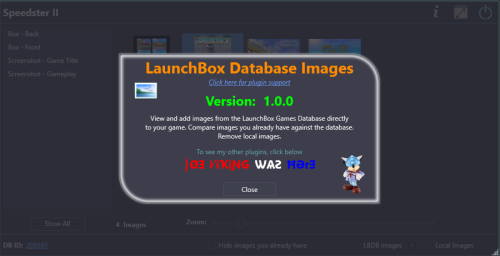 Top Man. Thanks for adding this 👍
 -
LaunchBox Games Database Image Viewer-Plus
Baggio commented on JoeViking245's file in Third-party Apps and Plugins
For the full screen thing, i like to go back and forth quickly between images to see which looks best (same as in LB using the arrows). Probebly just me that does that TBH lol Launchbox image viewer has a nice ring to it 😂 -
LaunchBox Games Database Image Viewer-Plus
Baggio commented on JoeViking245's file in Third-party Apps and Plugins
I definitely overlooked the things you said when I thought of them ideas lol Would it be possible once in full screen to press the left or right arrow keys to cycle through the images? That would save using the right-click menu each time. I'm sure you would have already done this if possible, but is there any way to integrate emumovies into this as well? -
LaunchBox Games Database Image Viewer-Plus
Baggio commented on JoeViking245's file in Third-party Apps and Plugins
How did i miss this!!!! Unbelievable work here, mate. This is fantastic. I have wasted so much time downloading images and going through each one in LB, deleting the ones I don't like which is an absolute pain in the *** lol. This will make it a breeze now. The only suggestion I have is to make either a single left or right click open the images to view them, so we don't have to right click and select view image fullscreen. Image dimensions and size would have been great as well but saw you addressed that already 🙂 -
Missing Games Checker Plugin
Baggio commented on AgentJohnnyP's file in Third-party Apps and Plugins
 Good stuff, let me know if you need it testing if you do give it a go 👍
 -
Missing Games Checker Plugin
Baggio commented on AgentJohnnyP's file in Third-party Apps and Plugins
Fantastic plugin this is, great job 👍 It works perfectly for me. This may be beyond what you're trying to do here, but what I would love to see is to be able to add DAT files or scan a folder with multiple data files in that have been filtered through something like Retool so we can compare our collections to them to get a one-game-one Rom (1G1R) setup instead of reading the Launchbox database (which has a lot of regions missing). Btw the completion image made me chuckle when I saw it, i want to see that for everything 😁 -
 Would it be possible to add new CTC files to the original post? CTC 3.2 crashes when you try and view the wheelsgamesview with these older 2.3 versions. Thanks
 -
Right, so I figured out a way around it and it's the same way I get eXoDOS to load up quickly. Basically, just symlink all the games folders to your local drive and copy a couple of real folders/files over so it reads them off the local drive and not hundreds, possibly thousands of tiny files over the NAS. For Linux based TP games, it's the prod, programs and snd folders in the data folder if they have them. I've only tested a couple so far though so if anyone needs this kind of info let me know and I'll share it when I'm done And For anyone that has this issue with eXoDOS, you just need the util folder and its contents on your local drive (with the whole ExoDOS folder symlinked) as that has thousands of the config files in and you'll launch exoDOS games from your symlinked setup on your local drive.
-
Digging this up again and was wondering what everyone’s experiences are with the new Linux based games on over a NAS? Every other emulator and even non-Linux based game on TP work great, it’s just the newer Linux based games which play fine but take a really long time to load. I was thinking of hardlinking them but it doesn’t look like you can do that on different filesystems and while you can softlink, there is no point doing that. Anyone have any ideas on a way around this?
-
I just gavce it a quick test and get the same error. The quick options are blanked out as well so cant choose "don't link anything"





