

Kefka2b
-
Posts
266 -
Joined
-
Last visited
-
Days Won
1
Content Type
Profiles
Forums
Articles
Downloads
Gallery
Blogs
Everything posted by Kefka2b
-
 Hey I just got an AYN Odin 2 and building my library, I also purchased a 1TB SD card where I put all my games on, all the rest (Emulators, apps, and the Launchbox data folder with all game media) is on the internal storage of 256 GB. I was using the Desktop export feature which works well full platform sets only for older generations (before CD based games consoles) as you can basically export everything and leave it on your device for ever since it doesn't really take much space (and free to make a selection if you want to but I already curated my platforms with only games I am interested in keeping). However I noticed that when doing a selection of games instead (for example for PS2 libraries of over 400 games that you can't have on your SD card all the time) that all game media still gets exported, which is totally fine to me as I plan on moving heavier games in and out of the SD Card along the way. But, here is where it gets annoying, a platform XML file is generated each time during the export and needs to be imported also, so you always have to go through your export selection manually and make sure the full list of the games stored that you will keep on your ROMS folder on Android is selected otherwise the game won't show up in Launchbox as not present in the new XML, unless you want to delete and reimport all the games again (which can take ages seriously) or edit the XML file manually but all of these methods are cumbersome (imagine if you have 200 PS2 games and want to keep 150 games but swap 50 games with 50 new games from your desktop). So it would be just nice to be able to have all your painfully curated media imported and that a new XML is generated (or just updating the current one), after manually updating the games list from the app directly, but there's another catch the naming of game media is different compared to the desktop ones, they don't contain a -01 or -02 at the end, so Launchbox for Android will not recognise them in any case unless you use the exported XML, or remove those from media title.
 -
Hi, Using the retroarch 64 side loaded app with the MAME current core (although the naming and file type of the core is different in launchbox but this seems to be the same for other platforms), all other platforms work correctly except MAME, where it brings up a black screen and crashes retroarch. I am able to launch games correctly via retroarch directly though. Using 1.12, is it a known issue? -> FIX: disable Extract ROM archives in the Emulator settings in Launchbox
-
Hi you should take a look at the es de colorful theme it works great there. It would look better with a wheel and the clear logos instead of that huge brand name in the back for platform view.
-
Thanks for the quick answers!
-
Hey all, I will receive an AYN Odin 2 next week, and since I am a long term user on Windows I want to use it on this Android device as well. A few questions and sorry if the info is already available: - is there support for retroachievements? - are pause screens available with the options like on premium desktop version? - is it possible to make Launchbox the default boot app when starting the device to make it look like a real handheld console avoiding going through the android OS before starting Launchbox manually? - not related to Launchbox, has anyone experience with using retroarch overall on platforms from the ps1 and how is the performance compared to standalone emulators on android? I really prefer limiting myself to retroarch as much as possible for standard hotkeys and overall options. Thanks!
-
Awesome thanks for letting me know
-
Maybe I need to completely reimport the collection again for it to work. What I did is decompress my CSO files back to ISO and then compressed them again to CHD, I just then replaced all the file extensions in the Launchbox psp platform XML file. I'll try with just 1 game later on and see if it works, since PPSSPP recognises the games and their trophies when starting them it can't be a game file issue.
-
I just moved to standalone due to the new support of CHD format, I was using CSO before with retroarch so I never had the achievements show in launchbox yet, never used iso so I cannot say
-
Hey guys PPSSPP now supports this game format and retroachievements for it also. However they don't appear in Launchbox yet. Is it going to be possible soon?
-
Hey is it possible to do that so that the start-up theme can use the correct disc image to display during the load animation? Some games have very distinct discs (even sometimes they are completely separate games in compilation games for example).
-
J'en ai pas le souvenir, je regarde tout en anglais donc je n'ai pas trop cherché, mais j'imagine que Youtube doit en avoir.
-
Ok tu peux partir sur du léger i5 et si tu veux une cg (a mon avis pas necessaire), un gtx1060 ou 1650, ca te permettra d'etre large au cas-ou. Si tu utlises les shaders CRT avec reflexion HSM mega bezels sur Retroarch par example, ca a besoin de puissance au niveau GPU mais ca rend les jeux retro 2d vraiment magnifiques.
-
Ca dépendra de ce que tu veux faire, quelles consoles tu veux émuler, si tu veux upscaler, utiliser des shaders puissants etc... Concernant BigBox, selon ta résolution il te faudra un bon CPU et un SSD (nvme de préférence) si tu veux un theme beau en 4k (comme colorful 4k) et si tu as une collection très large, tout en restant fluide et rapide. Perso j'ai un i7 13700k et une RTX3070ti avec des nvme et 64go ddr5 et ca marche nickel mais surement beaucoup trop puissant pour du retro uniquement. (j''emule tout jusqu'à PS3/Xbox360/Switch en 4k)
-
Any plans to add the RPCS3 trophies at some point?
-
No not required when using a bat file with CHDMAN at least (don't know with the plugin) just put everything in the same folder and it will handle it correctly.
-
Not that I am aware of, I've always used this (not the plugin itself but just a script with CHDMAN from MAME): This works for pretty much all cd type games, so you can decompress your .gz file and I guess you will then end up with either .iso or .bin/.cue format games, which you can then convert to .chd with this.
-
Not sure if that is of any help but .chd works for PS2.
-
Update for anyone who may be interested in the future regarding the Exlene Game Cube Bluetooth controller and the Brawler 64 Bluetooth controller: - Exlene: It works in X-Input mode (It doesn't work in Switch mode with DS4Windows so no remapping possible), home button will activate BigBox Pause screen and you can use the Select button as fast-forward in Dolphin (standalone) for example, however Windows sees A as B, B as A and X as Y, Y as X, so navigation in Bigbox will be a bit weird, but game controls can be remapped correctly in Dolphin of course. - Brawler64: Works perfectly in X-Input mode (the manual is very misleading, you have to pair after combining the pairing button + B button for a few seconds, the top and bottom leds will start blinking), everything is recognised like the X360 controller in Retroarch which means that all your previously set hotkeys will also work the same way with this controller, I tried to use DS4Windows in D-Input or Switch mode but I couldn't make it work, however not required here in the end. It will perfectly assign the controls in Windows and the home button also work in Bigbox for Pause screen. A is A, B is B, C-Down is X, C-Left is Y. The only thing to consider is that C-UP and C-Right will be assigned the R3 and L3 buttons respectively, so you just need to remap your controls to accommodate the controller in your N64 emulator -> So conclusion I can use all my controllers (DualSense, M30, Game Cube and N64, I also have an 8bitdo Arcade Stick which I think will also be easy to get to work according to my needs) with consistent Hotkeys and Button mappings for both my emulators and also Bigbox (apart from the Game Cube controller in Bigbox where the face buttons are reversed due to bad mapping in Windows).
-
Launchbox-RetroPie-Batocera-Miyoo Export
Kefka2b commented on dingodan's file in Third-party Apps and Plugins
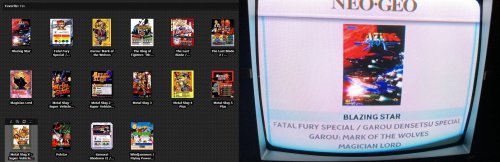 Actually applied the bit from @marzipant0rte adding those 2 lines to the script and now everything is populated apart from the video line (Not sure if there's a way to fix this?). You may want to to update the Downloadable script. In any case thanks for your contribution
 -
Launchbox-RetroPie-Batocera-Miyoo Export
Kefka2b commented on dingodan's file in Third-party Apps and Plugins
Hey @dingodan so I tried the Mega Drive / Genesis export for Batocera, I am able to get the files (Roms/images/Videos) exported and then after transferring them to the Roms\megadrive folder in Batocera they are not being displayed in the games list, I reckon the Launchbox naming of the files doesn't work for Batocera? As downloading the box art manually renames it differently with appended text also to identify that it is a box art. Am I missing something in the export process? Here is my script attached, help would be appreciated. EDIT: Also attaching the generated XML it seems the files are not specified? launchbox_retropie_export.py gamelist.xml -
This a Bigbox theme and isn't applicable to Launchbox. If you have the paid version you can use Bigbox and in the options install the theme.
-
And yes you need to create playlists which I think is not great and definitely would love to have the ability to use quick filters.
-
Hard to find rather specific logos and for free, but I 've been doing something a bit similar in the past and after long searches I was actually able to find some in Google Image searches albeit not always to my taste (make sure you look for .png files, although there probably is more file formats that work)
-
Is it possible to map multiple different kinds of controllers per console?
Kefka2b replied to Fuzzykropolis's topic in Noobs
@Fuzzykropolis The only thing that might still solve it for you is this: In the ds4windows settings tab, go to "Device Options" at the mid right. Here you can select all the controller types you want to be recognized by DS4Windows. Pro controller is unchecked by default! Just enable everything honestly it won't do any harm anyways. Maybe now it will recognise it. You need to restart the program I think. -
Is it possible to map multiple different kinds of controllers per console?
Kefka2b replied to Fuzzykropolis's topic in Noobs
I understand but how does windows detect it (ie. which name is given to it in the connected devices) when you connect it?



