

Jason Carr
-
Posts
13,723 -
Joined
-
Last visited
-
Days Won
388
Content Type
Profiles
Forums
Articles
Downloads
Gallery
Blogs
Everything posted by Jason Carr
-
If we can determine if it's really the update notifications that are causing the issue, that'd be awesome, as I have some ideas that would probably fix it. I'd say go ahead and update to the latest and we can check to see if it still happens (I am putting out an official release here shortly though). If it really is the update notifications, that should be all I need to know to get it fixed, hopefully.
-
@TiberiusNero I've never seen anything like this either. If you can zip up and PM me your LaunchBox\Data folder, I'll see if I can replicate and get it fixed.
-
Sure, I think it would be helpful to try and replicate using an Xbone controller, because I think that should rule out whether the issue is related to controllers or not. I do think the popup might be a lead. Do you know what popup it is? I'm not really seeing any that would make sense in that scenario (I don't know of any popups that would show up on exiting a game and returning to Big Box). By chance, do you have any plugins installed?
-
Beta 2 is out now with some translation updates and a hopeful fix for @deliyuerek85's issue above. I'm not aware of any other serious issues since yesterday's beta, so hopefully that's accurate. The plan is still to put out the 8.9 bugfix release tomorrow.
-
Okay, thanks @Agent47. I assume this means that it wouldn't be as simple as just sending over the playlist name instead of the platform name if a playlist was loaded. Would it work just to add a new variable that sends the playlist name if the user is in a playlist (as well as the platform)? For Sega Classics, for example, this means that the Arcade platform name would be sent along with the Sega Classics playlist name.
-
Good to know. I probably won't get this in for the 8.9 bugfix release, but I'll add it to my list.
-
That's interesting. That popup is certainly not being displayed correctly, but it's not a separate window or anything; it's just an overlay in the XAML, so I'm not sure how the popup would be causing issues (focus would still be on the main Big Box window). This does make me wonder if it's a video driver issue or something of that nature though, since at least the above issue is a rendering issue of some sort. I'm not really sure where to go next, other than to continue testing to see if it can be relatively consistently replicated in a simple environment. Did you have only one controller connected?
-
No problem Claudio; I have it updated for the next beta.
-
It shouldn't be. If you'd be willing, please create a separate topic for it with more details and we can help you troubleshoot. You can mention me to make sure that I see it @Jason Carr.
-
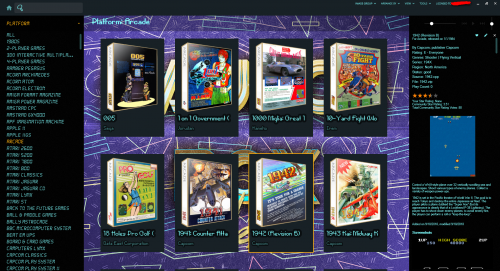 I think it's because LaunchBox requires TrueType fonts. I assume Pixel Noir is not a True Type font?
 -
Hmm, good to know. I guess that makes sense. I didn't realize that extra images could be cause for performance issues, but that is good to know.
-
Can't you add whatever systems you want to RL?
-
Thanks for the reminder. I *think* this is a culture issue and I think I have it fixed for the next beta. I can't replicate it on my end though, so you'll have to let me know once the beta comes out, probably tomorrow.
-
The first 8.9 beta is out now:
-
The first 8.9 beta is out now with the following: - Improvement: Empty playlists will now show up in the LaunchBox sidebar when viewing platform categories; this should reduce confusion when adding a new playlist and leaving it empty - Improvement: When manually adding a new platform via right-click in the platform categories list, LaunchBox will now warn you that it's not recommended to manually add platforms and to use the import processes instead. It also warns the user that categories and playlists should be used instead of platforms for nesting purposes. - Fixed: Add to Playlist functionality was accidentally still restricted to premium - Fixed: Editing a playlist that had no parents was putting it back into the root by default - Translation updates The current plan is to put out a bugfix release on Wednesday, assuming these betas go well. These updates/fixes aren't major issues, but they have caused enough confusion to warrant a bugfix release. Let me know how this beta fairs.
-
Have you tried a reboot? Is it running in Task Manager?
-
Yes, that should be fine.
-
No worries @dukeemu! I'll get this into the next beta. Thanks much.
-
I'm guessing they're the old playlists from before we did the MAME overhaul. If you delete them and recreate them using Tools > Create MAME Playlists it should fix it.
-
It will delete any images that are not currently mapped up to games, as well as duplicate images that are 100% identical (same file size, same checksum, etc.). It will not delete images just because an image already exists for that category.
-
I think that will be solved as well with this upcoming beta.
-
Oh, duh lol. Sorry for that; I've changed that in the beta release that I'm working on. Don't know why I didn't think of that lol. The next beta will show playlists in the list even if they have no visible games.
-
@Chris Kant Looking at your data, it looks like some of the games are marked as broken, and you don't have broken games displayed in LaunchBox, so that is the reason for the difference between what is displayed in that playlist in Add/Edit and what is displayed in the main window. I'm guessing that's also why the playlist wasn't showing up originally (because it had no visible games). I am changing that for the next beta though so that playlists show up in the platform categories list whether they have any visible games or not, which should reduce that confusion.
-
The TEST playlist is located in the Root, at the very bottom. It's not underneath a category or anything.
-
Looking at your data, it looks like TEST is a playlist (not a category). It is showing up in LaunchBox for me on the bottom of the list, so you should just be able to delete it from there. Maybe it wasn't showing up until after a restart?


