

Retrofrogg
-
Posts
1,392 -
Joined
-
Last visited
-
Days Won
8
Content Type
Profiles
Forums
Articles
Downloads
Gallery
Blogs
Everything posted by Retrofrogg
-

Proposal: Music Player Feature for Launchbox
Retrofrogg replied to Dumpling Doily's topic in Features
My new theme has this - it will be released in a few weeks. You might want to try it.
-
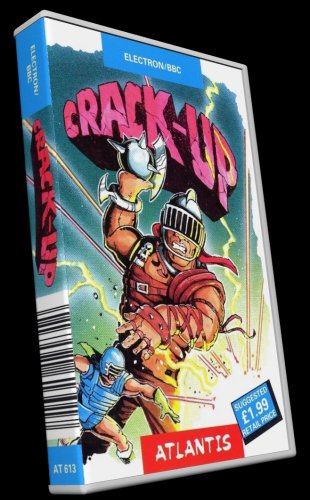 Looks good - but what's with the 3d boxes in the screenshots? Are they included? The description mentions only front, back and spine images.
 -
Show Us Your LaunchBox! Celebrating 13 Years Together
Retrofrogg replied to AstroBob's topic in Community Corner
Very nice! But why is the marquee monitor below the screen rather than above, where it usually goes? -
Sometimes Launchbox doesn't fully close. The screenshot shows the processes remaining. This is a minute after I closed the app and it did it's usual shutdown routine. This problem seems to occur randomly, maybe on average once every 6 shutdowns.
-
@Juganawt - I see that your post hasn't been replied to yet. I would echo all of your points - a better cassette model, in particular more photorealistic would be great. A double jewel case model would also be great. And so would cassette (side A) and cassette (side B) media types. I don't know if the Launchbox team are currently planning further improvements in terms of the above; it does remain a beta feature after all. I hope they do. In the meantime, I will soon be releasing a Launchbox theme which addresses most of the above (and more). It uses a more realistic cassette case model, and where the covers don't extend over the entire rear of the case, you can see the correct cassette image inside it (if you have that image assigned, of course). There is also a double jewel cassette model, amongst a few other models. Shameless self-plug
-
What's your MSDOS game setup in Launchbox? Choose an answer from the poll.
-
When opening PDFs in the internal viewer, it sometimes renders the aspect ratio of the PDF incorrectly, in particular if there are a mix of portrait and landscape pages in the PDF.
-
Great that the cassette case has finally been added! 2 things - When picking a colour for the plastic, I don't see a way to revert to the clear case again. Also, there needs to be a double cassette case as many games utilised this larger size.
-
The "arrange by" scrollbar is great - but having it appear only on hover is a bit clunky. I would suggest adding an option to disable the auto-hide, so that we can have it always there.
-
All my drives are blue, i.e. not nearing full - so I don't think that's the issue here.
-
This seems to happen more when you do something else on your PC whilst Launchbox is loading. If you don't do anything else, the problem is less likely to happen. And sometimes it just seems to take a lot longer than usual before starting.
-
It seems to be the case that there's no difference between small and medium. There does seem to be a difference between small/medium and large.
-
I'm about to release a theme that adds cassette jewel cases.
-
The margin settings don't seem to work in the built in PDF reader. Also, it really needs thumbnails of the pages so that you can jump to a specific page.
-
I find that the current beta often gets stuck on "loading interface" and won't open Launchbox. This happens intermittenly, maybe one out of 4 times.
-
Heb je de games al?
-
NES - Complete Accurate USA Box Art (704 images)
Retrofrogg commented on Jolu42's file in Nintendo Entertainment System
.thumb.png.a3faa9242d29b969fb5b963419165153.png) Doesn't the NES set exist already? What's the difference between this set and existing sets?
Doesn't the NES set exist already? What's the difference between this set and existing sets? -
The double jewel case doesn't appear when you go to edit platform then 3D model settings. It's in the list, but when you select it the preview window is blank.
-
The bulk media downloader doesn't seem to be working for me.
-
When viewing games in list view, the column headers are often missing. They come and go; the problem seems to be intermittent: @JoeViking245 helpfully pointed out that if you exit LB in boxes view, then restart LB, then switch to list view, the problem isn't there. But if you exit LB in list view, then restart in list view, the problem is there.
-
I've noticed with the latest beta that the 3D box model icon doesn't always show as it should. When I'm browsing games, sometimes it loads correctly and sometimes it doesn't. Here it doesn't load: And if I move onto another game or two then come back, it loads:
-
Screenshot priorities doesn't seem to be working for platforms? I have banner deselected, but banner images still appear on the image carousel.
-
PopCap Standardized Fanart - Box - Front and Clear Logo Set (71 Games)
Retrofrogg replied to donarumo's topic in Game Media
Was just adding PopCap games to my collection and this set is a godsend! Thanks! -
Having an issue with the latest beta where Launchbox will crash during the import game process. I drag the game into Launchbox, get past the first couple of import windows but then it crashes and I have to force quit. Edit: after a while it stopped doing it and has since worked. I'll continue to monitor the issue.
-
Huge Mame Marquee Collection including many in 4K resolution
Retrofrogg commented on Mr. RetroLust's file in Arcade
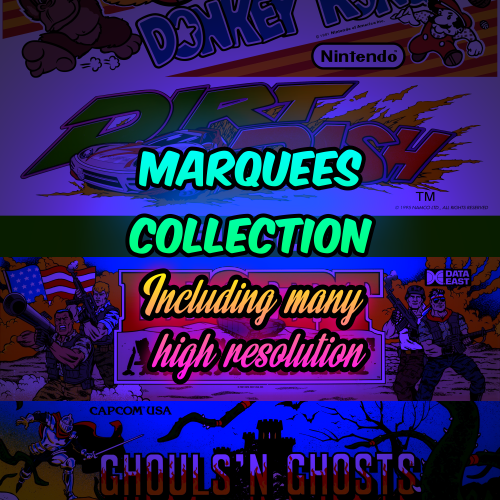 These are great. Have you linked in with the guys that do the MAME artwork sets (which are updated every few months)? Some of these are better than the ones in the official set.





.thumb.png.a3faa9242d29b969fb5b963419165153.png)


