

Retrofrogg
-
Posts
1,364 -
Joined
-
Last visited
-
Days Won
8
Content Type
Profiles
Forums
Articles
Downloads
Gallery
Blogs
Everything posted by Retrofrogg
-
Just updated Windows 10 Pro to the latest version (version 1809). Launchbox seems to be broken What happens on starting up Launchbox is: - the Launchbox loading bar appears - Launchbox opens, but a) the usual beta version splash screen doesn't apear, and b) the Launchbox taskbar "deskband" is coloured orange (usually indicating that something needs attention) I can then select games in Launchbox and things seem to be OK - as long as the main Launcbox windows remains the "active" Window. If I do something that stops the main Launchbox window from being the active window - e.g. by editing a game, or minimising Launchbox and then maximising again, I get the following: - Launchbox is mostly unresponsive; the only thing that I can do it change the "hover" selection box by moving the mouse over the games. I cannot select a game, edit it, or select anything in Launchbox at all. I cannot even close or minimise the window using the app - I have to right-click on the taskbar box and then select "close window". I have tried a restart, but problem pesists. @Jason Carr Any help appreciated!
-
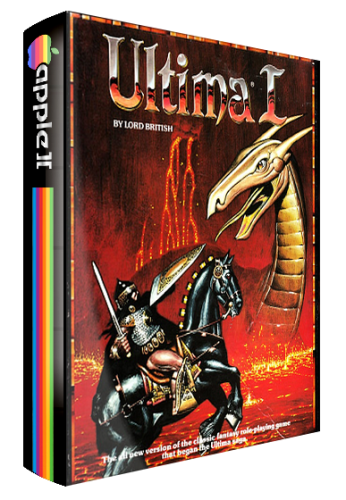 Nice - but wouldn't it to be better to have the proper/original spines?
 -
Just to clarify - this problem seems to be specific to MAME.
-
I hadn't fired up BigBox in a while and tried it today, but am having a problem with it. I can launch games through Launchbox fine, but when I try and launch the same game via BigBox it doesn't work. I get the loading screen, then a blank black screen for around 10-15 seconds, then the exit screen, and then back to BigBox. I don't know if this is connected to the pixellated mouse cursor problem. Any help appreciated! @Jason Carr
-
It is check marked. I haven’t checked the folders, but they correctly identified as screenshots when you edit the game details.
-
Another problem - screenshots sometimes don't show in the game details pane (though when you go to edit the game, they are there).
-
Keep up the great work, and Merry Christmas Found a small bug: in the platform details edit window, the text in the "notes" tab overruns the edge of the box. This is consistent when resizing the box also. See pic:

-
 These are very good - an improvement on the previous standard for MAME 3D boxes. There seem to be 795 files here - looking forward to the updates to the rest of the set in 2019! Thanks!
 -
I'm having a problem with the mouse pointer becoming very pixellated whenever I exit a game via Launchbox now!
-

Would you add buttons on cabinet for launchbox
Retrofrogg replied to DannyShane's topic in Collections and Builds
I'm in the process of building an arcade controller for Launchbox/MAME/etc. I plan to add buttons for exit, pause, start, coin, select and favourites. May as well have them if you're building it yourself! Wasn't going to bother with volume as it's not a cab, but I would want to have some kind of volume control in a cab. I know some folks use button combinations to access these functions, but I'd rather have it plain and simple! -
Question is, how do you know when you have a complete set? What reference do you use? And are you talking complete set for just one region?
-
Will this be in Launchbox? Would be great to be able to set platform specific views - for example setting box size settings per platform!
-
Mr. RetroLust's new man/game cave
Retrofrogg replied to Mr. RetroLust's topic in Collections and Builds
I wish this feature applied to LaunchBox as well as BigBox! -
Looking for some info regarding the MAME software lists. I am looking to emulate plenty of systems but so far I only have a handful in LB, with the computer based ones using individual emulators and most of the consoles going through retro arch. What are MAME software lists, are they a better way to get into computer platforms emulation and are they compatible with Launchbox in any way? Thanks!
-
Thanks so much Haggie55! Really looking forward to getting this set up! Let me know if you have any further tips
-
That makes sense. The MAME emulation of slots isn’t that great without a re-production of the appearance of the machine as a whole. A different story from what seems to be happening with MFME! Yes, I would appreciate such an image package, thanks! Manually matching the images is still some work but nothing compared to getting all the screen grabs!
-
How does the emulation compare to the MAME slot machine emulation? Regarding the screenshots - you mention to launch each game and then screen grab it - this would be very time consuming given that there appear to be 1044 slot machines in your collection! Have you made shots for them all? Would you be willing to share?
-
What did you use to print the artwork?
-
PASC CE - Theme Editor, rewritten in WPF
Retrofrogg replied to y2guru's topic in Big Box Custom Themes
Will definitely try it. Would be nice to have one for Launchbox too ;) -
PASC CE - Theme Editor, rewritten in WPF
Retrofrogg replied to y2guru's topic in Big Box Custom Themes
Can you edit Launchbox Next themes with this too, or just BigBox? -
PASC CE - Theme Editor, rewritten in WPF
Retrofrogg replied to y2guru's topic in Big Box Custom Themes
This looks mighty interesting. -
Looks interesting - is there no sound with this video?
-
I'd like the dual monitor issue addressed also. Great to have a second monitor showing a differnt artwork (e.g. Marquee) in BigBox, though would be super nice to have this option in Launchbox too!
-
Will it re-add any games that have been deleted in LB?
-
Possible bug in latest beta - when I edit a game and delete the game video path, the video seems to remain when I look at the game details.



