
Suhrvivor
-
Posts
613 -
Joined
-
Last visited
-
Days Won
2
Content Type
Profiles
Forums
Articles
Downloads
Gallery
Blogs
Everything posted by Suhrvivor
-
 AAA content! It feels illegal to have this for free!
 -
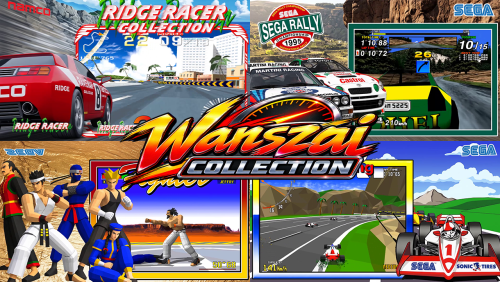 Amazing pack! I learned about those neat PC ports after seeing your theme videos and immediately added them to my frontend. Thank you!
 -
I'm glad to report that since 14.0 Bigbox is not randomly crashing anymore on my Laptop.
-
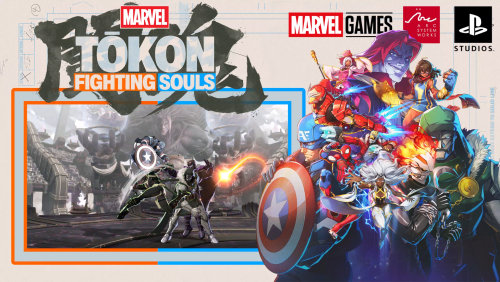 Nice job on the Mavel Tokon game! You might have forgotten to compress it though, it's 320MB for one minute video 🙃
 -
StageBox But It's Neon Deluxe - Mo' Platforms
Suhrvivor commented on d66dle's file in Startup Themes
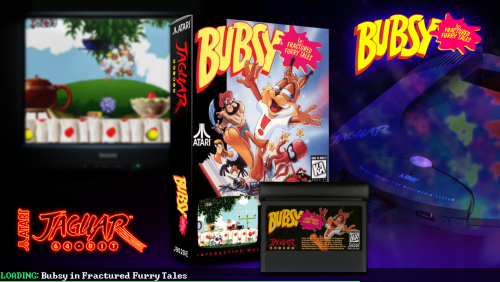 It works for you because you have all the files and theme variations, It didn't work for me for me until I downloaded and moved some files to were they were expected to be.
 -
StageBox But It's Neon Deluxe - Mo' Platforms
Suhrvivor commented on d66dle's file in Startup Themes
The background images are not loading, they point to folders of other themes. You might want to check that. -
 I didn't know it was already out! I'll add it to the pending list.
 -
Wow big diffference in assets quality. I would give the video frame a yellow tone like the eggs so it blends with the artwork and makes the logo pop out more but it's fine either way.
-
I think it's better to focus on filling the gaps rather than redoing things that are already made. but if you feel better redoing them rather than making new stuff then go for it, whatever makes you happier, I'm down.
-
Love that Star Wars Racer Theme! I made one similar for the PC/Dreamcast version but I like yours more. 😁
-
Coverbox Style BigBox theme for Playstation 3
Suhrvivor commented on FILIPINOY79's file in Custom Themes
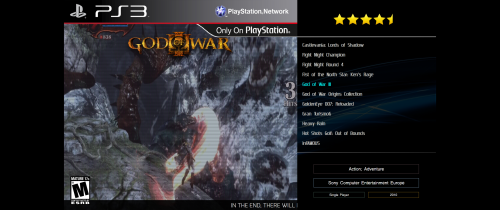 Looks cool! Please rename the title to a less generic one so more people can find it and download it. Something like "Coverbox Style BigBox theme for Playstation 3" or similar.
 -
The Guy Game, such a masterpiece.
-
Yeah, they're gone now.
-
I'm using the nightly builds, I updated it fairly often manually. Didn't notice much of a difference in performance.
-
Extremely suspicious comments from new accounts linking to beting websites...
-
I updated to 13.28 Beta 5 and I'm still getting random crashes on Bigbox in my laptop setup (intel GPU). Using the WMP playback on my desktop PC with and nvidia GPU the colors of the videos are washed up, seems like it defaults to limited colors rather than full color (16-235 instead of 0-255). I fixed that by changing color settings on the old nvidia control panel.
-
Nice stuff, love the Tekken themes!
-
The Best Way to Build a Comprehensive Arcade Collection?
Suhrvivor replied to ferociousfilmfreak's topic in Noobs
Hey Welcome to Launchbox! For what you want to do I think Launchbox it's a good fit. You can put all games into the arcade platform and separate them with a playlist for each sub-system or you could put every sub-system as a different platform. The Launchbox database has a lot of media for arcade games and you can get even more here on the Launchbox forums (Theme videos, custom boxarts, artwork, etc). Paired with Emumovies you'll get video snaps, Yheme videos, manuals and music and more. -
Assassin's Creed Shadows (PC) not detected in LB
Suhrvivor replied to Joulen's topic in Troubleshooting
Seems like the Windows title has a weird apostrophe instead of the default one, I already submitted a correction, should be up in 24 to 48h. On the mean time search "Assassin’s Creed Shadows" (copy paste without the quotes), that should work. -
It's not working with my gamepad either. I don't think they implemented controller support yet.
-
After further testing beta 2 and VLC, I've noticed that Bigbox now doesn't randomly crashes when you setup VLC as the video player, it seems even more unstable on the other two players though.
-
[EmuMovies] Microsoft XBOX 360 Video Snaps Updated (494 New Videos)
Suhrvivor replied to circo's topic in Game Media
Excelent update! Buying Emumovies lifetime membership was one of my best purchases and it keeps getting even better! -
After updating to beta 2, bigbox now crashes on my main computer. never crashed on previous versions. Also, the gamepad inputs are not registered half the time, holding up or down on the gamepad is not smooth, the wheel scrolling pauses constantly. The new pdf reader is amazing, I love it!
-
How does AI help you make theme videos? 🤔
-
Microsoft Xbox One Unified HD Platform Video
Suhrvivor commented on Saieno's file in Platform Theme Videos
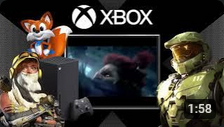 Yeah, also, the video frame aspect ratio is 4:3 and the video inside is 16:9.



