

alnyden
-
Posts
342 -
Joined
-
Last visited
Content Type
Profiles
Forums
Articles
Downloads
Gallery
Blogs
Everything posted by alnyden
-
Future Pinball Loader for Launchbox
alnyden commented on JaysArcade's file in Third-party Apps and Plugins
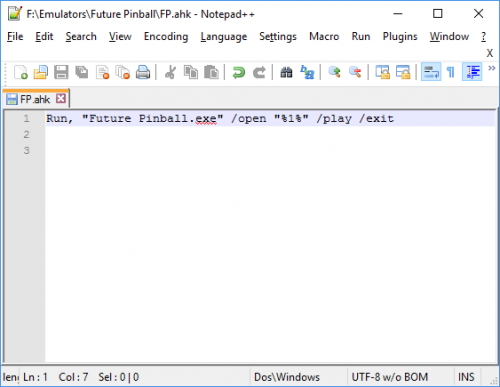 This works great for launching tables! I have another issue with Future Pinball -- I can't get AHK scripts to work from the Manage Emulator window. Any tricks or advice? Thank you.
 -
Unfortunately there is no way to do that in Big Box, though it is often requested. Most people who want that feature use the Rocketlauncher pause menu, but it can be quite difficult to set up.
-
AMD.
-
I have Aeon Nox set to a specific playlist. When I select that playlist, I hear the select sound play before the software freezes up for aprox. 30 seconds before the playlist appears. Afterwards, everything works as normal.
-
Aeon Nox Redux, recently downloaded, is that 2.0? It's the game video. Great theme.
-
Well for me at least, it's taking 30 seconds to load Aeon Nox with background videos. It was fixed in Beta 7 but the issue returned in 8.
-
Certain themes in Big Box are taking a long time to load, such as Aeon Nox (with background videos). It seemed to be fixed in Beta 7, but the issue returned for me in Beta 8.
-
For those of us using Rocket Launcher, would it be possible to use some combination of the "launch with" command to use Retroarch (on a case-by-case basis) and simultaneously enable netplay?
-
Yep, that was it! Didn't occur to me since I never use games view in Launchbox. Any chance you'll implement for list view as well?
-
Correct.
-
Hmmm. For whatever reason, it's not working for me. Maybe I'm overlooking something obvious. I double checked and I'm definitely on beta 8.
-
I know. That's why I said "Yes, in Launchbox." It's not working in launchbox with the latest beta.
-
Not working for me. (Yes in Launchbox)
-
Can anyone provide a basic guide to using Retroarch netplay? Been searching and can't find much, but it seems you need to be using the exact same version of Retroarch, exact same version of the core, and the exact same rom. Makes sense, but doesn't connecting with someone become a bit difficult? (Especially since in the Netplay Rooms I don't see where it lists the version of Retroarch the host is using.) Also, will the netplay option be there if you use Rocketlauncher as the emulator? (I don't see the option with a right-click).
-
Yeah, the Genre page is a bit neglected IMO, it does not have clear logos, theme support or marquee display options. An upgrade would be nice since I'd rather not have a playlist for every genre.
-
Hi, I was wondering if there was a theme that would play full-screen video while scrolling through a game list? (With the list disappearing in a few seconds). I think Critical Zone does this for platforms but not games? Thanks for any advice! R
-
As far as I know the genre navigation page in BigBox does not support clear logos, so this would just be for playlists.
-
Gotcha. Sounds like banner or marquee images for the genre navigation screen is not supported.
-
One more question, is it possible to have an image while navigating Genres in BigBox? I don't see any folders for that. Thanks again.
-
Hey @nosh, great theme! I really love the platform banners, and was hoping to use them for a marquee monitor. By any chance do you have them at a higher resolution so they'd look good filling the whole monitor? Thanks man! R
-
Got it! I thought they needed to be in the "banners" folder. Working perfectly now, thanks.
-
I just purchased an LG 25" ultra-wide monitor to use as a marquee screen. It's pretty awesome and a very cheap way to add this feature. BigBox support for 2nd monitor is working great, with only one issue. Other than the MAME platform (which is correctly taking images from the Arcade - Marquee folder), it seems to be displaying the Box - Front images. How can I display the Banner images for other platforms? The images are definitely in the folder, but are not being displayed with any theme I've tried. Thanks for any advice! R
-
It would be so much better if we could add playlists to platform categories without including them in the platform list. Unfortunately the above solution, as you stated, clogs up the platform view with playlists. I'd love to use platform categories to organize playlists, but don't want them to appear in the platform view.
-
One advantage of using Rocketlauncher -- you can assign joytokey profiles by emulator, platform and/or game.
-
I was wondering, if you hide a percentage of your collection, would it speed up LaunchBox the same way deleting them would? Also, is there a way to display all hidden games in a list to then decide which games to un-hide? Or do you have to reveal all hidden games at once?
