

lessthanzero33
-
Posts
121 -
Joined
-
Last visited
Content Type
Profiles
Forums
Articles
Downloads
Gallery
Blogs
Everything posted by lessthanzero33
-
Looking sweet!!
-
I always hoped someone would pick up on this work! I am a huge fan of the original theme and it would look amazing on my arcade cabinets.
-
Mini Consoles Theme - RetroSai Nostalgia - Form over Function
lessthanzero33 commented on Saieno's file in Custom Themes
 Bar none the best theme I have ever used!, absolutely stunning!, i have a small suggestion if i may. Would it be possible to have views for Sega Model 2, 3, Sega Naomi, Sammy Atomiswave etc.. have the arcade cabinet views? Also, i think it would be awesome to have pinball table like views for Pinball FX series!
 -
Retroarch Mame loading some config but where from?
lessthanzero33 replied to Enlighted17's topic in Troubleshooting
Are you able to delete the default.cfg in this path/Retroarch/Saves/MAME/cfg folder?, if so, delete it and try what i suggested again. Configure the inputs in general first and then go immediately to this system and change the inputs there. Hopefully it works. -
Retroarch Mame loading some config but where from?
lessthanzero33 replied to Enlighted17's topic in Troubleshooting
Try this; go to input assignments and go to general first and change your controls there and then go to this system and change it there. For some strange reason that worked for me. -
Definately interested!
-
Hi!, I am having the same issues with my Dapne and Singe games as they all have this path! ("..\Daphne 4k.exe")
-
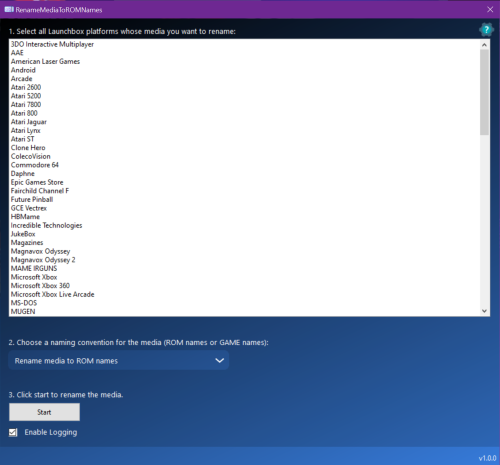 Is it possible to match games with bezels?. Bezels are not in that location but maybe adding an option to chose the directory from which to rename/match?
 -
I have not had any issues with my romset as i am using 0.245. This issue just happened and i have been using the mame core for a while without any issues.
-
I actually started to have a similar issue with CPS games except mine all have severe stuttering. Audio and gameplay stuttering accross all of my CPS games. I am using mame-libretro current core as well.
-
video themes Platform Video Themes [16:9]
lessthanzero33 commented on Paulina's file in Platform Theme Videos
 @Benjam Thank you for the update!
 -
video themes Platform Video Themes [16:9]
lessthanzero33 commented on Paulina's file in Platform Theme Videos
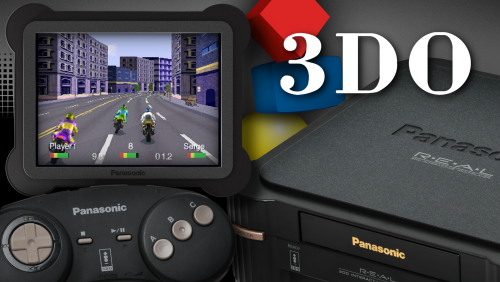
Absolutely love these!, please keep them coming!! Atari 20600, 5200, PS3, Panasonic 3DO etc.! -
 I am really liking the simplicity and very responsive Theme!, good job!
 -
LaunchBox for Android New Version - Beta Testing
lessthanzero33 replied to Jason Carr's topic in Android
Just to update my earlier issue. I also cannot import Sega Dreamcast as well. It will see the games but after importing, dreamcast does not show. Can i try the beta version to see if there is a change?, Atomiswave, Naomi and Dreamcast work great with stand alone retroarch(which i am using as my backend for Launchbox). -
LaunchBox for Android New Version - Beta Testing
lessthanzero33 replied to Jason Carr's topic in Android
There is a banner for it, i saw the banner when i first imported but instead of Sammy Atomiswave games being imported, the showed up as MAMe Roms instead so i uninstalled and reinstalled and now Atomiswave no longer shows -
LaunchBox for Android New Version - Beta Testing
lessthanzero33 replied to Jason Carr's topic in Android
I have the full version but i am running into an issue where i can import Sammy Atomiswave games but after launchbox restarts, i don't see the banner for Atomiswave. i have uninstalled and reinstalled but the same error occurs. I have managed to import MAME, NES, SNES and NeoGeo so far. -
I have it working using Retroarch and Fbneo core.
-
LaunchBox for Android New Version - Beta Testing
lessthanzero33 replied to Jason Carr's topic in Android
This is awesome news!, I have bought a full license for the PC version and i will buy a full license for the Android version as well just to support you guys efforts! I love this community! -
Woah!!! That looks awesome!, I can't wait to try it!
-
Thanks and it is awesome btw!, Nice job!
-
Awesome news!
-
I also would like to know if the project is dead or will we get updates.
-
MAME "initializing" briefly then returns to Launchbox
lessthanzero33 replied to Megacade2021's topic in Emulation
Ok, so after further testing, now those games that i stated, the no CD version work. Odd, maybe i need to redownload a fresh batch of MAME and the roms/CHDs. I've updated MAME and the roms using clrmampro but maybe i need a fresh start. -
MAME "initializing" briefly then returns to Launchbox
lessthanzero33 replied to Megacade2021's topic in Emulation
Now i am more confused than ever. My StreetFigher 3 series will not work in MAME or RetroArch in LB/BB or Stand Alone versions as well. I have the CHDs and the correct files because all the games were working before. Also, Jojo's Bizarre Adventure doesn't work and Red Earth(Warzard) as well. I haven't tested others but can someone test these games as well? -
MAME "initializing" briefly then returns to Launchbox
lessthanzero33 replied to Megacade2021's topic in Emulation
Yes, games work outside of LB/BB. I didn't change anything at all. For example, none of my StreetFighter 3 series work, and i play them daily, but using my RetroArch MAME in LB/BB, they all work fine. I will try to roll back the beta and see what happens.



