

Daliant
-
Posts
154 -
Joined
-
Last visited
Content Type
Profiles
Forums
Articles
Downloads
Gallery
Blogs
Everything posted by Daliant
-
Yes, I'm using a combination button defined on Launchbox/BigBox to exit games with my Xbox controller.
-
I'm still having this problem on latest BigBox/Launchbox version... It not occurs always, but sometimes (a lot times with MAME) BigBox frezzes when exit game and need to close program with admin task manager. It's a worring bug.....
-

Stellar ~ RetroArch Nightly Updater
Daliant replied to wyzrd's topic in Third-Party Applications and Plugins (Released)
Thank you @wyzrd!!! Works perfect!!! -
Stellar ~ RetroArch Nightly Updater
Daliant replied to wyzrd's topic in Third-Party Applications and Plugins (Released)
Thanks @wyzrd!!!! Now seems to be working well again!!! Good job!!! -
Stellar ~ RetroArch Nightly Updater
Daliant replied to wyzrd's topic in Third-Party Applications and Plugins (Released)
Since 2 or 3 days ago I'm having same problem in my setup. I can't check retroarch updates, and the program seems not getting cores updates well. Stellar says all my cores are up to date, but I think this is not correct. Seems Stellar can't connect with update server or something similar. -
 Sound problem fixed!!! Fantastic!!! Theme looks beautiful as you can see!!!! Great job @faeran I understand perfectly your comments about convert other themes. You need to do the best for the majority of the users. I understand today people have big TV or monitors with 16:9 format, but in my case decided to play my retro games in 4:3 format, and have my machine with this aspect ratio for all. I think the experience is better for retro games in this format, and it's very difficult to find good themes with clear text and format (like yours) here. Thank you so much for the work with this Master System Theme, at least this is my favourite system and for sure i'll use your theme for it. THANK YOU!!
 -
I think it's perfect!!! Maintaining the clearity and with the same format as the other data. PERFECT!!!
-
Tryed the other system themes, but are not too easy to fix to 4:3. I never programed a them for Bigbox, but if I can help you to transform your creations to 4:3 view you can contact me. I'll be very glad to help you if I can.
-
@faeran, as you can see on attached screenshot it looks pretty good!!! If I can make a suggestion, the only thing i miss on theme is the possibility to see the name of the game complete somewhere. There are some games that are cutted on the list, could be cool to put the name of the game somewhere (i.e. below Sega logo or game clear logo). I know there is no space enough to put all info, but the name of the games are important. It's only a suggestion, of course. Your theme is beautiful as is.
-
Attached Another desing for genere image
-
Hi @faeran!! I think I solved the problem only resizing 2 images from the theme. Attached the background and genere images for 4:3 version and 1024x768. I think it solve the problem well. The only problem I have is when I enter to see a game the video sound stops. I have other themes that have same problem, when you enter to see game details the video stop sound.
-
Wonderful theme!!! I have a 4:3 screen with 1024x768 resolution. Do you think is possible to adjust to this resolution? I love to have this on my systems. I need to adjust the background image to cover all the screen (now it is on 16:9 format) and adjust a little the size of red image on the upper left corner to do it small. I'm talking about Master System theme. Can I adjust the size of the background and the other images touching some parameters to try it?
-
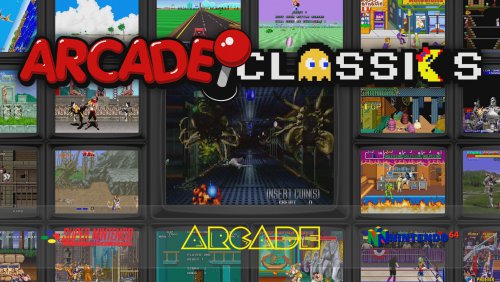 My favourite theme for now!!! Compatible with 4:3 monitor!!! Very clean!!! Fantastic!!!!
 -
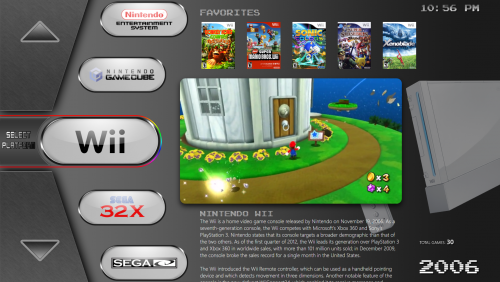 Hi!! Fantastic theme!!! - It's possible to dissable the "select platform" gif? - It's possible to dissable the rounded black border in game videos? I have a small screen 1024x768 and with the rounded black effect my game videos are to dark. I Want to see the videos with no effects. Thanks in advance!!
 -
Hi, I'm using last beta version of Lunchbox and the problem is when in BigBox I can enter normally to any emulator, play well the game, but when exit emulator BigBox is freeze and need to use ctrl+alt+del to close the program. It occurs in all emulators, and was happening last stable version too (7.16). It's a big problem because can't play more than 1 game in a sesion, need to restart BigBox everytime. I'm using Windows 7 x64 and latest beta version of Launchbox Thanks in advance.
-
Ok, thanks for the suggestion, but I prefer naming the output files same as the original rom in order to find it easy. The first solution is PERFECT for me now, but thanks a lot for the second suggestion.
-
Works Perfect!!!! Thank you so much for your kindly help friend.
-
Hi @Pr0FiT!!! This is my actual command line for launching Mame on Launchbox: mameuifx64.exe -nowindow -joy -skip_gameinfo -record ROMNAME.inp Archivo As you see I want to record my plays in a .inp file, but need to replace ROMNAME with the name of the rom launched. I've tryied [romname] "[romname]" and some other variants, but nothing seems work to replace this variable with the rom name of the game launched. Note: my Launchbox installation is in Spanish, this is why you see the word Archivo at the end of the line instead of File.
-
QUESTION: Is there anyway to add the VARIABLE of the romname to the end of the command line for Mame emulator? I want to record my games with -record command, but need to add the name of the rom after command to have my games individualy recorded. Any suggestions? Thanks in advance.
-
 Beautiful theme!!! Any chances to do a 1024 x 768 version?
 -
Problem solved!!! As you said, only need to import all separated roms (2 players and 4 players version), but need first to delete the merged rom from my list. Now I have 2 games version. Thanks a lot for you fast and kindly help guys!!!
-
Thanks for the advice. I was using GameEx with no problems during years and this same set.... Thats the reason to have it merged. Is not a completed set, only 400 roms that I want. I've tryied to import only a 2 player rom of the Simpsons game but it do nothing (I think because I have the other merged rom imported). Only want to show 4 games that have 2 players version.
-
OK, but I don't want to re-download all my set only for 4 games that have this 2 players version...
-
Thanks for you help.
-
Hi!! Installed MAME today and see some roms are not listed. My romset is 7zipped and have some game versions on every zip. For Sunset Riders I have the 4 player version and 2 player version in same zip, but Launchbox only show the 4 player version. How can I show all versions of my games? Same thing on Simpsons game rom. Thanks in advance.


