

superrob3000
-
Posts
312 -
Joined
-
Days Won
4
Content Type
Profiles
Forums
Articles
Downloads
Gallery
Blogs
Everything posted by superrob3000
-
@Miremare2025 there is no such limitation that it has to be "one or the other". If it's not working for you from both BigBox and Launchbox then please post the details (preferably in the ThirdScreen plugin thread). Also include your Logs/ThirdScreenLog.txt file. You'll have to enable debug logging in your ThirdScreen settings if you haven't already.
-
 Yeah that's strange. Not sure how that setting would get changed. Glad it's working now though.
- 200 replies
-
- 1
-

-
- third screen
- platform marquee videos
- (and 3 more)
-
It's working fine for me. Can you verify that you still have your marquee disabled in BigBox settings (Options->General->Marquee Screen: None)? If that's not the issue then please enable debug logging in ThirdScreen settings if you haven't already and send me the log file (LaunchBox/Logs/ThirdScreenLog.txt).
-
Good idea. I'll consider adding it as an option.
-
They have a fix that will be released soon.
-
Updated to 13.19 and ended up with a failed update
superrob3000 replied to tlmw2001's topic in Troubleshooting
Here were the event viewer entries if it helps: Faulting application name: LaunchBox.exe, version: 13.19.0.0, time stamp: 0x67580000 Faulting module name: KERNELBASE.dll, version: 10.0.19041.1503, time stamp: 0xb2acaea9 Exception code: 0xc0000602 Fault offset: 0x000000000010b382 Faulting process id: 0x604 Faulting application start time: 0x01db83d9c5d7042c Faulting application path: C:\Users\Administrator\LaunchBox\Core\LaunchBox.exe Faulting module path: C:\Windows\System32\KERNELBASE.dll Report Id: 13915c48-25e5-4e3b-8a5c-2d7f4942e957 Faulting package full name: Faulting package-relative application ID: Faulting application name: BigBox.exe, version: 13.19.0.0, time stamp: 0x67580000 Faulting module name: KERNELBASE.dll, version: 10.0.19041.1503, time stamp: 0xb2acaea9 Exception code: 0xc0000602 Fault offset: 0x000000000010b382 Faulting process id: 0x2bd8 Faulting application start time: 0x01db83d97bbc825c Faulting application path: C:\Users\Administrator\LaunchBox\Core\BigBox.exe Faulting module path: C:\Windows\System32\KERNELBASE.dll Report Id: ec7d79d7-ae97-49a5-a0c3-b558461f0f69 Faulting package full name: Faulting package-relative application ID: -
Updated to 13.19 and ended up with a failed update
superrob3000 replied to tlmw2001's topic in Troubleshooting
I wrote it. It automates some stuff for that drive like enabling/disabling scanlines in various emulators, backing up favorites, hiding/unhiding the mature platform, etc.. (nothing that can't also be done manually). On older versions of the drive it also handles marquees because it was back before BigBox had video marquee support. P.S. I don't work for that company and I no longer even use that drive which is why I don't want to update the plugin (I wouldn't be able to test it out). -
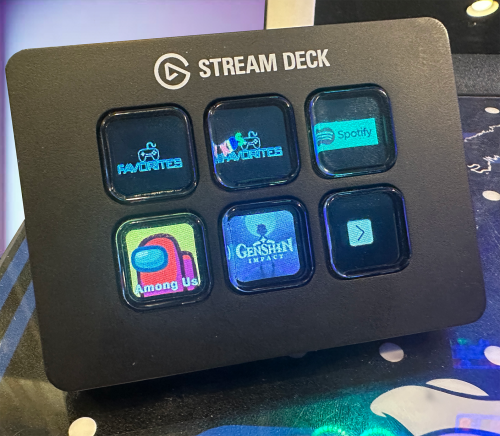 Yes to a platform or playlist, just not to a particular game within it (unless you want it only to display that one game or go to the game's details screen).
 -
Good idea, but there is currently no way for a plugin to do that (telling BigBox to go to a certain game in attract mode).
-
On the download page, scroll down and select "see change log". Select 5.0.13 and then there should be a download file option.
-
@quicksavebarcade if you have reverted to LaunchBox 13.18 then you'll also have to revert to the previous version of ThirdScreen.
-
Grab the latest version of ThirdScreen. If you are still seeing the error after that then it is caused by a different plugin and you should post about it in the General Troubleshooting section of the forums.
-
@elijah_urbanek This error is not related to ThirdScreen, but to fix it you just have to delete the LaunchBox/Plugins/AddToGamesDb folder.
-
Can you post the error message you are getting?
-
LB wont load anymore. getting a weird error screen...
superrob3000 replied to DonellHD's topic in Troubleshooting
The error is for a different plugin (AddToGamesDb). You have to delete that one or check for an update. -
Archive Cache Manager
superrob3000 replied to fraganator's topic in Third-Party Applications and Plugins (Released)
Oh well. It was worth a shot. -
LB wont load anymore. getting a weird error screen...
superrob3000 replied to DonellHD's topic in Troubleshooting
@Cnells2000 You do need to update to the latest version of ThirdScreen if you haven't already, but i think the actual error you posted is for the add to gamesDB plugin. -
You mean to undo it if it doesn't go well? I wouldn't attempt that. Just make a copy of it first.
-
It should be very easy if you use Visual Studio's Upgrade Assistant tool. I had to update all my plugins from 4.7.4 framework to .net 9 and it has been mostly painless.
-
Archive Cache Manager
superrob3000 replied to fraganator's topic in Third-Party Applications and Plugins (Released)
I updated the plugin to .net 9 for you guys. I haven't tested it because I don't even know what this plugin is for. So hopefully it just works... and if not, sorry. ArchiveCacheManager.zip -
If you upgrade the plugin to .net 9 using the upgrade assistant in visual studio it will fix that error.
-
Recent Launchbox software update crashes BigBox when it loads
superrob3000 replied to tbeski21's topic in Troubleshooting
Looks like you are running an EHA drive and the issue is with the OmegaSettingsMenu plugin that I wrote for them as a favor way back when. You just need to delete that plugin (LaunchBox/Plugins/OmegaSettingsMenu.dll) because I will not be updating it to be compatible with the latest LaunchBox version. If you get similar errors for other plugins after that then check these forums to see if there is a new version of the plugin.... or go to the drive provider for help. -
📣📣I've attached a new version (v1.0.3_beta) to the original post which is required for LaunchBox 13.19 and higher. You also need to grab the latest version of the CLI_Launcher plugin. 📣📣 @cooldadnick
-
I'll tag you when it's fixed.
-
Yeah it did break parts of it. I already fixed CLI_Launcher so make sure you grab the latest version of that if you haven't already. I'll update the NFC launcher soon.



