

neil9000
-
Posts
12,649 -
Joined
-
Last visited
-
Days Won
38
Content Type
Profiles
Forums
Articles
Downloads
Gallery
Blogs
Everything posted by neil9000
-

Games Not Playing, possible issues with setup
neil9000 replied to KNESBEY's topic in Troubleshooting
Are you sure that your roms are even good. First rule is to make sure games actually work in the emulator before even bothering with Launchbox, if the games dont work by themselves then they will never work through launchbox. Your middle image isnt even a rom, its a text file for vimms lair, so that obviously is also wrong.- 15 replies
-
- 1
-

-
- games not launching in bigbox
- games not playing
- (and 4 more)
-
Games Not Playing, possible issues with setup
neil9000 replied to KNESBEY's topic in Troubleshooting
No, but they do have to be in a format that the actual emulator supports, Dolphin DOES NOT support 7z. Yeah, Launchbox can extract to its temp folder and deletes that file later, but you will now have a wait when launching a game as it needs to be extracted first. No CD/DVD style images should ever be zipped in my opinion. All those emulators support compressed formats that do not require decompression, like CHD, PBP, NKIT as well as various others.- 15 replies
-
- 1
-
-
- games not launching in bigbox
- games not playing
- (and 4 more)
-
Games Not Playing, possible issues with setup
neil9000 replied to KNESBEY's topic in Troubleshooting
Your roms are also .7z, so in your first image you need to check the box for Launchbox to extract the rom before running. Some emulators will load zips, like Retroarch but most will not work at all with 7z files directly.- 15 replies
-
- 1
-
-
- games not launching in bigbox
- games not playing
- (and 4 more)
-
Games Not Playing, possible issues with setup
neil9000 replied to KNESBEY's topic in Troubleshooting
You are linking to the Dolphin.7z, that is never going to work. The emulator needs extracting and Launchbox pointed to the dolphin.exe.- 15 replies
-
- 1
-

-
- games not launching in bigbox
- games not playing
- (and 4 more)
-
Well if it took a long time then it was clearly importing, if the import didnt work it would of literally taken 30 seconds, so it was certainly doing something. Id run it again and uncheck all the media downloads, as you either already have them from your first import, or you can aquire them after the import once everything is working correcly there. Once you run the import again, please take images of what is happening, that is so much easier to troubleshoot than someone who doesnt quite understand the process yet explaining it to someone who does.
-
0.230 is the current MAME release, but yes use 0.228 with a 0.228 romset, versioning is very important with MAME. Also when you import are you calling and scraping the platform as Arcade?
-
Startup video has only sound but no picture from time to time
neil9000 replied to kritvichu's topic in Troubleshooting
This has happened from time to time for years, it's been investigated before and improved, but still happens to me on occasions as well, it's something to do with read speeds i believe, at that exact moment Launchbox starts loading itself, it also loads VLC and tells VLC to play the specific startup video, so a lot of reading different parts of your disk at the same time. -
OK several issues here. !. You are using a old version of Launchbox, the MAME importer was updated in version 11.9 to be MAME version agnostic. 2. You have a MAME 0.228 romset but version 0.023 of the emulator? THats a error, always match versions of the romset and emulator, that is why they are versioned in the first place. Some further details to add, if the romset itself is not in the MAME emulators roms folder then you need to tell MAME itself where they are, and the fact that you are using such a old version of the emulator (that version is from 1997). You are mixing a non current Launchbox, with a 2 month old romset, and a 24 year old emulator, im not surprised with that sort of combination you are getting errors.
-
There is no link im afraid, thats why you need to reach out to support. Id also give it a little more time, support is essentially one person, and we have just put out the official release of Launchbox 11.10, so may be a little busier than normal at the moment. Unbroken Software is not some massive global company like Microsoft or someone, it's literally the owner and lead dev, and two other employees.
-
Except Window 7 is no longer supported, by Microsoft, and to a lesser extent by Launchbox. It will work, but would need much more manual work than Windows 8 and 10. If this is a isolated machine like you say, then just disable windows defender. Id much prefer to use Windows 10 with no defender than to use the completely outdated Windows 7 at this point in time.

-
Oh so you are talking videos for actual games here, you specifically said "playlist videos" in the thread name so thats what i gave you the info for in my reply. Games can never be playlists, they are just games, so the videos for them need to be in Launchbox/Videos/Name of platform folder to be seen. Playlists just list games from platforms, thats all they do, all the metadata, media and videos are attached to the game, not whether or not its a platform or a playlist, that is of no consequence,
-
Launchbox is a 64bit only application i'm afraid, it is failing to install as you are using a 32bit version of Windows 10. Your only recourse would be to update your OS to the more modern 64bit version, or you could email support@unbrokensoftware.com and request the final 32bit release which was 11.2. Doing this would mean you would be forever stuck on version 11.2 unless you update your OS, 32bit OS's are actually quite rare these days, generally only found on tablets and very cheap low specced laptops.
-
Launchbox/Videos/Playlists/Name Of Playlist/Name Of Playlist.MP4
-
Can the default theme be edited to make a slight change?
neil9000 replied to Bedwyr's topic in Big Box Custom Themes
You need to set a controller/keyboard button to "change view" then go to the platform/view you want to change and use that key and pick the theme from the list. -
https://discord.gg/9vDqeC8A
-
should still be the same as above.
-
No you didnt, or if you did you shared it.
-
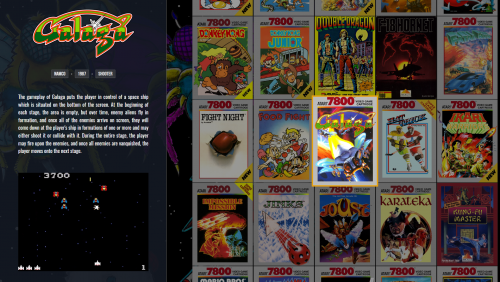 I dont want to speak for @faeran really here, but i will just chime in with a little bit of my own 2 penny's. This is a proof on concept theme, (hence the name POC), i dont really think that faeran thought about it being a actual everyday theme when he created it, it really seems to me to be exactly what it says it is, a "hey look this is the sort of things you can now do in Bigbox, now take these ideas and build then into actual themes" or at least that is how i saw it. So people acting like it's a fully fledged theme and requesting additions and changes and such may, want to wait for a actual fully developed theme that features elements that are demoed here. @faeran apologies to you if i misunderstood the theme and you was actually going for a fully fledged theme here.
 -
-
It's in the Bigbox options, i believe under the view setting where you also change the theme in use.
-
Trouble with Importing Games, MetaData, & EmuMovies
neil9000 replied to vahn65's topic in Troubleshooting
I have just overwritten all media for my N64 platform, so i re-downloaded all images and videos from the Launchbox database as well as emumovies, and i didn't have a single error during the process. -
Trouble with Importing Games, MetaData, & EmuMovies
neil9000 replied to vahn65's topic in Troubleshooting
Metadata actually comes from the metadata file in the Launchbox folder, this file is downloaded in its entirety when the importer is ran or you edit a game ( you will be told the file needs updating and you will see the progress of the download at the bottom of the screen and it should take less than a minute to download on a semi decent connection as its currently a 237MB file) So the server doesn't come into play when actually getting game descriptions and all that sort of data as its all pulled from that file that you now have local to your system. If you are receiving errors related to downloading images, then that is a different issue as they are downloaded "on demand". So while emumovies are correct in stating that metadata comes from us and our servers, i think you may be mistaken as to what downloads are actually erroring (because as i said actual metadata isn't pulled from the internet during imports like that) so i assume its actual media that is erroring, and that could be coming from us or emumovies, so we would need some more details on what actually is happening, like the errors that are actually being received, rather than just "I get errors". Thanks.
-
Like already stated, you need some videos, most themes play videos on the platform screen, and im pretty sure both the themes you have shown are themes like that. You need to pick a theme you like the look of, and probably just forget about using your own art. Themes are designed with specific aesthetic styles and have there own art or require videos to play in the menus. If a theme is designed to use a specific piece of art, or Videos on the platform screens it doesnt matter where you put art or what options you change, if the theme is not designed so show user supplied artwork, then it wont. Also its worth adding that themes have there own image folders, and IF a theme supports using your own, it should really go in the themes folder not the global one as that may break other themes visual style by showing completely unrelated artwork that looks bad.
-
Also if you go to "Edit Profile" you can actually choose a custom URL, as seen in my image below, i just made mine my username, and now i just add that in Launchbox.
-
That is Bigbox, what background is shown there is dictated by the themes code, you cant just drop in images like that. They would either need to be very specifically named and overwrite the actual themes images, or put in specific folders, and then changing your image priorities in Launchbox, which would likely break more things than it fixes. Best bet is to get your fingers dirty and edit the themes code manually. I cant help there though as im not a coder and do not know xaml.


