
Mr. RetroLust
-
Posts
5,971 -
Joined
-
Last visited
-
Days Won
647
Content Type
Profiles
Forums
Articles
Downloads
Gallery
Blogs
Everything posted by Mr. RetroLust
-

Mr. RetroLust's Lights Out! Retroarch Bezels
Mr. RetroLust commented on Mr. RetroLust's file in Platform Bezels/Overlays
 Check and follow this thread for Mame bezels:
 -
You can download the bezels one by one in this thread or download them all over here: Part of the "Lights Out - Realistic Bezels" series, for RetroArch bezels in this series see: https://forums.launchbox-app.com/files/file/1950-mr-retrolusts-lights-off-retroarch-bezels/ NOTE: This project uses a reflection and scratch layer to add a realistic effect, it defines the style of the project, this is not for everyone. But please don't request "a clean verion" as I haven't kept the layer formats for all these games, this project is what it is. ============== Installation: Extract the zip files in mame/artwork/ and you are ready to go. ============== Credits: Most of the artwork used are from the most excellent @Mr. Do & the many team members: http://mrdo.mameworld.info/index.php For NeoGeo artwork much artwork came from: http://www.neogeosoft.com/ For Flyer artwork the amazing: https://flyers.arcade-museum.com/ and https://www.flyerfever.com/ Some artwork used from: https://www.verticalarcade.com/ which has amazing vertical bezels, be sure to pay them a visit. Photos from Museum of the Game® & International Arcade Museum® https://forums.arcade-museum.com/ For research the great Arcade Database by: http://adb.arcadeitalia.net/ Special thanks to the following people, without them this project wouldn't be what it is: @ArsInvictus John Merrit, @Briball @cmgssilva @Orionsangel @Boz1978 @L4ZYD4NE @Manson976 UDb23 @IainSA TheGuru, Smitdogg, CAG, DrVectrex, tbombaci, italie, MAMEWorld, Ad_Enuff, UDb Raspbear, @destrowade @CKL @Thoggo @Antny @Dreamstate Andyaust @zugswang Spinnhacker, CCF Gameplay, jkburks, Comboman, Tim Lindquist, TrevEB, Aaron Giles, Jumpman1981, @kloug666 Tormod, yaggy, @NightVoice, Dillweed, @NeoKarnage, Vaughan, Zorg, Divemaster, Ad_Enuff, ranger lennier, Kiltron, @damageinc86, AntoPISA =================================== Here's my first Mame 4K bezel Shadow Dancer arcade mame bezel shdancer.zip

-
Mr. RetroLust's - CPS2 Carts (Complete Pack)
Mr. RetroLust commented on Mr. RetroLust's file in Arcade
 Thanks so much for the nice compliment, glad you like!
 -
Well what do you know I got it to work as well @Jason Carr, I decided to experiment with different settings again and what worked for me was the following; I had my 4k screen dpi text scaling set to 200% and the marquee screen at 175%, what fixed it for me was setting the 4K screen to 175% as well. Text is a bit smaller now in windows but I can get used to that. I could have sworn I've set both to 100% at one point in the past and it didn't work, but maybe it's a windows update like @cmmidd01 said. Really happy it finally works now ?
- 33 replies
-
- 1
-

-
- bigbox
- dual monitor
- (and 4 more)
-
Mr. RetroLust's new man/game cave
Mr. RetroLust replied to Mr. RetroLust's topic in Collections and Builds
New additions to the cave are a custom made Sega logo from pvc and the amazing Hori Rap Real Arcade Pro N Hayabusa with modded golden balltop lol. I like Neo Turf Masters, it's a good game.
-
Mr. RetroLust's Lights Out! Retroarch Bezels
Mr. RetroLust commented on Mr. RetroLust's file in Platform Bezels/Overlays
Thanks, glad you enoy I will get there eventually when I add it to my library as well. -
Try to unpack one of the same named zip files to a folder with the folder name the same as the zip file. If i'm not mistaken it should work then.
-
 Thanks man Next up is adding Naomi to my library and do some research on all the artwork and cabinets so I can make bezels for these as well.
 -
Neo Geo v2 4K - Lights Out - Realistic Retroarch Bezels View File Neo Geo v2 4K - Lights Out - Realistic Retroarch Bezels This is an upgrade to my previous Neo Geo bezels where I only used top or bottom strips, in this version I used as much instruction artwork from the mvs kits as I could possibly find including side art. Contains restored and translated artwork as well. This is part of the "Lights Out - Realistic Retroarch Bezels" series: https://forums.launchbox-app.com/files/file/1950-mr-retrolusts-lights-off-retroarch-bezels/ If you like these in Mame format go to: Mame 4K - Lights Out - Realistic Bezels ========================================== FEATURES - All in 3840x2160 pixels for high detail - 152 unique bezels ========================================== INSTALLATION The following steps are for users of 3840x2160 displays only. This setup will save you countless hours adjusting them yourself, but be sure not to rename any files or folders and follow below instructions. IMPORTANT: If you use another resolution you'll have to manually adjust the position and size of the game screen yourself. 1. Place the contents in the folder "RetroArch/config/FB Alpha 2012 Neo Geo" to the folder of the core that you use, as you can see I use the FB Alpha 2012 Neo Geo core. 2. Within this folder rename the following config file "SNK - Neo Geo" to the name of the folder where your NeoGeo games are stored. This file will automatically give all the NeoGeo games without artwork the generic bezel. 3. Place the contents from "RetroArch/overlays/_MR.RETROLUST/NeoGeov2" to it's like named structure within RetroArch. Done & Enjoy! \m/ ========================================== CREDITS Mr.DO: http://mrdo.mameworld.info/mame_artwork_ingame.php NeoGeosoft: http://www.neogeosoft.com Submitter Mr. RetroLust Submitted 11/06/2019 Category Platform Bezels/Overlays
-
Version 1.1
1,916 downloads
Neo Geo v2 4K - Lights Out - Realistic Retroarch Bezels This is an upgrade to my previous Neo Geo bezels where I only used top or bottom strips, in this version I used as much instruction artwork from the mvs kits as I could possibly find including side art. Contains restored and translated artwork as well. This is part of the "Lights Out - Realistic Retroarch Bezels" series: https://forums.launchbox-app.com/files/file/1950-mr-retrolusts-lights-off-retroarch-bezels/ If you like these in Mame format go to: Mame 4K - Lights Out - Realistic Bezels ========================================== FEATURES - All in 3840x2160 pixels for high detail - 152 unique bezels ========================================== INSTALLATION The following steps are for users of 3840x2160 displays only. This setup will save you countless hours adjusting them yourself, but be sure not to rename any files or folders and follow below instructions. IMPORTANT: If you use another resolution you'll have to manually adjust the position and size of the game screen yourself. 1. Place the contents in the folder "RetroArch/config/FB Alpha 2012 Neo Geo" to the folder of the core that you use, as you can see I use the FB Alpha 2012 Neo Geo core. 2. Within this folder rename the following config file "SNK - Neo Geo" to the name of the folder where your NeoGeo games are stored. This file will automatically give all the NeoGeo games without artwork the generic bezel. 3. Place the contents from "RetroArch/overlays/_MR.RETROLUST/NeoGeov2" to it's like named structure within RetroArch. Done & Enjoy! \m/ ========================================== CREDITS Mr.DO: http://mrdo.mameworld.info/mame_artwork_ingame.php NeoGeosoft: http://www.neogeosoft.com -
OI!
-
If you turn off startup themes does that work? Have you tried alt+tab to go to the emulator window?
-
RetroHumanoid Cinematics & Refried Theme
Mr. RetroLust replied to RetroHumanoid's topic in Big Box Custom Themes
-
-
You also like mushrooms? I like mushrooms.
-
Welcome Christian
-
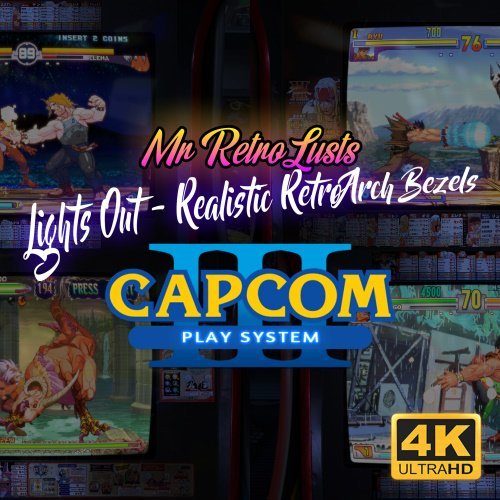 Thanks man Yep only 6 games where released for this system. Next up are the neo geo bezels, i'm gonna make a complete alternative to what I released before, with side art this time and the instruction strips.
 -
Version 1.1
1,069 downloads
Capcom Play System III 4K - Lights Out - Realistic Retroarch Bezels This is part of the "Lights Out - Realistic Retroarch Bezels" series: https://forums.launchbox-app.com/files/file/1950-mr-retrolusts-lights-off-retroarch-bezels/ If you like these in Mame format go to: Mame 4K - Lights Out - Realistic Bezels ========================================== FEATURES - All in 3840x2160 pixels for high detail - 6 unique bezels ========================================== INSTALLATION The following steps are for users of 3840x2160 displays only. This setup will save you countless hours adjusting them yourself, but be sure not to rename any files or folders and follow below instructions. IMPORTANT: If you use another resolution you'll have to manually adjust the position and size of the game screen yourself. 1. Place the contents in the folder "RetroArch/config/FB Alpha 2012" to the folder of the core that you use, as you can see I use the FB Alpha 2012 core. 2. Place the contents from "RetroArch/overlays/_MR.RETROLUST/CPS3" to it's like named structure within RetroArch. Done & Enjoy! \m/ ========================================== CREDITS Mr.DO for most artwork: http://mrdo.mameworld.info/ -
Capcom Play System III 4K - Lights Out - Realistic Retroarch Bezels View File Capcom Play System III 4K - Lights Out - Realistic Retroarch Bezels This is part of the "Lights Out - Realistic Retroarch Bezels" series: https://forums.launchbox-app.com/files/file/1950-mr-retrolusts-lights-off-retroarch-bezels/ If you like these in Mame format go to: Mame 4K - Lights Out - Realistic Bezels ========================================== FEATURES - All in 3840x2160 pixels for high detail - 6 unique bezels ========================================== INSTALLATION The following steps are for users of 3840x2160 displays only. This setup will save you countless hours adjusting them yourself, but be sure not to rename any files or folders and follow below instructions. IMPORTANT: If you use another resolution you'll have to manually adjust the position and size of the game screen yourself. 1. Place the contents in the folder "RetroArch/config/FB Alpha 2012" to the folder of the core that you use, as you can see I use the FB Alpha 2012 core. 2. Place the contents from "RetroArch/overlays/_MR.RETROLUST/CPS3" to it's like named structure within RetroArch. Done & Enjoy! \m/ ========================================== CREDITS Mr.DO for most artwork: http://mrdo.mameworld.info/ Submitter Mr. RetroLust Submitted 10/29/2019 Category Platform Bezels/Overlays
-
Pinpoint is another term for telling exactly at what point the problem started
-
https://forums.libretro.com/
-
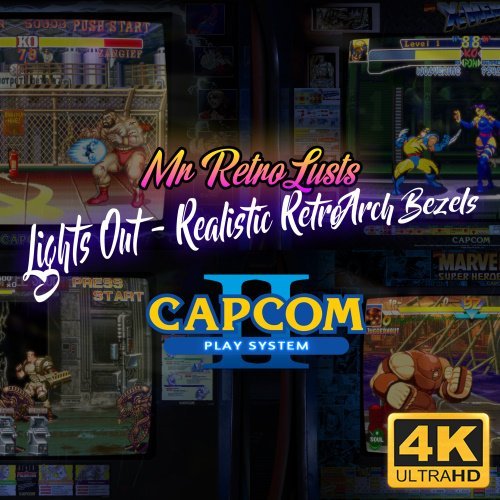 Haha thanks brother! Enjoy! Your enthusiasm makes it fun to share, thanks
 -
Capcom Play System II 4K - Lights Out - Realistic Retroarch Bezels View File Capcom Play System II 4K - Lights Out - Realistic Retroarch Bezels This is part of the "Lights Out - Realistic Retroarch Bezels" series: https://forums.launchbox-app.com/files/file/1950-mr-retrolusts-lights-off-retroarch-bezels/ If you like these in Mame format go to: Mame 4K - Lights Out - Realistic Bezels ========================================== FEATURES - All in 3840x2160 pixels for high detail - 1 Generic bezel for any game without artwork - 36 unique bezels ========================================== INSTALLATION The following steps are for users of 3840x2160 displays only. This setup will save you countless hours adjusting them yourself, but be sure not to rename any files or folders and follow below instructions. IMPORTANT: If you use another resolution you'll have to manually adjust the position and size of the game screen yourself. 1. Place the contents in the folder "RetroArch/config/FB Alpha 2012" to the folder of the core that you use, as you can see I use the FB Alpha 2012 core. 2. Within this folder rename the following config file "Capcom Play System II" to the name of the folder where your Capcom Play System II games are stored. This file will automatically give all the Capcom Play System II games without artwork the generic bezel. 3. Place the contents from "RetroArch/overlays/_MR.RETROLUST/CPS2" to it's like named structure within RetroArch. Done & Enjoy! \m/ ========================================== CREDITS Mr.DO for most artwork: http://mrdo.mameworld.info/ Submitter Mr. RetroLust Submitted 10/28/2019 Category Platform Bezels/Overlays
-
Version 1.1
1,150 downloads
Capcom Play System II 4K - Lights Out - Realistic Retroarch Bezels This is part of the "Lights Out - Realistic Retroarch Bezels" series: https://forums.launchbox-app.com/files/file/1950-mr-retrolusts-lights-off-retroarch-bezels/ If you like these in Mame format go to: Mame 4K - Lights Out - Realistic Bezels ========================================== FEATURES - All in 3840x2160 pixels for high detail - 1 Generic bezel for any game without artwork - 36 unique bezels ========================================== INSTALLATION The following steps are for users of 3840x2160 displays only. This setup will save you countless hours adjusting them yourself, but be sure not to rename any files or folders and follow below instructions. IMPORTANT: If you use another resolution you'll have to manually adjust the position and size of the game screen yourself. 1. Place the contents in the folder "RetroArch/config/FB Alpha 2012" to the folder of the core that you use, as you can see I use the FB Alpha 2012 core. 2. Within this folder rename the following config file "Capcom Play System II" to the name of the folder where your Capcom Play System II games are stored. This file will automatically give all the Capcom Play System II games without artwork the generic bezel. 3. Place the contents from "RetroArch/overlays/_MR.RETROLUST/CPS2" to it's like named structure within RetroArch. Done & Enjoy! \m/ ========================================== CREDITS Mr.DO for most artwork: http://mrdo.mameworld.info/ -
Have you tried updating the core as well?








