
Mr. RetroLust
-
Posts
5,971 -
Joined
-
Last visited
-
Days Won
647
Content Type
Profiles
Forums
Articles
Downloads
Gallery
Blogs
Everything posted by Mr. RetroLust
-

Mr. RetroLust's Lights Out! Retroarch Bezels
Mr. RetroLust commented on Mr. RetroLust's file in Platform Bezels/Overlays
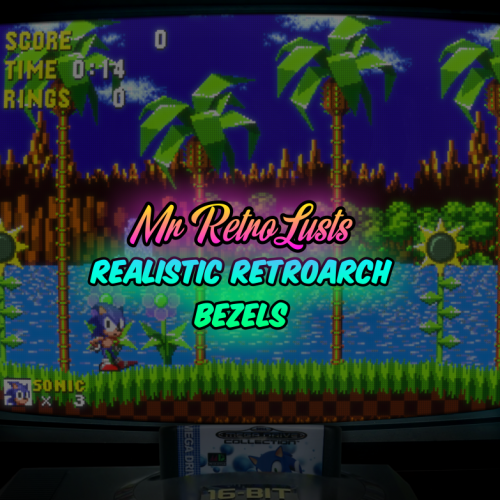 What's New in Version 7.9 - Added Sinclair ZX Spectrum aka Speccy RetroArch bezel / overlay
 -
Mr. RetroLust's Lights Out! Retroarch Bezels
Mr. RetroLust commented on Mr. RetroLust's file in Platform Bezels/Overlays
What's New in Version 7.8 - Added Sharp X68000 RetroArch bezel / overlay -
 Thanks man, good to hear Ah yes I was afraid of that, i'm using an older Mame version. You can upload it here in the Launchbox downloads, a link in the description to this original project page would be nice Good luck man!
 -
Since English isn't my first language and the emotions I'm really finding it hard to write this, I hope I do him justice. I really missed seeing @Robin55 around, as he was always very active sharing his wonderful media for so many platforms. Though I don't know why I didn't searched him online anytime sooner. The pandemic happened in the mean while which was a crazy time for all of us and it was around that time he went silent. My searches brought me to several pages and I came to the conclusion he passed away at July 10th 2020 on a young age, I'm not sure but I think he was in his mid 30's. Since I do believe the dead also have privacy I will only share what I found in pm, if anyone really needs any proof that is. I didn't know him well but he was really helpful to me in creating the arcade 3d boxes 2.0 project which was based on his original arcade 3d boxes, he knew a lot about batch image creation. I think he had a lot of fun creating media for his collection and sharing it with us. l like to believe it was helping him going through hard times. It's pretty incredible what he created and the amounts of it, I'm sure that about everyone here has media in their collections created by him, here is all the work that he left us on Launchbox and Emumovies have a look it's quite amazing: https://forums.launchbox-app.com/profile/75197-robin55/content/?type=downloads_file&change_section=1 https://emumovies.com/profile/84415-robin55/?tab=node_filestabprofile_filesTab I'm very thankful for all he left us and I'm sure you guys are as well. Rest in Peace Robin
- 13 replies
-
- 16
-

-

-

-

-
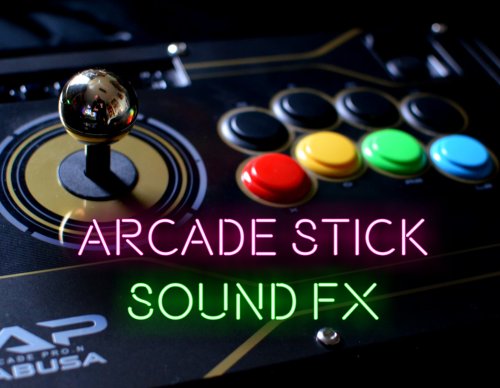
Mr. RetroLust's Arcade Stick Sound FX View File Just had an idea to record my arcade's stick sounds, think it came out pretty nice. Extract the folder inside the zipfile to "Launchbox/Sounds/" go to Big Box and select the sound pack in Options/Sounds Back = Hold and let go of the arcade stick, sounding a bit like a plunger Select = Arcade button press Move = Microswitch arcade stick moving Here's my stick lol: Submitter Mr. RetroLust Submitted 11/28/2022 Category Sound Packs
-
- 2
-
-
Version 1.4
1,334 downloads
Just had an idea to record my arcade's stick sounds, think it came out pretty nice. Extract the folder inside the zipfile to "Launchbox/Sounds/" go to Big Box and select the sound pack in Options/Sounds Back = Hold and let go of the arcade stick, sounding a bit like a plunger Select = Arcade button press Move = Microswitch arcade stick moving Here's my stick lol: -
 Ah aha, good thing you found the problem.
 -
Mr. RetroLust's Lights Out! Retroarch Bezels
Mr. RetroLust commented on Mr. RetroLust's file in Platform Bezels/Overlays
What's New in Version 7.7 - Added Sharp X1 RetroArch bezel / overlay -
 Yep thats correct. For Mame to use the original game marquee file you would need to make that xaml file platform dependant but I don't have experience doing that but it is possible that I know.
 -
I just had an idea @Morris Schaffer not sure if it'll work but if you copy and paste the platform marquee xaml file (ensure to backup both the platform marquee and game marquee xaml files first though) and rename that copy to the game marquee files name, it should show the selected games platform marquee image (theoretically). Keeping my fingers crossed.
-
Weird man, I'm out of ideas sorry.
-
Have you tried what I suggested? Converting the png file? Edit: try this one out but choose png to png: https://cloudconvert.com/webp-converter
-
You're welcome, enjoy! Yeah pc's (and other digital things) are weird like that lol
-
@Morris Schaffer Here's the platform marquee file: PlatformMarqueeView.xaml
-
Mr. RetroLust's Lights Out! Retroarch Bezels
Mr. RetroLust commented on Mr. RetroLust's file in Platform Bezels/Overlays
Lol better than "vintage" though, that really makes us old -
The dpi settings need to be the same, so both displays set to 100% or 150% or 175%.
-
CTC doesn't work with the image priorities settings if I recall correctly so that's why I asked about the location of the file but if all is correct in its location then there could be something different about the image file itself, you could try an online image conversion tool (convert png to png) to see if that changes anything.
-
Thats weird it doesnt do that in my setup, are you sure the 3d box image is in images/platform name/3d box? If it is in the right location all I can think of theres something different in the image file itself perhaps. But if it the 3D box would show up in CTC but not rendered in the final image then theres something else going on.
-
Hmm, I'm not sure if theres an option for that in BB, you could go through BB settings to see if there's something like that. If there ain't I'm afraid you'll have to.
-
Mr. RetroLust's Lights Out! Retroarch Bezels
Mr. RetroLust commented on Mr. RetroLust's file in Platform Bezels/Overlays
Yep a photo of an old school widescreen television, they where quite normal in my country back then. I also had a real flat screen 16:9 tv (zero curvature screen) at some point which was probably one of the last models before LCD/plasma tv's came out. -
Can you elaborate? Screenshots would help.
-
I'll have a look tomorrow I'm not sure I understand your question but you shouldn't need to create images with the images inside the packs provided here, the images used will overlay any images you have set in your marquee image priorities.
-
I guess I forgot to make them lol you're the first to notice. Let me know which version you use for game marquee and i'll make you a platform marquee.
-
Mr. RetroLust's Lights Out! Retroarch Bezels
Mr. RetroLust commented on Mr. RetroLust's file in Platform Bezels/Overlays
Lol OCD much -
Mr. RetroLust's Lights Out! Retroarch Bezels
Mr. RetroLust commented on Mr. RetroLust's file in Platform Bezels/Overlays
What's New in Version 7.6 - Added Nintendo Wii RetroArch bezel / overlay

