

Johnny T
-
Posts
555 -
Joined
-
Last visited
Content Type
Profiles
Forums
Articles
Downloads
Gallery
Blogs
Everything posted by Johnny T
-
It's maybe worth trying to launch a particular game directly from MAME first to make sure everything is set up correctly. You need to correct Bios files and also (I think) you need the correct ROM path set in MAME.ini (but I might be wrong about this - maybe launchbox sorts that for you?). If you can run a particular game direct from MAME then open launchbox and try and start the same game from there.
-
Thanks Dragon. Yep.. it's the latest one.
-
 Really love this theme. You've done an absolutely brilliant job. It runs really fast as well. Thanks for all your efforts
 -
Hi all, I'm just working my way through setting everything up and would really like to get the LEDs to show the correct buttons when starting a game. I've exported my MAME.xml but need the "controls.ini" file. I have one that is 483Kb in size and last modified on the 5th January 2011. The LEDBlinky website points to a website that no longer exists and so I wondered if anyone knows if there's a later one out there? Or... has someone managed to set their own one up that they would be willing to share? Either way, any help you can give me would be greatly appreciated. Cheers John
-
 What an amazing collection! These are brilliant and have really helped the look of my BigBox. I can't thank you enough for the time and effort you've put in to creating these. You're an absolute star!!!
 -

Emerson Arcadia 2001 Platform Video
Johnny T commented on mcfilmmakers's file in Platform Theme Videos
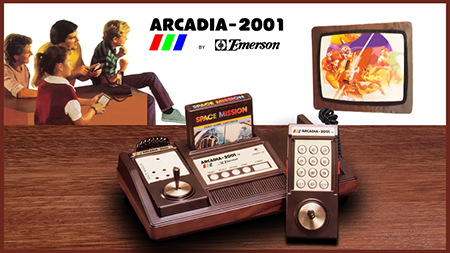 Excellent work! Thank you for sharing it
 -
Regardless of what is deemed a "complete" list, having the ability to audit against your own list would be a really good idea. It might just be a list that is the 500 best games on xyz platform. Or it might be an officially maintained "complete" list (or variation thereof). If we could point LB at it and have LB tell us what games are different / missing / superfluous this would be a nice feature. (Assuming this can't already be done - I'm new to LB but certainly haven't come across this feature yet)
-
Great stuff. Thanks for letting everyone know. ?
-
Yep the YouTube tutorial is what I followed and it really couldn't be simpler. If you watch it and then apply that technique to your prosystem emulator I bet you'll have it sorted in no time mate. :-)
-
Hope you're back retro-gaming in no time Dragon. All my very best wishes mate
-
Are you absolutely dead set on prosystem? If not, what about trying RetroArch? As I say, it worked straight out of the box for me? If not, have you tried what Neil advises in the next post up?
-
I just set up my LB system to use RetroArch for the 7800 and it's working very well. As far as I know (and I'm very new to this so forgive me if I'm wrong) but LaunchBox doesn't need to know how to "handle" the emulator as such. It just launches it as per your settings (emulator path / quotes or not around roms / etc) so, in theory, it should be able to launch any emulator. What if you just launch the emulator directly, do the same games play okay then?
-
Hi Dos, Thanks for the info. I've been doing some more digging and found a plugin for LB that allows a remote browser to access things like current game being played, manual for current game etc so technically I suppose it would be possible to set up a second device (old tablet or something) to sit and display the manual. It would be good to have the manual available 'in game' though via a shortcut key or something. I may fire it in to the suggestions box! I think the problem with the instruction cards (as I envisage them) would be that they would be specific to the system they were running on. i.e. I envisage an instruction card that shows the controls relating to my own cabinet which obviously would be different to other peoples situation. I might have a think about this though and see if there's a way of doing this without it taking me the rest of my natural life Thanks again for all your help
-
I had a game from Daphne disappear on me (Cobra Command) and what I did to sort it was highlight Daphne in the platform list, click the burger menu at the top and select "Audit Platform" (I'm not in front of my computer with LB on now - I'm at work - so it might be Audit System or something to do with "Audit"). That brought up a list of games for that system but for some reason my Cobra Command had assigned itself to a different system (I think it's because it thought it was the game "Cobra" with Sly Stallone). With the grace and deftness of a mentally-challenged gorilla I managed to 'somehow' change it back to Daphne and sort out the incorrect artwork that had been brought through and it re-appeared in it's rightful place. So... it might be worth trying to "Audit" whatever system you have problems with in future and see what games show up in there (I know you've sorted it out now but it's worth knowing how to do it for future reference). For your current problem try a selection of games. I was struggling with (what I thought) was a MAME problem but it turned out that the ROM was the problem. It was a version of Atic Atac that wasn't getting passed the loading screen. I changed to another version of the ROM I have and it worked fine. Good luck. Hope you get it sorted
-
Hi all, Well, I've only been messing around with Launchbox for a very short time so I'm still finding my way through all the features. One part that I think is brilliant is the fact that when I click a MAME game there is an option to see the Manual. However, the manuals for MAME games are generally the manufacturers instructions to the arcade owner for setting the machine up - dip switch positions etc. I would much rather see proper instructions for the game so I'm thinking of creating some "instruction cards" for my favourite MAME games (and maybe some other emulators) and then finding where the current 'manual' is kept and over-writing it with my own instruction card. My first question is..... 1) Is that possible to do? Or will it just get over-written next time I import games? 2) Does launchbox only accept .pdf for these files or are there other compatible file types? 3) As this is maybe a common request, is there a set of instruction cards already printed somewhere? 4) Is there a way to access the 'manual' (instruction card) whilst in-game? Thanks for any help you can give me.
-
I think the problem with MEGA and some of the others is that they host so much copyrighted content that they always tread a very fine line between being legal and illegal and hence, they are susceptible to having their domains/storage "seized" by law enforcement. I've known a few 'storage' sites disappear after having domains seized and I would doubt very much if you'd get your data back if that was to happen (obviously not a major problem if you still have the original but worth considering).
-
That's brilliant!! Thanks for the info. Really enjoying setting up Launchbox at the moment. I'm glad you talked me into it!!!
-
Hi Neil A big thank you for the help (as always!). I'll just stick with Playlists then as they are clearly designed to have the functionality that I'm looking for. So, reading your reply then, is it not possible to have a Platform populated with games but have those games launch into different emulators? I'm really wanting to create a "Lightgun" section/platform/playlist (whichever is best) and have in there every game that uses the lightguns. Some of the lightgun games use Daphne (American Laser Games) and some use MAME (Operation Wolf etc). Is this possible ? Thanks again for all your help.
-
Hi all, I'm just starting out with launchbox and I'm loving it so far. I've imported MAME into the system and it has set up the roms and also automatically added a load of Playlists such as 2-Player games / Lightgun games / Capcom games etc. I have a few questions about the subject of categorisation that I wondered if you would know the answer to.... 1) I have about 20 "favourite" games that I like to play in MAME. Is it better to add these as "Favourites" (I can see there is an option to 'favourite' a game) or create a second Platform called "Arcade Classics" or "Arcade Faves" or whatever and add them into that? I would quite like them in their own Platform if it's possible / recommended? 2) If I do add another Platform - do I have to import the roms again into that platform or can I associated the existing MAME roms with the new platform as well so they show under both? 3) If I just use the existing 'favourite' functionality - where do the favourites go? Is there a shortcut key to access them? (I've not experimented with favourites yet so the answer to this might be obvious but thought I'd just ask the question whilst I was here just in case it isn't). 4) Where I have playlists that have automatically been generated when I imported MAME - such as 2 Player / Lightgun games etc. Is it possible to add games from other platforms into these? I have a system called American Laser Games that I use with my AimTrak guns. I've not set it up yet on Launchbox yet (was previously using it on Hyperspin) but, when I do, can I associate these games to the playlist Lightgun games too? And add the Spectrum game Matchplay to the playlist 2 Player games etc.... so that those playlist titles cover ALL platforms/systems?? Is that possible? And, if so, is that how most people do it? Or is it not recommended for some reason? 5) I'm using an emulator called kat5200 to emulate the Atari 5200. I've got it all working fine except when I press "Escape" key to exit the game I just end up back at the emulator screen rather than back in launchbox? Any ideas? 6) Lastly - anyone know how people create these amazing start up videos that I've been seeing - what software is used? Thanks for any answers to these questions you can provide. Cheers John
-
Cabinet Controls Thoughts and Setup?
Johnny T replied to kiddanplay's topic in Collections and Builds
I built a cabinet and it has 8 buttons per player. I've not put spinners or trackball on it (but, in retrospect, I wish I'd put spinners on it as they would be good for breakout games - which I like). I've also got 6 buttons at the top which are Pause, 1P, 2P, Start, Select, and Exit. I can also fold a front panel down and slide out a keyboard/mouse for messing around with the PC etc. I'm new to Launchbox but, with my previous Rocketlauncher/Hyperspin build I managed to get PS1 games running (via RetroArch) but I'll probably steer towards the 'simpler' games that don't require the use of too many buttons. I'm looking for more of a pickup and play experience as I've stuck my arcade cabinet in a summerhouse that we use as a 'pub' -
For new man cave...seeking ultimate LB logo wall mural...
Johnny T replied to cleverest's topic in Collections and Builds
When I built my arcade cabinet I wanted stickers for the sides/front and spoke to a print shop. They asked that I provide them a high-resolution pdf for them to work with. So I measured out the cabinet and then created an image of those dimension in Photoshop. Then just added stuff to it that I found via Google etc and built but the 'collage'. Then, when it was done, I rearranged the pieces into a rectangular image that I could give the printers. They printed it for me on adhesive backed vinyl for £95 in full colour and I just cut out the pieces and stuck them on. Worked a treat! Although the 'sticking on' was a pain in the a.. (Imagine a massive phone screen protector!!!). You wouldn't need the adhesive backed stuff though necessarily and you just stick it up like a poster with some white tack? -
I was just searching for this exact thing. Does anyone know if this got added in?
-
Just to cap this thread off in case anyone finds it and they are in the same boat that I was. Yesterday, after work, I bought a Launchbox license and an Emu Movies pass and last night sat down for an hour to mess around with it. It is superb! There's a multitude of features that I've not tinkered with yet but I can already see that this is a brilliant front end with a very active community. So, I'm throwing my hat in the ring with Launchbox and looking forward to delving into it deeper this weekend. The videos from ETA Prime and Unbroken Software are a godsend and extremely helpful. So... if you are undecided like I was and you've read this far just go for it. You won't regret it.
-
That would be a great idea.
-
That's brilliant Neil. You're a diamond mate. Thank you very much for all your help so far :)


