

Jason Carr
-
Posts
13,723 -
Joined
-
Last visited
-
Days Won
388
Content Type
Profiles
Forums
Articles
Downloads
Gallery
Blogs
Everything posted by Jason Carr
-
I know it has been run successfully on a Chromebook before, but I believe there was some kind of weird restriction where somehow it wasn't working to use the SD card. I can't say I would recommend retro gaming on a Chromebook, but I do believe it should at least work, though there might be significant restrictions.
-
FYI, we discovered that the new beta is breaking achievements on old themes (including the Old Default theme and other custom themes). We'll be fixing that with a new beta out tomorrow or so. The new visual stuff that we've added (the "Retro Score" item at the top of the LaunchBox interface and the game-specific score in the game details) will not automatically be added to custom themes, so theme developers will need to manually add the XAML from the new default theme over to their themes to update them with those, if desired. However, as I stated, we will be fixing the issue with the achievements not working on the other themes, for all themes.
-
Beta 3 is out now with the following: New Feature: Your retroachievements.org profile with recent activity and a global leaderboard are now available in both LaunchBox and Big Box from the main menus New Feature: Your retroachievements.org "Retro Score" is now available from the LaunchBox interface on the top next to the drop downs; clicking it will also show your profile and the global leaderboard New Feature: You can now view your retroachievements.org score of a given game in the game details sidebar; can be hidden for premium users in Options Improvement: Processes that bring up the progress bar in LaunchBox now will also show progress in the task bar icon as well Improvement: A new HD 1080p version of viking's Colorful 4K video set is now available under Tools > Download Platform/Playlist Theme Videos (Colorful HD); many thanks to viking! Fixed: Corrected an issue where some actions that should not be available while locked would still function if fired from a controller (introduced in 10.7) Per retroachievements.org, we have plans to add game-specific leaderboards yet, but then that will complete our immediate plans (and finish up the item from the poll). We've had conversations with the retroachievements.org team, and there is a lot of cool stuff planned, but for the moment, this is pretty much everything we can do until they push forward with their new API and other new features.
-
Also try going to Tools > Refresh All Images. If you can though, do one thing at a time and let us know which thing fixes it, as we may have related bug.
-
I will probably make that center text option work properly in an upcoming beta here. However, the other two are not planned for this theme (I'll try and mark them as only for the old theme or something). Yeah, it's not ideal having settings that only work with one theme, or even worse, a retired theme. Hopefully we can at least mark them as such, but I won't developing a system to hide and show settings based on the theme that is used any time soon, unfortunately. This would be rather easy to implement by tweaking the theme, but unfortunately I won't be doing that myself for the new theme.
-
I'll add this to my list of ideas for the next poll @studaloble.
-
This is definitely planned, but might be a bit yet. I don't have an exact timeline, unfortunately.
-
That is wonderful to hear guys, thanks. I still have reports of crashes from one other person, but it looks like it's fixed for the majority of cases. For what it's worth, as far as I can tell these weren't crashes at all. They seem to have been caused by Android devices killing the import process because it was using too many resources.
-
Hi Vader, more options here are coming, but if you manually move the /Android/data/com.unbrokensoftware.launchbox folder over to your SD card in the same location, and make sure that it no longer exists on internal storage, it should pick it up from the SD card and use that instead.
-

BigBox crash while sitting idle doing attract mode
Jason Carr replied to MrSco's topic in Troubleshooting
No, I've never experienced that, but I suspect that it's probably due to your hard drive going to sleep, so maybe you can change that in the Windows Power Options? -
Hey all, version 0.31 of the Android app is out now, with some hopeful fixes for crashes on some devices. I still have not exactly been able to pinpoint any issues, but hopefully this version will improve things. Let me know.
-
The update is live now.
-
Just uploaded version 0.31 to the Play Store. I improved the import process to be faster and use fewer resources, which should also help with stability on lower-end devices. If you were seeing crashes with previous versions, please let me know if this version helps any. Google should hopefully make the new version live later this evening.
-
BigBox crash while sitting idle doing attract mode
Jason Carr replied to MrSco's topic in Troubleshooting
Wanted to let you guys know that I've been doing some stability testing for the last week or so. Nothing is really new, but a few points: I've been testing on 5 different machines with different hardware and letting them run for extended periods of time (up to 48 hours straight), and haven't experienced any crashes outside of known issues (described below). Unfortunately it is known that there are some themes that do introduce stability issues. For the most part, the themes that are in the themes manager are stable, but there are a couple still that may have minor/rare issues, so it's always best to try a different theme. Unified and Unified Redux are both known to be completely stable themes, as is the Default theme, so those are good themes to test with. In the odd situation where a sound card was disabled, removed, or disconnected, there were crashes happening, but I'm hoping I have those fixed in the latest beta. Microsoft introduced a bug in either Windows or the .NET Framework some time in the past year or so that started causing some unfortunate issues with Windows Media Player. So if you are using WMP as your video playback engine, I strongly suggest switching to VLC if you're concerned with long-term stability. Unfortunately drivers (especially video drivers) can still cause issues with WPF (the theming engine). It is rare but it does happen, so sometimes either upgrading or even downgrading video drivers can be the fix. I still find this ridiculous, but some poorly written software (MSI Afterburner is a common problem, for example) can significantly interfere with WPF .NET apps (it's not just Big Box or LaunchBox), and cause performance or stability issues, or sometimes the apps won't even run. If you're having issues, I strongly suggest trying to kill off any and all background apps via Task Manager to see if it makes any difference. Believe it or not, on very rare occasions we find that unplugging a particular USB device can fix issues as well. The last time this occurred, it was because a particular device on the system was not being powered properly with the hub that it was attached to, for example. So it's also worth trying unplugging all USB devices sans for the keyboard and mouse, to see if that happens to fix whatever issue you're running into. Hopefully that helps folks who are running into stability issues. It pretty much sums up all of the potential issues and solutions that we've found in the past few years. Unfortunately most of the above are not things that we can really tackle or fix, or we would have been on them already. -
You can turn off the background blur just by removing the <Image.Effect> section from ContentBackgroundView.xaml. It is possible that the new theme is slightly less performant on older systems, but stability really shouldn't be any different than previous versions.
-
I'm hoping this new version resolves that issue. Let me know if you're still seeing it. I made clear from the beginning that I would tackling an option to show text on all the boxes, but that I did not want to tackle putting text below the boxes for this particular theme. I never changed my plans or the words that I stated. We really don't need this passive aggressive crap here on the forums. You have multiple options if you want that. Yeah, the clear logo thing is a known issue. I suppose what we could do there is just not show the text for clear logos, since the text should be pretty easy to read in the image anyways. The tooltip is by design, though it also definitely works better with other types of images.
-
Beta 2 is out now with fixes for all the previous issues with the new theme, at least as far as I can tell. We're also working on some new retroachievements.org features from the poll, which should be out in beta form here very soon.
-
It's been quite a while since I'm programmed that, to be honest, so the exact technical details would take effort to research. The Games Database is much faster now than it was previously, but there is of course always room for improvement. Everything the dynamic approval process and all that stuff does just takes processing, so it's not easy to improve at this point.
- 1 reply
-
- 1
-

-
Need Reassurance Before Upgrading from 9.10
Jason Carr replied to garrett521's topic in Beta Testing
Hi Garret, the installer *should* install the framework and everything you need, but we have seen some rare cases of issues, especially if you're not up to date with Windows updates. It should work perfectly fine to upgrade from 9.10 directly to 10.7. I would run all Windows updates first, however. You can also back up your LaunchBox folder and easily go back if you have any issues. -
Thanks, that helps. All I can figure at this point is that there's something strange going on between a particular driver you're using and our implementation of VLC. Have you tried updating your video drivers? Beyond that, it would be good to know the exact hardware you have so I can take note of it. Thanks again.
-
It's possible that the brunt of the issues on your old installation were caused by MSI Afterburner. It's very poorly written software and has a nasty habit of significantly interfering and causing performance issues with .NET applications. So that could have been the main issue, but I can't say for certain. As Neil stated, LaunchBox can use a significant amount of CPU usage while caching images (which will complete before too long), so that could be the reason for the CPU usage there. Also, in Big Box, what theme are you running?
-
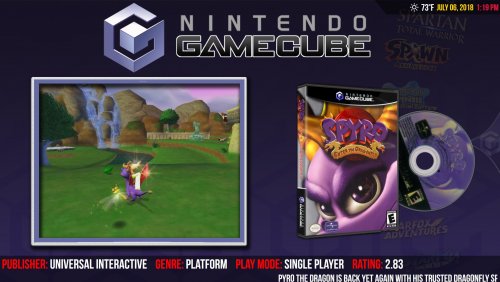 The videos are available in LaunchBox under Tools > Download Platform/Playlist Theme Videos.
 -
Glad you're up and running @Goshyiyo, but I would still appreciate it if we could figure out what's going on with VLC on your system.
-
Hi @Goshyiyo, first off, sorry to hear that you're running into those issues. This is an odd one, because it's not an issue that I've ever seen before, so it's probably somehow system-specific. I have some questions for you in order to help narrow down the problem: Is the issue happening in LaunchBox, Big Box, or both? What version of Windows are you running? Do you have MSI Afterburner installed? Do you have any anti-virus or other security software installed?
-
That path is actually a relic from before you could actually import games directly on Android. I'm not sure how you're testing, but that folder is/was probably empty. ROMs are not moved or copied on import.



