

Jason Carr
-
Posts
13,723 -
Joined
-
Last visited
-
Days Won
388
Content Type
Profiles
Forums
Articles
Downloads
Gallery
Blogs
Everything posted by Jason Carr
-
Does that game have a mislabeled image in it? I don't think it's the image cache, but I guess I could be wrong on that.
-
This is only happening because of your image priority settings in LaunchBox. You'll want to remove box art from your 3D cart image priority settings.
-
Are you specifically referring to platform metadata? Not game data?
-
I see. Currently it should add everything from your collection to the cloud, but it won't remove anything that you've removed from your collection. It also requires the game to be in the games database and connected in your collection in order for it to add the game. I will add an item to my poll ideas list to at least allow removing old items from the cloud sync.
-

Playlist that excludes Broke/Bug? Multiple Same filters
Jason Carr replied to DR9's topic in Playlists & Playlist Media
Alright, well this isn't as cut and dry as I had hoped. I've fixed the issue with the duplicate games. However, the problem is that when there are two lines that use the same field in the auto-populate playlists, the playlists use an "OR" between them and not an "AND". So what you end up getting is this: PLATFORM is equal to Arcade AND (Genre is not equal to Shooter / Flying Vertical OR Genre is not equal to Shooter / Flying Horizontal) Because of the OR, you just end up getting all arcade games. It works great if you want to add several genres to your playlist, but it doesn't work for multiple exclusions. When I originally implemented this I thought about adding AND and OR options, but I didn't want it to be complicated to use, so I scrapped that idea quickly. However, if you look at the Comparison list, there is an option for "Has None of the Values". If you select this and enter in the following: Shooter / Flying Horizontal; Shooter / Flying Vertical Then it will give you exactly what you're going for. -
Woot! Don't know how I missed this @harryoke. Thank you much.
-
Playlist that excludes Broke/Bug? Multiple Same filters
Jason Carr replied to DR9's topic in Playlists & Playlist Media
Thanks for the details here @DR9. I've heard about this issue before, but no one has detailed out for me that the issue is specifically with Not Equals To and multiple values. I think I have this fixed for the next beta. -
@topcatuk Are you still having an issue here? We need some more details on exactly the process that you're using to add the platform.
-
Awesome, good to hear.
-
@DR9 I'm puzzled on that one. If you can zip up and PM me your LaunchBox\Data folder, I'll see if I can replicate the issue. @RULLUR It does make some sense that the issues you're seeing would be caused by the Random function, especially if you're seeing delays in your collection. Have you added playlists recently?
-
 Hi Flope, are you using a work machine or something like that? It is possible that someone has configured your machine to disallow stuff like that. The full access thing is actually unrelated. Another thing that can help is to install 7-zip or WinRAR and use that to extract the theme files instead of the Windows zip utility, as they should automatically be unblocked if you use a separate unzip utility.
 -
Hi @Bamafan35611, have you tried rebooting the machine? The first error appears to be a memory issue, so that might help. Also check to make sure you're 100% up to date on Windows Updates. We'll go from there.
-
Thank you guys; sorry for the trouble. I found the issue and I believe I have everything fixed on the games database. Let me know if not.
-
Thanks guys; sorry for the trouble here. I found the issue and everything should be working well again. Let me know if not.
-
Can you explain what's missing from the games database that you want added? I'm not following.
-
The boxes are 3D boxes, so there isn't really a front and back available, which is why Flip Box doesn't work.
-
Can you screenshot me on this? Are you on the 9.0 release? Haven't been able to replicate it as of yet.
-
Go ahead and create a new thread to ask for help on that. Not sure what could be going wrong but we'll need more details as that should work just fine.
-
Unfortunately no, I don't have a PayPal account we can use, and if I did, it would risk it getting shut down. We are working on some new payment options, but I don't have an exact ETA on when we'll get them live. My apologies.
-
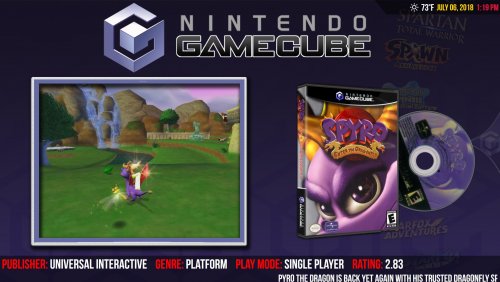
Yes, you can add any systems you want yourself. Just go to LaunchBox\Themes\Unified Redux\Images\Theme and place image files that are named with the name of the platform into the Background, Logo, Pointer, and VideoBorder folders.
-
I'm sure there's a way to use the ListBoxScrollCenter plugin, yes, but I'm unfamiliar with it, so I don't have any advice as far as how to do that. I would look at some other themes that do use it; it's probably not too difficult to figure out. The animations are usually towards the top of the XAML files and are fairly clearly labeled. I think removing this will do it. I think. <!-- BOXART Y-AXIS MOVEMENT --> <DoubleAnimationUsingKeyFrames Storyboard.TargetProperty="(UIElement.RenderTransform).(TransformGroup.Children)[3].(TranslateTransform.Y)" Storyboard.TargetName="CoverImage"> <EasingDoubleKeyFrame KeyTime="0:0:0.0" Value="-4320"/> <EasingDoubleKeyFrame KeyTime="0:0:0.9" Value="0"/> <EasingDoubleKeyFrame KeyTime="0:0:1" Value="-150"/> <EasingDoubleKeyFrame KeyTime="0:0:1.1" Value="0"/> <EasingDoubleKeyFrame KeyTime="0:0:1.15" Value="-30"/> <EasingDoubleKeyFrame KeyTime="0:0:1.2" Value="0"/> </DoubleAnimationUsingKeyFrames>
-
Wow, I don't know how I missed that. Yeah, this is apparently an issue with version 1.3 and 1.4 of the theme. I'll look into a fix.
-
Just uploaded a new version with the following: Pointer images will now change when entering into nested platforms and categories Year and manufacturer text will no longer show up on platform views when those values don't exist Publisher listed in the game details has been changed to developer, which is more important information to display Developer, genre, and play mode text will no longer show up on game views when those values don't exist Ratings displayed in the game views now show your personal rating instead of the community rating, if you've previously rated the game
-
Yes, it's probably the cart front image priority settings. Don't know why I missed that. Thanks @Retro808.
-
Can you get discs to show up in any other themes? I suppose it's possible that there's some kind of weird configuration issue with your machine, but I would have expected it to come up before now. What's your screen resolution?

