

Jason Carr
-
Posts
13,723 -
Joined
-
Last visited
-
Days Won
388
Content Type
Profiles
Forums
Articles
Downloads
Gallery
Blogs
Everything posted by Jason Carr
-

BigBox Graphical Glitching v11.3-11.6 *Solved - Page 3*
Jason Carr replied to neosean99's topic in Troubleshooting
Hi guys, please see my post here for some troubleshooting steps: -
Big Box errors ever seance update 11.4
Jason Carr replied to RedHoodRobin64's topic in Troubleshooting
Hi guys, just wanted to chime in here. First off, I'm sorry for the trouble with the video corruption. Unfortunately this particular issue is some kind of bug or incompatibility between .NET Core and certain video drivers. Out of curiosity, what video cards do you have? This one is a tough one because it's either a Microsoft or a driver bug, and so there's very little we can do to try and fix the issue. We use Microsoft's WPF to render things in LaunchBox and Big Box, so unfortunately that means that if WPF has a bug, LaunchBox and Big Box will too. If I had to guess, though, this probably comes down to a bug with certain video drivers. I would first try updating your video drivers to the latest version available, and then making sure that you're 100% up to date on Windows updates. I would even try updating to the Windows 10 May 2020 Update if you haven't already: https://www.microsoft.com/en-us/software-download/windows10 If worse comes to worse and there isn't a fix available for your system yet, I would recommend staying on the 11.2 version until Microsoft and/or your video card manufacturer fixes the issue. Here's a link to download 11.2: https://www.dropbox.com/s/cg7fteljnwf0s9r/LaunchBox-11.2-Setup.exe?dl=0 -
BigBox on CRT going to wrong Monitor when exiting emulator
Jason Carr replied to DrBollox's topic in Troubleshooting
Odd, I haven't heard of Big Box switching monitors like that. Have you tried to change the Big Box Screen settings? The other thing you can try is switching what Windows calls the "primary monitor" in the Windows display settings. -
Moderator Guidelines and Contributor Rules
Jason Carr replied to Jason Carr's topic in News and Updates
Having a Wikipedia URL for each game is still rather useful, regardless of whether we actually scrape data from Wikipedia or not. Just having the link available is useful in itself. Per ESRB, it's exactly what it's supposed to be: the official American ESRB rating only. I guess the confusion is coming from "This field is stated to be replaced and/or modified", which I'm guessing is a relic from Vlansix's development. I don't ever plan to replace or remove the ESRB field. What we should eventually do instead is add fields for the ratings from other regions as well, and they'll be labeled as such. For the time being, if a game does not have an ESRB rating (either because it wasn't published in the US or because it was published before the ESRB was invented), the game should be marked as Not Rated, which means that it does not have an ESRB rating. If you don't know whether the game was rated or not, you can simply leave it blank. It's actually really easy to find rating information by searching the ESRB's website. Per adult only games, to be honest I'd rather them not even be in the database at all. I know not everyone agrees with this, however, and it is an open database, so I'm sure there's quite a few in there. We do have a very strict no-nudity policy for the media, however, primarily to protect kids and keep us out of hot water because we have no age checks on the games database website. Please keep that in mind and never upload any images with nudity to the site. If a box has nudity on it, the box image cannot be uploaded to the LBGDB at all, period. Otherwise we risk legal consequences and getting the site shut down, but really it just comes down to protecting kids, my own kids included. I could really use the community's help to mark any images with nudity in them for deletion. -
It's actually fairly disgusting unfortunately lol. We literally just copy the theme XAML files to the Core folder if the symlinks can't be created. It works though.
-
Heur.AdvML.B detected by Norton in the bigbox dot dll
Jason Carr replied to rwprime's topic in Troubleshooting
It's a false positive. Unfortunately Norton does a very poor job of identifying legitimate viruses instead of false positives. We recommend uninstalling Norton and letting Microsoft's Windows Defender do its job. You will probably need to reinstall LaunchBox over top if Norton removed the BigBox DLL file. -
Can't find Unbroken.Launchbox.WPF & .Library dlls
Jason Carr replied to nny's topic in Troubleshooting
You'll probably have the best luck copying the project file from the "Default" theme over top of the project file for CriticalZoneV2. The issue you're running into is the fact that CriticalZoneV2 uses an old, outdated project file. -
All I did was update when it told me to 11.5
Jason Carr replied to Paultimate's topic in Troubleshooting
What email did you use when purchasing? You can PM it to me and I'll help you get squared away. Apparently you were still using the pirated license for one reason or another. -
All I did was update when it told me to 11.5
Jason Carr replied to Paultimate's topic in Troubleshooting
Hi Paultimate, unfortunately this means that you're using a pirated license. You can fix the error by purchasing a legitimate license and replacing the License.xml file in the LaunchBox folder. -
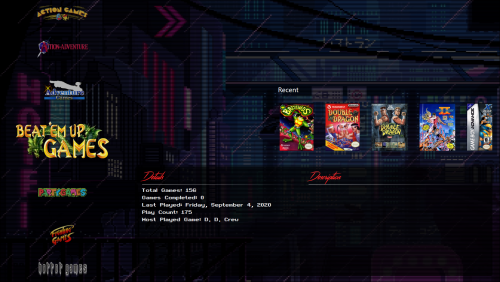 These are incredible @Yorrick36!
- 4 comments
-
- 3
-

-
- genres
- clear logos
- (and 1 more)
-
BigBox crash while sitting idle doing attract mode
Jason Carr replied to MrSco's topic in Troubleshooting
Okay, I happen to have a My Passport as well. Gonna copy a collection over to that to test with. -
Thank you @Just001Kim! I will get this update into the next beta that we put out. It might be a few days though, unfortunately. We can fix any control placement issues at that point.
-
Launchbox/bigbox won't open after latest update
Jason Carr replied to skizoo1's topic in News and Updates
Did your problem get resolved @skizoo1? -
Yes, I do believe that is the cause of this issue (switching to CoverBox from other themes). Unfortunately I have not figured out any reason for it yet. It's on my list, but I haven't had any success in fixing it yet. Sorry for the trouble here; hoping to find a fix for it soon.
-
BigBox crash while sitting idle doing attract mode
Jason Carr replied to MrSco's topic in Troubleshooting
@MrSco All good info. I don't see anything new coming to light with those new error messages, unfortunately. The fact that you are seeing the same thing with 10.0 is telling, however, as it looks like it wasn't introduced recently. I've been testing with zero crashes on all five of my testing machines since Friday. I'm gonna just ask you a bunch of questions in hopes that we can find a lead. Forgive me if I've asked any of these already: Is there anything in common on the machines that are crashing (such as a particular USB device attached or a particular piece of software that's installed)? What version of Windows 10 are all of the machines running (you can look this up easily by typing winver into the Start menu)? By some miracle, does 11.5 resolve the issue (lots of fixes did go into 11.5)? What models are the external and internal hard drives/SSDs that you're using? What file systems are you using on the drives (NTFS, exFAT, or FAT32)? I ask these not to blame any of it, but so that I might be able to determine the cause or change something in a test system in order to replicate. -
11.5 is out now (we were planning on releasing today anyways). I believe it will fix this issue @Lahma.
-
I think at this point it's clear that 11.5 is a big improvement over 11.4, so I'll be putting out 11.5 as a quality of life release here shortly.
-
Currently the easiest way to add a "fake" ROM is to just manually add a new game and put the missing file into the ROM File field. Unfortunately I think that granular level of control is just going to require a bit of tinkering. I would need more details on the Centipede issue in order to figure that one out. It makes sense that this would be RetroAchievements, yes, if it's trying to download a bunch of the RetroAchievements images, and can't run any additional threads. Do you have a low core count on that system? What CPU are you running? Thanks for the info @damobeanrod. From what I hear, there have been some huge performance increases in Wine as of late, so hopefully that will continue. I'm headed back to Linux here soon to see how we can improve it as well. Let me know if you run into this issue on a regular basis. That's interesting. I guess it's not entirely out of the realm of possibility that Gamestream has some kind of weird incompatibility with .NET Core. If it does, though, I'm sure they'll be fixing it here soon because they'll have a million complaints about it.
-
@Lahma We were forced recently to change obfuscators because of some recent piracy issues. I wasn't aware that it would prevent debugging of plugins. I'll look to see if there's anything I can do here to resolve that. I assume that previous versions of LaunchBox did not have this issue?
-
BigBox crash while sitting idle doing attract mode
Jason Carr replied to MrSco's topic in Troubleshooting
Thanks for the responses @MrSco. For what it's worth, I do most of my testing with about 15,000 games. I did notice that I was out of date with Windows updates on a few of my test systems, so I'm updating them all to Windows 10 version 2004, just in case that happens to be related. One of them was a real pain to update because Windows update kept erroring out. I had to run both sfc /scannow multiple times and dism in order to get it to update, sigh. -
BigBox crash while sitting idle doing attract mode
Jason Carr replied to MrSco's topic in Troubleshooting
To be honest, I'm doubtful that that's the issue, but it can't hurt to test it. I'm running some more testing to see if I can replicate. -
Beta 5 is out now with a fix for the Theme Creator themes issue mentioned above.
-
BigBox crash while sitting idle doing attract mode
Jason Carr replied to MrSco's topic in Troubleshooting
Also @ItchyRobot and @MrSco remind me what Big Box themes you're using? That may help me reproduce. -
That is unrelated to this issue, as far as I know. It was a priorities issue. Ignoring clones takes priorities out of the picture completely.
-
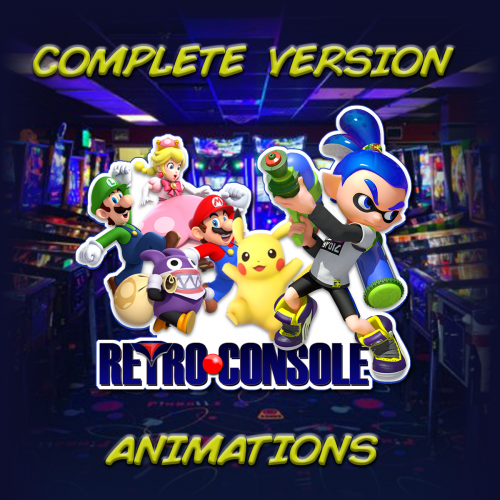
Retro Console - BB Theme and more. Custom Logo Version
Jason Carr commented on cemfundog's file in Custom Themes
 The beta issue is not an issue in 11.4.
- 123 comments
-
- 1
-
-
- startup theme
- bigbox theme
- (and 3 more)


