

Rincewind
-
Posts
963 -
Joined
-
Last visited
-
Days Won
4
Content Type
Profiles
Forums
Articles
Downloads
Gallery
Blogs
Everything posted by Rincewind
-

work in progress - Sega Saturn 3D and 2D Boxes for every European Game
Rincewind replied to Robin55's topic in Game Media
Very clean , well done great work. I'll be using these definitely -
I had the same situation and went with merged
-
Yes I can't believe I've missed this post.... This is really good news and a feature / plugin I would definitely use. Can't wait to see how it turns out, and how it gets intergrated.
-
They are great , nice work @RetroHumanoid
-
Premium Upgrade Lost License File
Rincewind replied to Competes2Win's topic in Website/Forum Support
He proberly got a free 15 minutes consultation after which the lawyer then said "nothing unlawful has happened but I am suing you for wasting 15 minutes of my life" -
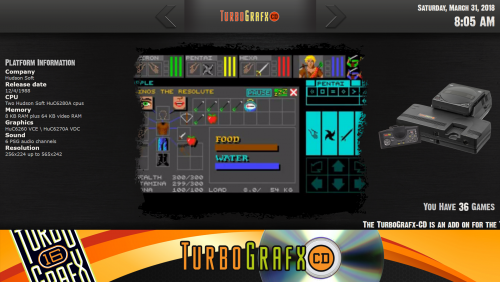 Have you gone to "Tools" and then "Download Platform / Playlist Theme Videos"
 -
Yes its not a graphical theme editor for LaunchBox, what I meant is that now users can take his PASC v3 theme and customize all the graphical elements and create new video overlays and position the placement and size of the video all without touching an xaml file. Which would mean that the community can create there own versions of that theme...
-
tutorial How to make 3D PC/Windows DVD Game Cases - Tutorial
Rincewind replied to Robin55's topic in Game Media
@Robin55 It was the "Create Double Box" one for me but I've just tested it on my work PC which has an older version of photoshop (Cs5) its fine. -
Slow!!!, I think what I've seen so far doesn't count as slow It's going to be an amazing and simple way for anyone that can use a graphics program to design there theme but don't want to have to learn the coding behind it. Can't wait for the release and to see what the community will come up with.
-
tutorial How to make 3D PC/Windows DVD Game Cases - Tutorial
Rincewind replied to Robin55's topic in Game Media
Same here Photoshop exits after the first couple of steps -
I've never seen them before but they could exist... I just use these 2player arcade set
-
Yes your be fine as you already understand the basics i.e. Frontend... Game.... Emulator. There's plenty of videos that are worth watching first but you will be amazed at how easy it can be to get a system (platform) up and running
-
Awesome looks well built and it's almost the same size as your car ? please keep us up to date with pics/vid of it running
-
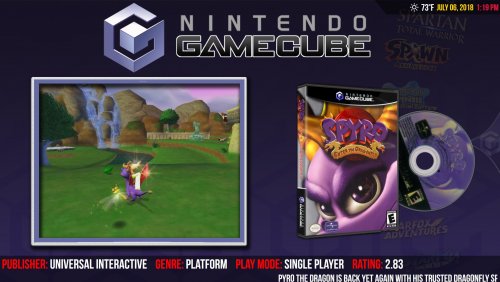 I can't speak for how or who deleted it by error or mistake, but I did read it when it was up there and thought how can a theme that's main purpose is too look like Hyperspin be negatively reviewed for looking "too Hyperspinny".
 -
What do ya'll think of this cabinet kit?
Rincewind replied to voicesinthedark's topic in Collections and Builds
Looks ok to me but it will arrive flat packed so there will still be an element of building it but nothing to taxing I'm sure -
The video includes setting up retroarch, and there are plenty of other videos showing how to set up pretty much every system
-
You might find it better to watch a video to give you a better understanding of how it all works... Obviously you won't have all the features on the free version but the way you set it up is the same....
-
That's why I asked for the PC specs because I have noticed it on my work pc which is an old core 2 duo with 2gb ram running Windows 7..... But my home pc which is much more modern I've never had that issue
-
What are your PC specs and windows version? LaunchBox.Next will be the standard version at some point so I wouldn't worry to much at this point
-
That is great news, being able to rotate an old game case and read the back would be a massive achievement. I'm looking forward to seeing this in action one day, glad it's still on the table
-
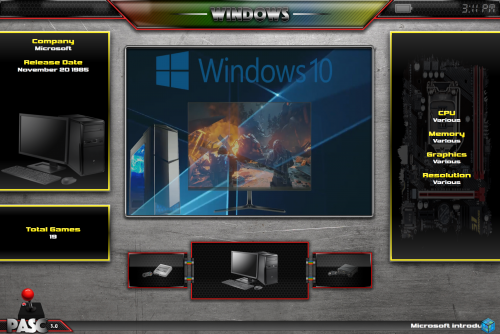 Great theme, what I really like is that you can create your own .PNG files for the video border or platform overlays and the customizer automatically finds them, saving having to edit any code at all.
 -
Does look good, @Grila is right it's very hard to tell which game is selected on that view.
-
Then those can be top 10 instead I suppose ?
-
It would be good if this was a top 100 playlist for each of the platforms that could be used in BigBox



