

zugswang
-
Posts
1,904 -
Joined
-
Days Won
18
Content Type
Profiles
Forums
Articles
Downloads
Gallery
Blogs
Everything posted by zugswang
-

Norton 360 Flags Current Version of Launchbox as Having a Virus
zugswang replied to lc62's topic in Troubleshooting
It's a False positive like 1,000's of files in the emulation scene. Just set an exclusion or even better an exclusion for your entire setup. -
Emumovies not working since new update (11.11)
zugswang replied to fxgopher's topic in Troubleshooting
Confirmed all now working fine on both FTP & EmuMovies Sync -
Emumovies not working since new update (11.11)
zugswang replied to fxgopher's topic in Troubleshooting
Same here, seems to be an EmuMovies issue. -
Inside RA, just load the core and then go to information. There you can see if any bios files are missing. Also try the fMSX core, it works well.
-
Just because 1 game works for a system does not mean they will all work. Not many emulators have 100% compatibility, not even Dolphin or PCSX2, so it may just be they are not compatible with any emulator.
-
 Thanks for all your hard work with this set. Just an observation, but if you remove more of the transparent background on the boxart, the boxes show much larger in Launchbox
 -
Thanks, that did it, all now working and updated to 11.11 Very odd, first time that has ever happened when updating, now I will remember I can manually update like this if it happens in future.
-
Hi, When I update manually, do I point it to the folder where Launchbox.exe is ? (the install path i mean) Thanks
-
Just had a message of official 11.11 update, so I updated. When it was about to install it said it couldn't and rolled back and exited. Now nothing is working and Launchbox.exe will not start at all no matter what I do. Any ideas ? Thanks
-
If this error appears just click OK and go to plugins. There are only 3, so just choose one of the other 2 and one of them should work.
-
Rom hacks could mean anything. If you are talking about NES,SNES,Genesis,N64 hacks etc then the information for those will not show up for most of them, so you will have to add them yourself. As for playing them in RetroArch, 95% of them play fine using the same cores as the original games.
-
Speed up Launchbox/ Bigbox loading times for large collections as currently it takes between 2-3 minutes to just load into BigBox for me.
-
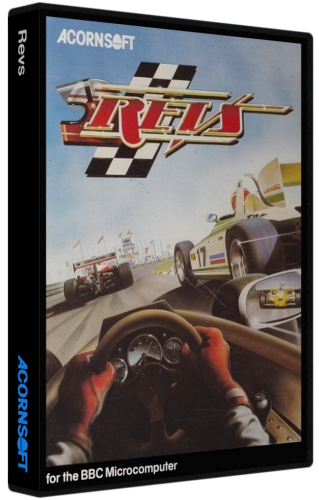 Great work with these boxes. What romset version were they for BTW ? Thanks again
 -
Will do. Thanks
-
When bulk editing in 11.10, nothing will set if you do more than 1 edit. You need to do one then close, then open it up again and do the next edit (e.g I wanted to add startup and shutdown and it would not do it, no matter how many times I tried until I tried startup then finished, then went back to do shutdown.
-
No, just separate them to get the database and all on Launchbox That is correct how you are doing it in the image
-
To scan you pbp and ini files, when in the folder search for pbp only and then drag them into the Launchbox folder then selecting your games. Then on the pbp files will show in your list of games.
-
Retroarch 1.9.1 games not opening in Launchbox
zugswang replied to derekDemara's topic in Troubleshooting
FYI, Just tested RA 1.9.1 with latest LaunchBox v11.10 and everything loads and exits as it should. -
.thumb.png.920b440959d43bb6d63de2207e88c00f.png) Excellent, better yet again, I will use this one. Thanks for your hard work and for sharing on both Launchbox and Hyperspin.
Excellent, better yet again, I will use this one. Thanks for your hard work and for sharing on both Launchbox and Hyperspin. -
Much better than mine, that was just an example I whipped up. Much appreciated. ps, after Launchbox worked it's magic there were 463 missing FYI, so this default cart will fill in the gaps perfectly
-
Something like this maybe ?
-
Default on all your sets would be cool, as it allows people to uses your set and keep them all uniform if they have more than in the set
-
Just checked and approx 1,600 missing ? 2,654 gba list.txt
-
Not sure, but have 2,654 games in GBA It was just a suggestion really to drop in default cart in images. I will check to see whats missing and post back. Thanks
-
Great work, thanks Any chance you can do a default cart in your packs to replace the ones I may have that are not in your pack ?



.thumb.png.920b440959d43bb6d63de2207e88c00f.png)