
viking
-
Posts
965 -
Joined
-
Last visited
-
Days Won
30
Content Type
Profiles
Forums
Articles
Downloads
Gallery
Blogs
Everything posted by viking
-

community COLORFUL resources
viking posted a topic in Third-Party Applications and Plugins (Released)
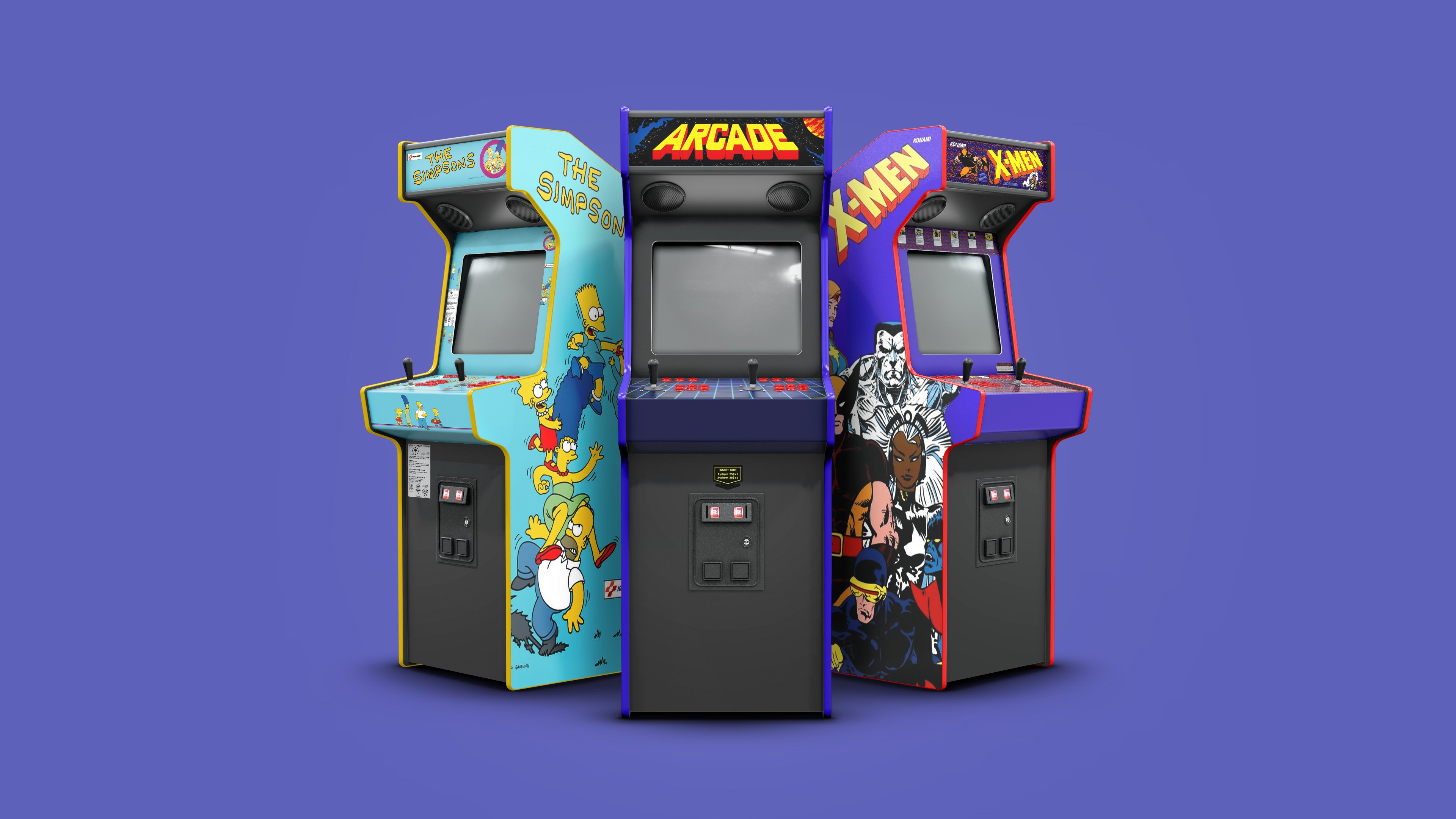
COLORFUL resources View File # WHAT IS COLORFUL? COLORFUL is a complete and coherent high quality graphic set, around a unique design. Made with love in France. I hope you like it ! ? Here are planned development axes: OFFICIAL COLORFUL ASSET : COLORFUL Theme : The main hub, a unique interface for BigBox. Design by me, coded by @faeran COLORFUL Platform Video : Complete 4K video set, with a unique design. COLORFUL Source : To involve the community in the platform video creation. COLORFUL BigBox Startup Video : custom video to match the general design. COLORFUL Hardware Media PNG (1x1) : Taken from my videos, the 1x1 PNG set. (new) COLORFUL Startup Theme : (soon) COLORFUL Pause Theme : (soon) RECOMMENDED COMMUNITY ASSET : Redrawn Platform ClearLogo by @Dan Patrick Colorful "Playlist" PNG set by @Klopjero Colorful custom theme for Android by @Bawnanable Platform Funtech Super A'can & Platform Arcade Kaneko by @evo1man Alternative Colorful Platform ClearLogo Set by @soqueroeu Alternative Startup Theme (Minimal-Colorful) by @Palada Recommended SoundPack with Steam Deck UI by @Phox # WANT TO CREATE VIDEO? YOU ARE IN THE RIGHT PLACE! On this page we are talking about COLORFUL RESOURCES. Have you considered creating a new Platform/Category/Playlist video for Colorful? This is the place to be! Done, by and for the community. You will find below my guideline and quick tutorial. If you are tempted by the adventure, please respect the rules below! Thx !! # READY FOR ADVENTURE? FOLLOW THE GUIDE! Before we start going into the technique, let's set up some basics on how we're going to do it. The idea is not to make me a tyrant, but to keep an overall coherence of design, style and to centralize uploads/downloads on a single page. The basic principles : On this Resources Page, you will find: 1 archive = 1 platform sources. (From me or from you) On the Platform Video Page, you will find: 1 file = 1 video. (From me or from you) Here are the rules to follow: ONLY use this forum thread for ALL that concerns the video creation. Form start to finish. Please, not used the comment section below. Announced on what platform(s) you want to work. (New or rebuild) Post your work in progress! This is very important, to have feedback from community and me. Follow the guideline below. There can be several videos from the same platform. I will add your credits. But keep the same background color please, for theme integration. Don't be susceptible if we make comments. ? At the end, send me your video and source files. I will upload them to the corresponding pages, with your credits. Here, I will act as a moderator. The goal of all these rules is to keep the set consistent, allow the community to take part in creation and centralize everything for ease of use. About software, I used Photoshop and After Effect in their old version (CS6) and without any plugin, to maximize compatibility with your systems. You can use other software of course, but try not to use plugins. # GUIDELINES? I created these guidelines, based on my experience with NOSTALGIA. They have a whole purpose and I ask you to respect them. Here is the principle: You can find these construction lines, as guides, in the Photoshop (.PSD) files, in each Platform archive. The goal is to let the design breathe, while allowing great versatility of use. Whether in full screen, in 4:3 or 1:1, this video set remains usable. I have created a theme around this set, but I hope it will not be the only one! A word for the wise ... # WHAT ARE THE STEPS ? Briefly, the steps I follow for each video. Find photo sources for each element of the montage. I try to put the credits in each archive. Carry out the editing in Photoshop, keeping a layer structure common to each platform. From Photoshop, save each layer group in separate PNG files. Find a Gameplay video (EmuMovies for most) and the boot section (Youtube for most) Go to After Effect, gather everything in 4K and render a "master" video file. (understand heavy one) Use VidCoder to make my different outputs (4K h264 / 4K h265 / HD h264) and size compression. <UPDATE> A quick word for the arcade cabinet: It's too hard to find good photo sources. So I made them all in full 3D (CGI). If you have the knowledge, go there! Otherwise, I create my renderings so that they can be edited in Photoshop. ? # IN DETAIL, PHOTOSHOP ? I'm not going to do a beginner tutorial for Photoshop. Here's how I sort my slaps. It would be good to respect this nomenclature, always to maintain consistency. And post on this forum thread your work in progress ! Once the editing is finalized, I export these slaps in 4 PNG files, to go under After Effect. (see text in the left column above) Why in PNG and not directly use the PSD? Because I noticed "more file corruption with the PSD. In the context of exchange with the community, the PNG is much more universal for people not using the Adobe suite. # IN DETAIL, AFTER EFFECT ? Here it is more difficult to explain yourself with words or pictures. But here is the basic principle: The Mask Layer will be used for the Gameplay video. And post on this forum thread your work in progress ! I let you open the files to better understand. If the need arises, I will come and fill this part. # IN DETAIL, VIDCODER ? (update aug 23, 2022) To optimize the size of the videos and multiply the formats, I use the free and open-source VIDCODER. (also on Microsoft Store) It is rather simple, allows batch processing, and as there are finally few "moving" elements in my videos, the optimization is pretty good. I created and tested 3 profiles that you can import and use. Here they are : VidCoder_Viking_Setting_Update.zip # AT THE END, SHARING ! Once finished, send me the files directly: Video in the 3 export formats from VidCoder. Your source archive, trying to keep the same structure as mine. I take care of the conformation of the names, the addition of the credit, and the upload on the right pages. Thank you in advance ! # SPECIAL THANKS : @Jason Carr for his hard work on LaunchBox/BigBox! To all Patreon guys! A GIANT THANKS to all of you!!! ? The whote community for yout support! # SOURCES - COPYRIGHT : Each brand of hardware and software here represented as a tribute. Emumovies for (most) gameplay videos The Vanamo Online Game Museum for (most) photos. If special credit, see .TXT file in the corresponding source archive. (soon) # PLATFORM COVERED / CREDITBOARD : See video release post for more details ! Submitter viking Submitted 05/19/2020 Category Third-party Apps and Plugins -
Version 1.5.2
26,625 downloads
# WHAT IS COLORFUL? COLORFUL is a complete and coherent high quality graphic set, around a unique design. Made with love in France. I hope you like it ! ? Here are planned development axes: OFFICIAL COLORFUL ASSET : COLORFUL Theme : The main hub, a unique interface for BigBox. Design by me, coded by @faeran COLORFUL Platform Video : Complete 4K video set, with a unique design. COLORFUL Source : To involve the community in the platform video creation. COLORFUL BigBox Startup Video : custom video to match the general design. COLORFUL Hardware Media PNG (1x1) : Taken from my videos, the 1x1 PNG set. (new) COLORFUL Startup Theme : (soon) COLORFUL Pause Theme : (soon) RECOMMENDED COMMUNITY ASSET : Redrawn Platform ClearLogo by @Dan Patrick Colorful "Playlist" PNG set by @Klopjero Colorful custom theme for Android by @Bawnanable Platform Funtech Super A'can & Platform Arcade Kaneko by @evo1man Alternative Colorful Platform ClearLogo Set by @soqueroeu Alternative Startup Theme (Minimal-Colorful) by @Palada Recommended SoundPack with Steam Deck UI by @Phox # WANT TO CREATE VIDEO? YOU ARE IN THE RIGHT PLACE! On this page we are talking about COLORFUL RESOURCES. Have you considered creating a new Platform/Category/Playlist video for Colorful? This is the place to be! Done, by and for the community. You will find below my guideline and quick tutorial. If you are tempted by the adventure, please respect the rules below! Thx !! # READY FOR ADVENTURE? FOLLOW THE GUIDE! Before we start going into the technique, let's set up some basics on how we're going to do it. The idea is not to make me a tyrant, but to keep an overall coherence of design, style and to centralize uploads/downloads on a single page. The basic principles : On this Resources Page, you will find: 1 archive = 1 platform sources. (From me or from you) On the Platform Video Page, you will find: 1 file = 1 video. (From me or from you) Here are the rules to follow: ONLY use this forum thread for ALL that concerns the video creation. Form start to finish. Please, not used the comment section below. Announced on what platform(s) you want to work. (New or rebuild) Post your work in progress! This is very important, to have feedback from community and me. Follow the guideline below. There can be several videos from the same platform. I will add your credits. But keep the same background color please, for theme integration. Don't be susceptible if we make comments. ? At the end, send me your video and source files. I will upload them to the corresponding pages, with your credits. Here, I will act as a moderator. The goal of all these rules is to keep the set consistent, allow the community to take part in creation and centralize everything for ease of use. About software, I used Photoshop and After Effect in their old version (CS6) and without any plugin, to maximize compatibility with your systems. You can use other software of course, but try not to use plugins. # GUIDELINES? I created these guidelines, based on my experience with NOSTALGIA. They have a whole purpose and I ask you to respect them. Here is the principle: You can find these construction lines, as guides, in the Photoshop (.PSD) files, in each Platform archive. The goal is to let the design breathe, while allowing great versatility of use. Whether in full screen, in 4:3 or 1:1, this video set remains usable. I have created a theme around this set, but I hope it will not be the only one! A word for the wise ... # WHAT ARE THE STEPS ? Briefly, the steps I follow for each video. Find photo sources for each element of the montage. I try to put the credits in each archive. Carry out the editing in Photoshop, keeping a layer structure common to each platform. From Photoshop, save each layer group in separate PNG files. Find a Gameplay video (EmuMovies for most) and the boot section (Youtube for most) Go to After Effect, gather everything in 4K and render a "master" video file. (understand heavy one) Use VidCoder to make my different outputs (4K h264 / 4K h265 / HD h264) and size compression. <UPDATE> A quick word for the arcade cabinet: It's too hard to find good photo sources. So I made them all in full 3D (CGI). If you have the knowledge, go there! Otherwise, I create my renderings so that they can be edited in Photoshop. ? # IN DETAIL, PHOTOSHOP ? I'm not going to do a beginner tutorial for Photoshop. Here's how I sort my slaps. It would be good to respect this nomenclature, always to maintain consistency. And post on this forum thread your work in progress ! Once the editing is finalized, I export these slaps in 4 PNG files, to go under After Effect. (see text in the left column above) Why in PNG and not directly use the PSD? Because I noticed "more file corruption with the PSD. In the context of exchange with the community, the PNG is much more universal for people not using the Adobe suite. # IN DETAIL, AFTER EFFECT ? Here it is more difficult to explain yourself with words or pictures. But here is the basic principle: The Mask Layer will be used for the Gameplay video. And post on this forum thread your work in progress ! I let you open the files to better understand. If the need arises, I will come and fill this part. # IN DETAIL, VIDCODER ? (update aug 23, 2022) To optimize the size of the videos and multiply the formats, I use the free and open-source VIDCODER. (also on Microsoft Store) It is rather simple, allows batch processing, and as there are finally few "moving" elements in my videos, the optimization is pretty good. I created and tested 3 profiles that you can import and use. Here they are : VidCoder_Viking_Setting_Update.zip # AT THE END, SHARING ! Once finished, send me the files directly: Video in the 3 export formats from VidCoder. Your source archive, trying to keep the same structure as mine. I take care of the conformation of the names, the addition of the credit, and the upload on the right pages. Thank you in advance ! # SPECIAL THANKS : @Jason Carr for his hard work on LaunchBox/BigBox! To all Patreon guys! A GIANT THANKS to all of you!!! ? The whote community for yout support! # SOURCES - COPYRIGHT : Each brand of hardware and software here represented as a tribute. Emumovies for (most) gameplay videos The Vanamo Online Game Museum for (most) photos. If special credit, see .TXT file in the corresponding source archive. (soon) # PLATFORM COVERED / CREDITBOARD : See video release post for more details ! -
Update from end of quarantine !! (finally) First of all, thank you all for your patience during this strange period. Today is updat day!! ChangeLog : Version 0.9 - Released May 19, 2020 - New Feature: Split theme in 2 standalone version: Dark + Light. - Improvement: Eatkinola plugin update. - Improvement: Big performence optimization on PlatformView. - Improvement: Big optimization on PNG size. Theme + ClearLogo. - Improvement: PlatformClearLogo color correction for Dark + Light. And here is the theme cut into 2 branches. LIGHT version + DARK version. Now the Dark version is end to end. I stayed in "beta" because I'm waiting for your feedback, just to see if I'm not mistaken. I also integrate the updated @eatkinola plugin, correct the ClearLogo Platforms (depending on the version of the theme) and do a lot of optimization, which I hope will make the theme more smooth. To cut the theme in 2, I had to rename it. So you can have the old and the new version side by side. It will be more annoying in the theme manager of BigBox, because I will have to create new pages. I would also like to take this opportunity to say a GIANT THANK YOU to all my Patreons, it's heart warming !!! Thanks guys ?
- 787 replies
-
- 10
-

-

-
It’s pretty simple. - Identify which view you want to modify and the file name. Here : TextGamesView.xaml - Opens the XAML file with a text editor. - Fond and erase the whole paragraph "COVER BOX ART" (line 416) + The code for its animation. (line 152) Good idea !! You can share your custom view here ? I will think about integrating it into the vanilla version. Thx !!! It's going to be quite tricky to change a timing, since they are all dependent on each other. Change one, requires to adjust all orthers. However, you don't have to wait for full playback animation to press A and go to the GamesView. ... wait 2min ?
-
 Thx ! Yes, Futur Pinball Platform Video is planned. But I don't know when! I will probably need some help from the community for the Pinball emulator gameplay videos. I will post on the Colorful Video topic. Hmm. It's a good idea! For me, it's important to have a BIG BoxArt, even if the video is a little hidden. But making it disappear slowly seems to me a good compromise. I add it to my ToDO! Yes, I know I haven't posted an update for a while. I am really sorry ! But it's been almost 2 months that I am in quarantine, at home, managing 2 young children (3 + 2) and a full-time job from my living room. It's very hard ! I really do my best. Here is an overview of my ToDo, to give you an idea of what comming next: - Theme: Integration of the update of the Eatkinola plugin / Generalization of all my optimization tests, on all views. - Theme: Split in 2 independent versions: Light & Dark / Finalization of all views in these 2 versions. - Source: Finalization of tutorials and posting of a new topic, with 100% of the source files of my videos already produced. (It's a big job to set up) - Video: Pause the theme a bit, to produce new platform videos. - and more ?
 -
 Yes, but it is not a priority. Ultimately, it's a good idea!
 -
Thx ! The small arrows are there to signify the direction of the Platforms or the Games Wheel scroll. Some themes are horizontal, others vertical. There may be some different direction in Colorful. The simplest solution, yes! ?
-
A HUGE thank you to you for the support! ? Difficult for me to move forward with strict quarantine in France, but I do my best! There is a dark version for all GamesView, except the TextGamesView. Because there can only be one per theme. And yes, the TextGamesView and also the GamePlayOption view. Same file. The next step is to divide the theme into 2 separate versions: Light and Dark.
-
This is not a bug. Problem addressed, some post/page back. In LaunchBox, Genesis and MegaDrive are two separate platforms. For the moment, I have only done the MegaDrive video. So there is only this platform which has a color in the theme. As soon as I make the Genesis video, there will be a color in the theme. In the meantime, you can manually add the color "MegaDrive" to the "Genesis" platform, in the theme. (In fact, it will probably be the same in the end) Unzip and put this file : Ao.Bigbox.Themer.v3_9_7a-Colors.dll.zip Here : \LaunchBox\Themes\Colorful\Plugins\Ao.Bigbox.Themer.v3_9_7a\AssemblyConfig The only difference: I put the color of the MegaDrive video, for the Platform Genesis. It should work well.
-
Hi all ! Some news from France : We are all in quarantine here, at home, with children. I could organize myself to work from home. But yes, work at home with children around : "Nightmare! Playing Mode" ? So it'll be difficult for me to work on Colorful updates, with all that to manage. As usual, I'll do my best to send you all of this as soon as possible! Take care of yourself ?

-
You forgot the # before color HEX code ?
-
Maybe it's easier to add a new color to my theme + manually add my video to your platform? To add (or custom) a color in may theme : Everything happens here, with a simple text editor. Just respect the logic. In your LauncgBox directory > Theme > Colorful > Plugins > Ao.Bigbox.Themer.v3_9_7a > AssemblyConfig in Ao.Bigbox.Themer.v3_9_7a.dll.config Add your platfrom name. KEY=add a generic name, VALUE=add your exact platform name. in Ao.Bigbox.Themer.v3_9_7a-Colors.dll.config Add your color. KEY= exact same name as previous one. VALUE= add the color. In this case : #82cdea Make a backup. My future updates will overwrite this file by a new one.
-
 Ahah I suggest you leave this topic open, until I create the other. You can migrate everything to the new one and close that one at this time. Let everyone benefit from your work! For the tutorial, it will not be a step by step for beginners. It would take too long. But I will explain all my steps and my workflow. (with screenshot) Especially for the guidelines, that we keep a consistency between all our creations.
 -
Guys, this is great. Really ! But I would like to avoid multiple sources (tread) to download the videos. It becomes a mess and it is not clear for new users. For this purpose, I'm preparing a upload of all my sources + a tutorial on the guidlines. The idea is to have only 2 topics on the forum: The current video topic : We will find all mine, but also all yours. With your credit. 1 single place to download everything. Futur sources topic : There will be all my sources, and yours. I'll do a quick tutorial on guidline and my workflow. You will post your work in progress there and I could come and give advice and tips. The choice of color is very important, because for my theme, it should not change for the same platform. There may be several versions of the same video. I really do my best to put it all in place quickly !! I promise! Be patient and all possible help is welcome! ? ?
-
What do you mean by addons? Hardware or Software? Some examples?
-
HUUUUUUUUGE thank you @eatkinola for your work! I integrate this update asap in the next theme release !! ? It depends on which view you want to modify. In LaunchBox> Themes> Colorful> View: choose the view to modify. And look for this piece of code, and just change the HEX color code : <!-- ================================================================= --> <!-- ================================================================= --> <!-- PLATFORM NAME TO COLOR CONVERTER ================================ --> <!-- ================================================================= --> <!-- ================================================================= --> <aox:FilterSelectionColorConverter x:Key="FilterSelectionColorConverter" /> <SolidColorBrush x:Key="DefaultPlatformColor" Color="#5abc3c"/> Your proposal is very nice. But this is not quite the style I want to give to this theme. I want less information, breaths aera, and big media. But why not ! I would like to finish all views I have in mind and if there is a lot of demand for more data loaded version, why not! I take this opportunity to apologize again for my lack of post at this time. Lots of "real life" work these days. I do my best! I come back with the updated theme (Generalized optimization + new Eatkinola plugin) and some new video !!!
-
Cool !! Good news ! ?? Thx @eatkinola !!!!!
-
Mr. RetroLust's Lights Out! Retroarch Bezels
viking commented on Mr. RetroLust's file in Platform Bezels/Overlays
 Why not ! I'll release all my sources soon ?
 -
OK. Here, I think it's time to make a point. johnsanc, what do you call "Nostalgia"? My old theme "BigCouch"? Or mt old video set "Nostalgia"? Now, I'm trying to develop a complete HQ media set, which I called COLORFUL. For now, you have the "Colorful theme" and "Colorful Platform Video Set". For me, your problem comes from network assembly and/or virtualization. In any case, if it comes from the theme, let's try to fix it! For me, the slowdowns encountered by @wallmachine are known. I have the same at home! (They pass after a first pass on platforms) I dont think that it comes from a videos adress issu. The problem comes from the fact that I ask too much of the XAML .NET display under windows, with fullscreen right slide platform video animation. (According to the Microsoft doc, which does not recommend large fullscreen animation. Worse with a video...) This is why there is no problem with GamesView: The gameplay video is not animated! But the video you posted, @johnsanc, shows loading times well beyond normal! And I dont know WHY ! ? - You tried removing the platform video slide animation: no change. - I trie to change platform video call piece of code : no changes. - I trie remove all call to "Color by Platform" : It fixe the problem! I'm lost and don't know what to do! Johnsanc, have you tested my last platform view, in last update online? PlatformWheel3FiltersView.xaml This one : Same problem ???
-
@wallmachine I'm not sure I understand your video capture. Do you show me the fluidity of the animation? Or the fact that you don't have platform videos? If it is platform videos, it's setup in the BigBox options. If it's about fluidity, please, can you try the test view I post on my quote message? The only difference with the Vanilla version, is the call video piece of code. I would like to know if that has any impact on the fluidity of the slide video animation. Better? Unchanged? Worst? Thx ! @eatkinola Thank you! ? For the moment and from my side, I have operated by elimination: - Change platform video call piece of code : no changes. - Remove all call to "Color by Platform" : It fixes Johnsanc's problem. This is the weird part for me... - It works for the Colorful platform view: Cool - No problem for Colorful games view: Strange! Why? There is the same "color by platform" code as platform view. - Nostalgia theme? You mean BigCouch? What the hell!? This theme is old and deserves a complete overhaul. OK. But he has no plugin here. Everything is vanilla, according to @Jason Carr's doc. I'm completely lost !? PS: I will not be there next week: on vacation with kid's.
-
OK, the problem is isolated. But not solved! In this last test, I deleted all pieces of code allowing to assign a different color by platform. This system come from @eatkinola "Ao.Bigbox.Themer.v3_9_7a" plugin. @eatkinola , Do you have a solution for the problem of @johnsanc ? Because there, nobody has a custom color by platform! ? About the platform video animation fluidity, the difference is between the "official" code and the Grila's version. I am editing asap 2 comparison versions for test.
-
Um, damn! What a mess! ? SelectionSnoop is part of @eatkinola plugin, for color management by platform. I really hope that's not it, because it is important in my design and Eat has to work hard on it! OK, new test version: PlatformWheel1FiltersView.zip Always with the new "standard" video call, and without the colors by platform. EDIT : You say "the animations look pretty much the same to me". Exactly the same? Better? Worst? (I'm talking only about the video movement fluidity)
-
OK, a little test during the lunch break. @wallmachine asked me why not use the original code for the video ... No reason!! (now) At the origin of this theme, I dont think to use the videos in full screen. So I needed Grila's code, for a perfect video crop. But not anymore! If you could try this test view: PlatformWheel1FiltersView.zip Just unzip this view in: LaunchBox \ Themes \ Colorful \ Views And be sure to test BigBox set on this view. (ClearLogo Wheel, White background) It works at home, but I have the impression that the animation is a little less fluid. And at your home ? I especially need the return of people with small configuration. @johnsanc Do you still have your problem with this view?
-
About the code to call the Video platform : It is pretty much standard. It was @Grila who helped me with this piece of code. The goal was to display the video without distortion and that filled the chosen space. Original Code, for Platform Video call : <transitions:TransitionPresenter Grid.Column="0" Grid.ColumnSpan="12" Grid.Row="0" Grid.RowSpan="11" TransitionSelector="{Binding ImageVideoTransitionSelector}" Content="{Binding ImageVideoView}" IsContentVideo="true" /> COLORFUL version, by Grila and adapted by me : (line 574 in PlatformWheel1FiltersView.xaml) <transitions:TransitionPresenter x:Name="vidsource" Grid.Column="0" Grid.ColumnSpan="12" Grid.Row="0" Grid.RowSpan="11" Content="{Binding ImageVideoView}" IsContentVideo="True" Visibility="hidden"/> <Border Grid.Column="0" Grid.ColumnSpan="12" Grid.Row="0" Grid.RowSpan="11"> <Border.Background> <VisualBrush x:Name="PlatformVideo" Visual="{Binding ElementName=vidsource, Path=Content}" Stretch="UniformToFill" AlignmentX="Center" AlignmentY="Center"> <VisualBrush.Transform> <TranslateTransform x:Name="PlatformVideoAnim" X="0" /> </VisualBrush.Transform> </VisualBrush> </Border.Background> </Border> Note that it is the platform video that is the most tweak. Do you have the same problem on GamesView? With the videos of the games? I do not know if you tested, but if it has to do with the number of games in the platform, maybe it comes from the counter? Try this : In "PlatformWheel1FiltersView.xaml" , line 716 : Replace this : Text="{Binding GamesCount}" by : Text="Test" It will no longer display the number of games in the selected platform, but the text: "test". Does that change anything?
-
It's not a bug I think, but the way @eatkinola built its plugin. I think scrolling is faster than refreshing color. But I could be wrong! In any case, there is nothing I can do about it. I'm not sure it's a story of cache or path. The "problem" with my theme is the animation of the video. It is not recommended by Microsoft because it forces the system to calculate the animation of 100% of the pixels on the screen. From what I understood ! I'm not a coder, but a designer ? You can trie this : In "PlatformWheel1FiltersView.xaml", line 181 : change the Value by 0 (Value="0") With that, there is no more video animation. Is the problem still there? About Plugins, I used : Ao.Bigbox.Themer.v3_9_7a.dll : For text size, Responsive pixel distance and color by platform. GrilaBBControlsPlugin.dll : For gamepad icon and batterie level. ListBoxScrollCenter.dll : To center the selection in lists. All these plugins are used in many other themes here. About Colors : Yes, I haven't made the GENESIS video yet. So no "official" color. You can do this : <add key="Platform.SEGA_GENESIS" value="#0e7acd" /> This is the MegaDrive color






