

kyzumi
-
Posts
34 -
Joined
-
Last visited
kyzumi's Achievements

8-Bit Processor (3/7)
9
Reputation
-
Thank you so much for your work! I have a few questions: I already have a Launchbox and Retroarch perfecltly configurated to me. Is there any way I can point the games to my retroarch? I am having a hard time dealing with the included Retroarch.
-
I'm loving the update! One of the best ones since I've bought a lifetime license in 2016. It even fixed a major issue I was having with video playback!
-
WMP videos in BigBox have a corrupted effect at start
kyzumi replied to salofan's topic in Troubleshooting
Edit 2: The new video player in 14.0.1 fixed this issue! Thank you! Original message: That was it! I was having the same issue and it totally fixed it! Edit: kind of. It fixed on my main monitor but it was still happening on my second monitor. -
Help changing a few details on Game Details panel
kyzumi replied to kyzumi's topic in Custom Theme Tutorials
Ok. Let me show you what I did. I have to remove "PlatformReleaseDate" from GameDetailsView, right? I found this section. Is it correct? EDIT: in case anyone finds this looking for the same answer: I did not find a way to increase the video but I did manage to improve it by setting the margin to 0 on this settings: <StackPanel Orientation="Vertical" Margin="50,6,16,50"> (located above <!-- Horizontal ScrollBar -->) It significantly increased the video window size.
-
Help changing a few details on Game Details panel
kyzumi replied to kyzumi's topic in Custom Theme Tutorials
Thank you for helping! I am trying to change things but it either doesn't do anything or I get an error. I am using lambda beta but the GameDetailsView.xaml is probably from LBPlex 2023. -
I would like to make some edits to Game Details panel but I am having a hard time editing the theme because I have no experience. I basically would like to increase the video size. remove the platform and date above the video and include a few details below the video. I made a very crude edit to show what I want. Is it possible? Can anyone point me to how can I do it? Thank you!
-
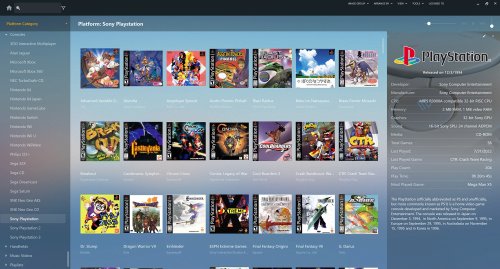 Thank you!
 -
I managed to figure it out! It was in the configuration option. now my changes to hotkeys work fine
-
Thank you SO much for this project! I Love it! I am having one issue though: How do I access the retroarch menu after a game is loaded? none of my hotkeys respond (I even changed them before loading a core and still won't respond after game is loaded)
-
Automatically set correct DISPLAY in mame.ini at startup - Marquee setups
kyzumi replied to Hamburglin's topic in Emulation
Ok, I will try that. Could this be related to the default.cfg file being read only? I do that to prevent accidental input changes -
Automatically set correct DISPLAY in mame.ini at startup - Marquee setups
kyzumi replied to Hamburglin's topic in Emulation
there is a output.txt file but it's empty -
Automatically set correct DISPLAY in mame.ini at startup - Marquee setups
kyzumi replied to Hamburglin's topic in Emulation
I am getting an error message even though it appears to be working. Any idea how to fix it?
-
I just found out about this plugin and it is (was 😭) exactly what I needed! sad to see it is no longer working
-
Platform Box Art Collages/Contact Sheets
kyzumi commented on dragon57's file in Platform Backgrounds
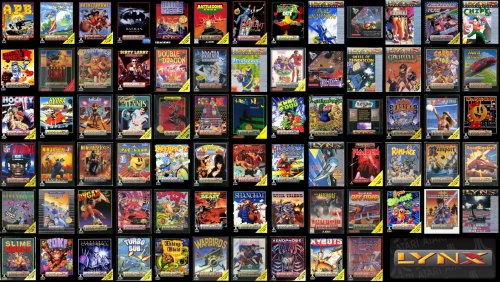 Thank you!




