

alnyden
-
Posts
344 -
Joined
-
Last visited
Content Type
Profiles
Forums
Articles
Downloads
Gallery
Blogs
Everything posted by alnyden
-
Is there the way to manually sort platforms?
alnyden replied to TONBOX777's topic in Troubleshooting
Would also be nice to have the option to sort platforms by release year and the ability to quickly toggle between that and the sort field. -
When you create a smart playlist, In the "auto-populate" section, do all the listings need to be true? Is there way to select "or" and "and" in between the listings ala iTunes? I'd like to create a playlist that takes favorites from several platforms, but I don't see a way to do this. Thanks! R
-
 This was working for me previously but after installing the new version it says "file could not be saved for reasons: could not load file or assemble 'unbroken.launchbox'......." Thanks for any assistance in fixing! R
 -
Made a bitbucket request for this last week. Don't have the link at the moment but if you can find it give a vote, there seems to be a lot of interest in this feature.
-
I'm curious if this is recommended or if others have tried it. I have 2,600 roms but tons of them are multi-disk sets, so I'm hoping this would consolidate them into 1 listing for each game, but I'm not sure how it works or what it might mess up. Thanks, R
-
Thanks guys. For some reason the link or hamburger menu wasn't showing up on my laptop. Anyway, here's the ticket: https://bitbucket.org/jasondavidcarr/launchbox/issues/3097/feature-request-show-other-platforms-on
-
For some reason I don't see the Issues/Requests at the top, where exactly should I look?
-
I'm definitely loving BigBox but there is one feature I miss from GameEx. On the games detail page it would show the other systems you could play the same game on. (For example, it would show every version of Asteroids from different systems). Yes I know you can create a playlist but of course it's not realistic to have a playlist for every game. Not sure how difficult this is to implement but It's fun to jump around and try the same game on different systems so easily. Thanks, R
-
Maybe there's a way to do this, but I don't see how: it would be cool if you could set a shortcut that would immediately start attract mode within a platform. That way, you could choose a random game at any time. Thanks, R
- 1 reply
-
- 3
-

-
In Launchbox I have "show all" unchecked. However, within BigBox, there is an item at the top of my platform list with no clear logo but seems to indicate it's all roms from each platform based on the # of games. Any way to get rid of this? I can't find anything in the options. Thanks, R
-
I'm trying to edit a theme setting file to remove certain views from a theme. I save the file and everything looks okay, but once I launch BigBox, the views are still there, and when I return to the file, the changes have been un-done. Any ideas what could be causing this? Thanks, R
-
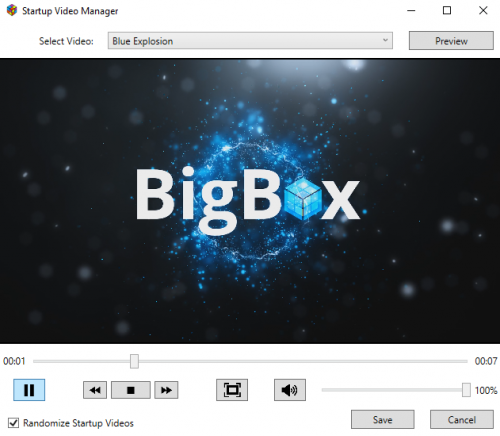
Thanks for making this -- it's working great. Also would like to second the "random" option. Would be nice to rotate between several videos at startup. Thanks!
-
Hey, here's what happened when I tried this: I changed several entries from "false" to "true" but then Big Box still shows them. Then when I return to the file, the "true" has been changed back to "false." I'm definitely saving the file after changing it. Can you think of any reason this would happen? I did backup the file (renamed and moved to different folder) but that shouldn't matter. Thanks for any help! R
-
Thanks, that's great and easy to do. Thanks for showing me how! R
-
Is there a way to limit the number of views a theme can show? For example, let's say on a given theme there are 6 views for platforms, but I really only like to use 3 of them. Can I possibly remove 3 of them from showing when I scroll through? Thanks, R
-
1080p Sega 32X HyperSpin Recorded Game Theme Videos
alnyden replied to Riffman81's topic in Game Media
Videos are awesome. Thanks Riffman! -
Got the mod to update, but now I realize I have an older version of pinball arcade that is not compatible with the mod anymore. But for anyone that has the most recent pinball arcade, this should work.
-
1080p Sega 32X HyperSpin Recorded Game Theme Videos
alnyden replied to Riffman81's topic in Game Media
I do, but I was trying to find this on the website. Now I realize it's through an FTP client. Haven't been able to log in successfully but I'll figure it out... thanks! -
1080p Sega 32X HyperSpin Recorded Game Theme Videos
alnyden replied to Riffman81's topic in Game Media
How does one find your EmuMovies FTP? Thanks, R -
I'm looking on EmuMovies but don't see the "upload here" section. Would love to check out the NES themes. Thanks! R
-
Deleting the XML did the trick! Weirdly, there was a copy of the .xml file in the folder. Not sure why it was there, but maybe it was preventing the xml from saving? Anyway, thanks for your help. R
-
Yes, if I delete the games and restart LB, they all come back. I tried deleting the entire platform and even that would come back on next launch. Weirdly when I right-clicked the platform name it says "that platform does not exist." But after a few clicks it stops saying that. So I can't find any way to get rid of the roms or the platform. Would it be helpful to edit the XML or delete the XML for that platform? Thanks, R
-
To add to this, I've now tried deleting the platform entirely. Seems to work fine. But when I close LB and re-open, it's back. Again, it's not happening with any other platform. Help?
-
I'm having a strange issue here. I have a platform with games listed that don't have working roms. So, I'm deleting the games in LB and re-importing the correct roms. In doing so, the games list goes from about 900 to 500 and afterwards everything looks correct. However, when I quit LB and start again, all 900 games are back in the platform. It's happened twice now, as if the database is not saving. I've done the same procedure with other platforms but this hasn't happened. Any idea what could be going wrong? Thanks, R
-
Can anyone explain to a nuub what is the purpose or advantage of the plugins? I know it depends on third-party programmers but I'm wondering what some examples might be. Thanks, R
