
Rlad
-
Posts
508 -
Joined
-
Last visited
Content Type
Profiles
Forums
Articles
Downloads
Gallery
Blogs
Everything posted by Rlad
-
 Thanks for the template
 -
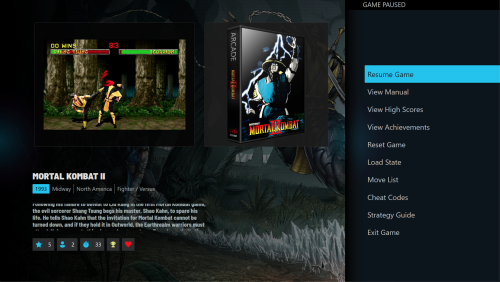 You can add anything you like in Additional Apps and it will show up in the pause menus.
 -
You can run an image compressor on your images folder if space is an issue.
-
That's from @Juketsu themes Here are the others

-
Seems to be fixed thanks @C-Beats 👍
-
Correct "Fixed: Sometimes backing into a platform view in Big Box would not reload the details and resume video playback" is the initial bug The video above is a seperate issue discovered.
-
2022-10-10 17-41-43-00.00.25.000-00.01.08.300.mp4 I only noticed it when you suggested to try quick fade.
-
Transition is fade, Fade Quick has same issue, i tried Explode and Slide Horizontal but they don't work at all, just go to a black screen after the transition. I have to windows key out and edit the xml as i can't get back to the settings menu.
-
Still got the Amy Winehouse bug.
-
 Have you updated to the latest version of neon deluxe? Have you refreshed images in Bigbox options?
 -
This tool is great, i've been using AviDemux but it only does MP4, no good for Steam trailers without converting them first. And it's a lot more straightforward.👍
-
 Confirming 2.3.3-3 works, thanks Joe.👍
- 131 comments
-
- 2
-

-

-
- retroachivements
- badges
- (and 1 more)
-
@JoeViking245 I don't think it's anything to do with PS2, it's failing at different points each time.
-
I keep getting the error in 2.3.3
-
Launchbox has OBS Studio intergration (go look in the options menu), once you've set it up you can use your hotkey to record and LB while ask if you want to add the video file to the game on exit.
-
You can set which emulator you want for each version in Additional Apps using the Edit Application menu, on the fly though i guess not.
-
 @xevious1974 The Famicom game was scrapped as the arcade entry i think messed it up, i've fixed it now.🥴
 -
My Famicom rom is Pooyan (Japan).7z, Arcade rom is Pooyan.zip
-
@xevious1974 I just noticed Pooyan is the Famicom version not Arcade.
-
Thanks, a number of my games seem to be named differently than the RA names so this list is allowing me to cross reference and correct them.
-
Yeah working now 👍
- 131 comments
-
- 2
-
-

-
- retroachivements
- badges
- (and 1 more)
-
Can you install it from Microsoft. https://dotnet.microsoft.com/en-us/download/dotnet/3.1
-
Your custom fields are added to the filter menu.
-
Got the same error.
-
Isn't this supposed to be an uninstall option? Edit: I guess it's because i added them before the new gog installer was added.




