

C-Beats
-
Posts
5,253 -
Joined
-
Last visited
-
Days Won
18
Content Type
Profiles
Forums
Articles
Downloads
Gallery
Blogs
Everything posted by C-Beats
-

Launchbox keeps freezing when i update developers meta data
C-Beats replied to jot1132's topic in Troubleshooting
I've not ever been able to replicate but know other users have reported in the past. Can you make sure what ever developer you have selected in the sidebar is visible in the side bar (left hand side)? Some PCs seem to have issues when the selected item isn't in view that makes them not complete the refresh in the main grid. -
LaunchBox may have gotten focus while playing which stops the timer.
-
We don't have anything built in that would create this image for you, but both LaunchBox and Big Box could be themed to make it look like that. If you wanted that as a single image you could probably use the Community Theme Creator (CTC for short) to create it as it has functionality to bulk create images similar to that.
-
Are you seeing the videos as selected options when using the Download Metadata/Media Wizard in the page where you select items you want to download from EmuMovies? If you see the list but videos aren't in them they EmuMovies is telling us you aren't an active premium user (EmuMovies premium, not LaunchBox) and that you don't have access to that content. If this is happening you would want to reach out to EmuMovies support and have them take a look at it as that is all handled by them and their servers.
-
@maabus could you PM me the following file so I can look into this? \\LaunchBox\Data\Platforms\Virtual Boy.xml
-
Thread will probably be removed or at the very least locked when the position is filled. At this time it is open if you want to send your resume to support@unbrokensoftware.com
-
@bbweiners can you confirm the wall view you were seeing your reported issue with is fixed after upgrading?
-
The binding is only used currently for FlowTemplate setup and not for cover factory. If using a FlowTemplate to define each item in the FlowControl it works on all views that utilize one. The binding (in beta 2 now that I corrected the logic) is an absolute value. So if ItemSpacing is set to (12,12) and SelectedItemSpacing is set to (16,16) the spacing of the item currently selected should be 16, not 28 (as it incorrectly was in beta 1)
-
Requires you to have used the fullset importer to import your games and allowed the importer to make the playlists for those collections. It also requires you to use Platform Category view instead of the default Platform view
-
Confirmed your report. I will get this corrected for next beta release.
-
Can already add manuals to a game. PDF is supported already. CBR/CBZ is not (assume that what you meant, I've not heard of CBV before. You can also add additional documents to additional application section of a game. You can also scrape manuals via EmuMovies and a few of the third party storefronts.
-
You can already make Recently Played playlists with Auto-Populated playlists
-
Could be a resolution/scaling setting. Could also be your options are set slightly different as I believe this theme uses the font size options in Tools > Options > Visuals > Main Window Theme > Fonts
-
You have way more columns displayed than can reasonably fit, right click the upper letters (the column headers) and uncheck items until you get to a number of columns that you can actually read/use
-
Manuals & extras on Launchbox
C-Beats replied to Adelyan's topic in LaunchBox for Windows Custom Themes
You add this to your GameDetailsView.xaml file where you want them to show up and then add any other style/format changes you want to match your theme <ItemsControl Margin="3,3,3,0" ItemsSource="{Binding Documents}"> <ItemsControl.ItemTemplate> <DataTemplate> <StackPanel Orientation="Horizontal"> <Image VerticalAlignment="Center" Stretch="Uniform" StretchDirection="Both" Source="{Binding Icon}"/> <TextBlock Margin="3,0,0,3"> <Hyperlink Command="{Binding ClickCommand}"> <Hyperlink.Style> <Style TargetType="{x:Type Hyperlink}"> <Setter Property="TextBlock.TextDecorations" Value="{x:Null}" /> <Setter Property="TextBlock.Foreground" Value="#A6FFFFFF"/> <Style.Triggers> <Trigger Property="IsMouseOver" Value="True"> <Setter Property="TextBlock.TextDecorations" Value="Underline" /> <Setter Property="TextBlock.Foreground" Value="White"/> </Trigger> </Style.Triggers> </Style> </Hyperlink.Style> <TextBlock Text="{Binding Title}" TextTrimming="CharacterEllipsis" /> </Hyperlink> </TextBlock> </StackPanel> </DataTemplate> </ItemsControl.ItemTemplate> <ItemsControl.ItemContainerStyle> <Style> <Setter Property="Control.Margin" Value="0,0,0,3"/> </Style> </ItemsControl.ItemContainerStyle> </ItemsControl> -
You're using a cover factory instead of a FlowTemplate. Try something like this: <coverFlow:FlowControl x:Name="FlowControl" Grid.Row="1" VerticalAlignment="Stretch" HorizontalAlignment="Stretch" Rows="3" ItemSpacing="0.05,0" SelectedScale="1.5,1.5"> <coverFlow:FlowControl.Camera> <OrthographicCamera Position="0,0,5" LookDirection="0,0,-1" NearPlaneDistance=".01" FarPlaneDistance="1000" Width="15"/> </coverFlow:FlowControl.Camera> <coverFlow:FlowControl.FlowTemplate> <DataTemplate> <coverFlow:FlowContext> <Border BorderThickness="30"> <Border.Style> <Style TargetType="Border"> <Setter Property="BorderBrush" Value="Transparent"/> <Setter Property="Opacity" Value=".2"/> <Style.Triggers> <DataTrigger Binding="{Binding RelativeSource={RelativeSource FindAncestor, AncestorType={x:Type coverFlow:FlowContext}}, Path=IsItemSelected}" Value="True"> <Setter Property="BorderBrush" Value="White"/> </DataTrigger> <DataTrigger Binding="{Binding RelativeSource={RelativeSource FindAncestor, AncestorType={x:Type coverFlow:FlowContext}}, Path=IsRowSelected}" Value="True"> <Setter Property="Opacity" Value="1"/> </DataTrigger> </Style.Triggers> </Style> </Border.Style> <coverFlow:FlowImage ImageType="Clear Logo"/> </Border> </coverFlow:FlowContext> </DataTemplate> </coverFlow:FlowControl.FlowTemplate> </coverFlow:FlowControl>
- 14 replies
-
- 1
-

-
- wall view
- theme design
- (and 1 more)
-
BigBox PlatformCategoryPlaylist Selector
C-Beats commented on Benuno's file in Third-party Apps and Plugins
-
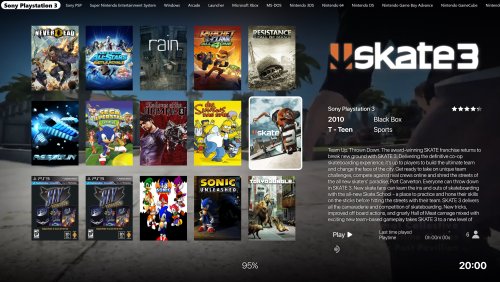
I don't believe in the currently public version of CTC you can do this but it can be done with the theming engine by setting the Rows property of the FlowControl to 3 and not setting the Columns property.
-
Manuals & extras on Launchbox
C-Beats replied to Adelyan's topic in LaunchBox for Windows Custom Themes
He put them under by creating a theme that does it. You can DL his theme or Steam to see how it's done. This will require premium license to do however. -
I'd take a look and make sure your version showing as an app has a value in the version field of the Edit page. To check go to the game, and edit game and go to Additional Applications page, then go to that app and select it and press Edit Application. In that window on the second page should be a version text box. Make sure it has Japan (or SOMETHING) in there. It should then push it appropriately to the right section of the menu.
-
What version of LaunchBox are you running? Over the past few versions downloads code has been heavily modified to help improve speed and stability so if you aren't on 12.11 I'd recommend upgrading before trying to download large amounts of media.
-
Welcome to the forums/community. I'm glad you're enjoying the product.
-
Restoring and Preserving Historical Video Game Box Art
C-Beats replied to Jonny Severn's topic in Game Media
ah nice. Was going to say been pumping them out past few days. Solid work as always, just was curious how you were suddenly putting out like 5x the images lol -
Restoring and Preserving Historical Video Game Box Art
C-Beats replied to Jonny Severn's topic in Game Media
Find a new process that works better for ya? Really been ramping up the number of items you're doing last few days. -
Would make sense videos are considerable larger than images. Do you have the same speed issues downloading media from our database of one of the storefronts (ie Steam, GOG, etc)?


