

Jason Carr
-
Posts
13,723 -
Joined
-
Last visited
-
Days Won
388
Content Type
Profiles
Forums
Articles
Downloads
Gallery
Blogs
Everything posted by Jason Carr
-
Hey all, I will try to dive into this to see if we can get it figured out. It's odd because I have never been able to replicate it, even with Use All Controllers checked. That said, I generally only test with Xbox 360 and Xbox One controllers. It is worth noting that Microsoft has really screwed the pooch several times in the last couple of years with their controller drivers for Windows. There were several versions that were released that caused many issues, including lockups, so the driver version that you are using is important. If you can, please go to Control Panel > Device Manager and let me know the Driver Date and Driver Version for the drivers that you are using for your controllers (just double-click on the controller in Device Manager and select the Driver tab). Also, let me know what model of controller you are using, especially if it is not a Microsoft controller. Further, please let me know your hardware specifications (CPU, RAM, video card, and type of hard drive) if possible, as well as what version of Windows you're using. Also, please be sure that you're 100% up to date on Windows Updates. I'm hoping that all this information will help us to pinpoint the issue.
-
Thanks all; I will look into this stuff again soon. It's a rather difficult problem to solve, considering that it seems to be only happening with certain video cards and driver combinations, and with different DPI settings, etc. But hopefully I can make headway soon.
- 33 replies
-
- 2
-

-
- bigbox
- dual monitor
- (and 4 more)
-
Hmm, probably not easily but I'll add it to my list. Thanks for detailing it out here. I'll take a look soon.
-
No, it shouldn't be. However there are many other things that do provoke re-populating the cache, such as simply changing the box size slider or changing the image type (if it hasn't been previously cached). Windows DPI changes can also cause it. It really doesn't make much sense for it to be happening on every update, but I could be missing something. My testing isn't showing this. This is on my list to look into. I generally check official updates against all popular anti-virus programs, but I can't do the same for each and every beta. Unfortunately these days anti-virus programs are often over-zealous (and useless for that matter). My recommendation has always been to use the built-in Windows Defender anti-virus stuff to avoid unnecessary issues. Thank you; I'll take a look. I'll take a look.
-
 It was mistakenly deleted by a moderator. Feel free to add it back if you feel so inclined.
 -
Version 1.8
10,729 downloads
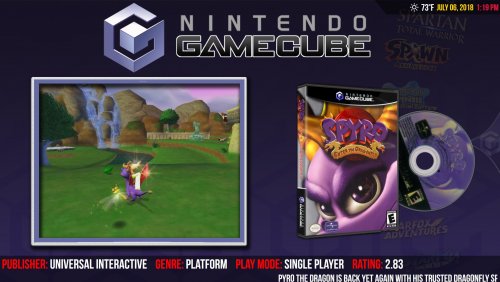
Unified Redux is a very slight re-imagining of @CriticalCid's amazing Unified theme, focusing on minor tweaks to improve the experience based on the LaunchBox developer's personal preferences. Changes from the original theme are listed below: Rounder wheels Much faster-spinning discs Wheel shadows Videos maintain their aspect ratios Smoother transitions in a few spots Top bar modified to prevent triangle corner overlap issues Version 1.8 - Released March 26, 2019 (REQUIRES LAUNCHBOX\BIG BOX 9.6): Fixed several potential issues due to accidentally using the Unified folder instead of the Unified Redux folder Version 1.7 - Released March 25, 2019 (REQUIRES LAUNCHBOX\BIG BOX 9.6): Removed several unnecessary plugins for functionality now built-in to LaunchBox\Big Box Modified XAML to better support Big Box 9.5/9.6 (solves several minor visual issues, primarily with text lists) Version 1.6 - Released December 3, 2018 (REQUIRES LAUNCHBOX\BIG BOX 9.1): Added a new PrioritizedPathSelector plugin, which helps to ensure that proper images are shown for complicated playlist scenarios (multiple fallback priorities, etc.) Version 1.5 - Released November 26, 2018 (REQUIRES LAUNCHBOX\BIG BOX 9.1): Fixed issue with Arcade/MAME playlists not using proper media Version 1.4 - Released November 15, 2018 (REQUIRES LAUNCHBOX\BIG BOX 9.0): Pointer images will now change when entering into nested platforms and categories Year and manufacturer text will no longer show up on platform views when those values don't exist Publisher listed in the game details has been changed to developer, which is more important information to display Developer, genre, and play mode text will no longer show up on game views when those values don't exist Ratings displayed in the game views now show your personal rating instead of the community rating, if you've previously rated the game Version 1.3 - Released November 12, 2018 (REQUIRES LAUNCHBOX\BIG BOX 9.0): Added much better support for the new nested categories and playlists in LaunchBox\Big Box 9.0 (no more black screens) Version 1.2 - Released August 31, 2018: Removed Grila's weather plugin. As awesome as it is, it was causing 1-2 second delays loading up every view. Version 1.1 - Released August 30, 2018: Background images revamped (and in some cases removed) for common platforms in order to increase readability of the wheels and remove JPEG artifacts (many of the Classics playlists had backgrounds with horrible artifacts from Hyperspin). Thanks to @RetroHumanoid for many of the new backgrounds. Removed the default Big Box logo for platforms or playlists with no logos. Even we're not that in love with the Big Box logo. Added background fanart images for some playlists that will show up if there are no videos for that playlist; previously the theme was showing a black screen in this case. Reduced the size of the theme by over 350 MB by converting the background images from PNGs to maximum-quality JPGs. There is no perceived quality loss and now the theme is less than half the size. Modified/removed some of the video borders with characters in order to better support the new arcade playlists (some of them were irrelevant to arcade games) and make room for arcade flyer images, which used to half-overlap the characters. Highly recommended: Modify your "Images" > "3D Box Priorities" settings in LaunchBox to include "Box - Front" and "Advertisement Flyer - Front" images in order to display regular box or arcade flyer images if no 3D box image exists. Please note: You will need to completely delete the previous version of the theme before putting in the new version in order to get all the updates (such as removing the Big Box logo and the space-saving JPG files). Demo Video: Examples of changes/additions to the 1.1 version of the theme: Please see @CriticalCid's original Unified theme for installation and troubleshooting instructions. Requires LaunchBox Big Box 8.0 or greater. Huge thanks goes out to @CriticalCid for the original theme, as well as the many different Hyperspin contributors who donated their time and talent to build an awesome, cohesive experience: Gibbawho @Styphelus Unknown50862 @Klopjero Neonrage @knewlife @Creloce Ghostlost https://www.youtube.com/user/GhostlostGames @ninja2bceen @THK adamg Rkh Rondar @scooter1974 Zinger19 Aloner187 @guyverjay MetalThrix SophT Ledgerewskie hoscarconh https://www.youtube.com/user/hoscarconh @viking @RetroHumanoid http://retrohumanoid.weebly.com/ -
Unified Redux View File Unified Redux is a very slight re-imagining of @CriticalCid's amazing Unified theme, focusing on minor tweaks to improve the experience based on the LaunchBox developer's personal preferences. Changes from the original theme are listed below: Rounder wheels Much faster-spinning discs Wheel shadows Videos maintain their aspect ratios Smoother transitions in a few spots Top bar modified to prevent triangle corner overlap issues Version 1.8 - Released March 26, 2019 (REQUIRES LAUNCHBOX\BIG BOX 9.6): Fixed several potential issues due to accidentally using the Unified folder instead of the Unified Redux folder Version 1.7 - Released March 25, 2019 (REQUIRES LAUNCHBOX\BIG BOX 9.6): Removed several unnecessary plugins for functionality now built-in to LaunchBox\Big Box Modified XAML to better support Big Box 9.5/9.6 (solves several minor visual issues, primarily with text lists) Version 1.6 - Released December 3, 2018 (REQUIRES LAUNCHBOX\BIG BOX 9.1): Added a new PrioritizedPathSelector plugin, which helps to ensure that proper images are shown for complicated playlist scenarios (multiple fallback priorities, etc.) Version 1.5 - Released November 26, 2018 (REQUIRES LAUNCHBOX\BIG BOX 9.1): Fixed issue with Arcade/MAME playlists not using proper media Version 1.4 - Released November 15, 2018 (REQUIRES LAUNCHBOX\BIG BOX 9.0): Pointer images will now change when entering into nested platforms and categories Year and manufacturer text will no longer show up on platform views when those values don't exist Publisher listed in the game details has been changed to developer, which is more important information to display Developer, genre, and play mode text will no longer show up on game views when those values don't exist Ratings displayed in the game views now show your personal rating instead of the community rating, if you've previously rated the game Version 1.3 - Released November 12, 2018 (REQUIRES LAUNCHBOX\BIG BOX 9.0): Added much better support for the new nested categories and playlists in LaunchBox\Big Box 9.0 (no more black screens) Version 1.2 - Released August 31, 2018: Removed Grila's weather plugin. As awesome as it is, it was causing 1-2 second delays loading up every view. Version 1.1 - Released August 30, 2018: Background images revamped (and in some cases removed) for common platforms in order to increase readability of the wheels and remove JPEG artifacts (many of the Classics playlists had backgrounds with horrible artifacts from Hyperspin). Thanks to @RetroHumanoid for many of the new backgrounds. Removed the default Big Box logo for platforms or playlists with no logos. Even we're not that in love with the Big Box logo. Added background fanart images for some playlists that will show up if there are no videos for that playlist; previously the theme was showing a black screen in this case. Reduced the size of the theme by over 350 MB by converting the background images from PNGs to maximum-quality JPGs. There is no perceived quality loss and now the theme is less than half the size. Modified/removed some of the video borders with characters in order to better support the new arcade playlists (some of them were irrelevant to arcade games) and make room for arcade flyer images, which used to half-overlap the characters. Highly recommended: Modify your "Images" > "3D Box Priorities" settings in LaunchBox to include "Box - Front" and "Advertisement Flyer - Front" images in order to display regular box or arcade flyer images if no 3D box image exists. Please note: You will need to completely delete the previous version of the theme before putting in the new version in order to get all the updates (such as removing the Big Box logo and the space-saving JPG files). Demo Video: Examples of changes/additions to the 1.1 version of the theme: Please see @CriticalCid's original Unified theme for installation and troubleshooting instructions. Requires LaunchBox Big Box 8.0 or greater. Huge thanks goes out to @CriticalCid for the original theme, as well as the many different Hyperspin contributors who donated their time and talent to build an awesome, cohesive experience: Gibbawho @Styphelus Unknown50862 @Klopjero Neonrage @knewlife @Creloce Ghostlost https://www.youtube.com/user/GhostlostGames @ninja2bceen @THK adamg Rkh Rondar @scooter1974 Zinger19 Aloner187 @guyverjay MetalThrix SophT Ledgerewskie hoscarconh https://www.youtube.com/user/hoscarconh @viking @RetroHumanoid http://retrohumanoid.weebly.com/ Submitter Jason Carr Submitted 07/06/2018 Category Big Box Custom Themes
-
Not that I can see. Are you testing the WPF control or the Windows Forms control?
-
I've done some preliminary testing and haven't been able to reproduce anything. Do you guys have "Use All Controllers" checked? What controllers do you have connected and how many?
-
@RULLUR Neil reported in another thread that that error was happening when going to Tools > Options. Is that what you were doing as well when you got that error?
-
Ah, yes. I think that only happens with the "No Game Selected" stuff. Meant to fix that but forgot; I'll get it done. By the way, I love the way you've themed yours. I'll take a look at Arrange By.
-
I will look into adding those options, yes. Were you guys experiencing any of these issues before the latest beta?
-
It's so theme-specific that I don't really think that would be a good idea, though we could add it to the theme settings XML at some point.
-
Hmm, good sleuthing guys; I don't believe I've ever looked into controllers causing performance issues like this in Big Box. Then again, I use controllers on a regular basis myself and I've never seen an issue. I'll take a look. What are you guys' hardware configurations?
-
I remember there are a number of relatively serious quirks/bugs with CefSharp in WPF, so yes, we are fiddling with the settings out of necessity. We use "disable-gpu-compositing" and "enable-begin-frame-scheduling", one of which is probably causing the issue. Unfortunately those are necessary because of the quirks and bugs. I can look into upgrading here at some point to see if those issues are fixed though, but it might be a while yet before I can get to it.
-
Any new artwork will be downloaded, but nothing will get deleted. It shouldn't result in duplicates though.
-
If you trust the games database, you can just do an update and tell it to overwrite everything.
-
Yeah, unfortunately I'd still have a huge number of people up in arms if we ended support for Windows 7.
-
Hi Chris, syncing data like this without overwriting user changes can be a particularly nasty/difficult problem to solve, and there might never be a perfect solution. So unfortunately it's not likely to be something that gets addressed in the near future.
-
Glad you got it working. I remember researching that back when I implemented it only to discover that it wasn't ready yet (iirc). I'm sure if we switched it would at least cut down the size of the installer quite a bit. But Edge isn't included in Windows 7, is it?
-
I think there's something else going on here. Even though it claims it's running out of RAM, it's using less than a gig of RAM, which is within normal limits. I've seen that error come up before even when it's not running out of RAM, so I think the error message is irrelevant. I know that doesn't really help us figure out what's going on though lol. I'm guessing it's some sort of odd driver bug at this point. Though figuring out exactly what the problem is is likely to be a royal pain. I would first try switching video playback methods and disabling any controllers to see if that helps.
-
Hmm, I think the "out of memory" error is lying, but apparently somehow there's an overflow going on. Are you running Windows 7 or Windows 10? Are you all up to date on Windows updates, video drivers, etc.?
-
Alright folks, new beta is out with lots of new options to handle how boxes are displayed: This should allow you to make .Next look a lot more like the OG LaunchBox if desired, line up the text on the bottom, make all the backgrounds the same color, etc.

-
Alright, beta 7 is out now with a hopeful fix for the game details translation issues in .Next, as well as a new Options dialog: These options will allow you to configure .Next to look a lot more like the original LaunchBox, if desired. There are also additional options for a uniform background color and aligning the text at the bottom (which is also now the new default).
-
We can review this at some point. I see, I'll take a look. Unfortunately I think maybe Steam changed the API or something here. I'll look into it.





