

neil9000
-
Posts
12,649 -
Joined
-
Last visited
-
Days Won
38
Content Type
Profiles
Forums
Articles
Downloads
Gallery
Blogs
Everything posted by neil9000
-
Yes we are aware and are in the process of getting it fixed. You can follow any updates here.
-
We dont scrape pinball fx as its really just a single PC game, not a platform. There are boxes and videos in the download section of the forums though.
-
I didnt even do that, i just imported the tables as roms, and used the Pinball FX.exe as the emulator.

-
If you have a full romset i recommend using the new fullset importer via tools/import/full mame romset. Just name the platform the same as it is currently and direct the wizard to the folder with the new set and it will overight your old set with the new one. then just uncheck all the media downloads, you can scrape for anything you are missing after the fact.
- 1 reply
-
- 1
-

-
It could just be that the servers are overloaded, we got a lot of new users over Christmas. I saw the issues myself yesterday, but it was all back to normal by the evening.
-
It has nothing to do with the software, it's a server issue if its happening again. Ill look into it here and if i see any issues ill pass it on to Jason, but it is the middle of the night where he is so dont expect a immediate fix if it is a server problem.
-
There did seem to be some issues yesterday, but it should be working fine again now.
-
Email support@unbrokensoftware.com and explain the issue.
-
This is expected behaviour, there has never been a option to specify the order of screenshots in the game details.
-
Then you may need to change the image type used in BigBox, I think it's in Options/Views.
-
Go to options/image cache and refresh it.
-
Actually Launchbox Next is now just Launchbox in the newer versions, the program was completely re-written and is now much faster among other things. You will need a current license though in order to use it with all the new features.
-
Yes that will be the issue if you do not have a lifetime license and are trying to use a new version of the program. On your older PC go into the Launchbox/Updates folder and find the version that is working and install that to your new system.
-
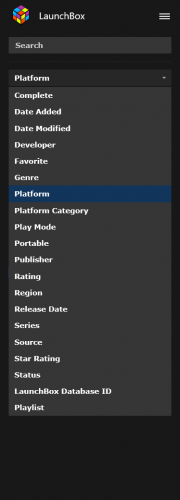 Yes just copy the default theme and edit that, the default Launchbox or Bigbox themes can not be edited for safety reasons.
 -
Is it a lifetime license?
-
There is no current beta, 9.3 official was released last night so that is what you should be updating to.
-
It is no different to how it updates when a update is downloaded, just that you are initiating it yourself. It won't overwite any of your configs it will simply update the program, exactly the same as a normal update. Just make sure to install to the correct folder as the installer adds a \Launchbox to the location and you don't want a Launchbox folder inside your Launchbox folder. So if you just have Launchbox on the root of your F: drive just choose F: in the installer.
-
Have you tried manually installing the update from the update folder and specifying the path in the installer wizard?
-
So Launchbox downloaded the update then you get that when it restarts to install the update?
-
It looks like your HDD doesnt have a drive letter, or you dont have permissions to write to it from that PC.
-
Yeah there is no chance there im afraid. Launchbox was completely rewritten since then and is now using a completely different framework than what you are on uses. The startup/shutdown screens are simply incompatible with your version.
-
OK now i'm confused, are you running Amiga through MAME as well? If so you likely need the kickstarts for that, but im not even sure if that works in MAME, or if it does i dont know anyone who uses it, they use dedicated Amiga emulators. As for Arcade roms working when you unzip them that makes no sense at all, MAME roms should be loaded in a compressed format, you will just get a error if you load a unzipped rom to MAME, are you sure you actually have correct pack and not the Software List pack for MAME which contains old computer systems and a handful of consoles?
-
This could be several things. First do you actually have all the bios files, they are not included in all the romset types, they are in the non-merged set but i'm not to sure about the merged pack. Also the romsets and the emulator are versioned for a reason, so if you have a 0.202 merged romset then you should really be using version 0.202 of the MAME emulator along side it as this can cause incompatibilitys (rom zips and the emulator can change from version to version, and a game that worked in a previous version can be broken in a current version and vice versa). Thirdly what games are you testing? Some games also need a CHD file as well as the rom zip in order to work, CHD's are essentially CD images compressed to the CHD format and some games need them. Killer Instinct 1 and 2, Street Fighter 3 and it's sequels for example all need bios, gamename.zip and CHD.
-
Also to add, as you are using a pre built build that also uses Rocketlauncher you could break things by updating emulators. The rocketlauncher modules that interface with the emulators are usually for specific emulator versions and can/will break if you update to a non supported version.
-

Adding videos from EmuMovies not available?
neil9000 replied to black_rain09's topic in Troubleshooting
The Launchbox database does not have any game videos, there are however a handful of theme videos on our database for a very small collection of games. The game videos need a paid emumovies subscription in order for them to be scrape-able in Launchbox, so it sounds like either you dont have a emumovies premium subscription or your credentials are wrong.


