
faeran
-
Posts
3,042 -
Joined
-
Last visited
-
Days Won
143
Content Type
Profiles
Forums
Articles
Downloads
Gallery
Blogs
Everything posted by faeran
-
The first 12.4 beta is out now:
-
Hi everyone, The first 12.4 beta has been released. We are looking for this to be a bugfix build that will solve some nagging issues. Here are the release notes for beta 1: Fixed: Crash in the Download Platform/Playlist/Category Theme Videos tool when no EmuMovies credentials were set Fixed: The Download Metadata and Media Wizard will now run the tool against your entire library when no items in your library are selected Fixed: The Play option is no longer disabled for GOG games that aren't installed, if you have the GOG client installed Fixed: Using Platform Banners in a FlowImage was causing black borders to be generated on the image All testing on the above is much appreciated.
-
Made some adjustments to the theme for you, essentially a version 1.1: Selected item border should now be white Added alphanumeric index to the game wall view. Access it by hitting your Open Index mapping (you'll need to set a button to this in your keyboard or controller mappings). The POC - babynebbia edition - 1.1.zip
-
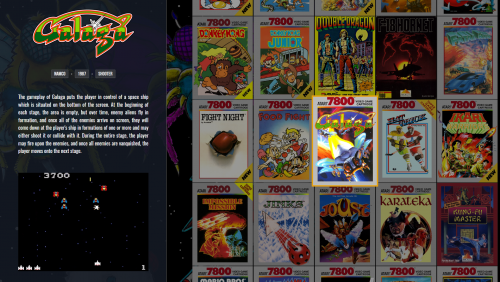 Alright, give these a shot. You'll need the newest version of the theme I just posted. TextFiltersView.xaml - Platform background image TextFiltersView.xaml - Platform background video
 -
Version 1.1 is out with the following changes: Box - Front, screenshot, Video, Title, Description, and Cart/Disc now have animation Wall View selected item slightly scales larger and offsets up a bit Game backgrounds change while navigating Theme specific "page turning" sounds now added for Move, Select, and Back Fixed: Wall View 1, when the game name was too long, part of the description would get cut off Fixed: Animations on Platform View 1, when going between platform and games views
-
Hi @KaaMoS. Tbh, I'm not entirely sure what were in those versions. Do you remember what the changes were?
-
I see. So, not a static image, but a platform specific image. I made this edition for you, let me know if it suits your needs. You will need to put your platform specific images into the following folder: LaunchBox\Themes\The POC - babynebbia edition\Media\Platform Images The POC - babynebbia edition - 1.1.zip
-

Very Slow MAME Load with High Scores Enabled
faeran replied to Galactician's topic in Troubleshooting
Hi @Galactician. The only thing I can note is that this is not normal behavior. I did not see any change in load time when using this feature. Wish I could be more helpful, but at least you now know this shouldn't be happening for you. -
This depends on the system. However, like @C-Beats was mentioning, if you set the media limit to only 1 per image group, and then choose to download something like Clear Logo for both LaunchBox GamesDB and EmuMovies, then it will first check and download a clear logo from the LB GamesDB. If it doesn't find out it will then check EmuMovies for one. In the end, you'll still only get 1 clear logo for each game. Yes, those options will appear in LaunchBox once you have logged into an EmuMovies account that has their sub.
-
Hi @DjangoScroll. I do not believe Big Box has a sort, or arrange by, feature. It does have a filter option. If you'd like, you can put in a request for this feature. At the top of the page click Help & Support > Request a Feature
-
Hi @babynebbia. All this is possible, each one would require a different change. I can help you making the changes though. If you can provide the static image, and tell me which game view you are wanting to change the highlight color on, I can put something together for you.
-
Hi @gstratto. Kind of curious, if you imported your games already, did you already point those games to an emulator? If you don't have RetroArch configured as an emulator already, you can take advantage of the RA automatic update feature by: checking Tools > Manage > RetroArch, and use the install option to get RA automatically installed. Then you'll need to bulk edit your already imported games to point to your new RetroArch emulator. You would also want to double check that the platform names you imported from before match an entry in the RetroArch Associated Platforms section, and then add any necessary BIOS files to your RA system folder, which is located in LaunchBox\Emulators\RetroArch\system
-
From what I'm seeing, if you remove the region from the file, it will use your region priority settings as a fallback.
-
Try this: Delete the theme your LaunchBox\Themes folder Go into Big Box, under Manage Themes, find the theme and download it from in there. Alternatively, you can right click the zip file that you downloaded from the forums, go into Properties and Unblock the file before extracting any of its contents.

-
Platform Voice Packs - 190-200 Platforms in Each Pack
faeran commented on The Papaw's file in Platform Media
 That would be correct, or at least that would make things easier.
 -
Local Splitscreen Multiplayer Not Working At All
faeran replied to chankee's topic in Troubleshooting
LaunchBox doesn't actually touch your dolphin controller config, but you could always open Dolphin and make sure your controllers are set up there. -
Hi @Yaboywhiteey, Did you download the theme from within the Manage Themes section in Big Box?
-
 I'm not really sure. Most likely they are all within the Theme's View folder.
 -
Just be cautious with skraper, as it's known to add backup files within your Data/Platform folders which can mess with your library.
-
Hi @Cavey. I'm pretty sure the way it works is that it will check your file for regions first and download media accordingly. To test this, check your Planet of Death ROM filename for any region and change it to United Kingdom. Then try to download media again using the wizard and see if you get different results.
-
Platform Voice Packs - 190-200 Platforms in Each Pack
faeran commented on The Papaw's file in Platform Media
You would require the CTC to make it work with themes. -
I see. Not sure if there's an easy way to see this, as the GamesDB is constantly changing. LaunchBox does refresh a local copy of the database metadata on your local machine, but there's no easy way to do a compare with your library. Sounds like a good plugin idea.
-
To accomplish this, you would have to open up all the xaml files and replace all instances of the following line with a different font: <FontFamily x:Key="FontHead">/CityHunter.Resources;Component/Fonts/#Streamster</FontFamily> Here's an example if I wanted to change it to Arial: <FontFamily x:Key="FontHead">Arial</FontFamily>
-
Show Favorites First - Turn off only for playlists
faeran replied to soacesloth's topic in Playlists & Playlist Media
Hi @soacesloth. I could be wrong, but I think you are right in assuming you cannot change this setting on a per platform/playlist basis. -
From my understanding, this option requires a premium membership from EmuMovies. This option isn't for downloading manuals, but to find manuals you already have in your games folder and associate them to your imported games.




