thimolor
-
Posts
401 -
Joined
-
Last visited
-
Days Won
12









thimolor's Achievements

32-Bit GPU (5/7)
624
Reputation
-
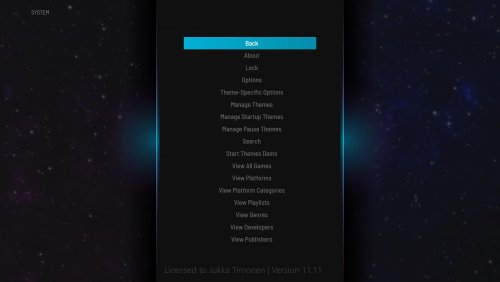
Hi, just wanted to post this here for all the Linux users wanting a frontend for retro gaming (Not planning to add Steam support etc.). Making my own frontend for linux (will work on Windows and MacOS also) and it's coming along nicely. Right now "BigScreen" mode is priority for my use case, but it works on desktop and has mouse & keyboard support also of course. It should work on older hardware and I will put some settings there to simplify the UI to get it running smoothly even on older mini-pc setups. The UI should be clean, sleek and streamlined to access quickly the games you want to play. It's still under development, but I'm just so exited to sharing some news. First theme is modern and it should work for most platforms there is. I will post some videos also in the near future. Name for the frontend is "Playtronite" and it will not be a competitor for LaunchBox that has a lenghty feature list. Playtronite will focus more on the TV-mode experience with much less features.

-
- 3
-

-
 Nothing to show just yeat... been testing it, always adding new things and tweaking the UI for desktop and TV use. But I have to say I like it already. It's going to be clean and simple.
 -
Still using this? Have you tried Slipstream, if the wall view works there? You might ne able to copy paste wall view code from there to Pulse... I'm currently working on my own FE. Should be out this year... and it works in Linux, Windows, Mac... it has the Pulse-theme feel to it.
-
 Sorry for the late response. You can edit the theme with the Slipstream CTC-files and CTC-tool. My support for the themes has ended unfortunately. You could seek advice from other theme makers that are active.
 -
I think all the themes work on every platform including Minimis. I'm using it on Windows. Pegasus has few options and it even feels too simple, but I found out that I don't really need a feature creep frontend. I love Launchbox for keeping my data up to date, but I'm not fan of BigBox. For me it's too sluggish and I really hate xaml 🙂
-
Going to put this theme on hold indefinitely. Found Pegasus Fe + Minimis. That theme is just perfect for me. So bye for now.
-
Decided to start a new theme for my bartop build that I have been building lately. Trying to find ways to make the wheels work better for arcade games. Found faeran's great BannerBox and made few changes for the wheel. I have already made a working prototype and it feels fresh and nice to scroll through the games. Design aspect ratio is 4:3 (my bartop has 4:3 lcd monitor), but I think this will scale quite fine for 16:9 also when it's finished.
-
Why not just download the CTC files for Pulse amd change from there. Then copy the modified view to the theme folder after publishing, this way you don't have to worry about the wall views breaking down(cant build wall views with ctc).
-

COMING SOON - 4 Player "UtmostCade" with Dual 50" 4K Screens
thimolor replied to Boomerps2's topic in Collections and Builds
I know I'm a bit late, but I have one name suggestion: Over the Top. Just want to see when this monster is finished. Hope you post some pics. -
 Sorry. You will have to wait a long time unless you fix it yourself with the CTC-files I have provided or just use another platform view.
 -
Did you download Vikings platform videos 16:9? Although the fallback image should not be zoomed. So it's a bug that should be fixed.
-
big box theme dirtyOld (Theme is no longer available)
thimolor replied to thimolor's topic in Big Box Custom Themes
I have deleted it. I hope you try newer themes that work with the new LaunchBox versions better and support all the new features. -
Doing some changes to the views and adding few more.
-
Thanks. Yes I did. You can't edit the wall view wheels in CTC. You must do that in text editor. You can do the changes while BigBox is running. I did the wall view layouts in CTC. "You can download the CTC-files from here: