
Rlad
-
Posts
508 -
Joined
-
Last visited
Content Type
Profiles
Forums
Articles
Downloads
Gallery
Blogs
Everything posted by Rlad
-
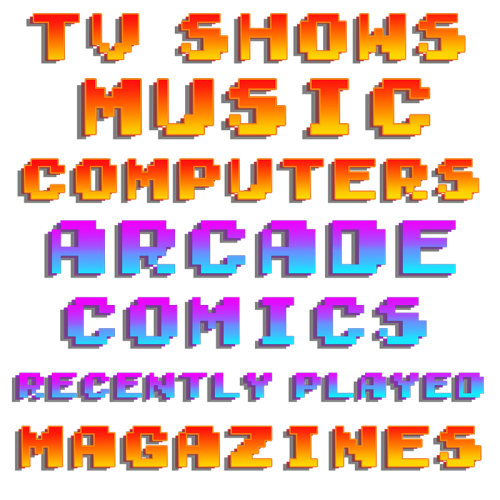
Version 1.0.0
124 downloads
11 Clear Logos X 2 Styles + PSD files Arcade, Comics, Computers, Consoles, Handhelds, Magazines, Movies, Music, Pinball, Recently Played, TV Shows.-
- 1
-

-
- pixel
- platform category
- (and 1 more)
-
22 3D Pixel Platform Category Clear Logo Pack View File 11 Clear Logos X 2 Styles + PSD files Arcade, Comics, Computers, Consoles, Handhelds, Magazines, Movies, Music, Pinball, Recently Played, TV Shows. Submitter Rlad Submitted 02/08/2023 Category Platform Clear Logos
-
Sorry i didn't get a notification as you didn't quote me, i'll upload the logo set i made tomorrow.
-
[PSX] Gear Fighter Dendoh .... I need a videosnap HQ
Rlad replied to daygoshen's topic in Game Media
@daygoshen This is all i have. 1220017849_GearFighterDendoh-01.mp4 -
I seem to be missing a number of Retroachievements for N64, everything else is lining up with the Retroachievements plug-in. Checked Mega MAn 64 hash, is correct, changed to a .z64 from .n64 still not showing. Could someone check MEGA MAN 64 on their system please, or any of the MARIO games.
-

-
devreorder
-
Well that's odd it should look like this. I don't know what to suggest other than updating or re-installing Retroarch, if you use Content Directory though that should save for all games in the same folder.
-
Where are you trying to save. Quick Menu>Overrides should have Core, Content Folder and Game save options.
-
The back insert is visible through the clear case, is that what you're saying? or like this on a double case
-
I've made a recently played playlist.
-
Highlight the games you don't want and press delete.
-
'Input' is to match the correct buttons on your controller, 'Controls' is to remap those buttons per system or per game. Input determines how your controller works in the Retroarch menus. A to select, B to go back for example, but you may want to swap those as they are for Nintendo consoles so you'd use 'Controls' in the Quick menu to do that. Does that make sense?
-
You can turn them off in the latest Beta.
-
You can go below 1.000 if you type in the number, you''re right though it could do with a per game overide.
-
If you rightclick>edit the platform in LB you can overide the default box sizes.
-
They need to be named in Launchbox exactly as on Retro Achievements which is 'Dragon Quest V' in this case.
- 2 replies
-
- 1
-
-
- retroachivements
- retroarch
- (and 2 more)
-
 That's my collection done now, these are the last few.
 -
Redone as it was overcropped.





