

bundangdon
-
Posts
1245 -
Joined
-
Last visited
-
Days Won
2
Content Type
Profiles
Forums
Articles
Downloads
Gallery
Blogs
Everything posted by bundangdon
-
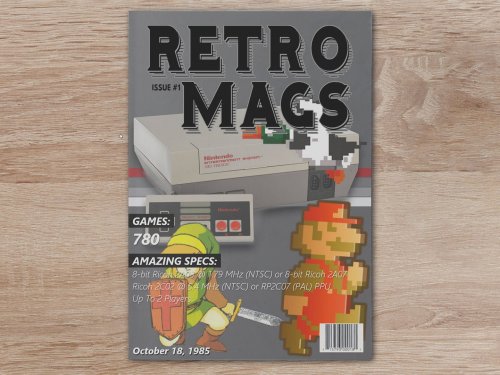 Very nice! You adapted the (originally) emulationstation theme over to LaunchBox's format and brought it to a whole new level!
 -
Generally, I stick with the Mednafen core in Retroarch too, but I'll try SSF every now and then since I've been watching their progress over the past 10-15 years. SSF does have a more 'pure' feel while playing Saturn games with it, although it's also full of random but mostly minor issues
-
Thank you so much for adding this! I've been waiting for this feature to be implemented for a really really long time. Better late than never😁
-
Yep! After a little bit of time and effort, I found a way. Put the following in "Running AutoHotKeyScript" Sleep, 2500 SetKeyDelay, -1, 110 Send !{Enter} Return Here's a screenshot I just made with 'Darius II' running full screen in SSF

-
 For us novice/amateur types, I'd highly recommend using MS PowerPoint for making theme videos. All you have to do is create a PPT and save it as a video. It takes some time to put it all together, but with a much easier learning curve.
 -
A very important FYI, related to this post of course, the latest version of SSF now has the ability to load .iso and .chd files. From what I've tested so far, it's working great and there's no extra command lines needed in LaunchBox to load games directly. For anyone's reference, the latest version I tested is SSF .12 preview r27
-
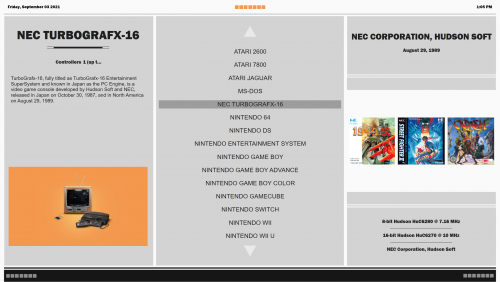 Great looking theme, especially the dark version. Thanks a lot for sharing this!
 -
Yep, that worked perfectly. Thanks a lot!
-
Wow! But it's a shame that the new filtering feature doesn't work with other LB themes. I tried this latest beta with the default theme and it works great, but it's not available in the LBPlex theme, which is the one I almost always use
-

LaunchBox for Android New Version - Beta Testing
bundangdon replied to Jason Carr's topic in Android
Thanks a lot for the latest update! Beta 7 is now loading up noticeably faster on my Galaxy S10. Also, I can confirm the same issue (that you mentioned) with the two variants of Citra. When you load them up with the Dig frontend, it doesn't launch the games. -
Just tested it here, and it seems like it's running smoothly with no issues. Anything specific I should be looking for while using this particular version of the "Colorful" theme?
-
LaunchBox for Android New Version - Beta Testing
bundangdon replied to Jason Carr's topic in Android
@Jason Carr Thanks a lot for the prompt reply to my earlier request. I've got the latest Android version up and running now, and it's working pretty smoothly so far. Just wondering, will you be adding in the ability to allow users to place their own images in the appropriate directories? The online scraper works pretty well, but there's a few games which it couldn't find and sometimes it would be nice to have my own custom images. Also, the ability to use screenshots in the background (instead of fanart) would be quite nice too. -
Everything seems to be working okay now. Thanks a lot for the update!
-
LaunchBox for Android New Version - Beta Testing
bundangdon replied to Jason Carr's topic in Android
@Jason Carr I'm really glad to see the android project back up and running. However, I sent an email about a week ago to try out the latest beta, but haven't heard back. By any chance, did you get an email from an address with this same username? -
Fantastic work once again! Thanks so much for putting in the effort to make such a great theme-building program
-
Then you need to delete that 11.16 beta 1 from your "updates" folder and then turn off "Automatically Download Updates" in the background in LaunchBox options.
-
What you can do is look in your "Updates" folder (within LaunchBox) and should be able to find the previous installation files there, that is if you want to go back to an earlier version
-
@faeran @Jason Carr Unfortunately, I tried to install this update a few different times and different ways, and I'm getting a major error that I can't get past after the installation finishes. When I revert back to 11.15, there's no issues Update: I figure that this must have something to do with my data or the plugins I'm using, because when I do a fresh install (with no data, games, images, etc.) there's no issues. Sticking with 11.15 until the next beta is released
-
I'm pretty sure that's the "Retro Console" theme, which can be found here: Retro Console - BB Theme, added animations and more! - Big Box Custom Themes - LaunchBox Community Forums (launchbox-app.com)
-
You won't get any definite answers here to that question, and rightfully so. With that said, your best bet is to look around on the web and download the ones you're looking for and check youtube for tutorials on how to use them properly, if you're running into any problems
-
LaunchBox for Android New Version - Beta Testing
bundangdon replied to Jason Carr's topic in Android
Okay, good to know. Thanks for the advice, and I'll let you know if I encounter any issues during the install -
LaunchBox for Android New Version - Beta Testing
bundangdon replied to Jason Carr's topic in Android
This is great news! I'm really glad to hear that the android app is back in development, as I still have the original android Launchbox app on my phone at this very moment. Time for an update -
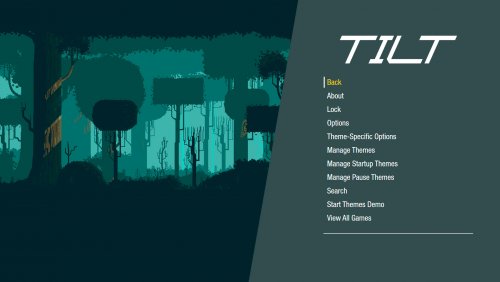 Good to know! Thanks a lot for the update
 -
@faeran Any ETA on when we can get the Community Theme Creator files for this? Looking forward to making some 'adjustments' especially since this is such a smooth running theme
-
Sorry to revive an old post, but I had the same issue today (after a 'fresh' windows install) and this method completely solved it. Much appreciated!





