Wally
-
Posts
222 -
Joined
-
Last visited
Content Type
Profiles
Forums
Articles
Downloads
Gallery
Blogs
Everything posted by Wally
-
Not Launchbox related BUT does anyone know if thre MAME Bezel project can handle MAME arcade games playing in TATE mode on a 16:9 monitor (putting bezel on the upper and lower part) instead of right and left? Thank you
-
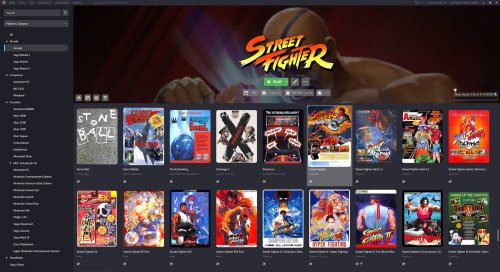 Thank you! I have an issue though. The badges are cropped. I have attached an example How could I rectify it?
 -
Thank you very much! Attached my Platforms. I want to derive from Mame Fullset subcategory

-
Hi Joe, yeaaappp
-
Thanx! I am getting this error though when I hit Create
-
Hi, I have a full list MAME imported into Launchbox. I read about the new Filter capabilities where we can have Vertical arcades to be recognised. Since I have a rotating monitor and it would be very handy if I could create a playlist with all Vertical MAME games (BUT without deleting and re-importing everything MAME). Is there a way? Thank you
-
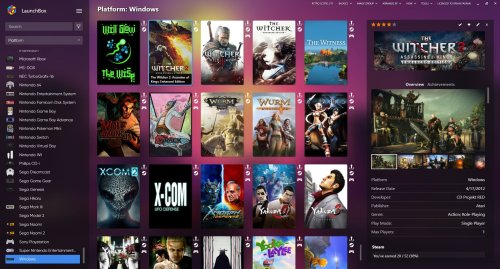 Could you apply Uniform grid in this theme as well?
 -
Latet Tsugaru build adds support for fullscreen and one button exit Here is my command line
-
OK. Thanx guys. I may need to look into MAME again
-
Has anyone had any success using a standalone emulator for Apple II GS? I pretty much dislike the way MAME does the computers emulation (the MESS part) and I am trying to avoid it where doable.
-
Sorry...I have checked and I think I was wrong. It seems it does not download existing media. Thank you
-
Thank you but it seems not to be the case. It seems to download everything... Also in a very slow speed unfortunately (Premium member in both Launchbox and Emumovies)
-
Hi, I deleted my SNES games from Launchbox in order to use the 1G1R set. The deletion kept the media intact. Should I delete the media manually before importing the 1G1R set or the import process will recognise them and not re-download existing media? Thanx
-
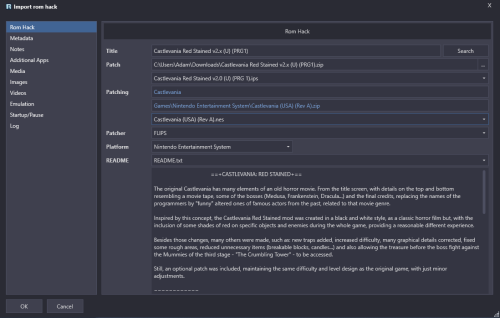 By all means! Debug 2022-01-30 11-20-12 AM.log Debug 2022-01-30 12-08-49 PM.log Debug 2022-01-30 12-10-55 PM.log
 -
The log is empty: Log Entry : 12:06:12 μμ Κυριακή, 30 Ιανουαρίου 2022 :Output length: 37 ------------------------------- Out of specs:I mean that I used a bps (not ips) in a platform that you have not listed.
-
Dont be. Your plugin is very useful! I noted that I went a bit out of specs. What can I post so I can help you debug?
-
I went a bit off specs: Tried to patch Golden Axe (Master System) with a fresh bps patch. https://www.smspower.org/forums/18151-SMSGoldenAxeTyrisFlareEditionROMHack It did patch it, created the file as well but it semi-destroyed my Platforms: Only half of them were visible. Master System along with others just disappeared from Launchbox. Fortunately Launchbox has the awesome backup feature of the XMLs and got everything restored back.
-
@crnppscls Have a look:
-
use the CUI.exe Here is a screenshot of my setup. The emulator needs more work in order to be more compatible with Launchers (no exit key, no fullscreen param etc). I have set the CPU to 25. Maybe it needs more. I am just starting to get involved with this emulator
-
Launchbox as an app, as a service, as a community is top notch and frankly the premium fee is peanuts compared with what is offered. Thanks Jason
-
I use a standalone hard disk which I always set as L: My structure (simplified) is -Emulators -LaunchBox -RetroArch I use relative paths and whenever is not possible (e.g in some standalone emulators) I use the full path which since I have the drive always set as L:, it wont change. So, I can grab my hardisk, put it in a USBbox or on the PC SATA, plug into a friend's PC and play in zero time. If I remember corectly, only VPX gives me some trouble because it needs to run some Registry things into the new PC in order to operate...which is easy. I have a batch ready. I have also another disk as a backup and once a 2 weeks time I use the EXCELLENT FreeFileSync software ( https://freefilesync.org/ ) which synchronises all additions/alterations/deletions from the production to the backup disk. I am using the paid version (very cheap) which it has more threads and the sync is done super quickly. So I have a portable setup which is quite safe as well. I hope that helps if someone creates a new Launchbox set up.
-
Exceptional work!
-
Any chance that this would be looked into in the near future? It has 20 votes and it is 5 years old. Thank you
-
BigBox - controller automation for multiple controller types?
Wally replied to Valkyr1983's topic in Noobs
I do not know if we have the same question. I sometimes use a Saturn Retrobit controller, sometimes an XBOX 360 controller, sometimes my custom Arcade controller (ZeroDelay encoder). Can BigBox have different UI mappings depending on the pad attached? I have ended up not using BigBox because it is mapped on 360 controller - which I do not use for e.e 8/16 bit systems. So if I need to play some Sega Genesis, I need to use the keyboard to navigate inside BigBox because RetroBit is not mapping compatible with the 360 mappings. Thank you