

Lordmonkus
-
Posts
11,556 -
Joined
-
Last visited
-
Days Won
76
Content Type
Profiles
Forums
Articles
Downloads
Gallery
Blogs
Everything posted by Lordmonkus
-
Try turning off startup screens in BigBox.
-

Mortal Kombat 11 trailer video snap thing
Lordmonkus replied to uhhhhhhhhhhhhhhhhhwyanwunt's topic in Game Media
Maybe if you uploaded the file with a download link to download it rather than embed the video file. -
You can use Mame for both CD and floppy games fmtowns floppydisk1 (flop1) .bin .d77 .d88 .1dd .dfi .imd .ipf .mfi .mfm .td0 .cqm .cqi .dsk floppydisk2 (flop2) .bin .d77 .d88 .1dd .dfi .imd .ipf .mfi .mfm .td0 .cqm .cqi .dsk cdrom (cdrm) .chd .cue .toc .nrg .gdi .iso .cdr harddisk1 (hard1) .chd .hd harddisk2 (hard2) .chd .hd harddisk3 (hard3) .chd .hd harddisk4 (hard4) .chd .hd harddisk5 (hard5) .chd .hd
-
Buk355 Garage Arcade Updated
Lordmonkus commented on buk355's gallery image in Photos of Your Builds
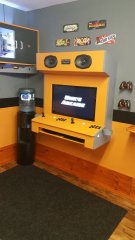 Yeah those buttons look too far from the stick.
 -
A lot of people who do cabinets tend to o just Mame and an older version of Windows where this sort of stuff is much easier. I would just use a nice fast SSD and that way it takes a very short amount of time to boot and go past the screens.
-
You can try this guide and see if it meets your needs but I won't be responsible for anything that may go wrong, you do this at your own risk.
-
I don't see why what drive your roms are on would have any effect one way or another. Retroarch just saves an override file for that rom based on the rom name itself and when you load that rom again it loads the override for it.
-
You deal with it by not importing them, you only import the .cue files.
-
You can also try the controller remaps in the quick menu.

-
Here are my settings in RA and I have no problems with per core controller settings, you have to turn off Save Configuration on Exit and make sure that when you change your control settings that you save the config as a Core Override.
-
Manual playlists will help some. I don't know what kind of workaround you would have in mind, it's a simple matter of system speed + # of playlists, your system has to parse all of your platforms xml files for the metadata that matches up with your auto playlist to generate that actual playlist. Now if your LB is taking 1.5 minutes to load up without auto playlists then there might be something else causing and issue that needs investigation but the amount of time required to start up will depend on your CPU, how many auto playlists you have, how many platforms and how many games you have imported.
-
Adding games to an auto generated playlist.
Lordmonkus replied to Warped Polygon's topic in Troubleshooting
To change to a regular playlist, select all the games in your auto playlist with Control + A, right click a game and add games to a new playlist, call it what you want. Remove the auto one after. -
Auto-Generated playlists have a performance hit because of all the xml parsing that has to be done on load.
-
I meant post about it in the actual 9.8 beta thread here:
-
Do not do this, this will undoubtedly break it, arcade system emulators always want their roms in a zipped format.
-
Post issues about this in the beta thread, that is what it is there for.
-
Can someone do an updated Apple IIGS setup Write up?
Lordmonkus replied to DanTheMan1379's topic in Noobs
Damn, that is quite the writeup @sundogak, I added a link to it on the Guides & Tutorials thread. -
Just grabbed the game and tested and looks like it locks up in ePSXe. Is this where it locks up for you ?The game does load in Retroarch with the Beetle core though. Might be a compatibility issue and this is one of the small selection of games that don't work. Maybe it works on an older version of ePSXe or something, I couldn't find anything about it on any compatibility lists.
-
How to add hacked games separate from the standard system games
Lordmonkus replied to SubRetro's topic in Noobs
You can add any game to any platform you want but whether it will work or not depends on a couple of things. Make sure the emulator you want to use as an Associated Platform for the platform you are adding your game to and of course make sure the game works with the emulator you intend to use with the game. You can have it scrape as any system you want but in the case of hacks don't expect to find anything since the very vast majority of them are not in the database, you can add your own metadata and images if you want though. -
Setup different arcade settings as different platforms
Lordmonkus replied to 3dlollo's topic in Noobs
Get the newer version if you get a new rom set, otherwise use the version of Mame that plays all your games. -
Setup different arcade settings as different platforms
Lordmonkus replied to 3dlollo's topic in Noobs
You should try and match your version of Mame and rom set as close as possible, the further apart you get in versions the more likely you are to run into games not working. The version of Mame used on a Pi is an older version so the rom set is also older. Also the latest Mame right now is .208 with an update to .209 due out this Wednesday. -
There is no way right now but maybe could be added if asked and enough other people want it.
-
Setup different arcade settings as different platforms
Lordmonkus replied to 3dlollo's topic in Noobs
Yeah it's gonna be a lot of work to try and put together a set manually. What I would do, even though it would require a big up front download of about 110 gigs is to get the latest Non-Merged rom set and pick out each games rom file. The thing that makes the Non-Merged set perfect for this is that is 1 rom = 1 working game, there is no split of rom files such as bios or parents. My personal Mame set I use is a hand picked set from the Non-Merged set, approx 430 games. -
Setup different arcade settings as different platforms
Lordmonkus replied to 3dlollo's topic in Noobs
I can understand that. We wont tell if you download a rom set somewhere if you don't tell Unfortunately there is not, even though a rom might have the same name it may be a completely different dump with different rom files in the zip file so for example, a Pac-Rom from 2003 may not work with the latest version of Mame even though the file name is identical. This would be a very old rom set. -
Setup different arcade settings as different platforms
Lordmonkus replied to 3dlollo's topic in Noobs
You can easily import them into their own platforms but you will want to have the appropriate emulator for each rom set to ensure the best compatibility with each set. My advice if at all possible for you is to download the latest or at least closest to the latest Mame rom set you can get and break them up in LB using playlists. This way would be one rom set and one emulator, Mame has all the games that FBA has plus more, FBA has nothing that isn't in Mame at all.


