

Boomerps2
-
Posts
157 -
Joined
-
Last visited
Content Type
Profiles
Forums
Articles
Downloads
Gallery
Blogs
Everything posted by Boomerps2
-
Yes, and its not with all games. Only the TeknoParrot games that have a big switch in resolution. Everything works great playing the game, just exiting will bring your main display onto the marquee display.
-
This plugin has been a lifesaver. Thank you for what you do! Quick question. I noticed the resolution for my main & marquee monitor is set to 2560 X 1440 even though both displayes are 3840 X 2160. Does this make a difference and if so is there a way to change that? Also, still having the issue in TeknoParrot with BigBox shifting to the marquee screen upon exiting at which I just (Windows key + shift + left or right aarow) and it moves over to the primary display. I'm on the updated version of 4.0.0
-
Weird issue with TeknoParrot and Marquee's
Boomerps2 replied to Toaster777's topic in Troubleshooting
Same issue for me as well. Heck sometimes I will exit the game and the launchbox magically on the marquee display. You have to Windows Key + Shift + Arrow left or right to fix it. -
Highlighting entire collection in LaunchBox to download "Fanart-Background" from LaunchBox database not working but can download by editing a single game. EmuMovies doesn't have the option to download "Fanart-Background" with highlighting entire collection in LaunchBox but the option is there by editing a single game. I have access to EmuMovies FTP but don't see anywhere in there to download "Fanart-Background". Anybody know where I can find it? THX
-
RETROSPACE OS - Dynamic Wallpaper Retroarch.
Boomerps2 commented on retrospace's file in Platform Bezels/Overlays
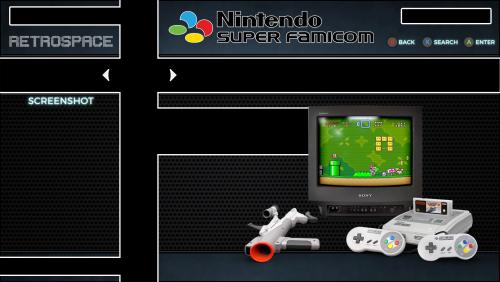 This is to be used outside of LaunchBox/BigBox and exclusively in Retroarch
 -
Updated Retroarch to 1.16.0 No mame core games will launch
Boomerps2 replied to Boomerps2's topic in Troubleshooting
Well isn't that some shit. New MAME with renamed root folder so Launchbox couldn't find the game. Too bad LaunchBox doesn't give a prompt that the game isn't there as it does when the emulator isn't there. Would have saved me some headache. -
As the title states: All other cores work fine. Launch anything Retroarch MAME core related in LaunchBox/BigBox just kicks me back to the launch screen Open Retroarch w/ mame core outside of LunchBox/BigBox and games work fine Boot with MAME 0.258 in LaunchBox/BigBox and games work fine Anything Retroarch mame core related is not working from within Launch Box/BigBox for some reason Freshly downloaded mame 0.258 merged romset Can't figure this one out

-
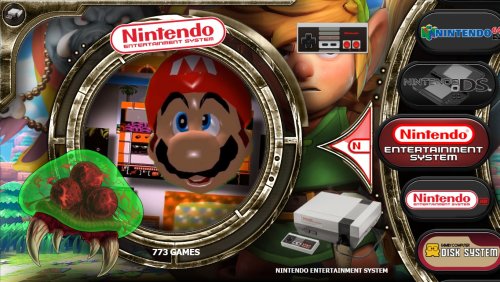 Is there anyway to slow down or stop the zooming in & out of images? Also, Vertical Wheel Image #4 has upside down logos in the pointers.
 -
Platform menu background music themes for Dreamcast & Gamecube
Boomerps2 commented on evo1man's file in Platform Theme Videos
 Holy crap! That Dreamcast one makes you want to pee!
 -
PCSX2 emulator left open after exit? Default scrip no longer works.
Boomerps2 replied to Boomerps2's topic in Troubleshooting
yep, it was the "-batch" that worked Thank You -
The default running script for the current PCSX2 (1.7.4207) no longer works which is: ; This section closes PCSX2 when pressing Escape $Esc:: { WinClose, ahk_exe {{{StartupEXE}}} } When ESC is pressed to exit, the game closes with the PCSX2 emulator game selection screen left open on top of BigBox which stops BigBox. Pressing ESC a second time is required to close the emulator so BigBox can continue. I tried an alt + F4 script and that doesn't work either. Is there a script that will close the game and the emulator at the same time? Thanks for the help.
-
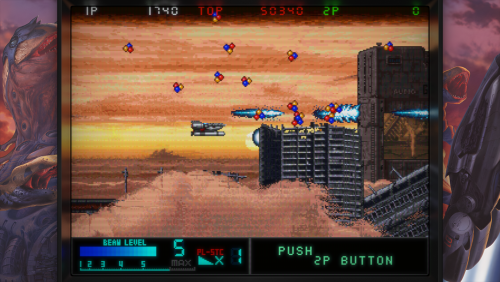 Thank you for starting 4K bezels. The lights out 4K bezels really just don't do UHD TV's justice. Too dark for me. These are beautiful and pop on large TV's.
 -
 What colorful video would you reccomend for Pinball FX3?
 -
Yep, a third party plugin called Multi Monitor 2022. Deleted that and the problem is gone. Now it's time to pick all my hair up off the floor and glue it back on my head. Appreciate it.
-
Here is a video of my problem:
-
I never noticed this feature before and maybe it is new. In LaunchBox (not BigBox) when I perform a single left mouse click on any game in brings up fullscreen artwork. Double clicking a game starts a game as it normally should. This fullscreen artwork coming up is annoying and I don't remember enabling this. Is there anyway to disable this? I've looked and don't see anything. Thanks in advance for the help.
-
 I second that question
 -
 WOW....these logos are beautiful
 -
Okay, thats what I figured. Thank you for the clarification.
-
Is Dynamic Marquee supported for viewing in the platform or playlist sections? It works great when your in the selected platforms but I would like to put a video marquee in the sub menu's i.e. platforms and playlists. Was this added? If so, where do the video marquees go?
-
Nevermind, I just figured it out. Your modified .xml worked. I had the marquee settings in BigBox set to ignore. I unchecked those boxes then it went full screen.
-
So I have a cabinet with dual 50" monitors and the top monitor displaying marquees. I love the way the themed videos play on the top screen while the game is being played on the bottom screen. The only gripe I have is the themed videos on the top are not fully stretched as they are 1440 X 1080. Is there anyway to stretch the video to 1920 X 1080? I have switched the resolution in the .xml settings with no luck.
-
Big 4 Player Arcade Cabinet Names: MegaCade-TAKEN UltraCade-TAKEN DreamCade-TAKEN UtmostCade-AVAILABLE I was shopping around for a large 4 player arcade cabinet and figured why not build it myself. Got a friend that owns a CNC shop and a graphics design shop. Those two shops together is the perfect recipe for a crazy arcade cabinet. Here is what I'm starting with: 4 Player Standup Cabinet Dual 50" 4K Displays Typical Button Layouts (Player 1&2-8 Button Player 3&4-4 Buttons) RGB Trackball, 4-Way Joystick, Spinner & Flight Stick Elgato Stream Deck Mini With Possible 7" LCD screen build into the Control Panel to mimic marquee display Custom Cut Soundbar for any soundbar I choose to use. Soundbars also come with wireless subwoofers that can go in the cabinet or anywhere in the room - Pic included Cutout at the bottom for acrylic window to view inside PC or hamster cage Another cutout at the very bottom for window and additional LED lights Hollow T-Molding to insert LED's Suggestions or ideas would be greatly appreciated
-
The only reason I use it is for Naomi 2 and the Demul emulator. RL allows customized controls per game w/ Demul which is a must until the Flycast core in RetroArch is compatible with Naomi 2.
-
LEDBlinky... Worth switching from Zero Delay to IPAC?
Boomerps2 replied to vicfrankenstein's topic in Features
....or you can just go with the Ipac Ultimate which has the LED controller built in which is very convenient







