
dragon57
-
Posts
1,190 -
Joined
-
Last visited
-
Days Won
14
Content Type
Profiles
Forums
Articles
Downloads
Gallery
Blogs
Everything posted by dragon57
-
@Dan, I have posted a new video for Handheld LCD games in my additions sections for both 16x9 and 4x3. I hope it works for you.
-
@Dan, I could probably do one similar to the one I did for Nintendo Game & Watch where I pick out 5 or 6 representative units out of the group. Let me investigate how hard/easy it will be to get the necessary graphic elements.
-
I was wondering about that. I have seen the name with the space and without it. I honestly have no idea what the official formatting is supposed to be. :)

-
No problem, here you go!
-
Mine is for the Nintendo Game & Watch platform.
-
Be happy to! Here you go.
-
If you are asking about the one I created, below is a screenshot showing the five different games I used. Each has its own video recreation.
-
Here is an "Options" graphic. Also, I can provide any size resolution for the "Unified" and "Options" pictures, so if different versions are needed, just let me know.
-
In your configuration, do you have a space between -cart and the 1? If so, remove it so it reads -cart1.
-
How does everyone like this logo? I didn't take all the queues from the Hyperspin logo, as I didn't want to step on any toes, but it is reminiscent of it.
-
@zlagos, @guyverjay, the videos you requested have been uploaded.
-
Sorry, I should have linked to this: Check out the instructions in the first post and see if it helps.
-
I have listed the systems I have created in my video additions sections. Viking doesn't list all the systems he created in his original posts, however you can bring up the download page which lists everything uploaded, then you can use the browser's 'find' command and look for any system you are looking for.
-
Will do!
-
@zlagos, requests are welcome. I'll add these two to my queue and see what I can come up with.
-
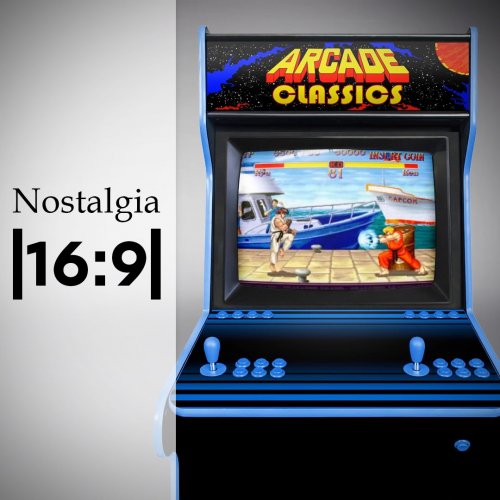 Looks great to me!
 -

Atari 2600 Homebrew / Prototype Gameplay Videos & Media
dragon57 replied to zorkiii's topic in Game Media
If your rom naming convention matches the Emumovies file names, you will get a match/download. Like you, I didn't have matches for all my prototypes, so I used the EMU Movies sync tool to download the art assets that was missing. You can also just go to the Emumovies console downloads page for the 2600 and get the zip files for the art your want, e.g. box fronts, box backs, 3D boxes, carts, etc. -
Probably the quickest, and safest thing to do is just install Launchbox to a different directory, then bring the system.xml from the 2nd installation back to your original installation location. If you are curious what was corrupted in the system.xml, you could edit the old and new, then compare them. If you have a utility like WinMerge installed, it will compare the files for you and show you the differences.
-
Atari 2600 Homebrew / Prototype Gameplay Videos & Media
dragon57 replied to zorkiii's topic in Game Media
The Emumovies 2600 packs have the majority, if not all, media for the prototypes. -
It appears your System.xml is corrupt. Have you checked the Backups directory to see if you have a recent backup of system.xml? If so, replace the system.xml file with one of the backups and try to restart launchbox.
-
I have seen this. Have you tried changing from VLC to WMP? When I did this, the graphical glitches went away.
-
Here is one I made for myself.
-
Welcome Krakerman! If you have any questions, fire away. There are a good group of helpers here. Content creators too!
-
Have you tried RBTray on the new LaunchBox Next app? It seems to allow most utilities that use global hooks into the interface. Also, if you change the border style to Windows style under Options/Theme, I think regular LaunchBox should now work w/RBTray. At least it seems to here.
-
Have any of you who have requested this feature ever tried one of the many 'minimize to tray' utilities available for download?







