
Suhrvivor
-
Posts
571 -
Joined
-
Last visited
-
Days Won
2
Content Type
Profiles
Forums
Articles
Downloads
Gallery
Blogs
Everything posted by Suhrvivor
-
Everything seems fine in your settings. What game are you trying to load and what format is it? It might be that you're trying to run a zipped file, LaunchBox extracts a bunch of files from it and sends the wrong one to Retroarch.
-
Post a screenshot of your emulator settings and associated platforms settings so we could see if there's a hard to spot typo you might be missing.
-
 I understand what you're saying now. I have that problem with Switch games too (I made custom boxes and deleted official ones to make them all match but I have very few games compared to people that have them all). We definetly have a problem with the lack of consistency when it comes to boxes. I guess we can't do much about it from our side, we'll have to wait until they improve the database by adding more sections and cleaning the current ones (did they hire a web developer yet?)
 -
You can make LB to show a fanart boxart if an offcial boxart is no present, there's a priority settings that can manage this (not sure if free users can access this though), you don't have to add a fanart outside of its appropiate section. The moment you let people decide what to put in empty spaces you'll have logos, banners or whatever along side actual boxarts, people like to upload their hacks into the database thinking it would be what everyone else would want.
-
I agree with option 1). The other one is basically a hack, I don't think we should have hacks in the database (but having them on your own system is fine), the db should be as vanilla and neutral as possible. Yeah, I don't like people essentially remastering the game with the emulator's enhancements and then uploading pictures of it to the database. Anything better than what the real hardware can do is kind of inaccurate in my opinion.
-
Make sure your associated platforms has the proper core for that platfom under LaunchBox -> Tools -> Manage -> Emulators -> Retroarch -> Assocaited Platforms.
-
 Thanks! Will do.
 -
"Logos in Fanart - Backgrounds" rule is UNFAIR...
Suhrvivor replied to edgarcastro9o9's topic in Contributions
Hey those backgrounds must be deleted asap or replaced with proper ones. Unfortunately there's people that don't bother to read the rules and decide to add things that go against them or decide to backup their wierd hacks into the database. Plus the mods are stoned 24/7 and accept a lot of things that should not be accepted (I know I've been guilty of that myself). -
Yes, they can be installed wherever you want, they don't need to be in any particular place for LaunchBox to recognize them.
- 1 reply
-
- 1
-

-
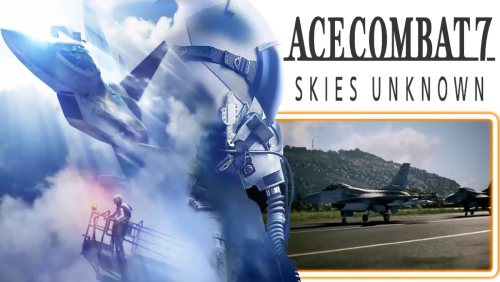 Filling some gaps on my BigBox with these videos. Thanks for making and sharing them!
 -
European PS1 games have built-in copy protection, make sure you have them patched, otherwise it will get stuck in loading screens.
-
That's right.
-
Go to Launchbox menu ▸ Tools ▸ Manage ▸ Emulators ▸ Retroarch and browse for the new Application Path. Easy peasy.
-
Theme Videos for Some Platforms Using Nlash's Style
Suhrvivor commented on Suhrvivor's file in Platform Theme Videos
 Those are pretty cool! Anyway, hope you get better soon.
 -
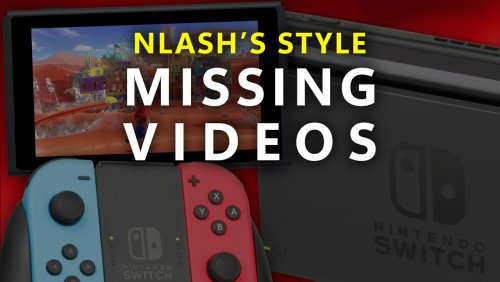
Theme Videos for Some Platforms Copying Nlash's Style View File Some theme videos for platforms that didn't had one with this cool style created by a Hyperspin user known as Nlash. To add them to you setup, download and extract the zip files in your LaunchBox folder (overwrite if needed). You can download the rest of the available theme videos here: Submitter Suhrvivor Submitted 12/17/2022 Category Platform Theme Videos
-
Version (8 Platforms)
1,239 downloads
Some theme videos for platforms that didn't had one with this cool style created by a Hyperspin user known as Nlash. To add them to you setup, download and extract the zip files in your LaunchBox folder (overwrite if needed). Platforms: Microsoft Xbox Microsoft Xbox 360 Nintendo Switch Nintendo Wii Nintendo Wii U Sony Playstation 3 Sony Playstation 4 Windows You can download the rest of the available platform theme videos here:- 5 comments
-
- 10
-

-
-
Trying to Setup RPCS3 through launchbox
Suhrvivor replied to NaughtyPanda87's topic in Troubleshooting
Must be an issue on your end, patches are loaded on my rpcs3 when launched through LaunchBox (tested GOW3 with the "Skip intro" patch). -
BigBox uses Windows Media Player or VideoLan to play videos, the latter is recommended because it doesn't need external codecs for some video formats. you can change in BigBox options which one you want to use.
-
You have more categories than I have games in my setup. I personally have less than 2800 games total, so I guess more than that is too much for me.
- 215 replies
-
- 1
-

-
- collections
- mcfly
- (and 24 more)
-
Can't be done. Just kidding, in the LaunchBox/Themes/Unified/Views folder, open any view that has wheels (ie Wheel4GamesView.xaml, don't forget to backup any file before editing it) try changing the following variables in the "Wheels" section (about line 250): CurveAmount="-1.5" CameraZPosition="2.8" VisibleCount="10" PageSize="11" Spacing="0.575" This is an example you can tinker with the numbers yourself if you want different results.
-
Ryujinx portable automatic updates wrong folder
Suhrvivor replied to DeadVoivod's topic in Emulation
Remember to also edit the updates.json (use notepad++) for each game that has an update file, it won't be fully portable otherwise. -
Theme Videos and Video Snaps for Nintendo Switch
Suhrvivor commented on Suhrvivor's file in Nintendo Switch
 There's no template, every theme should be unique (and better than the default theme, wouldn't make sense if it's inferior). In my case I search in the wikis and official websites for high quality assets and design choices of the game, use Photoshop to create the theme (following the game's look and feel as much as I can), then export every layer as a png file to a video editing software (I use Vegas), then I add a video snap and some video footage if needed (smoke, fireworks, transitions, etc), after that I render into a loseless file format (uncompressed avi), finally I compress it (with Handbrake) into the mp4 videos you can download here .
 -
Disc dumps inside zip files is an awful alternative when you can get them in chd format instead.
-
I use the Beats by C-Beats Theme:
-
The new 3D Boxes look cool, I like this new feature! The only problem I see is that for some reason it uses your image priorities settings for deciding what image type to use instead of what it should actually use, in my case I use the Reconsctucted Box as the number 1 priority which already has the box border, in some platform that ends up looking awful. Here's and example: Left image is what it looks like for me, right one is how it should look. Wouldn't make more sense in this case to ignore user's preferences and pick the proper image type, or have a separate setting?


