

Retro808
-
Posts
7,334 -
Joined
-
Last visited
-
Days Won
27
Content Type
Profiles
Forums
Articles
Downloads
Gallery
Blogs
Everything posted by Retro808
-
It works perfectly on my end for fullscreen or windowed Super Model 3 emulator. No hit or miss. What controller are you using? Could customize an AHK to work, what are the button #’s you are using for “hold” and “close”? Here is how I have it set both my controller automation and the AHK in the emulator. Settings in the emulator itself are basic settings.

-
That "Close the active window" setting is what will close the emulator. When you are playing a game that is the "active window". So in the controller automation you want to bind a button to the "Hold This Button" then bind a button to the "Close the active window". In my image I have to hold button 7 first then press button 8 and Model3 emulator will shutdown.
-
Since you have that script in the settings just make sure you set you controller automation in Launchbox and exiting will work with the controller.
-
@7ank0v1c I was able to test PAL Crash and no issues on one machine, but did get stuttering on another. Only difference I noticed was the one with issues for some reason the overclock setting was on x2. Changed it to x1 like the other one and no issues. So maybe check that setting.
- 19 replies
-
- 1
-

-
- epsxe
- psx emulator
- (and 1 more)
-
Sorry I did not. Work grabbed me last minute to fly to fix a problem at one of our vendors. I will be home late tonight and can test. Any game in particular?
-
I asked on the stream and basically it can do this using a plugin like other themes have used. His latest update the the theme builder you can now directly add user created plugins to the theme while working in the editor.
-
LOL. Depending on your ISP it might take longer to download a new full Mame romset than it would to set up a newer version of Mame with updated roms.
-
Same ones I am using. I have not played a game on ePSXe in a while. So I will test to see if I experience the same.
-
What video plugin are you using?
-
But which version were you originally using? Make sure in the folder where your Mame.exe is you see the Mame.ini file. If not look in the ini folder for it and try copying it and pasting into the main folder where the exe is. I can replicate this exact error if the ini file is in the sub folder called ini. This is with MAmeUI and Arcade64. command line Mame not an issue as it stores the ini once generated in the main folder. The pic below is just now from removing that ini from the main folder.
-
Are you using MameUI orArcade64 by any chance? Also what version # is your Mame? I have seen that error with older versions of those two emulators.
-
Small community and we really only have a few regulars who have coding knowledge and theme building knowledge. So it may be slow to get solid answers. A good spot to post and read is this thread.
-
Glad you are sorted. Keep in mind the new Startup and Pause screen options can be adjusted per emulator and per game which is useful for things like Windows game. Take a look at the options in Startup and Pause settings as you may need to adjust them per emulator/game to get them to work properly. Or you may need to turn it off if it just will not work.
-

I just installed launchbox and it won't start
Retro808 replied to WaywardLearner's topic in Troubleshooting
That error is beyond my expertise. I will tag @Jason Carr -
Crash when try to launch windows games with shortcut extension (.ink)
Retro808 replied to afiroso's topic in Troubleshooting
How many games do this? I have a bunch of gog and windows games imported by .lnk and work fine. What are some games your are experiencing this with? -
I cannot answer the Non-Steam through Steam question as I do not use Steam. The Xarcade piece though I can. You can actually buy a new encoder from Xarcade that allows their controller to be switched between d-input and x-input. It is a simple swap out and your are up and running.
-
I just tested importing those same games and had no issues even with them imported with about 200 other rom files. I do notice something though. Those game names are the exact way the zipped rom file is named for Mame. Any chance you have the zipped rom file imported into an Arcade platform somewhere?
-
I have it working with just static images and clear logos. Trying to figure out prioritization to see if I can get it to first show the marquee image if one exists in the marquee folder and then if not, fallback to the static image and clear logo. output.mp4
-
When you right click a game and go to the Emulation tab what emulator does it show it is trying to use?
-
Are you using the latest version of Launchbox that has Startup screen? If so, If you have Startup enabled try turning it off for that game and see if it helps. You can right click the game and edit then go to the Startup/Pause tab and choose override. Then make sure Startup is unchecked.
-
Neon Deluxe Arcade (Street) - Startup Theme
Retro808 commented on Mr. RetroLust's file in Startup Themes
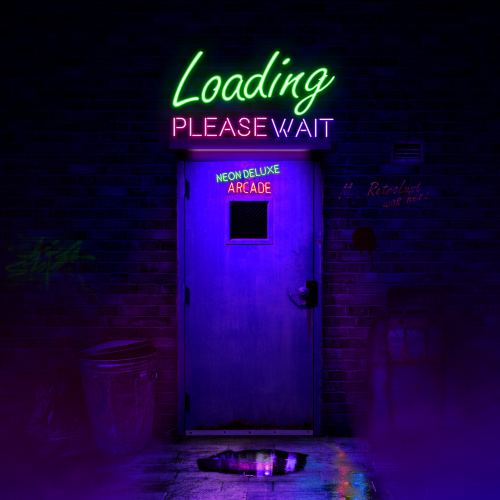 @Mr. RetroLust Now you just need a Pause theme to complete the set. Finally got home to download and test. Looks great and works as @neil9000 confirmed.
 -
If you have newer rom sets, especially those for Mame then naming is rarely an issue. That is the correct rom name for Samurai Shodown. Do not rename the rom. Looking at your pic those game names look correct as well. You can bulk edit them by CTRL+ Click all the games with missing images and then choose >Tools >Download Media and metadata to get missing media.
-
@drewjbx I might have something working on this. Jason gave me some direction and so far so good. Not exactly as you mentioned, showing the marquee if one exists and if not show the static image then clear logo over it. I am testing it now and it does show a static image and then the clear logo scrolls with each game. Not promising anything as I am a novice at this coding stuff, but I do use a marquee so this is something I am interested in.
-
Jason did add it to the default theme. He created a specific arcade.xaml so non arcade system will point to box image and arcade system will point to the Arcade Control image Path. I just edited the theme to alter the look a little and make the image larger. Basically you just need to have a theme point to that folder in the code.
-
Not pointless. Many users do not know to adjust that timing. So it is helpful to show people adjusting it can affect the performance of the feature.



