

MadK9
-
Posts
567 -
Joined
-
Days Won
14
Content Type
Profiles
Forums
Articles
Downloads
Gallery
Blogs
Everything posted by MadK9
-

-
https://www.zeldix.net/t2338-nba-jam-tournament-edition https://www.zeldix.net/t2342-aerobiz Pretty hard to find any decent art for both these games.
-

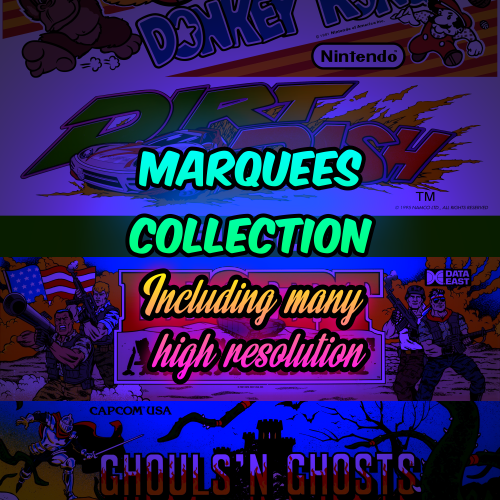
Huge Mame Marquee Collection including many in 4K resolution
MadK9 commented on Mr. RetroLust's file in Arcade
 As always great stuff, and TY.
 -
Mame 0.233 No-Nag View File NOTE: This does NOT interfere with the Leader boards at all. **This removes the nag screen that informs you if a rom doesn't work correctly, or if at all, if you use this no nag, then please do NOT go to the mame support site with issues with games, please only use if you understand that there will be no help from anyone at mamedev as you are using a modified version of mame. mame.exe - Normal Mame with Nags removed. For Version 0.233 (Note mame no longer carries the 64 in its exe name changed by Devs in 0.229) It's advisable to download the full 0.232 official pack and install it, then just overwrite the exe with the replacement, this covers any changes the mame devs may have made to the support files. After you have done this, make sure you copy the folders artwork, ctrlr, cheat, hlsl, ini, folders and the ini files from the root of your original mame folder, and move/copy them to the new install. make sure in the mame.ini file you have the following set. Skip_gameinfo 1 Submitter MadK9 Submitted 07/01/2021 Category Third-party Apps and Plugins
-
Version 0.233
194 downloads
NOTE: This does NOT interfere with the Leader boards at all. **This removes the nag screen that informs you if a rom doesn't work correctly, or if at all, if you use this no nag, then please do NOT go to the mame support site with issues with games, please only use if you understand that there will be no help from anyone at mamedev as you are using a modified version of mame. mame.exe - Normal Mame with Nags removed. For Version 0.233 (Note mame no longer carries the 64 in its exe name changed by Devs in 0.229) It's advisable to download the full 0.233 official pack and install it, then just overwrite the exe with the replacement, this covers any changes the mame devs may have made to the support files. After you have done this, make sure you copy the folders artwork, ctrlr, cheat, hlsl, ini, folders and the ini files from the root of your original mame folder, and move/copy them to the new install. make sure in the mame.ini file you have the following set. Skip_gameinfo 1- 2 comments
-
- 11
-

-

-
Version 0.232
218 downloads
NOTE: This does NOT interfere with the Leader boards at all. **This removes the nag screen that informs you if a rom doesn't work correctly, or if at all, if you use this no nag, then please do NOT go to the mame support site with issues with games, please only use if you understand that there will be no help from anyone at mamedev as you are using a modified version of mame. mame.exe - Normal Mame with Nags removed. For Version 0.232 (Note mame no longer carries the 64 in its exe name changed by Devs in 0.229) It's advisable to download the full 0.232 official pack and install it, then just overwrite the exe with the replacement, this covers any changes the mame devs may have made to the support files. After you have done this, make sure you copy the folders artwork, ctrlr, cheat, hlsl, ini, folders and the ini files from the root of your original mame folder, and move/copy them to the new install. make sure in the mame.ini file you have the following set. Skip_gameinfo 1- 1 comment
-
- 12
-
-
-
Mame 0.232 No-Nag View File NOTE: This does NOT interfere with the Leader boards at all. **This removes the nag screen that informs you if a rom doesn't work correctly, or if at all, if you use this no nag, then please do NOT go to the mame support site with issues with games, please only use if you understand that there will be no help from anyone at mamedev as you are using a modified version of mame. mame.exe - Normal Mame with Nags removed. For Version 0.232 (Note mame no longer carries the 64 in its exe name changed by Devs in 0.229) It's advisable to download the full 0.232 official pack and install it, then just overwrite the exe with the replacement, this covers any changes the mame devs may have made to the support files. After you have done this, make sure you copy the folders artwork, ctrlr, cheat, hlsl, ini, folders and the ini files from the root of your original mame folder, and move/copy them to the new install. make sure in the mame.ini file you have the following set. Skip_gameinfo 1 Submitter MadK9 Submitted 05/27/2021 Category Third-party Apps and Plugins
-
https://www.zeldix.net/t2285-shadowrun
-
- 78 replies
-
- 1
-
-
- snes
- super nintendo
- (and 4 more)
-
Mame 0.231 No-Nag View File NOTE: This does NOT interfere with the Leader boards at all. **This removes the nag screen that informs you if a rom doesn't work correctly, or if at all, if you use this no nag, then please do NOT go to the mame support site with issues with games, please only use if you understand that there will be no help from anyone at mamedev as you are using a modified version of mame. mame.exe - Normal Mame with Nags removed. For Version 0.231 (Note mame no longer carries the 64 in its exe name changed by Devs in 0.229) It's advisable to download the full 0.231 official pack and install it, then just overwrite the exe with the replacement, this covers any changes the mame devs may have made to the support files. After you have done this, make sure you copy the folders artwork, ctrlr, cheat, hlsl, ini, folders and the ini files from the root of your original mame folder, and move/copy them to the new install. make sure in the mame.ini file you have the following set. Skip_gameinfo 1 Submitter MadK9 Submitted 04/28/2021 Category Third-party Apps and Plugins
-
Version 0.231
170 downloads
NOTE: This does NOT interfere with the Leader boards at all. **This removes the nag screen that informs you if a rom doesn't work correctly, or if at all, if you use this no nag, then please do NOT go to the mame support site with issues with games, please only use if you understand that there will be no help from anyone at mamedev as you are using a modified version of mame. mame.exe - Normal Mame with Nags removed. For Version 0.231 (Note mame no longer carries the 64 in its exe name changed by Devs in 0.229) It's advisable to download the full 0.231 official pack and install it, then just overwrite the exe with the replacement, this covers any changes the mame devs may have made to the support files. After you have done this, make sure you copy the folders artwork, ctrlr, cheat, hlsl, ini, folders and the ini files from the root of your original mame folder, and move/copy them to the new install. make sure in the mame.ini file you have the following set. Skip_gameinfo 1 -
- 78 replies
-
- 1
-
-
- snes
- super nintendo
- (and 4 more)
-
https://www.zeldix.net/t2280-tales-of-phantasia - Currently in development
-
https://www.zeldix.net/t2270-super-turrican-ii
-
Mame 0.230 No-Nag View File NOTE: This does NOT interfere with the Leader boards at all. **This removes the nag screen that informs you if a rom doesn't work correctly, or if at all, if you use this no nag, then please do NOT go to the mame support site with issues with games, please only use if you understand that there will be no help from anyone at mamedev as you are using a modified version of mame. mame64.exe - Normal Mame with Nags removed. For Version 0.230 It's advisable to download the full 0.230 official pack and install it, then just overwrite the exe with the replacement, this covers any changes the mame devs may have made to the support files. After you have done this, make sure you copy the folders artwork, ctrlr, cheat, hlsl, ini, folders and the ini files from the root of your original mame folder, and move/copy them to the new install. make sure in the mame.ini file you have the following set. Skip_gameinfo 1 Submitter MadK9 Submitted 03/31/2021 Category Third-party Apps and Plugins
-
- 1
-
-
Version 0.230
127 downloads
NOTE: This does NOT interfere with the Leader boards at all. **This removes the nag screen that informs you if a rom doesn't work correctly, or if at all, if you use this no nag, then please do NOT go to the mame support site with issues with games, please only use if you understand that there will be no help from anyone at mamedev as you are using a modified version of mame. mame64.exe - Normal Mame with Nags removed. For Version 0.230 It's advisable to download the full 0.230 official pack and install it, then just overwrite the exe with the replacement, this covers any changes the mame devs may have made to the support files. After you have done this, make sure you copy the folders artwork, ctrlr, cheat, hlsl, ini, folders and the ini files from the root of your original mame folder, and move/copy them to the new install. make sure in the mame.ini file you have the following set. Skip_gameinfo 1 -
Mame 0.229 No-Nag View File Change for 0.229, Mame no longer carries the suffix 64 on its executable, so either rename the exe to add the suffix back, or update your mame emulators for LB & RL to the non-suffix version. This change was introduced by the mame devs this month. NOTE: This does NOT interfere with the Leader boards at all. **This removes the nag screen that informs you if a rom doesn't work correctly, or if at all, if you use this no nag, then please do NOT go to the mame support site with issues with games, please only use if you understand that there will be no help from anyone at mamedev as you are using a modified version of mame. mame64.exe - Normal Mame with Nags removed. For Version 0.229 You are required to download the full 0.229 official pack and install it, then just overwrite the exe with the replacement, this covers any changes the mame devs may have made to the support files. After you have done this, make sure you copy the folders artwork, ctrlr, cheat, hlsl, ini, folders and the ini files from the root of your original mame folder, and move/copy them to the new install. make sure in the mame.ini file you have the following set. Skip_gameinfo 1 Submitter MadK9 Submitted 02/24/2021 Category Third-party Apps and Plugins
- 1 reply
-
- 1
-
-
Version 0.229
187 downloads
Change for 0.229, Mame no longer carries the suffix 64 on its executable, so either rename the exe to add the suffix back, or update your mame emulators for LB & RL to the non-suffix version. This change was introduced by the mame devs this month. NOTE: This does NOT interfere with the Leader boards at all. **This removes the nag screen that informs you if a rom doesn't work correctly, or if at all, if you use this no nag, then please do NOT go to the mame support site with issues with games, please only use if you understand that there will be no help from anyone at mamedev as you are using a modified version of mame. mame.exe - Normal Mame with Nags removed. For Version 0.229 You are required to download the full 0.229 official pack and install it, then just overwrite the exe with the replacement, this covers any changes the mame devs may have made to the support files. After you have done this, make sure you copy the folders artwork, ctrlr, cheat, hlsl, ini, folders and the ini files from the root of your original mame folder, and move/copy them to the new install. make sure in the mame.ini file you have the following set. Skip_gameinfo 1 -
Two Platforms using the same core with differen settings (RetroArch)
MadK9 replied to Friedi1987's topic in Noobs
One thing to add on this, Using Per Directory Overide cant be used if each rom/game is in a sub directory with the game name, i know you probably don't have the roms set that way, but its worth taking note of. -
 Then i take my hat off and bow to your idiocy But very nice. I did make a start myself, but very slow going,
 -
I just used XnViewMP to batch convert the files names. I recommend XnViewMP been using it for a fair few years now, pretty versatile package.
-
Small addition for you guys, not much but it fills a hole for the time being, i also made up some 3D boxes using the Flyers, I may post them at at a later date. Also as a suggestion @Haggie55 delete the fml.bak files that will shrink the overall download by around 6-7gig as they are not needed. But i do appreciate the upload none the less.
-
Fruit Machine GENERIC Clear Logos View File These are NOT the real logos from the Machines, these are just some generic logos i knocked up to fill the void, until such time that some mad idiot takes on the project of cutting/collecting them all. Submitter MadK9 Submitted 02/04/2021 Category Game Clear Logos
-
Version 1.0.0
126 downloads
These are NOT the real logos from the Machines, these are just some generic logos i knocked up to fill the void, until such time that some mad idiot takes on the project of cutting/collecting them all. -
Mame 0.228 No-Nag View File NOTE: This does NOT interfere with the Leader boards at all. **This removes the nag screen that informs you if a rom doesn't work correctly, or if at all, if you use this no nag, then please do NOT go to the mame support site with issues with games, please only use if you understand that there will be no help from anyone at mamedev as you are using a modified version of mame. mame64.exe - Normal Mame with Nags removed. For Version 0.228 You are required to download the full 0.228 official pack and install it, then just overwrite the exe with the replacement, this covers any changes the mame devs may have made to the support files. After you have done this, make sure you copy the folders artwork, ctrlr, cheat, hlsl, ini, folders and the ini files from the root of your original mame folder, and move/copy them to the new install. make sure in the mame.ini file you have the following set. Skip_gameinfo 1 Submitter MadK9 Submitted 01/28/2021 Category Third-party Apps and Plugins


.png.cf599d4ee7a87f2bb2d65adb5a09ef6e.png)


