

STAiNLESS
-
Posts
40 -
Joined
-
Last visited
Content Type
Profiles
Forums
Articles
Downloads
Gallery
Blogs
Everything posted by STAiNLESS
-
 Playlist Video Renderer Plugin 📽️ Hi everyone! 👋 I've created a new plugin that automatically generates 60-second video trailers for your playlists. It grabs short clips from the games in your playlist, stitches them together with random transitions (wipes, slides, fades), and overlays a custom music track. It's nothing flash, but better than nothing. Features ✨ One-Click Rendering: Accessible directly from the Tools menu. 🖱️ Smart Stitching: Grabs 5-second highlights from your existing Game Videos. 🎬 Dynamic Transitions: Uses FFmpeg xfade to apply random transitions (wipes, slides, circles, etc.) between clips. 🔄 Custom Music: Automatically detects and uses background music from: 🎵 Progress Tracking: Includes a progress bar so you know exactly how far along the render is. 📊 Open Folder: Quick access button appears once the render is finished. 📂 Looping Logic: If your playlist is small, it loops through games intelligently, offsetting the start time so you don't see the exact same clip twice. 🔁 Updates Video File Path: Automatically adds the video file path to your playlist .xml file. Installation 💾 Download the attached Open the zip file and drag the Plugins folder directly into your main LaunchBox folder. (This will automatically place the plugin here): Navigate to that folder, right-click PlaylistVideoRenderer.dll, select Properties, and check "Unblock" (if Windows blocked it). 🔒 Restart LaunchBox. How to Use ▶️ Optional Music: Place an MP3/WAV/FLAC file in your music folder named exactly like your playlist. Example: In LaunchBox, go to Tools > Render Playlist Video. Select your playlist and click Start. Wait for the progress bar to finish. ⏳ Click Open Folder to see your new video! Requirements ✅ LaunchBox (Latest Version) .NET 9.0 Runtime (Included with modern LaunchBox) Existing video snaps for your games. 🎞️ Happy Gaming! 🎮 README.md PlaylistVideoRenderer_EXTRACT_TO_ROOT.zip
 -
this only packs\unpacks, does not convert to wua
-
.thumb.png.fe229591ee5e2dee45e16abe3b4e2179.png) Great job on this. Thanks
Great job on this. Thanks -
ABeezy's Sony Playstation 2.5D Front Boxart
STAiNLESS commented on ABeezy13's file in Sony Playstation
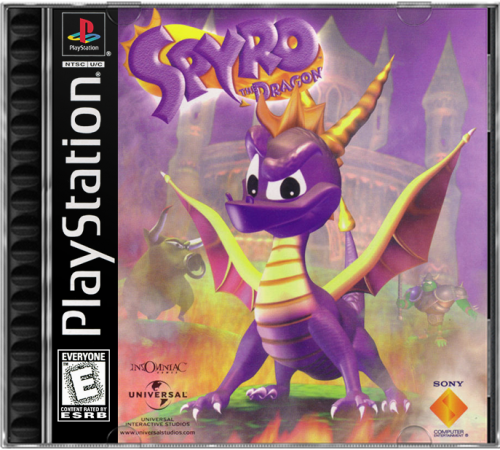 Your 2.5D sets are my favourite by far, thanks for all your work Is there any chance of you working on PSX PAL? would be forever even more grateful if so.
 -
amazing work, thanks
- 14 comments
-
- 2
-

-
- sony playstation
- boxart
- (and 3 more)
-
chd compression support PCSX2 (PlayStation 2)
STAiNLESS replied to Your Friendly A.I Overlord's topic in Noobs
I made this bat so I could extract, convert, delete one at a time. Extract to folder containing the .zip files you wish to convert then run the batch file. It will- 1. extract the first rom (.zip, .7z, .rar) to a new folder 2. convert it to chd 3. delete remaining extracted files 4. delete original zip file 5 move on to the next rom in the folder. Very useful if you have say 1000 ps2 roms and not enough space to extract them all before converting. **EDIT Just realised I renamed the chdman.exe to _chdman.exe, so you will need to do the same, or edit the bat. **EDIT 2 If the roms to be converted are zipped inside a folder "DO NOT" use this bat. set new_dir=new_dir mkdir %new_dir% for %%f in (*.zip, *.7z, *.rar) do ( rem Extract files to folder %new_dir% 7za.exe x -y -o%new_dir% "%%f" rem Change dir to %new_dir% pushd %new_dir% rem Convert FOR %%i IN (*.cue, *.gdi, *.iso) DO "%~dp0_chdman.exe" createcd -i "%%i" -o "%%~ni.chd" rem Delete files del /q /s *.bin del /q /s *.cue del /q /s *.img del /q /s *.sub del /q /s *.ccd del /q /s *.mdf del /q /s *.mds del /q /s *.iso popd rem Delete archive del /q /s "%%f" ) pause -
STAINLESS Mortal Kombat 11 Arcade Build
STAiNLESS replied to STAiNLESS's topic in Collections and Builds
Thanks its a 27" 16:10 monitor. kinda regret the 16:10 as it died a little wile ago and soooo hard to replace these days. ended up buying parts and fixing it. and yer i have ran all the old mk games, button layout deliberately has the X pattern for them and the run button under thumb. also works beautiful for 6 button fighters. -
STAINLESS Mortal Kombat 11 Arcade Build
STAiNLESS replied to STAiNLESS's topic in Collections and Builds
sorry for late reply. i started with these https://www.classicarcadecabinets.com/mortal-kombat-2.html -
 +1 these are great, thanks. also +1 for a Collections one please if you are still making vids
 -
i have my own per game configs that i load with each game. For instance, some work better for me in opengl, some in vulkun. I have different control setups for different games, like super mario U to work in multiplayer, they just swap around with the bat files. what im trying to accomplish is keeping the above options, and being able to close with back+select. the AHK .exe method should do it.
-
actually this is what i thunked of when i was trying to get to sleep lol. Thanks I like this idea, not sure it will work in this instance though, as its Cemu and the rom pathway/names are the reason i launch each game with its own bat files Thanks again
-
how can i use autohotkey scripts when i use bat files to launch the emulator? i do not have an emulator associated with the system in launchbox
-
Anybody know a way to generate a MAME Genre .xml from a list.txt of romnames? I have list.txt files for each genres i wish to create, with the rom names to include in each genre in each list.txt. Beat 'em Ups.txt Fighting.txt Platform.txt Puzzle.txt Racing.txt Run n gun.txt Shoot em Ups.txt Sports.txt
-
I have imported some mame roms as Arcade, during which I selected to create Playlists for MAME sub categories (capcom classics etc.) That all worked as planned perfectly. Once done, I created some more sub categories in Arcade called Arcade Systems, Arcade Collections, Arcade Genre. Plan is to move all the "Classics" into Arcade Collections, and all the "Systems" into Arcade Systems. But... When I change one playlists parent category, eg. Capcom Classics from Arcade to Arcade Collections, all the generated playlists become unpopulated (empty). Not just the one I moved, ALL of them. *EDIT... Actually I moved two playlists if it makes a difference. One to Arcade Collections sub category, and one to Arcade Systems sub category. *Edit 2... Solved... I renamed Arcade to All Arcade, this is what messed it all up.

-
 Thanks for New Dawn I'll grab MK11 wile I'm here too. Thanks for that also... Top work.
 -
Thanks so much for Primal, beautiful work once again
-
Thanks heaps for the Far Cry vids. Is there any chance I could request Far Cry Primal & Far Cry New Dawn?
-
The Best of Nintendo - A combination of playlist and theme
STAiNLESS commented on Mr.Laor's file in Playlists & Playlist Media
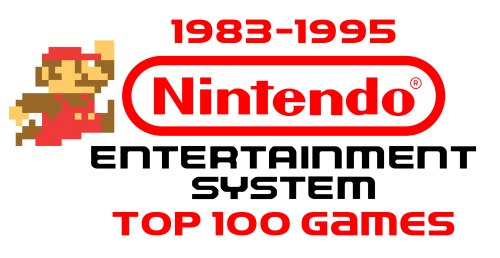 this deserves far more love than it got
 -
STAINLESS Mortal Kombat 11 Arcade Build
STAiNLESS replied to STAiNLESS's topic in Collections and Builds
nah -
STAINLESS Mortal Kombat 11 Arcade Build
STAiNLESS replied to STAiNLESS's topic in Collections and Builds
Thanks man. As for the button layout, it works for the 5 button cross format for mortal kombat with the run button at your thumb. the last 6 buttons also work for the street fighters. But if your asking about why i have what button where, it was purely for Mortal Kombat 11, but I changed my mind and now need to print little stickers to stick over the button labels. its now LB, X, Y, RB LT, A, B, RT -
Good thinking. That worked thanks
-
Did i spell it wrong? Galaxy S9 Aussie Play Store
-
STAINLESS Mortal Kombat 11 Arcade Build
STAiNLESS replied to STAiNLESS's topic in Collections and Builds
Just trying to find the time now to finish wiring everything up. with 3 kids, by the time i get to sit down after work it's bed time ? -
STAINLESS Mortal Kombat 11 Arcade Build
STAiNLESS replied to STAiNLESS's topic in Collections and Builds
thanks ? just goin the backlit marquee, please dont put ideas in my head haha. -

.thumb.png.fe229591ee5e2dee45e16abe3b4e2179.png)


