

zugswang
-
Posts
1,963 -
Joined
-
Days Won
19
Content Type
Profiles
Forums
Articles
Downloads
Gallery
Blogs
Everything posted by zugswang
-
Works perfectly, thanks ! 👍
-
For the amount of new games that come out and people actually adding them to their system it's a 2 second job to just copy and paste the ahk's and edit accordingly. Works great btw.
-
Try this method .. even better
-
FYI Hyperspin is still alive and works perfectly on latest Windows, even with the latest systems. Still superior in many areas vs LB imo (Loading Speed/exit being the main one) As long as you know how to tweak the modules when specific emulators get major updates (or get them from RocketLauncher forums) then you are good to go.
-

-

Blackscreen when launching Games with Rocketlauncher
zugswang replied to Visuals's topic in Troubleshooting
Are you running RocketLauncherUI as admin ? Also check to see it's not being blocked by firewall in the background. -
It says it all really that no work has been done to it for years and it's still superior to Launchbox where performance/loading times etc are concerned (imo, as I use both on a daily basis) where large setups are concerned. When you have a couple of systems on LB it loads instantly like Hyperspin, but the more you add the slower it all gets. Hyperspin has near Instant loading, no need for a cache and can run all the systems I run in Launchbox (with the help of RocketLauncher of course) no matter how much is piled into it. Launchbox/BigBox has many plus points over Hyperspin, but speed is not one of them, particularly if you have a large setup. I was just suggesting that someone could look into this as the cache folders may be the reason for the slowdown as a setup gets bigger (for me anyway)
-
Dead ??? 🤣 I better throw my 80tb, 600 system setup away then !!
-
Agree, I just looked and have 400,000 files in my cache (40gb) !! 🤯 Maybe Launchbox should invest in someone to take a look at the coding to see if there is a way around using the cache ? After all Hyperspin uses exactly the same image files and doesn't need one (for example)
-
In Launchbox, Options/Video Priorities then just put them in the order you want to prioritize them.
-
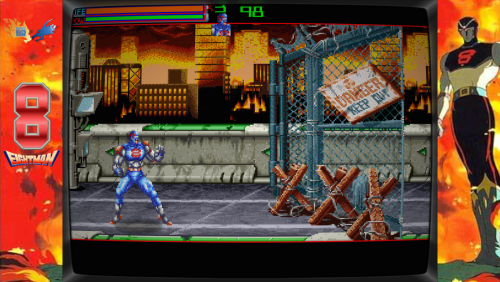 Any chance of the ini files for the bezels to use with RocketLauncher ? Thanks
 -
.thumb.png.01329959f65bf453a474fbf3afea0759.png) Nice one 👍 Thanks
Nice one 👍 Thanks -
Any chance you could do a box for this new Atari 7800 game (Rikki & Vikki) ? Thanks 👍
-
 Just tried in Bigbox and all you get is a static logo with a black border ?
 -
Top quality, keep up the good work ! 👍
-
You may find the odd one that people have created, but there is no Wii theme video pack on EmuMovies or anywhere else come to that.
-
Maybe give an example of what you are talking about ? Are you saying clones that are NOT picked up by Launchbox when you created your Arcade system ?
-
Theme Videos for Some Platforms Using Nlash's Style
zugswang commented on Suhrvivor's file in Platform Theme Videos
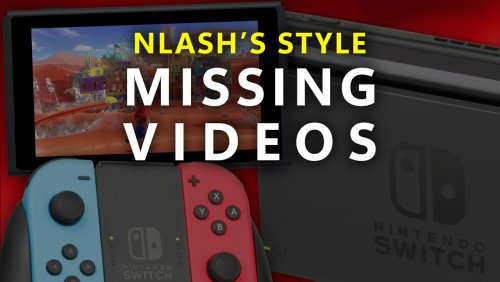 Top quality !! 👍 Thanks for sharing.
 -
All working now, thanks for info 👍
-
Works perfectly, thanks 👍 The loading process is also a smooth as any on my setup as well. ps, The issue was the emulator number you mentioned
-
How have you setup Vita3K to use this xml ? Is there anything specific that is a must to get this to work as it won't detect folders for me. Thanks
-
CriticalZoneV2 Theme Boxart glitch with latest BigBox update
zugswang replied to drewjbx's topic in Troubleshooting
Update to latest beta version. Make sure you have also downloaded the normal box-front set of boxart to utilise the 3D rotation and try the settings below. This shows up fine on latest beta version of BigBox with settings below. Your boxart above needs to be in Box - 3D folder The normal set needs to be in Box - Front (see asterix below)
-
 Yes I see it working ok in your theme, I was using CriticalZoneV2 - BlueBox and it won't work on that or a few others. Hopefully they will add an option per system one day so we can just disable it on certain systems. Thanks for info 👍



.thumb.png.01329959f65bf453a474fbf3afea0759.png)

.png.5d16ad235e683382f873fdb1667be6d4.png)
.png.7b58edcb5f9935fa55d048508629cbfe.png)
.png.636ff7a647e4d1dc96830aade75953af.png)


