
Cineaste
-
Posts
433 -
Joined
-
Last visited
Content Type
Profiles
Forums
Articles
Downloads
Gallery
Blogs
Everything posted by Cineaste
-
 Beautiful, thanks a ton! Greatly appreciated. I will look into expanding my library now.
 -
Amazing, thanks. Can't wait.
-
Absolutely not in a rush but curious if this has been addressed in the newest beta?
-
 Looks like we are in need of another update
 -
I noticed this in Event Viewer after updating to latest stable: Doesn't seem to have a negative impact but worth mentioning regardless. Any ideas? I am getting this every time I boot into LB or BB but it works fine. @C-Beats you commented on .NET issues in the past. Perhaps you have any insight? Reverting to 13.3 eliminates the error logs.
-
@Rincewind embarrassingly, I did not realize that Badges -> Storefronts -> EA was not enabled. Checking this option fixed the problem. It did not occur to me that Origin would have been a separate option at the time. Please disregard!
-
Thanks, @Rincewind I am having issues with games imported from EA Play. Storefront icons are not showing ever since the removal of Origin, even after re-importing. Is this the same for you? Steam, GOG, Epic, etc. all working fine.
-
 Amazing, thanks!
- 1 comment
-
- 1
-

-
- theme video
- platform
- (and 3 more)
-

PCSX2 now has QT GUI - how to launch with LB
Cineaste replied to TheNewClassics's topic in Troubleshooting
Wonderful, that did the trick. Thanks @JoeViking245! I recently switched from PCSX2 stable to latest dev build, which meant custom command-line parameters were no longer required (and in fact prevented LB from booting games). This solved everything in less than a minute. -
PCSX2 now has QT GUI - how to launch with LB
Cineaste replied to TheNewClassics's topic in Troubleshooting
Hey mate, is there a way to undo command-line parameters for custom configs without having to go through each game individually? I couldn't find an option in the bulk editing wizard. -
I set this to False as suggested, but the behavior remains unchanged. I am using the Rincewind theme. EDIT: Also observing this on Default theme.

-
PM sent. Note this is from Launchbox/Data. There is a similar file in Launchbox/Metadata if you need?
-
It is indeed. I can launch the game just fine within EA App. Although I did rename it from Battlefield 2042 Gold Edition to Battlefield 2042 in Launchbox after import.
-
The switch from Origin to EA App is welcomed, but importing Battlefield 2042 sets an unrelated application path pointing to an xml file:
-
@Rincewind thanks for the recent update! Could we also get new EA App icons introduced in 13.2? Origin is no more.
-
Interestingly, his files cause all of my games to become unresponsive, when before it was only the Analog Gun titles. Reverting to defaults works as intended, except L.A. Machineguns. I appreciate your assistance though!
-
Necro bump but I have similar control issues. Are yours still working? Even with the revised .ini lines I cannot move the cross-hairs in-game for LA Machineguns.
-
 Love the constant updates, keep it up mate!
 -
Microsoft Xbox 360 Platform video (16:9)
Cineaste commented on CTRL-ALT-DEFEAT's file in Platform Theme Videos
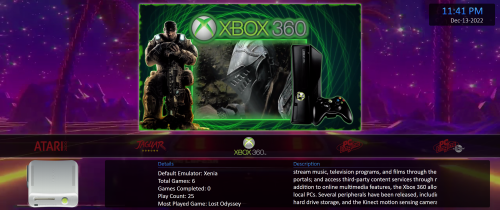 Glad to see you being active again @CTRL-ALT-DEFEAT Will you revisit this too at some point?
 -
@Zombeaver keen to know where you're at with this. Thanks for your efforts.
-
Sorry, am currently overseas and unable to test. Last feedback from @skizzosjt is promising.
-
I also experience the same issue with Pulse by @Juketsu I can recreate consistently by selecting a platform and exiting back out (no need to go to Game Details). No platform video unless I refresh by cycling through other platforms.
-
Thanks for looking into it. Is there a possibility of this being caused by something other than LB? Or does the error description rule this out?
-
Hey mate, did my stack trace above provide any meaningful clues?
-
Same error reference as above. Could be entirely unrelated but I would be grateful if this was looked into.



