
Cineaste
-
Posts
433 -
Joined
-
Last visited
Content Type
Profiles
Forums
Articles
Downloads
Gallery
Blogs
Everything posted by Cineaste
-
 @alec100_94 Speaking of the in-development version, where does one download the latest? Is it on the AppVeyor page?
 -
Not written for me either.. What custom command line are you using?
-
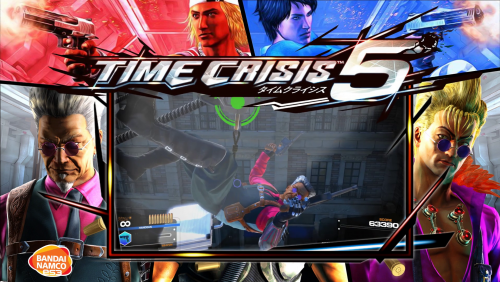 This came out of nowhere! Love the Time Crisis series so thank you! Any chance for Time Crisis 2 and 3 at some point? Or even Crisis Zone? Also, I was under the assumption that Namco ES3 emulation doesn't exist yet?
 -
Thanks for your efforts. If we could get another hotfix for the existing plugin that would be much appreciated! Also this is unrelated but I noticed that since the update my memory cards (i.e. save files) are not found either. Is this because the plugin no longer inserts/ejects game-specific memory cards? If you don't have time to update the plugin (which is totally understandable) do you know of a way to use previously created configs in PCSX2?
-
Hmm, I think that's what I did? Update to 11.3 > run LB > delete old shortcut > pin new shortcut. But it's completely stuffed it for me. Can I restore an older version and try again? EDIT: Right, I understand. There is another shortcut on the C drive that restores all functionality. Phew, crisis averted. Thanks!
-
I screwed up... After 11.3 had successfully installed I noticed that my existing LB shortcut in the taskbar duplicates the LB symbol when running the app - does that make sense? I click on the shortcut which proceeds to open LB as normal but adds another instance of the shortcut to the taskbar during operation. I suppose that is by design? I have a symbolic pointing to LB on another drive which might be the reason. Anyway, I thought I'd clean this up and deleted the original shortcut after opening LB. I then pinned the running application to the taskbar. In turn, this seems to have wiped my rom and emulator paths to the point where LB can't open a single file in my library (path not found). What used to be D\Games\Emulation etc. is now ...\Emulation etc. So the drive letter and folder name preceding my Emulation folder is missing. Is there any way for me to restore the original settings?
-
I played around with this some more and ended up downgrading the emulator to an earlier build which made my roms compatible again. Still, I am not 100% sure I understand the versioning. I have always handpicked my roms regardless of platform. So instead of downloading these massively oversized romsets I pick only those that I am genuinely interested in. Doing it that way, however, doesn't tell me what version of the emulator is compatible with my rom files. Is there an easy way to figure this out? I understand that downloading a pre-configured romset is easier but I can't be stuffed importing hundreds or even thousands of roms, most of which I'd never play. Even if I did, what happens if I need a newer version of the emulator because of game-specific improvements? Wouldn't I have to re-do my romsets from scratch?
-
Yeah that makes sense. I had an older version of the emulator that I recently updated to the latest. But the romset is still an older one. I suppose I'll have to go search for an updated romset. Mame is the only emulator that I know which complicates things simply by upgrading. Am I supposed to set up various Mame emulators based on romset differences?
-
Apologies in advance for the necro bump. I am having difficulties getting neogeo games to work correctly on the latest MAME emulator. It appears the bios I have is outdated and missing sp1-u4.bin, among others. Does anyone know where I can find the latest neogeo bios files?
-

 Fantastic effort and well done! Do you have any other platforms in the works?
 -
LB 11.3 temporarily broke plugins. Downgrade to the last stable release and you're set.
- 619 replies
-
- 2
-

-
- automation
- ps2
- (and 1 more)
-
I see, thanks. I will open a BitBucket as per your suggestion and go from there. Whilst I have you - in Big Box you can toggle an option to prioritise game music over the video (i.e. the video is muted and audio is replaced with the game soundtrack if available). Is that also possible on Launchbox as I cannot find the option?
-
No need to apologise @viking I understand your concerns and the explanation makes perfect sense. I suppose one has to make compromises in life
-
Having recently installed Viking's excellent Colorful theme I was hoping to replace game themes with video snaps in Big Box only. Options > Videos > Prioritize Game Themes is unchecked but it plays themes regardless despite there being both in the corresponding video folders. If I change video priorities in LB > Options > Media > Video Priorities and put video snaps at the top it works fine. However, this will override both LB and BB when I just want BB to show snaps. LB ideally continues to play themes. Is there anything I'm missing?
-
I really, really love the design of this. Well done @viking If only there was a view to cater for 16:9 video content. Most of my files are carefully edited game themes that just don't look right when cropped to 4:3. I could download a bunch of game clips which would mostly alleviate the issue but themes are far superior to many of the low-res snaps available on Emumovies. Especially when viewed on a 4K display. Perhaps 16:9 content could be implemented as a transparent background? One can dream..
-
11.3-beta-8...and I'm Dead in the Water Again
Cineaste replied to PiperCalls's topic in Beta Testing
Needs a dramatic thread title I guess.. -
I have over a dozen PS3 games in my Launchbox collection and this is the solution. Works every time.
-
OK will do, thanks.
-
I noticed that during the import process EmuMovies no longer has options for Gameplay and/or Video Themes. Games that previously imported a theme will no longer do so when deleting and re-importing. Did EmuMovies change the way they operate? EDIT: I just checked my EmuMovies profile and it says I am a Basic member even though I had recently paid for a yearly subscription? How would I go about rectifying this?

-
Wish I had known about that thread earlier. Good to know people are working to get those hard to run games to playable states. Also thanks for Killzone!
-
Playlist Theme Video Requests...
Cineaste replied to angelobodetti's topic in Playlists & Playlist Media
@PaDeMoNiuM that would be great thanks. Spy playlist is looking good! I could imagine something similar with the Tom Clancy franchises being highlighted (Rainbow Six, Splinter Cell, Ghost Recon, etc). -
Nice, I was hoping for that to be the case. No problem if it doesn't work out, can still manually set it up.
-
Playlist Theme Video Requests...
Cineaste replied to angelobodetti's topic in Playlists & Playlist Media
Would anyone be willing to put together a Tom Clancy theme? There are dozens of games on several platforms to draw inspiration from which would make this an ideal fit. -
@Zombeaver it appears Primal is now finally playable at decent speeds in HW mode thanks to a custom Gsdx plugin as reported here (scroll down to prafull's post with instructions). Exciting! Video proof:
