
Cineaste
-
Posts
433 -
Joined
-
Last visited
Content Type
Profiles
Forums
Articles
Downloads
Gallery
Blogs
Everything posted by Cineaste
-
 You're kidding?! EDIT: Lies.. I tested with 11.15 and all is working as it should.
 -
It was tongue in cheek because I haven't seen an announcement. Not complaining. Thanks!
-
Explain this?

-
11.15 sneakily released? ?
-
It is no longer happening in this release, thank you Previously what used to happen is an image getting deleted if I changed its category. Let's assume I changed what was categorized as 'gameplay screenshot' into 'background fanart'. Rather than reassigning the new category to the file in question it would disappear completely on pressing OK.
-
You can add me to the list of users having fanart deleted when using the Add/Edit Game screen.
-
This one has me puzzled. I scraped Doom Eternal but every time I boot through LB it crashes the game on start-up. If I boot via Steam it works without issue. This is the only game exhibiting such behavior. Any ideas?
-
Thanks mate. Turns out the Windows update was entirely unrelated. An older version of MSI Afterburner/RTSS prevented LB to launch. Updating this to the latest beta solved my problem.
-
I updated to Windows version 20H2 and can no longer open LB or BB. The start up dialogue appears on screen but the application doesn't launch. I hadn't updated past LB 11.4 since I was without a GPU for a while. Any ideas?
-
https://www.deviantart.com/framerater/art/Bandai-WonderSwan-PNG-806731906 https://favpng.com/png_view/playstation-playstation-vita-wonderswan-color-handheld-game-console-png/6FyJETns
-
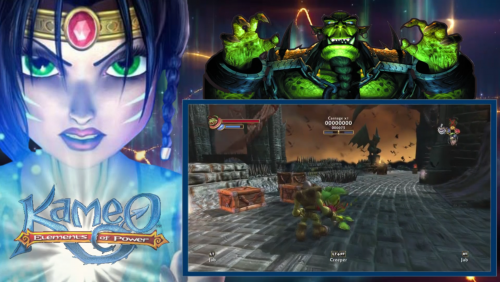 Mate, this is stellar work! Thank you so much. Are you planning on doing videos for other platforms?
 -
 Thanks for adding Shadow of Mordor!
 -
Do we get a neat little badge icon with that? Not able to test myself until later.
-
I dodged a bullet then since all images, videos, themes, etc. are stored inside LB's default folder structure. It's only the roms and emulators that have their own path (which means my setup isn't portable but that's another story).
-
Thanks, I figured this would need some manual intervention. Luckily I don't have too many emulators set up currently so the the process should be relatively straightforward.
-
I suppose I need to use the search function more.
-
I would like to clean up my rom collection which means moving around a bunch of files. Can anyone think of an easy way to bulk-edit file paths in Launchbox so that I don't break my entire setup?
-
What does not work exactly?
-
I very much doubt it is the plug-in when it works for the majority. The poster above has advised that it works as intended on a new install which all but confirms that it is set-up related. Especially if you had it running in the past.
-
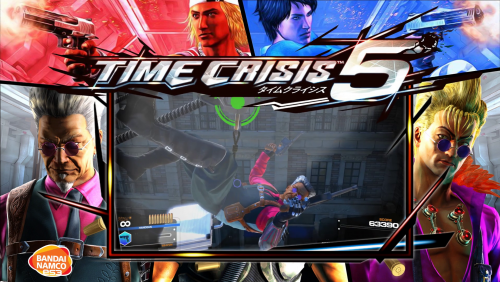 They're just the standard images that are being pulled from the Launchbox database. Example: https://gamesdb.launchbox-app.com/games/images/102423 The box art is only 828 x 1160 pixels. Still, they all appear much larger than the Time Crisis cover and I have no idea why. As a test, I downloaded this poster off the internet and it fills the space correctly. I'm at a loss mate.
 -
@sucramjd I have one more question if you don't mind me asking. The media pack you provided is absolutely beautiful, however the box art seems very small in comparison to other games. Please see below screenshot. Is that by design?
-
You legend, thanks so much for the quick fix. Works like a charm now.
-
That's nuts! I had no idea this game was dumped - didn't think it possible. Will try right now, thanks! Now if only Time Crisis 2 (my favourite) was playable on MAME. The PS2 version on PCSX2 is decent but the arcade version is still the best.
-
Could someone please confirm the downgrade procedure to 11.2? I take it that LB has moved to the 'Core' folder as of 11.3. Do I select this folder when running the 11.2 installer? Or do I go back to the parent folder like it used to be? Will there be any complications later down the track when I inevitably upgrade again? For now, I have no choice but to stay on 11.2 until plugins have been fixed, specifically PCSX2 Configurator.