

C-Beats
-
Posts
5,253 -
Joined
-
Last visited
-
Days Won
18
Content Type
Profiles
Forums
Articles
Downloads
Gallery
Blogs
Everything posted by C-Beats
-
Took a look and found the cause of the issue reported ( @Gaulent @Merovingio) and it should be corrected in the next beta release. You SHOULD be able to change the decimal point to a comma in the numerals used in Related Games star rating criteria and have it work in the meantime though.
-
First I've heard having this issue. Are you using an old image queue or were these downloads something you've scraped after upgrading? If the former you may need to cancel any existing processes and requeue so they get the new URLs.
-
As of right now no there isn't since the possible filter values could drastically change when moving from one platform to another. What you could potentially do is go to the "All" filter (if turned on in options) and then use the filter itself to swap between platforms and then do what you are hoping to do.
-

Restoring and Preserving Historical Video Game Box Art
C-Beats replied to Jonny Severn's topic in Game Media
Man some one was busy this weekend! -
Your ticket was closed as what you are describing is already functionality built into LaunchBox and has been for a long while. The ticket explains the easiest way of utilizing this feature. https://retroachievements.org/download.php - Here is their list of supported emulators
-
This one is corrected with the code changes we have in place as well. We've improved matching for about 10 different systems (I don't have a list handy to list each one unfortunately...)
-
Something is locking the setup executable or stopping it from being allowed to run. I'd go to \\LaunchBox\Updates and find the latest installer in there and right click and go to properties and make sure the app isn't locked. Also worth checking if you have a virus detection app incorrectly labeling it a virus stopping you from running it.
-
Yeah, you may need to make a BAT file or small program to do it effectively
-
We have code change internally to help with this for next release. I've discovered in writing that though my initial work around wasn't entirely correctly. You need the platform to be named "Atari 8 bit" for it to find it. You also don't need to re-import. Can just bulk edit the games and change their platform to the new value
-
I took a look and you're right we don't do this lookup as well as we could/should be and have it added to the list of things to address with next version. In the meantime to get this to work you'd need to change the name of the platform to Atari 8-bit on the games you want to scrape, scrape them with EmuMovies, then change them back (if you so desire)
-
If you run into this again could you post up your debug log so I can see if there any useful information in it that would shed some light into why you're seeing this behavior?
-
They've released a stand alone tool that can be used to do it in bulk called ZArchive. They have a link to it in their changelog that mentions this change.
-
Thanks @launchretrogirl2562 @JoeViking245 for the report. A correction has been put in place and this will be corrected in the next beta release.
-
If for some reason you DON'T want you titles sorted that way (ignoring leading articles) you can set that titles Sort Title to match it's title and it will sort the way you are wanting.
-
Game Details / XAML string questions
C-Beats replied to essjaygee's topic in LaunchBox for Windows Custom Themes
1) You'd have to change how you display the string and instead of using a single text block use something like a WrapPanel with several text blocks inside of it that you can control visibility independently on. Once you move to that set up you could use a DataTrigger in the style of the text block to set Visibility to Collapsed if the values are the same (I don't THINK you'll need a converter to do so, but fairly certain we have one built already for this purpose if you do). 2) Just set to string format to yyyy and it should work for what you want -
Your metadata file appears to be corrupted. To correct to go Tools > Download > Force download Games database metadata to download a fresh file and that should correct itself.
-
What you're asking for is the console's BIOS screen. This was the screen the hardware played when first turned on and haven't yet loaded any data from the cart. Some emulators have the ability to turn that on, others don't. You will need to look into your emulator/core options for something referring to a BIOS screen and enable it if that option is available to you.
-
Unfortunately custom themes need to be updated to show/use new features as we have no way of injecting them into the theme. Theme should still WORK, it just won't allow you to use the new feature. For example any theme that hasn't been updated to work in 12.10+ won't have the Related Games feature in it.
-
Are using the default names for those platforms or you're own custom one?
-
What game/platform are you having the issue with? What method are you using to try and scrape the media from EmuMovies? Download Metadata/Media Wizard or the Add/Edit Game Download Media button?
-
This theme doesn't support icon's in the sidebar. You'd have to use Default Plus for that functionality (not sure if @faeran put it in any other themes or not)
-
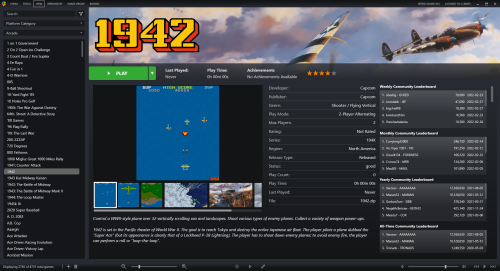 1.2 Uploaded which corrects the issue reported @tycho1974
 -
Wanted to confirm I see the behavior you are. I believe that was originally caused by a bug in EmuMovies old API but will reach out to EmuMovies to see if we can get confirmation for you as to what the cause is and if we should expect to see it return in the list for free users.
-
Thanks for letting me know. It shows in Grid view but I don't see it when in list. I have some other corrections I plan to make today and release a new version. I'll add this to the list of things to look into
-
If every game in the platform is hidden, it hides the platform as well. The hide flag can also be bulk edited. All you need to do is go to the platform in question inside of LaunchBox, then select an item in the grid/list and then press Ctrl+A, Ctrl+E then in bulk edit wizard that appears set the field you want to update to "Hide" and check the box.



